 Adobe Illustrator
QR Studio for Adobe Illustrator
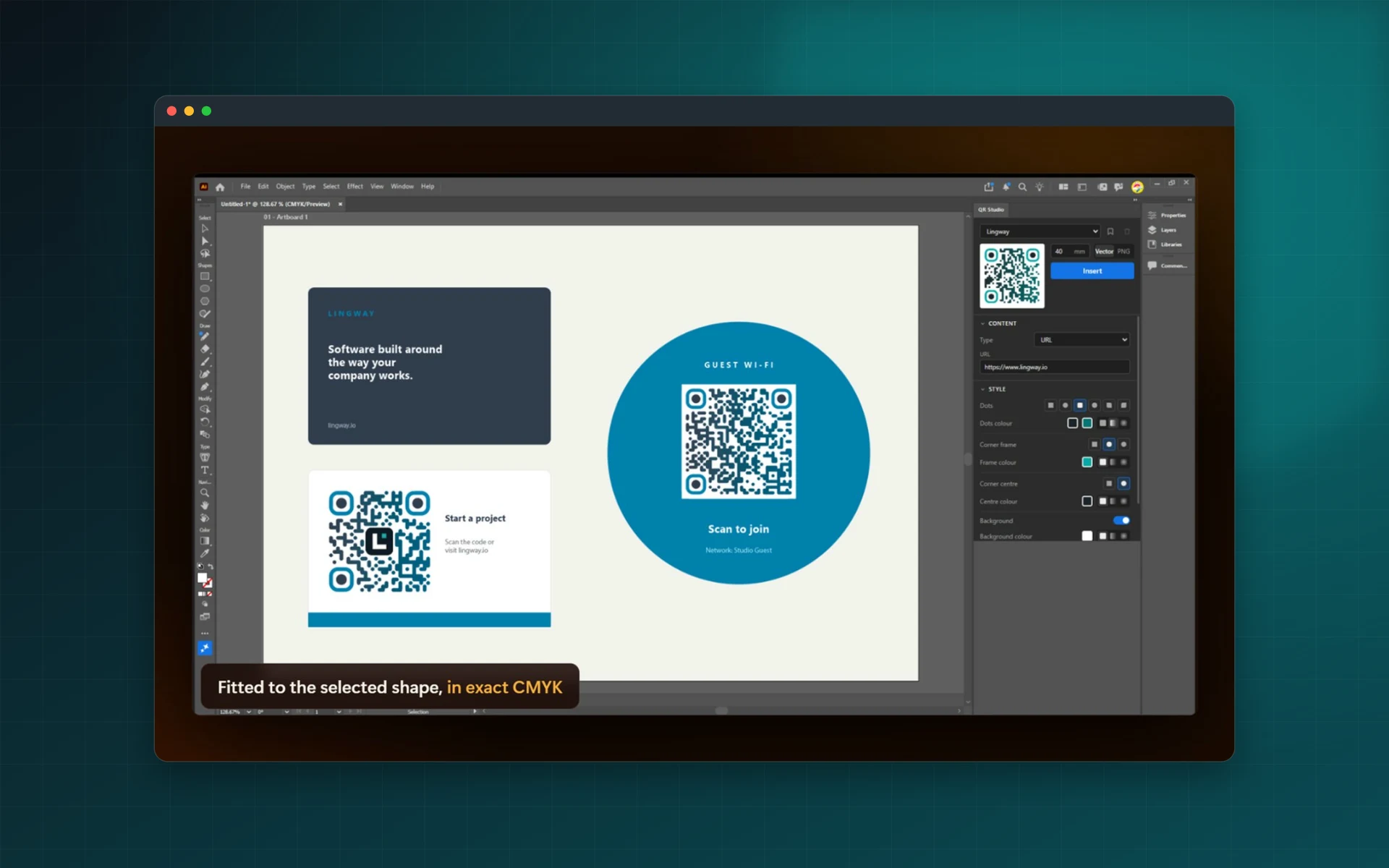
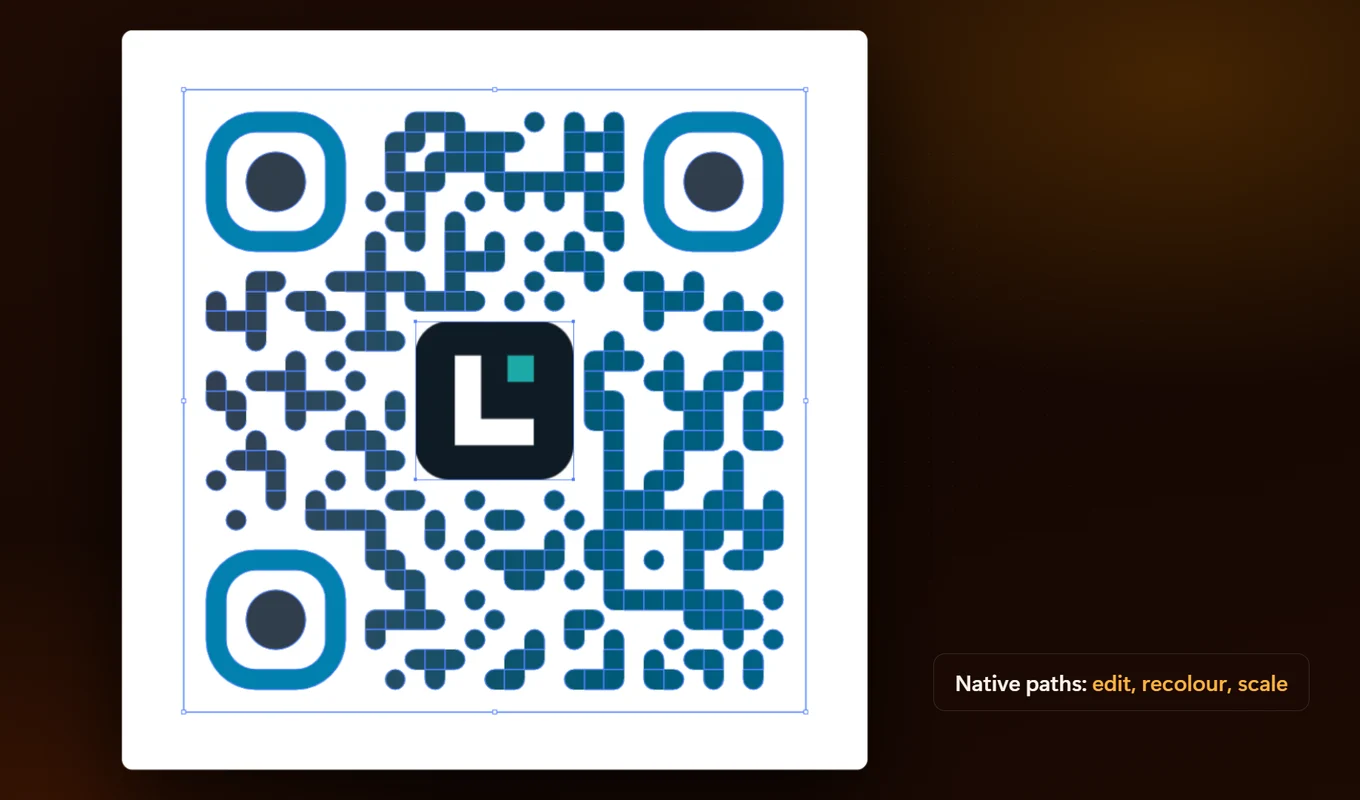
Adobe Illustrator has no QR code tool of its own. QR Studio creates on-brand codes right on your artboard, as native vector paths in exact CMYK. Select a shape and the code fits it. No web generators, no Image Trace, no detours through other apps.
- Native paths, nothing linked
- Exact CMYK, gradients included
- Fits the selected shape
- Logo, brand kits, scan check
Installs from Adobe Exchange · opens in a new tab
- Works in
- Adobe Illustrator
- Adobe Illustrator 2025 (29.0) or later, macOS or Windows
- Price
- $19
- one-time purchase
- Updated
- 26 Nov, 2026
- Support
- From the developers
- Updates included
QR codes that are artwork, not images
A code from a web generator is an RGB image or an SVG you have to clean up. QR Studio draws the code as paths in your document's own process colours.
Native, editable paths
Recolour, reshape and scale codes like any other artwork. Nothing is linked.
Exact CMYK
Process colours land in your document as exact values, gradients included, ready for packaging and print.
Fits your artwork
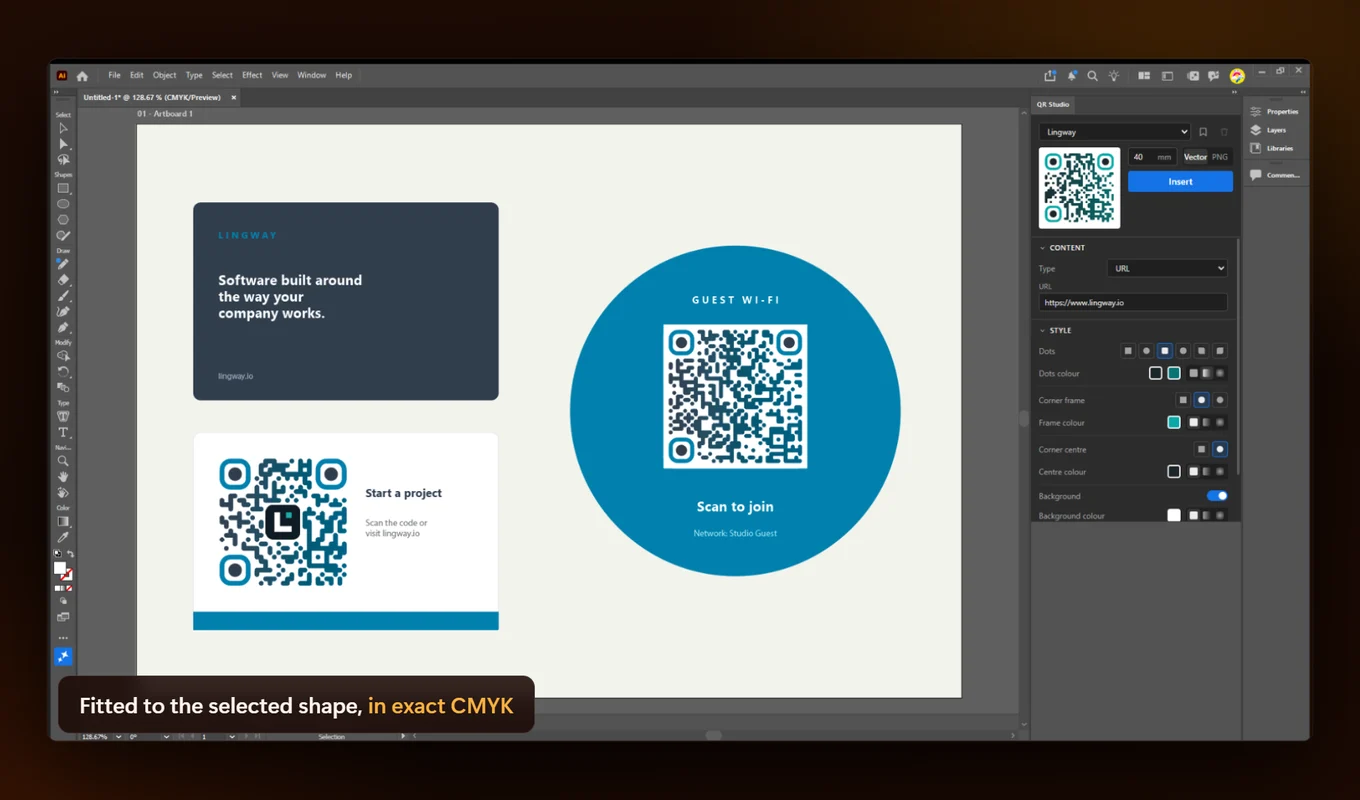
Select a shape and the code is sized and centred on it. Or it lands in the centre of the view at the size you set in millimetres.
Seven content types
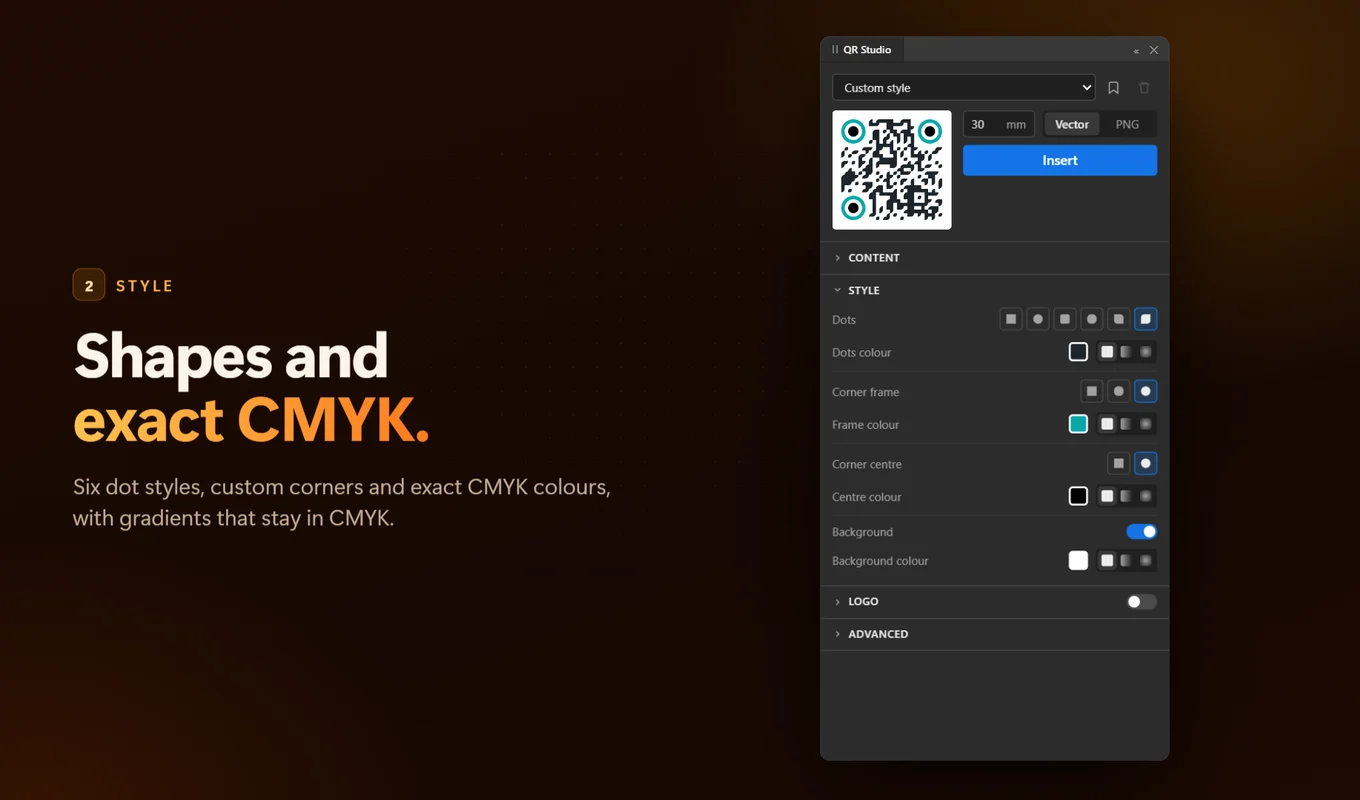
Website, text, email, phone, SMS, Wi-Fi login and vCard contact.
Your logo
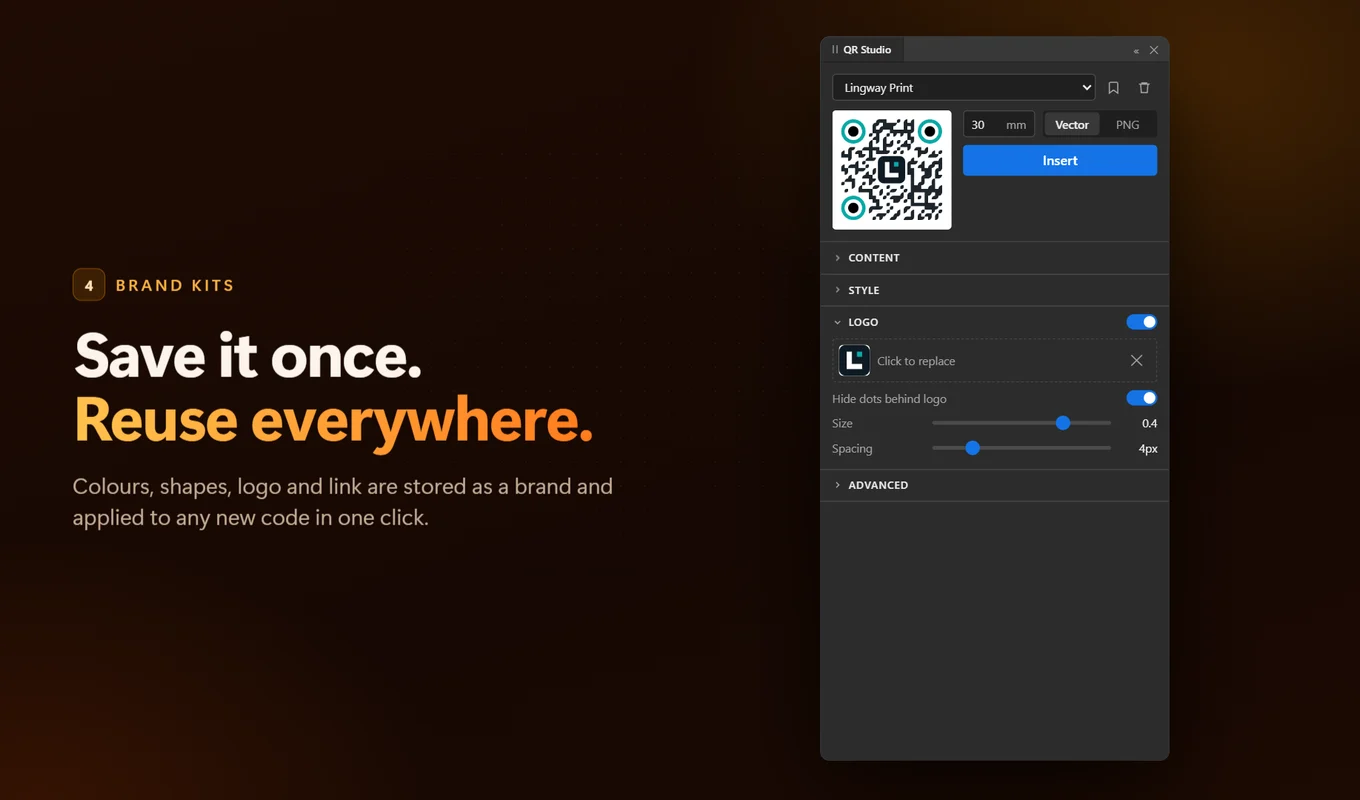
Add a PNG, JPG or SVG logo. Error correction is raised automatically so the code keeps scanning.
Scan check
Warns about low contrast, inverted colours or a code that won't scan, before you print.
Brand kits
Save colours, shapes, logo and link, and apply them to any new code in one click.
PNG when you need it
A 300 dpi PNG export, in a compact panel that feels native to Illustrator.
See it inside the app
Editable QR codes in Illustrator
Content types, shapes and exact CMYK colours, a logo that still scans, brand kits, and a code fitted to the selected shape as editable paths.
Frequently asked questions
Does Adobe Illustrator have a QR code generator?
No. Illustrator has no built-in QR code tool; the usual workarounds are a web generator or Image Trace. QR Studio creates the code directly on the artboard as vector paths.
Are the QR codes editable?
Yes. They are native paths, not linked or embedded images. You can recolour, reshape and scale them like any other artwork.
Are the colours really CMYK?
In a CMYK document, the colours you choose land as exact process values, gradients included. Use a CMYK document for print work.
What is the smallest size I can print?
We recommend at least 20 mm. Test-print the code at its final size before going to press.
Is there a version for InDesign?
Yes. QR Studio for Adobe InDesign places the codes in your layout as CMYK vector PDFs at an exact size.
Guides and tutorials
More from Lingway

Next Barcode Suite for Adobe InDesign
Generate 159+ barcode and QR code formats as vectors inside InDesign.
View Product
Next Barcode Suite Batch for Adobe InDesign
Hundreds of barcodes and QR codes in Adobe InDesign from a spreadsheet or a number sequence, in one run.
View Product
Next Barcode Suite for Illustrator
Generate barcodes and QR codes in 159+ formats directly inside Adobe Illustrator, as vector artwork.
View Product