 Adobe Illustrator
Caliper for Adobe Illustrator
Add clean, live dimensions to your Illustrator artwork in one click: the size of every object, the gaps between them and their distance to the artboard, in any unit and at any drawing scale. Spec cards, a legend and CSV or JSON export turn the artwork into a hand-off.
- Measure a whole selection in one click
- Any unit, two units at once, any scale
- Spec cards, legend and CSV export
- One-time $59, no subscription
- Works in
- Adobe Illustrator
- Illustrator 2021 (25.0) or later, macOS and Windows
- Price
- $59
- one-time purchase
- Support
- From the developers
- Updates included
The dimensioning panel Illustrator never had
Illustrator's own Dimension tool measures one line at a time, in one unit, and its labels vanish on dark artwork. Caliper measures everything you select and keeps it up to date.
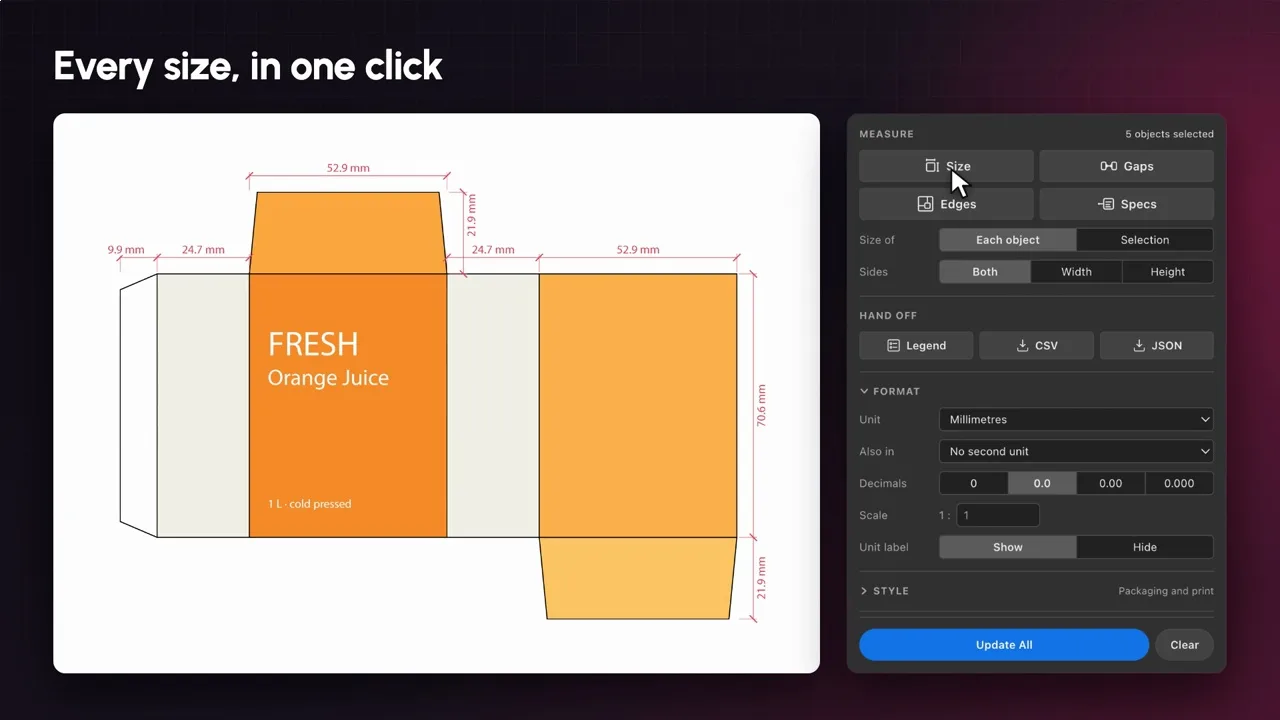
Measure in one click
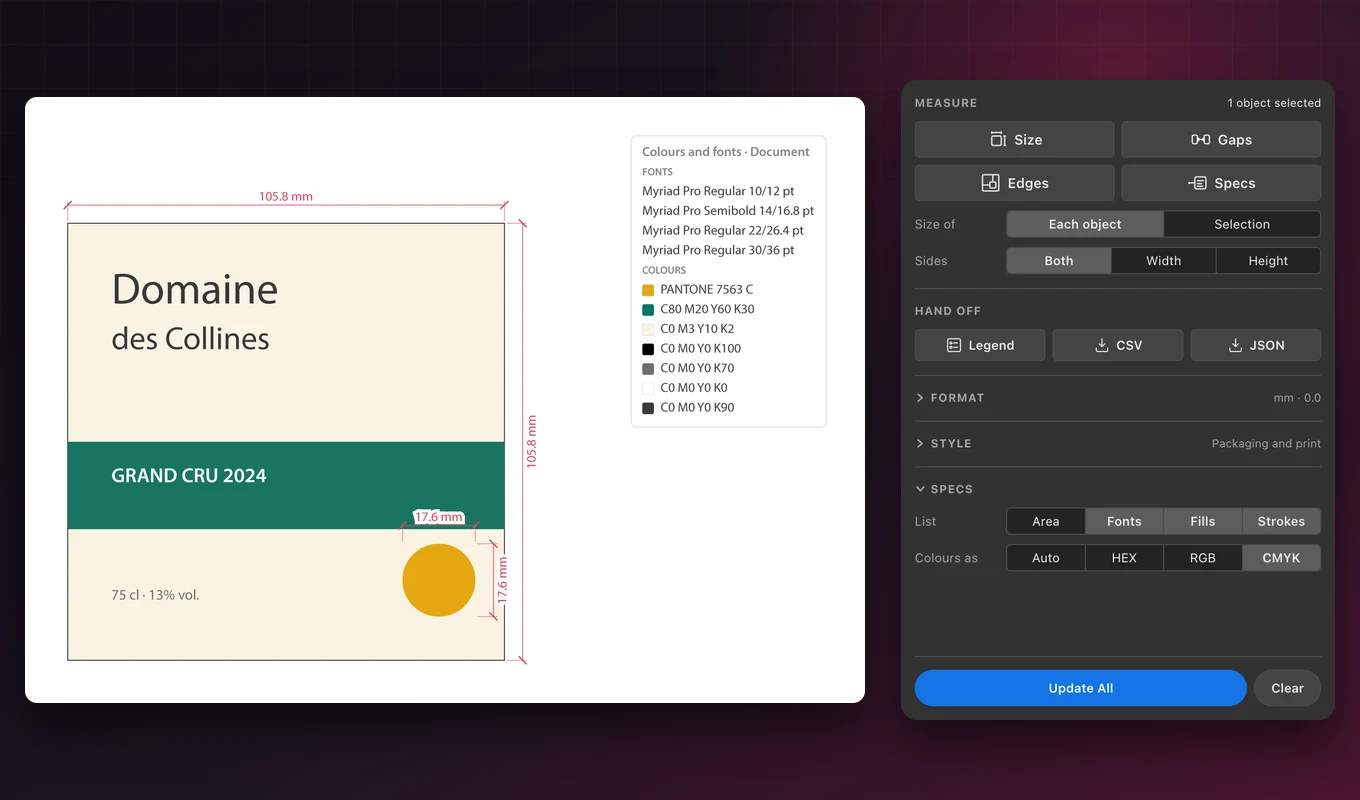
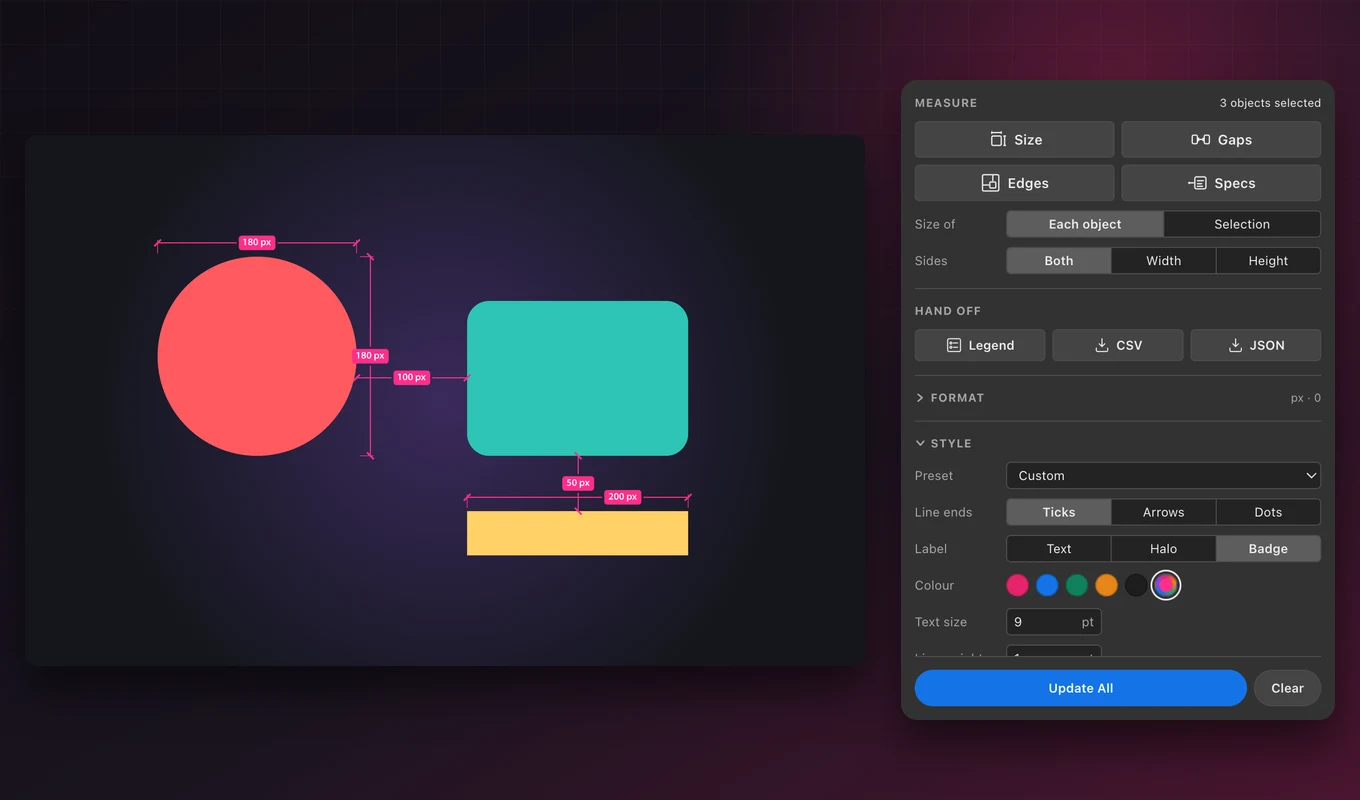
Size, Gaps and Edges: the width and height of each object or of the whole selection, every gap between neighbours, and the distance to the artboard's edges.
Any unit, two at once
Millimetres, centimetres, metres, inches with 1/8 to 1/32 fractions, feet, points and pixels, and a second unit on the same label, such as 120 mm / 4.7 in.
Drawing scales
Set a scale such as 1:10, 1:50 or 1:100 and every label shows the real-world size, for plans, signage and large-format work.
Spec cards
A tidy card beside an object lists its fonts with size, leading and tracking, its fills and strokes, and optionally its area. Spot colours keep their names.
Legend and export
One card lists every font and colour in the selection or the document, and every dimension and spec exports to CSV or JSON for a spreadsheet, a quote or a developer.
Labels that stay readable
Ticks, arrows or dots; plain text, a white halo or badges. Labels avoid each other and other lines, stay inside their own line, and snap to whole points.
Presets for your trade
Packaging and print, UI handoff, signage, architecture at 1:100 and imperial fractions set units and style at once. Change anything afterwards.
Update All
Move or resize your artwork, then click Update All: every dimension, spec card and legend is redrawn. A dimension whose object was deleted is dimmed, never lost.
Stays out of your way
Everything is drawn on its own Caliper layer: hide it, lock it, or clear it in one click. Your artwork is never changed, and one Undo removes a whole command.
From install to result in a few clicks
- 1
Select your artwork
Select one object, a few, or a whole design. The panel shows how many objects are selected.
- 2
Click Size, Gaps, Edges or Specs
Dimensions and spec cards appear on the Caliper layer, in the unit, scale and style you chose.
- 3
Hand it off
Add a legend of fonts and colours, export everything as CSV or JSON, and click Update All after any change.
See it inside the app
Built for packaging, plans, UI and print
The pictures below are Illustrator exports of real Caliper output on sample artwork.
Packaging dielines
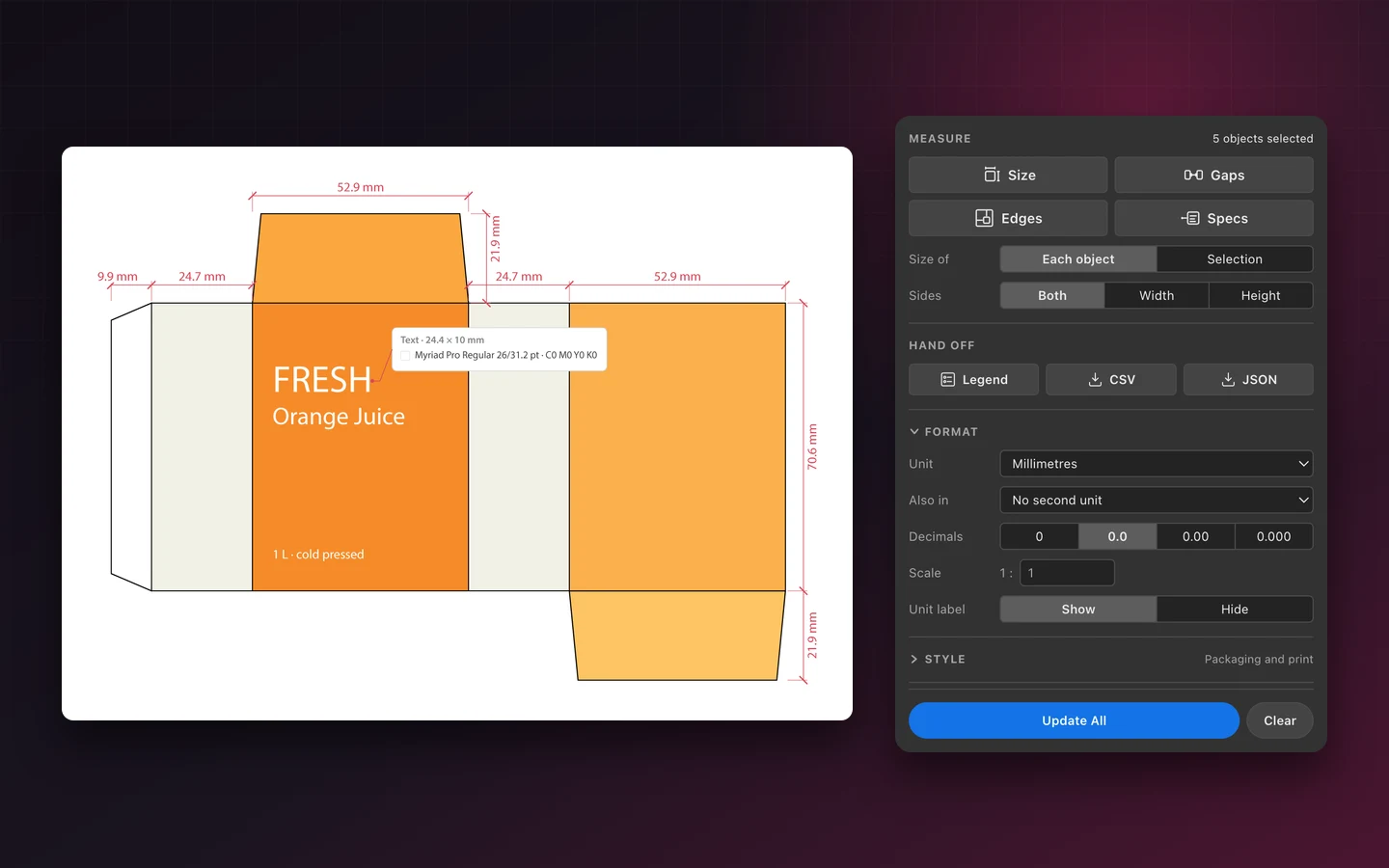
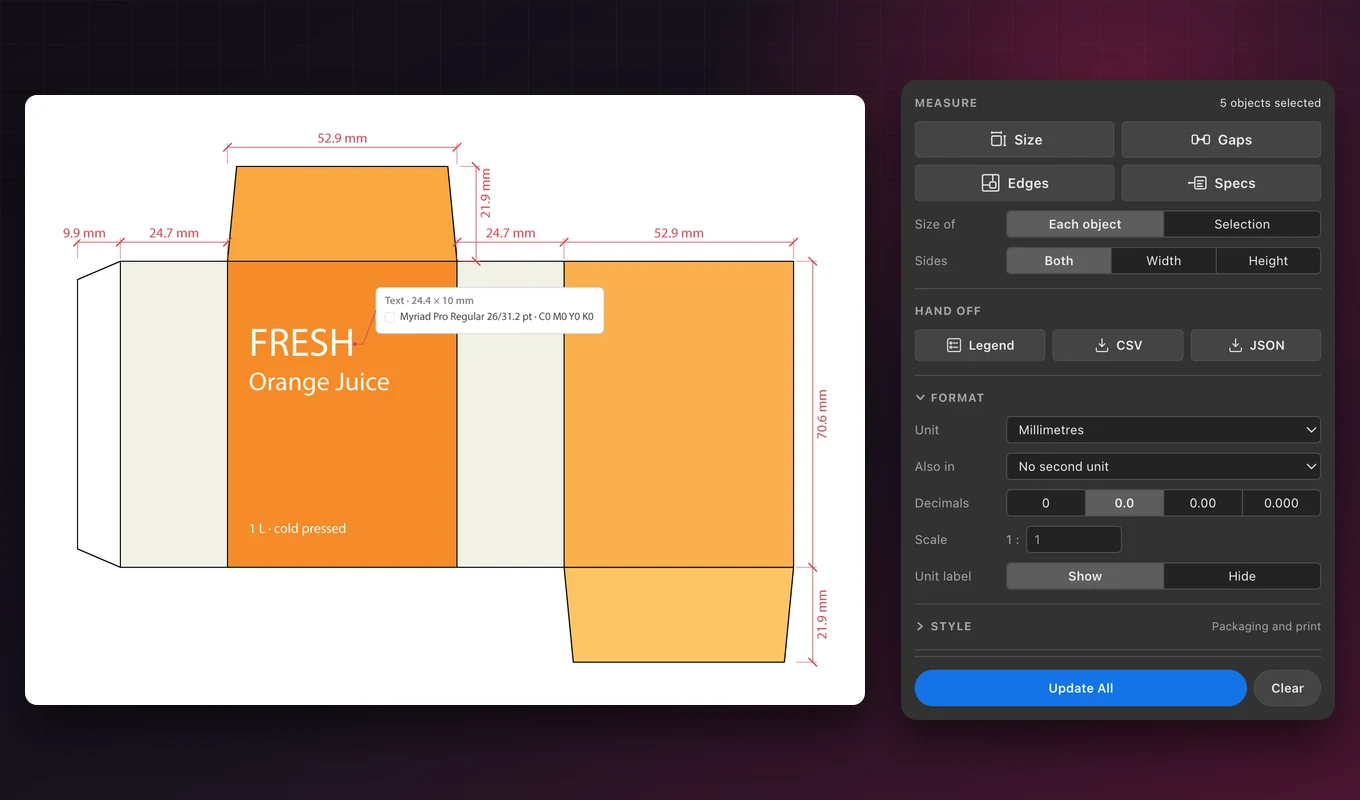
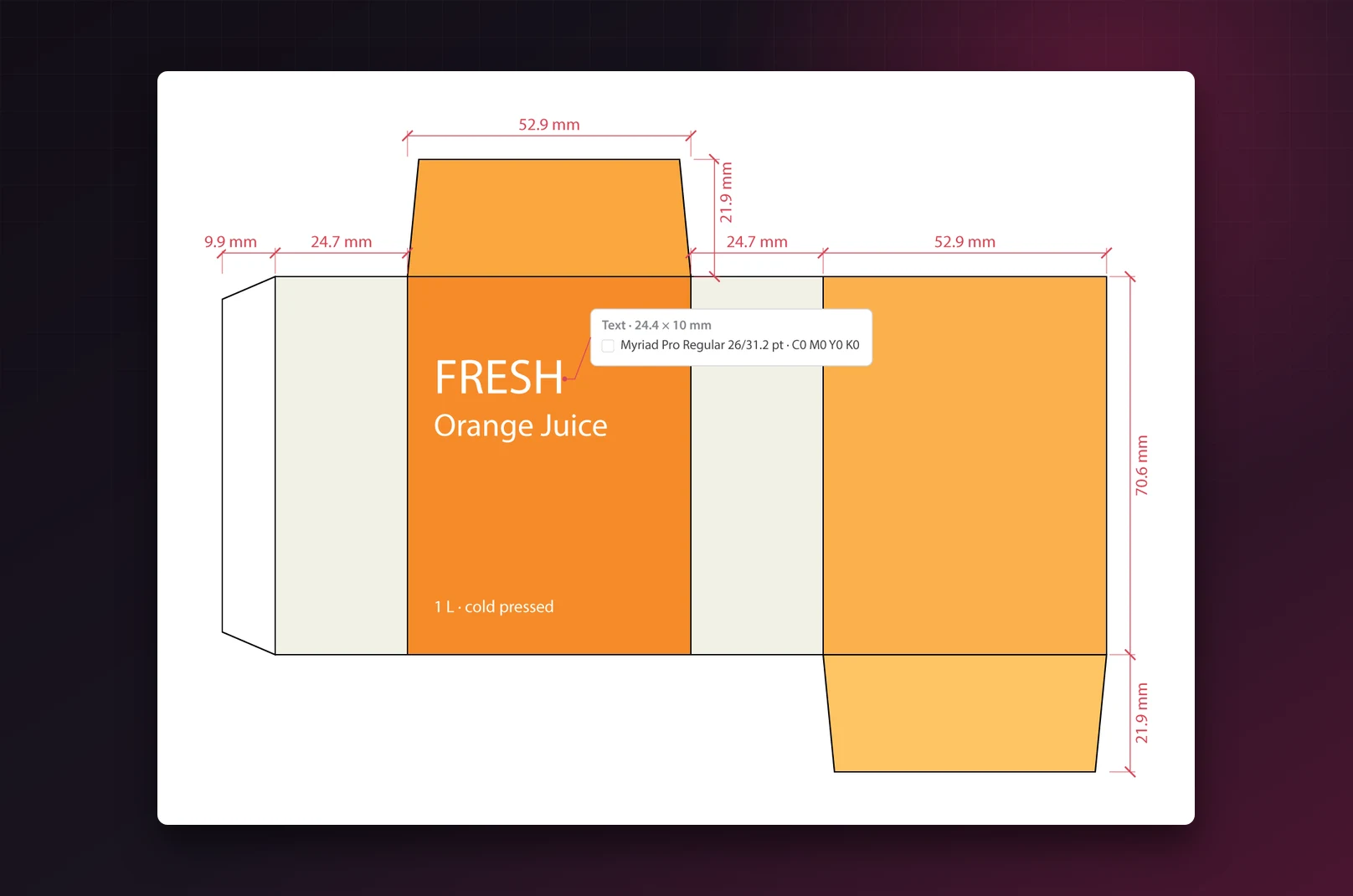
Select the panels of a carton and click Size: every panel width appears above the dieline, with flap and body heights beside it. Choose Width or Height to measure only one side, or Selection to measure the whole dieline as one box.
The Packaging and print preset writes millimetres with one decimal and colours in CMYK, and halo labels stay readable on printed colours.
Plans at any scale
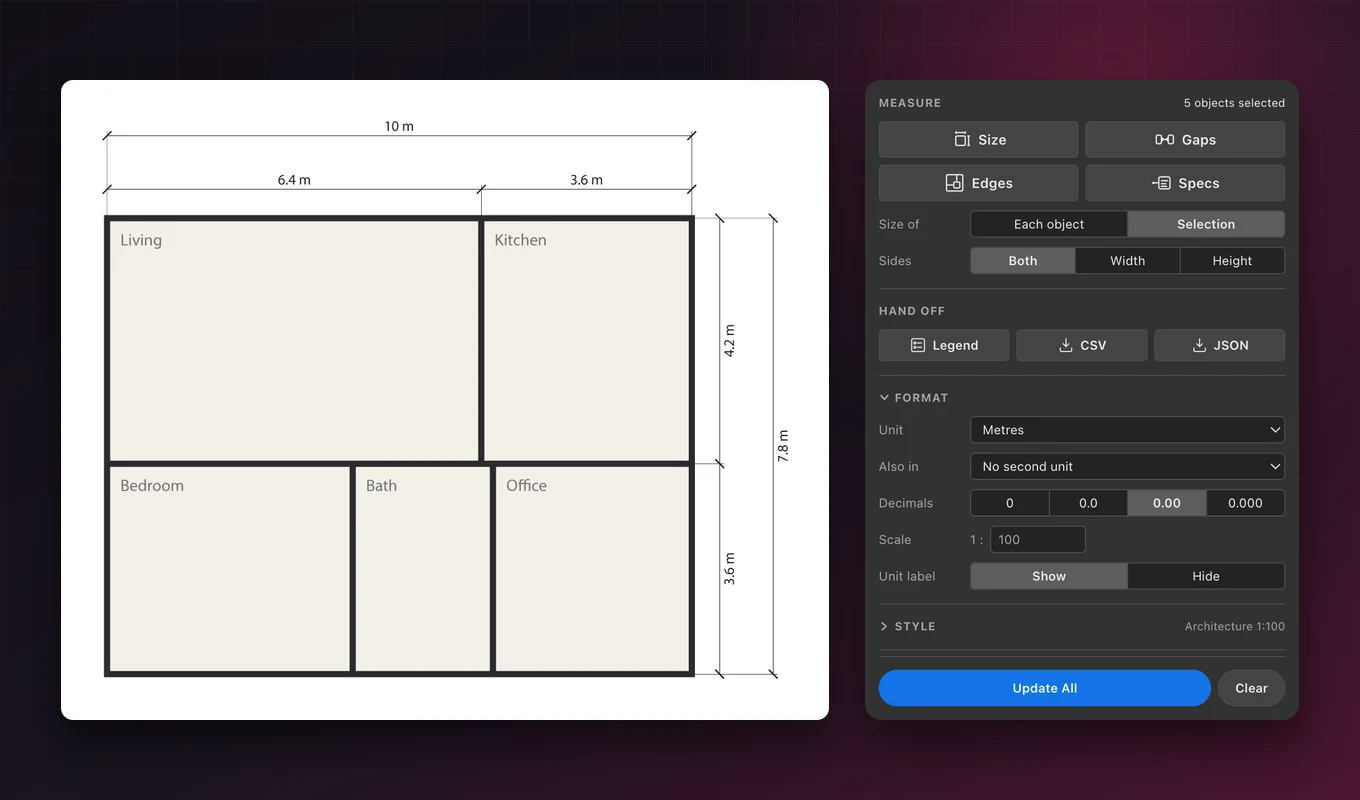
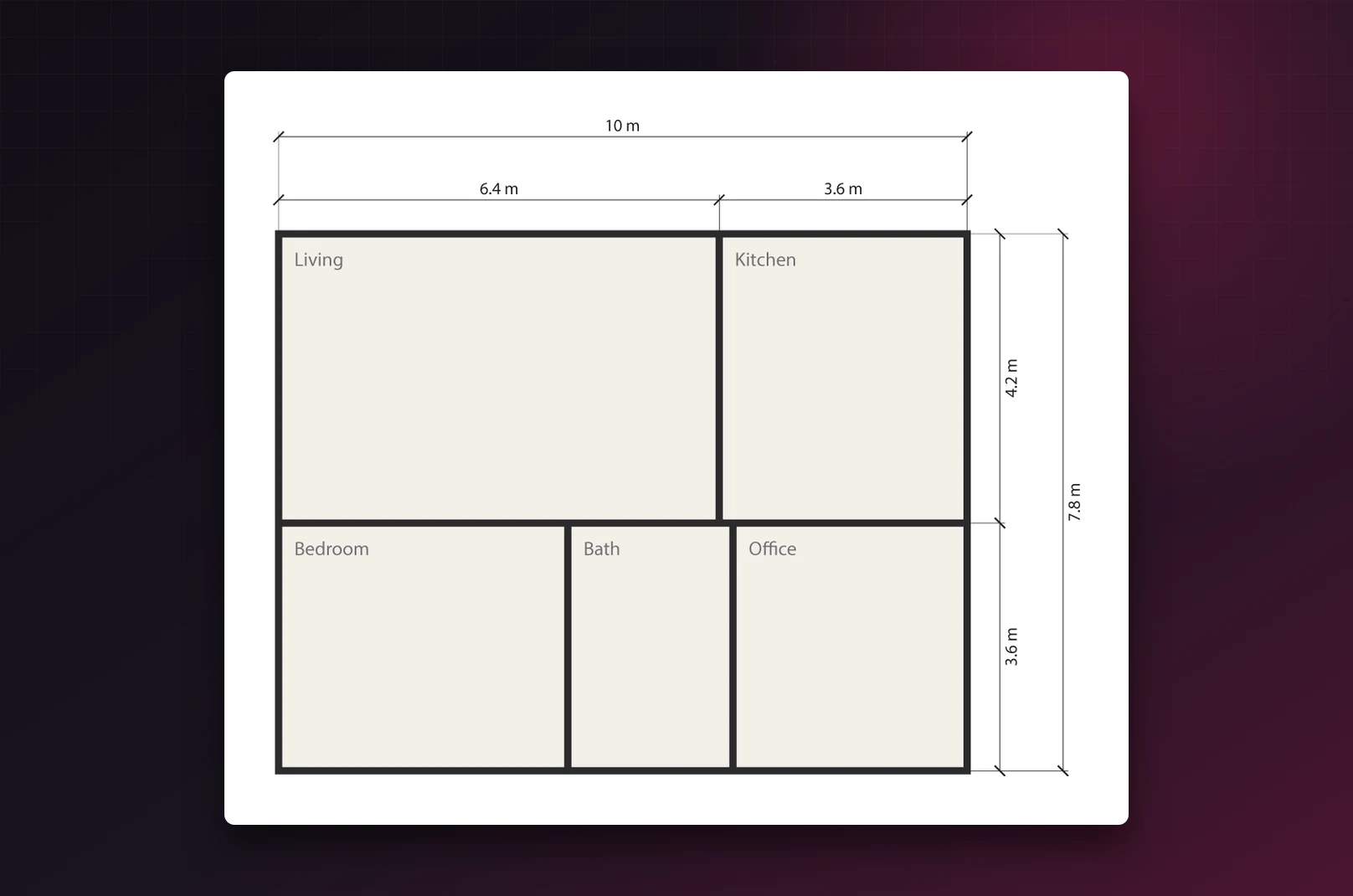
Set the scale to 1:100 and a 64 mm wall on the artboard is labelled 6.4 m. Room widths, heights and the overall size of the plan line up outside the drawing, the way architects draw them.
Work in metres, centimetres, millimetres, feet or inches, and add a second unit to every label when a client works in the other system.
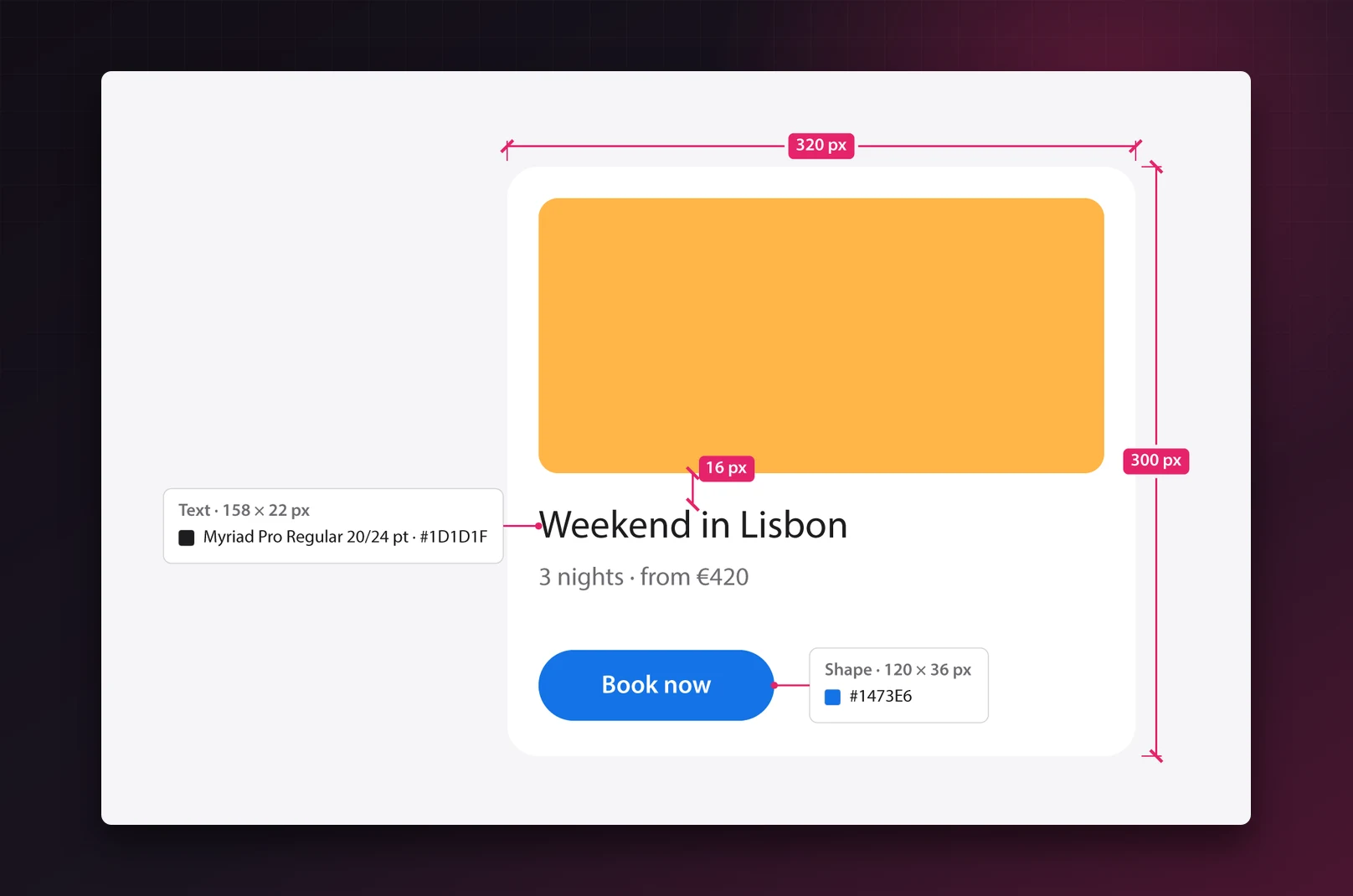
Specs for developers
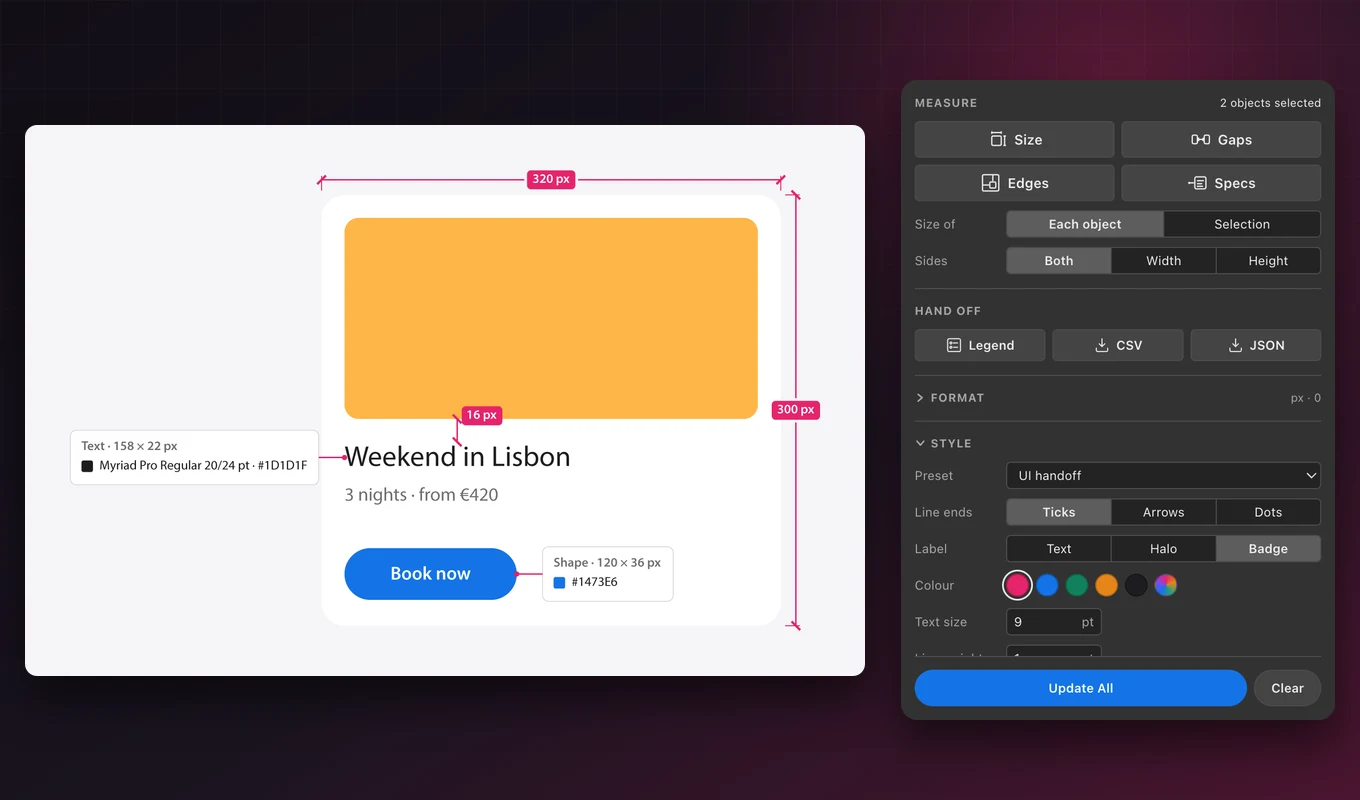
Specs adds a card beside each selected object: the font family, style, size and leading of its text, and its fill and stroke colours in HEX, RGB or CMYK. The UI handoff preset writes pixels and draws sizes and gaps as badges.
Gradients list their stops, spot colours keep their names, and the card can also show area and perimeter.
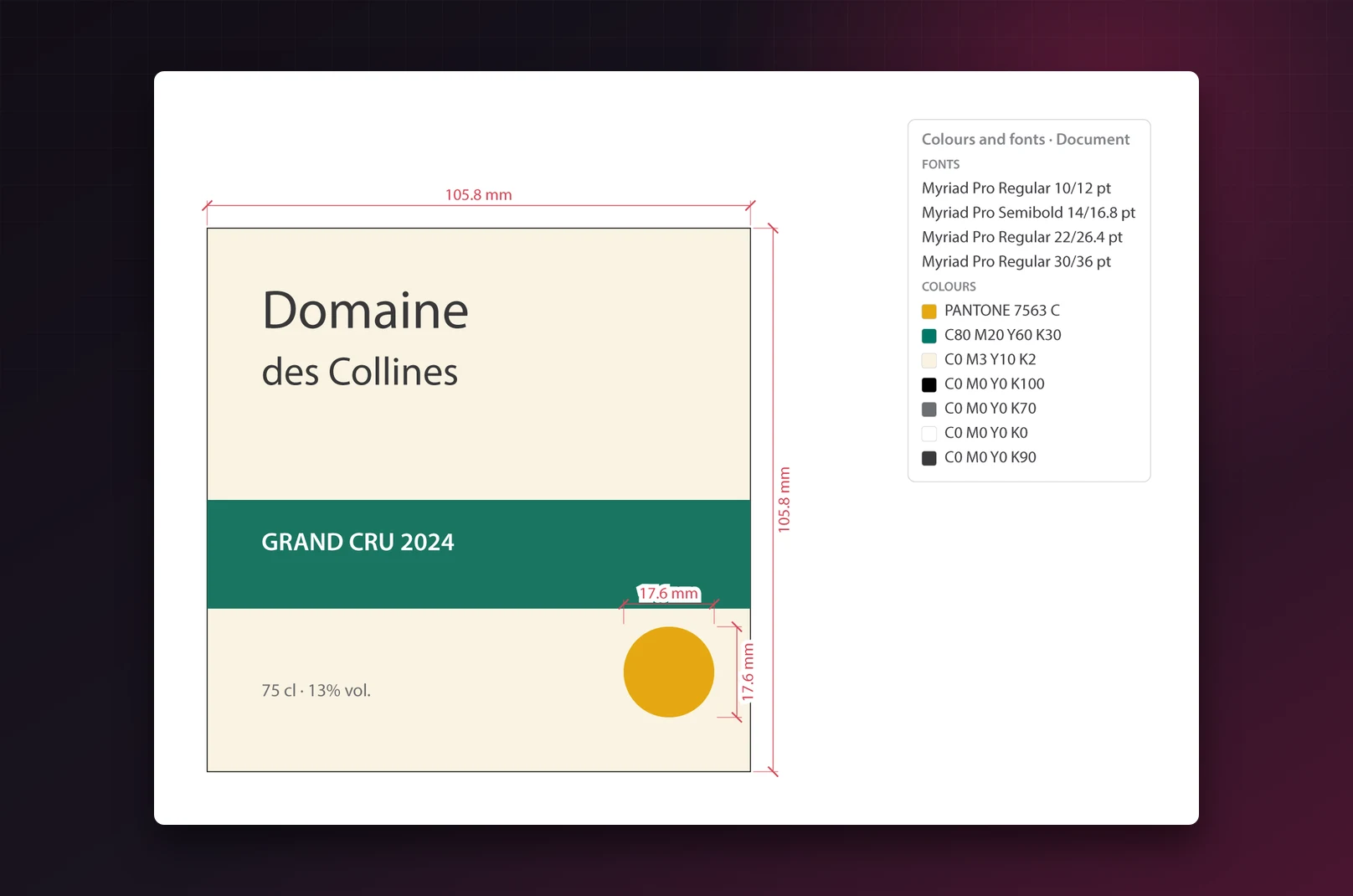
Legend and CSV export
Legend places one card beside the artboard with every font and colour in the selection, or in the whole document when nothing is selected, without covering artwork or another artboard.
CSV and JSON export every dimension, spec card and legend, in the order you made them, ready for a spreadsheet, a quote or a developer's build.
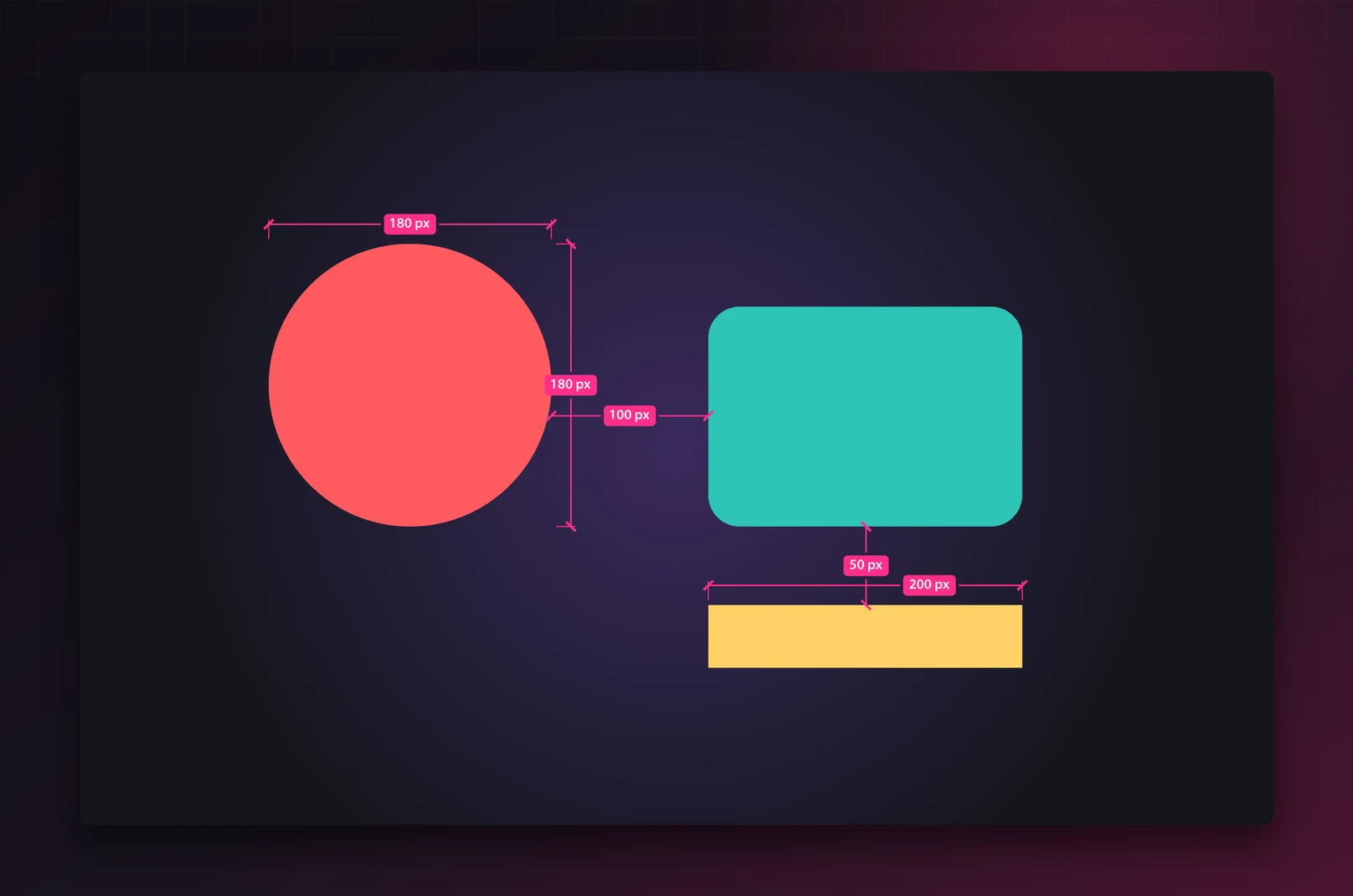
Readable on any background
On dark or busy artwork, badge labels sit on their line in a solid colour, and plain labels can get a white halo. Pick any colour for the lines and labels, and set the text size, line weight and offset.
The panel itself follows Illustrator's four brightness settings and speaks English, French, German and Spanish.
Built for production work
Packaging designers
Dieline panel sizes, flap heights and colours for the printer, in millimetres or inches.
Architects and interior designers
Room and overall dimensions on plans and elevations at 1:50 or 1:100, in metres or feet.
UI and web designers
Pixel sizes, spacing and specs for developers, as badges, spec cards and JSON.
Sign makers and print shops
Production sizes for signs and large-format prints, with real-world sizes at any scale.
See Caliper in action
A packaging dieline, an app screen, a floor plan at 1:100 and a wine label: sizes, gaps, specs, a legend and a CSV export, each in a click or two.
 Plays from YouTube (privacy-enhanced mode)
Frequently asked questions
Does Caliper replace Illustrator's Dimension tool?
It adds what the Dimension tool lacks: measuring a whole selection at once, gaps and distances to the artboard, two units on one label, drawing scales, spec cards, a legend and CSV or JSON export.
Are the dimensions live?
They're ordinary artwork on their own Caliper layer. After you move or resize objects, click Update All and every dimension, spec card and legend is redrawn. A dimension whose object was deleted is dimmed rather than removed.
Will it change my artwork?
Never. Caliper only draws on its own Caliper layer, which you can hide, lock or clear. One Undo removes everything a command drew.
Does it work with rotated objects, clipping masks and several artboards?
Yes. Clipped groups are measured by their mask, rotated objects by their bounding box, and distances to the artboard use the artboard each object sits on. RGB and CMYK documents both work.
Which units and scales are supported?
Millimetres, centimetres, metres, inches (with 1/8, 1/16 or 1/32 fractions), feet, points and pixels, or the document's own ruler unit, with any scale from 1:1 upwards.
Does it need an internet connection or an account?
No. Caliper runs entirely inside Illustrator, sends nothing anywhere and needs no account.
More from Lingway

Bleedline for Adobe Photoshop
Bleed, crop marks, trim and bleed boxes and a PDF/X-4 setting for any Adobe Photoshop document, in one click.
View Product
DataInk for Adobe Illustrator
13 kinds of chart drawn as editable Adobe Illustrator paths, in your swatches and character styles.
View Product
Nano Banana Studio for Adobe Photoshop
Generate and edit images with Google Gemini inside Photoshop.
View Product