 Adobe InDesign
ReplacePro for Adobe InDesign
Find and replace across hundreds of InDesign documents at once. Update text, relink images, change brand colors and swap fonts in a whole folder without opening each file.
- Process 1,000+ INDD files
- Text, linked images, colors and fonts
- Rules from CSV, TSV or Excel
- Apply to originals or to copies
Installs from Adobe Exchange · opens in a new tab
- Works in
- Adobe InDesign
- InDesign 13.0 or later
- Price
- $11.99
- per month
- Support
- From the developers
- Updates included
A batch replacement engine for InDesign
InDesign's Find/Change works on one document. ReplacePro works on all of them.
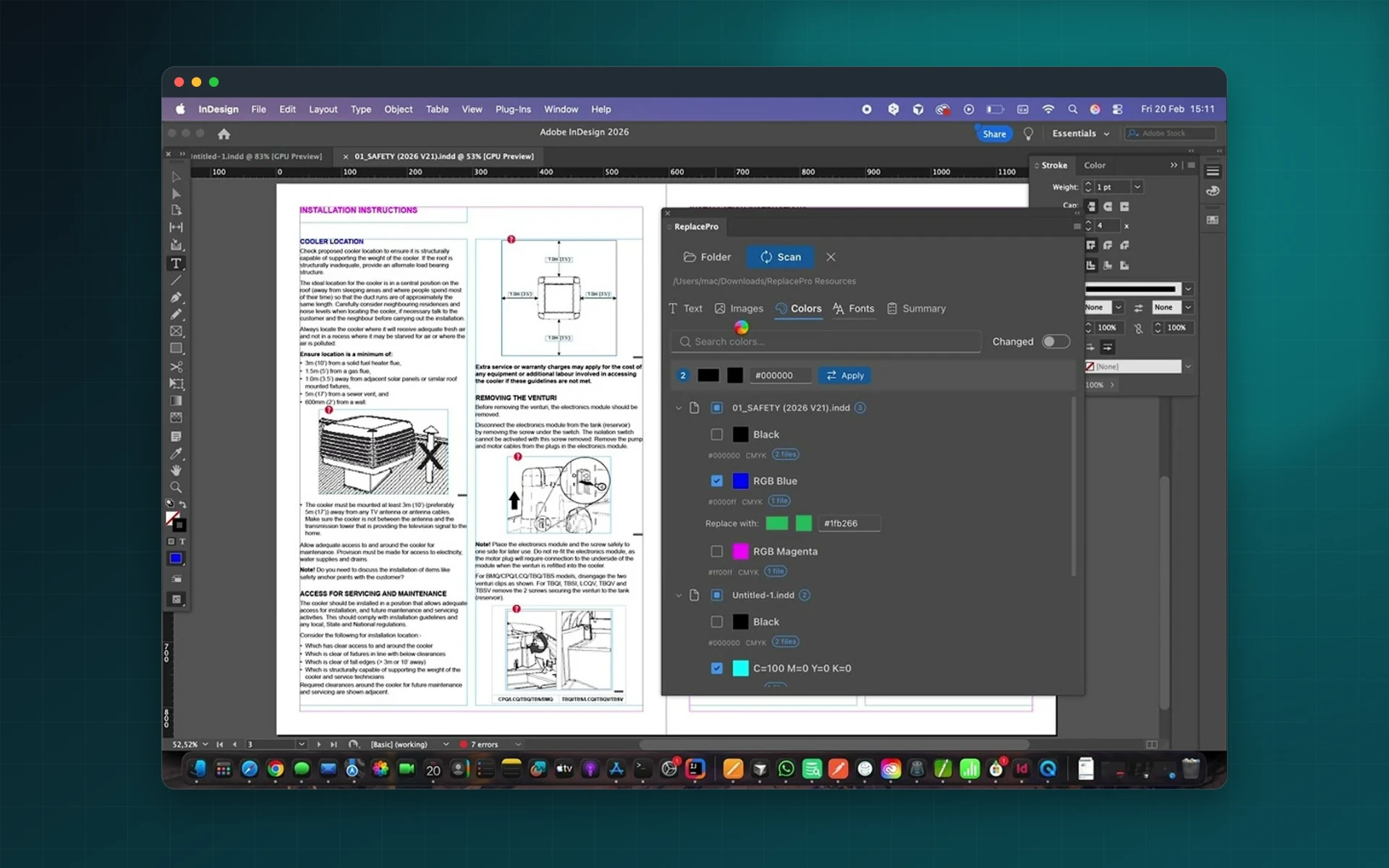
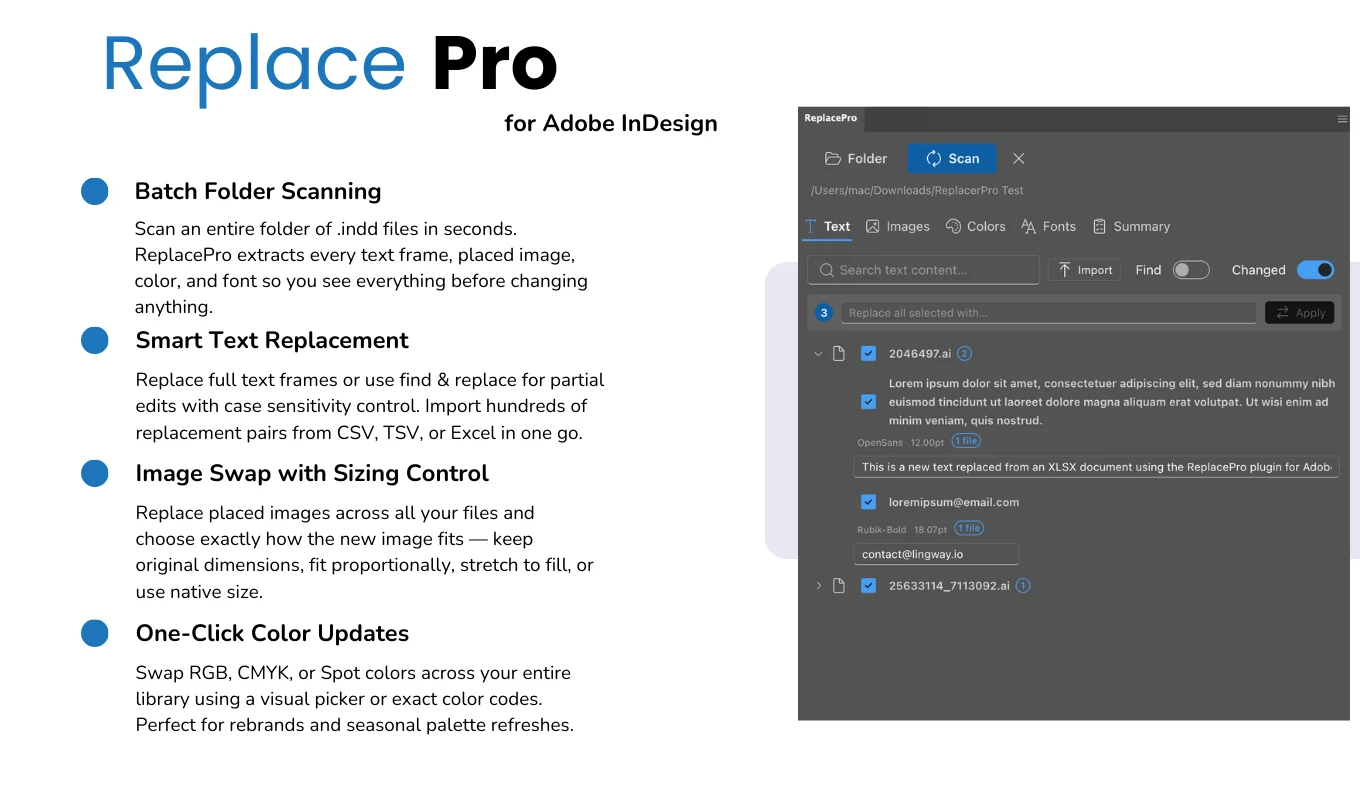
Batch text replacement
Partial or full text replacement with case-sensitive and exact matching across every selected file.
Spreadsheet rules
Import replacement rules from CSV, TSV or Excel for localization and catalog updates.
Linked images
Swap linked images with fitting options: keep dimensions, fit proportionally or use the native size.
Fonts
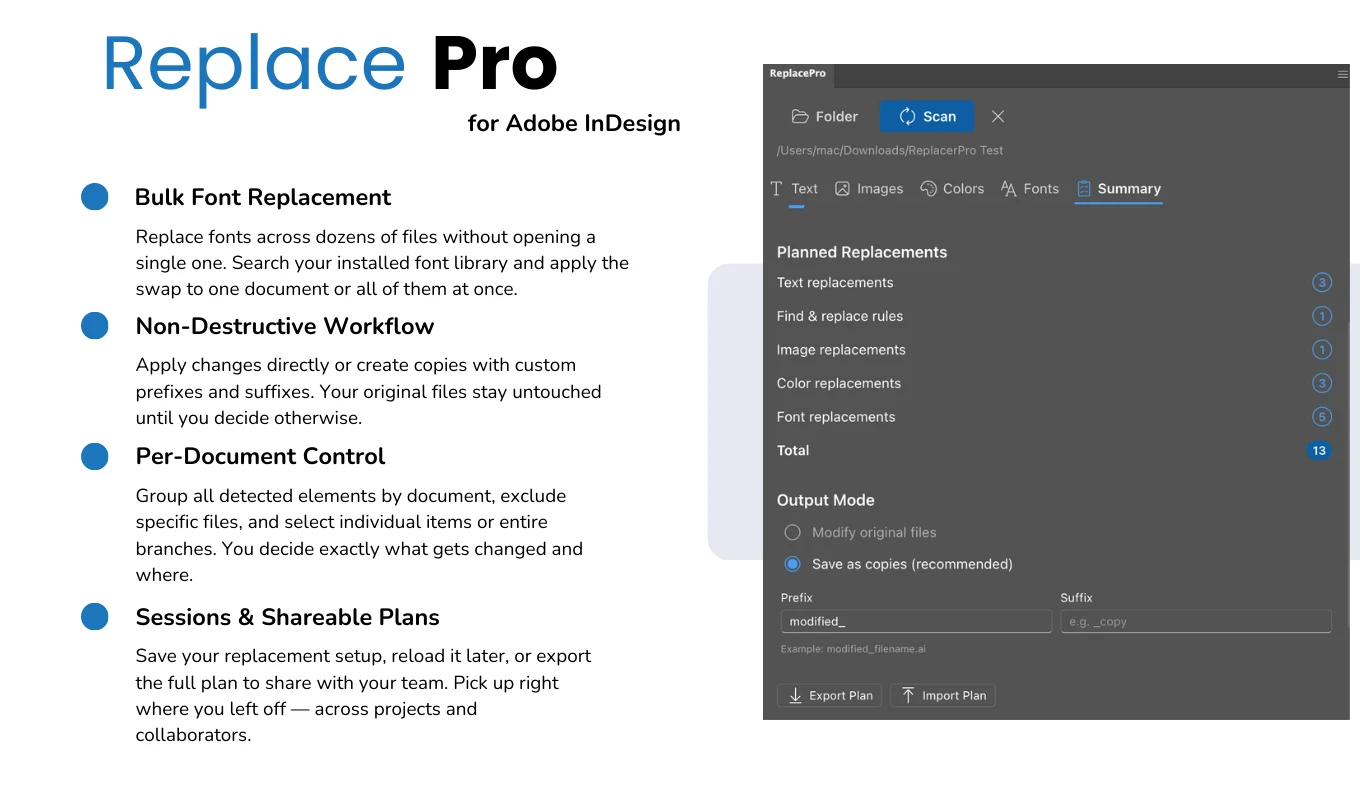
Replace outdated fonts with your brand fonts, picked from your installed fonts.
Colors
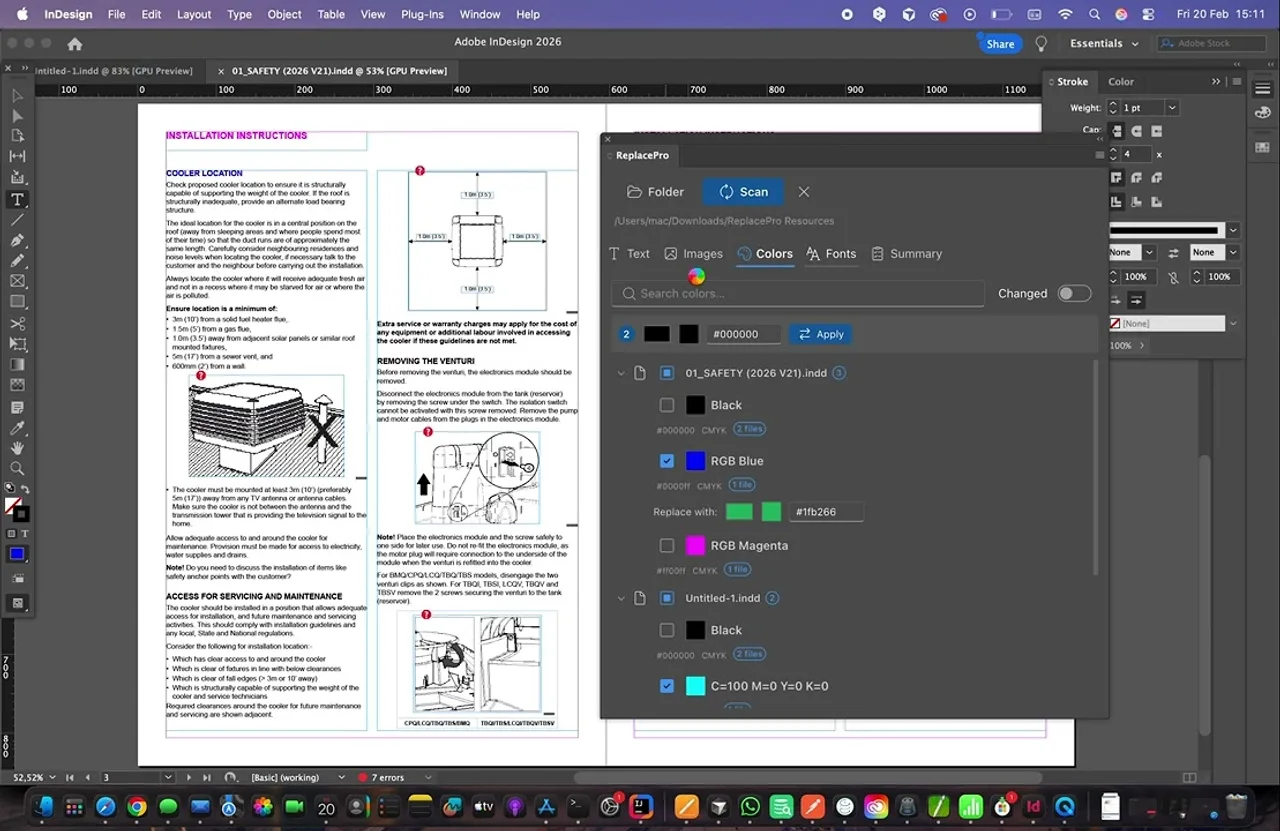
Update swatches and colors across every document in the folder.
Non-destructive workflow
Write to copies, exclude files, follow progress, cancel at any time and save sessions to reload later.
From install to result in a few clicks
- 1
Scan a folder
ReplacePro detects the replaceable elements in every INDD file.
- 2
Set your rules
Enter or import replacements and choose which files to include.
- 3
Run the batch
Apply changes to originals or copies and follow the progress live.
See it inside the app
Built for production work
Product catalogs
Update prices, references and pictures across every section file.
Rebranding
Replace logos, colors and fonts in a whole document library.
Localization teams
Apply translated text from a spreadsheet to many documents.
Print studios
Maintain template libraries for recurring client jobs.
Watch ReplacePro for InDesign
See text, images and fonts replaced across a folder of InDesign documents.
 Plays from YouTube (privacy-enhanced mode)
Frequently asked questions
How is this different from InDesign's Find/Change?
Find/Change works inside one open document. ReplacePro applies text, image, color and font replacements to a whole folder of documents in one run.
Which InDesign versions are supported?
Adobe InDesign 13.0 or later.
Are my originals safe?
You can apply changes to copies instead of the originals, exclude files and cancel at any time.
Can I share a replacement plan?
Yes. Export a replacement plan and send it to a colleague, or save the session and reload it later.
Update your whole InDesign library in one run
Install ReplacePro for InDesign from Adobe Exchange.
Need a feature it does not have yet?
We wrote this plugin, so we can extend it, connect it to your systems or build a private version for your team.
Talk to the developersMore from Lingway

ReplacePro for Adobe Illustrator
Batch replace text, images, colors and fonts across folders of .ai files.
View Product
Markup Automator for Adobe Photoshop
Batch replace smart objects in mockups and export every version.
View Product
Batch Export PRO for Premiere Pro
Export many sequences with many presets in one Premiere Pro batch.
View Product