 Adobe InDesign
Tables Extractor for Adobe InDesign
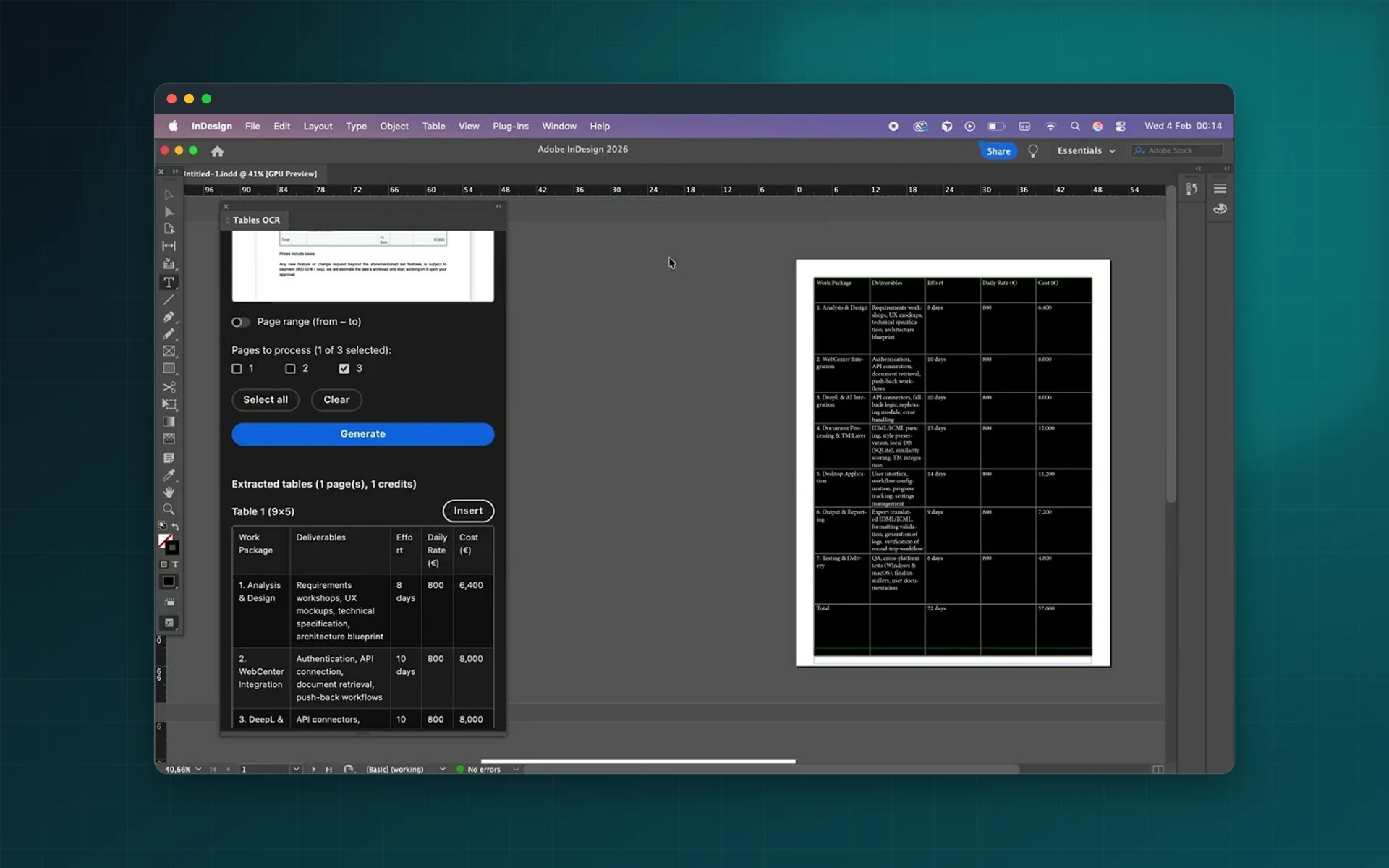
Stop retyping tables. Upload a scanned PDF or an image, select the pages and Tables Extractor rebuilds the tables as real, editable InDesign tables on the active page.
- PDFs and PNG, JPEG, TIFF images
- Pick pages or a page range
- Preview tables before generating
- 3 free credits, no subscription
Installs from Adobe Exchange · opens in a new tab
- Works in
- Adobe InDesign
- InDesign 21.2 or later
- Price
- Free
- to install, then pay-per-page credit packs
- Installs
- 130+ users
- Support
- From the developers
- Updates included
OCR that ends in a real InDesign table
Tables Extractor reads the structure of a table, not just its text, so rows and columns arrive where they belong.
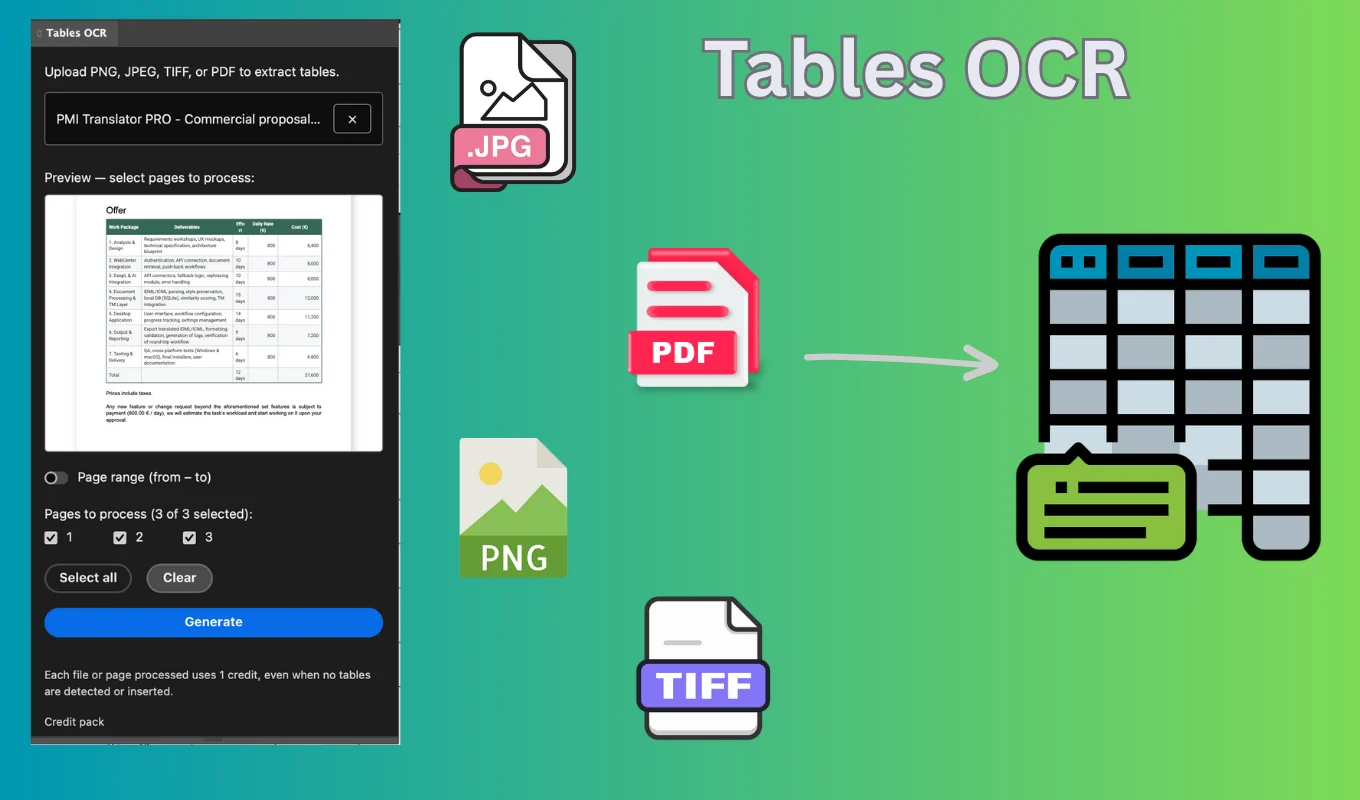
PDF and image input
Multi-page PDFs with page or range selection, and PNG, JPEG or TIFF images (one image per file).
Layout-aware insertion
Extracted tables are inserted as native InDesign tables on the active page, ready to style.
Preview first
Browse pages and check which ones contain tables before you spend a credit.
Credit-based pricing
Pay only for pages you process. Packs of 50, 100 or 200 credits, no subscription.
Minimal clean-up
Typical documents need only small edits, such as a merged cell or an alignment.
Server-side processing
OCR runs on our servers for speed, so your computer stays free while tables are extracted.
From install to result in a few clicks
- 1
Upload a file
Choose a PDF or an image and select the pages to read.
- 2
Preview
Check which pages contain tables. Browsing costs nothing.
- 3
Generate and insert
Click Generate; the tables are placed on the active InDesign page.
See it inside the app
Built for production work
Catalog production
Rebuild supplier price lists and spec sheets from PDFs.
Annual reports
Bring financial tables from scanned documents into the layout.
Publishing
Re-edit old printed tables for new editions.
Technical documentation
Turn scanned specification tables into editable content.
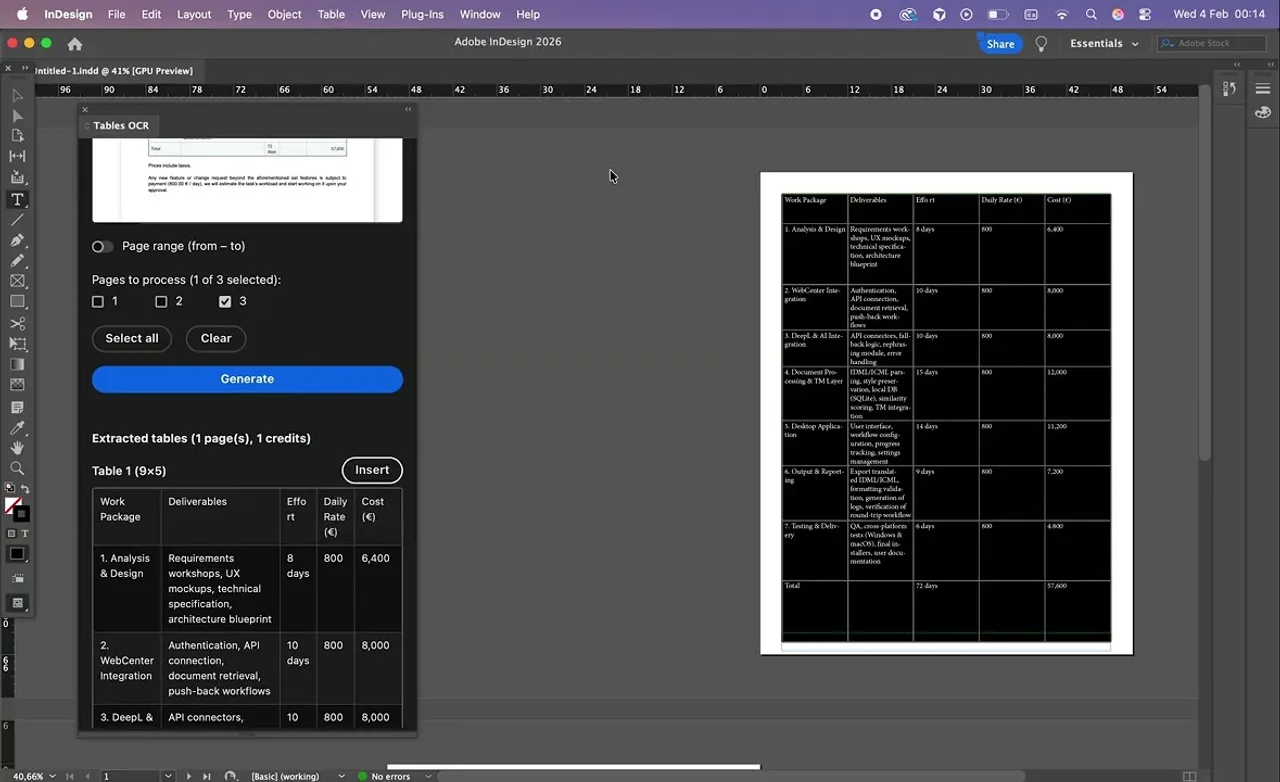
Watch Tables Extractor in InDesign
See a table from a PDF extracted and inserted as an editable InDesign table.
 Plays from YouTube (privacy-enhanced mode)
Frequently asked questions
How do credits work?
Each processed PDF page or image uses one credit when you click Generate, even if no table is found. Browsing, previewing and inserting previews are free.
Can I try it for free?
Yes. New users get 3 free credits. Additional credits come in packs of 50, 100 or 200.
Which files are supported?
Multi-page PDFs, and PNG, JPEG and TIFF images with one image per file.
Will the table need editing?
Usually very little: sometimes character spacing, a cell merge or alignment. Low-quality scans or unusual layouts can need more clean-up.
Which InDesign versions are supported?
Adobe InDesign 21.2 or later.
Turn your next PDF table into an InDesign table
Install Tables Extractor for free on Adobe Exchange and use your 3 free credits.
Need a feature it does not have yet?
We wrote this plugin, so we can extend it, connect it to your systems or build a private version for your team.
Talk to the developersMore from Lingway

DataInk for Adobe InDesign
Native, editable vector charts in InDesign, from your data or your tables.
View Product
WP-Exporter: InDesign to WordPress
Publish InDesign articles to one or many WordPress sites.
View Product
Nano Banana Studio for Adobe Photoshop
Generate and edit images with Google Gemini inside Photoshop.
View Product