Next Barcode Suite for Adobe Illustrator
Create barcodes and QR codes without leaving Illustrator. Pick one of 159+ formats, enter your data, adjust the look in a live preview and insert the result as vector artwork.
- 159+ barcode formats: 1D, 2D, GS1, postal and pharmaceutical
- Inserted as scalable vector artwork
- One-time purchase, no subscription
- For Illustrator 23 and later, on Mac and Windows
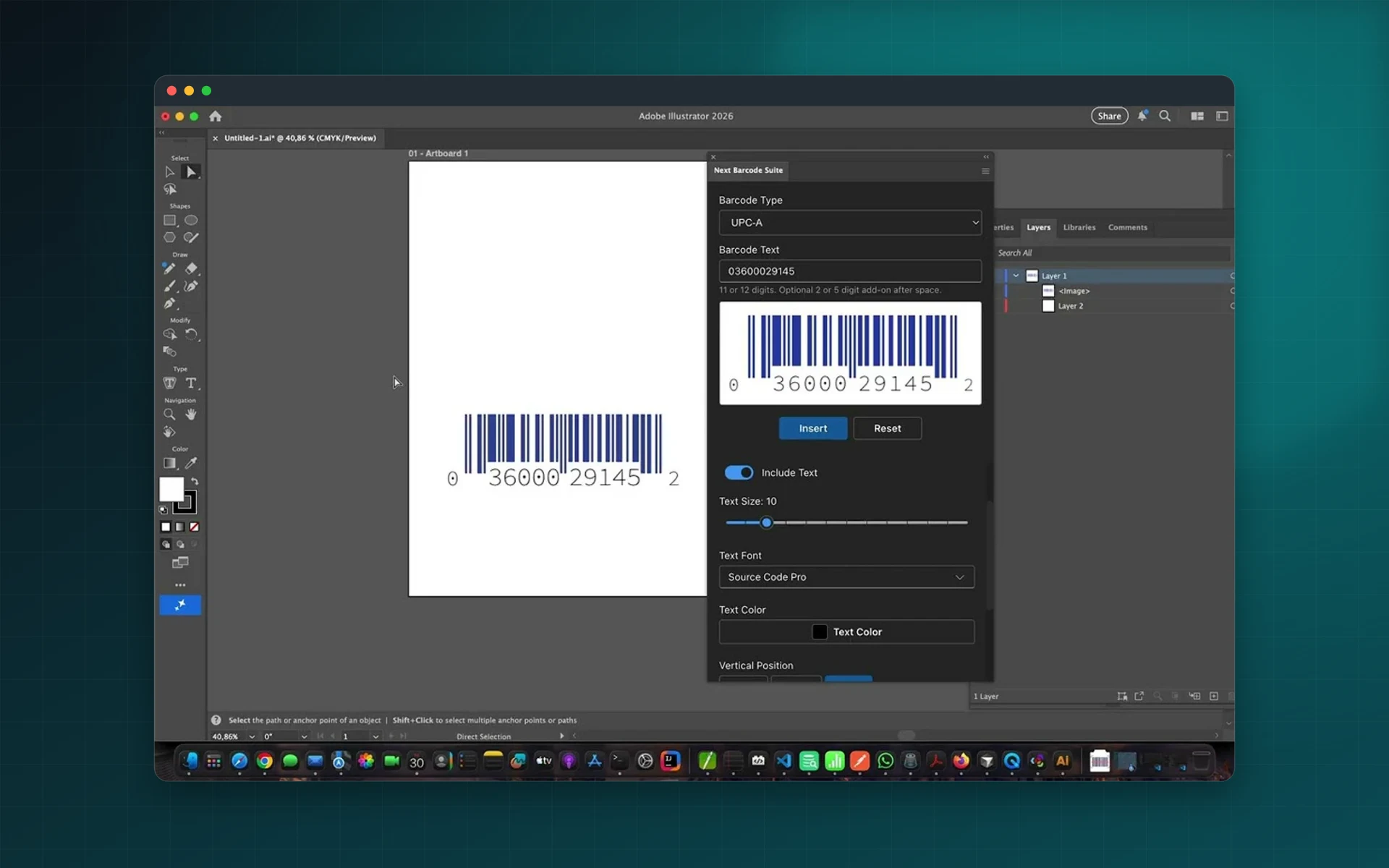
A complete barcode generator inside Illustrator
No web generators, no exporting and re-importing. Everything happens in a panel next to your artwork.
Every common format
EAN, UPC, ISBN, GS1-128, ITF-14, Code 128, Code 39, QR Code, Data Matrix, PDF417, Aztec and many more.
Vector output
Barcodes are created as SVG vector artwork, so they stay sharp at any size.
Full styling control
Set bar, background and text colours, scale on each axis, rotate, and control padding, quiet zone and bar height.
Live preview and validation
See the barcode update as you type, with validation of the data for the chosen format.
Reusable presets
Save the settings you use most and apply them again in one click.
One-time purchase
Buy once on Adobe Exchange. There is no subscription.
From data to barcode in four steps
Open the panel, choose a format and the barcode is in your document a few seconds later.
Supported formats
- Retail: EAN-13, EAN-8, UPC-A, UPC-E, ISBN, ISSN, GS1 DataBar, ITF-14, SSCC-18
- 2D codes: QR Code, Micro QR, Data Matrix, PDF417, Aztec, MaxiCode
- Healthcare: HIBC, Pharmacode, PZN, GS1 Digital Link
- Postal: USPS Intelligent Mail, Royal Mail, Australia Post, Deutsche Post
- Industrial: Code 39, Code 93, Code 128, Interleaved 2 of 5, Codabar
How it works
- Choose a barcode format.
- Enter your data. It is validated as you type.
- Adjust colours, size and text in the live preview.
- Insert the barcode into your Illustrator document.
Installation
Next Barcode Suite is a ZXP extension for Adobe Illustrator 23.0 and later, on Mac and Windows. Install it with a ZXP installer, then open it from Window → Extensions → Next Barcode Suite.
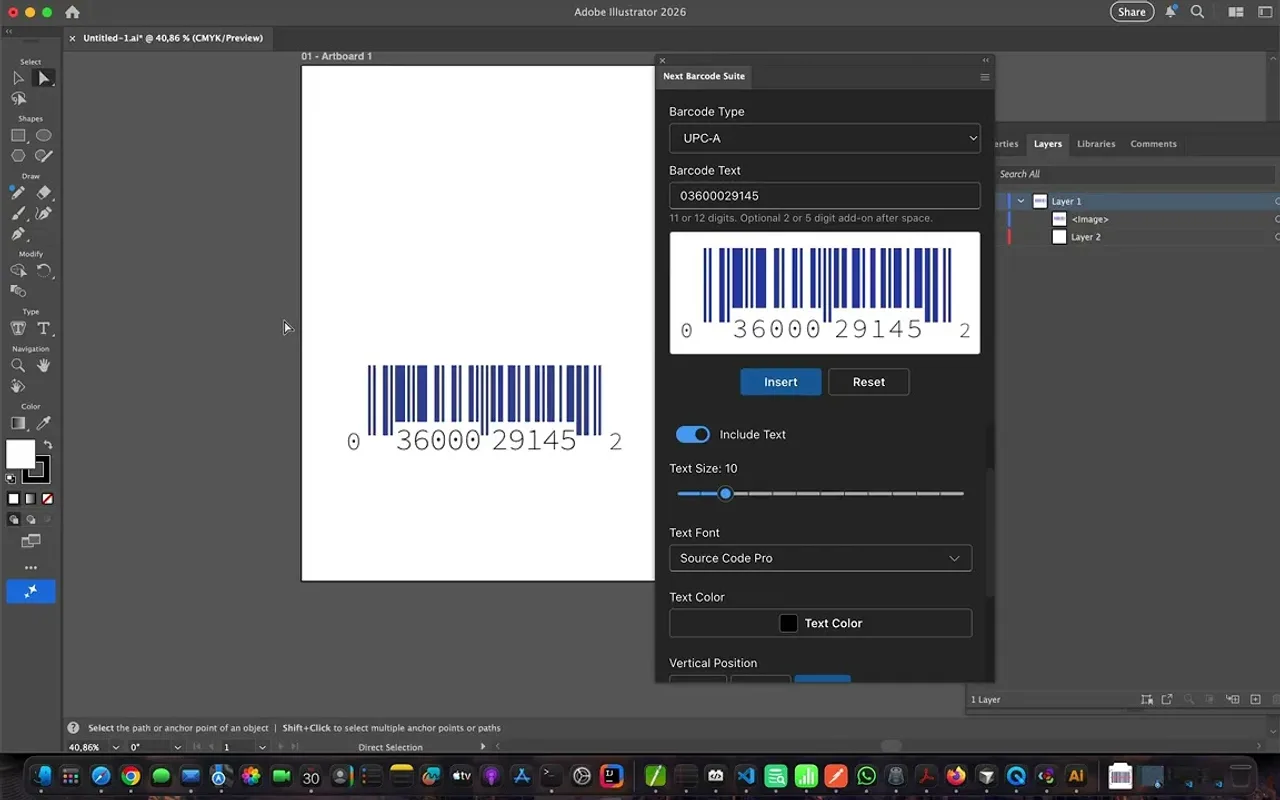
See Next Barcode Suite in action
Inserting barcodes and QR codes into an Illustrator document, from choosing the format to the finished artwork.
Frequently asked questions
Which barcode formats are supported?
More than 159, including EAN-13, EAN-8, UPC-A, UPC-E, ISBN, GS1-128, GS1 DataBar, ITF-14, Code 128, Code 39, QR Code, Data Matrix, PDF417 and Aztec, plus postal and pharmaceutical formats.
Are the barcodes vector?
Yes. Barcodes are inserted as SVG vector artwork that you can scale without loss.
Is it a subscription?
No. Next Barcode Suite for Illustrator is a one-time purchase on Adobe Exchange.
Which Illustrator versions does it work with?
Adobe Illustrator 23.0 and later, on macOS and Windows.
Can I create many barcodes at once?
This version creates one barcode at a time. For bulk generation from CSV or Excel files, use Next Barcode Suite - Batch Edition.
Create your first barcode in Illustrator today
Next Barcode Suite for Illustrator is available on Adobe Exchange as a one-time purchase.