Sheet Sync for Adobe InDesign
Keep InDesign layouts in sync with your spreadsheet. Sheet Sync links Google Sheets, Excel and CSV columns to text frames and tables, and updates every linked field in one click when the data changes.
- Google Sheets, Excel and CSV sources
- Map columns to text frames and tables
- Update every linked field in one click
- Formatting and styles stay as designed
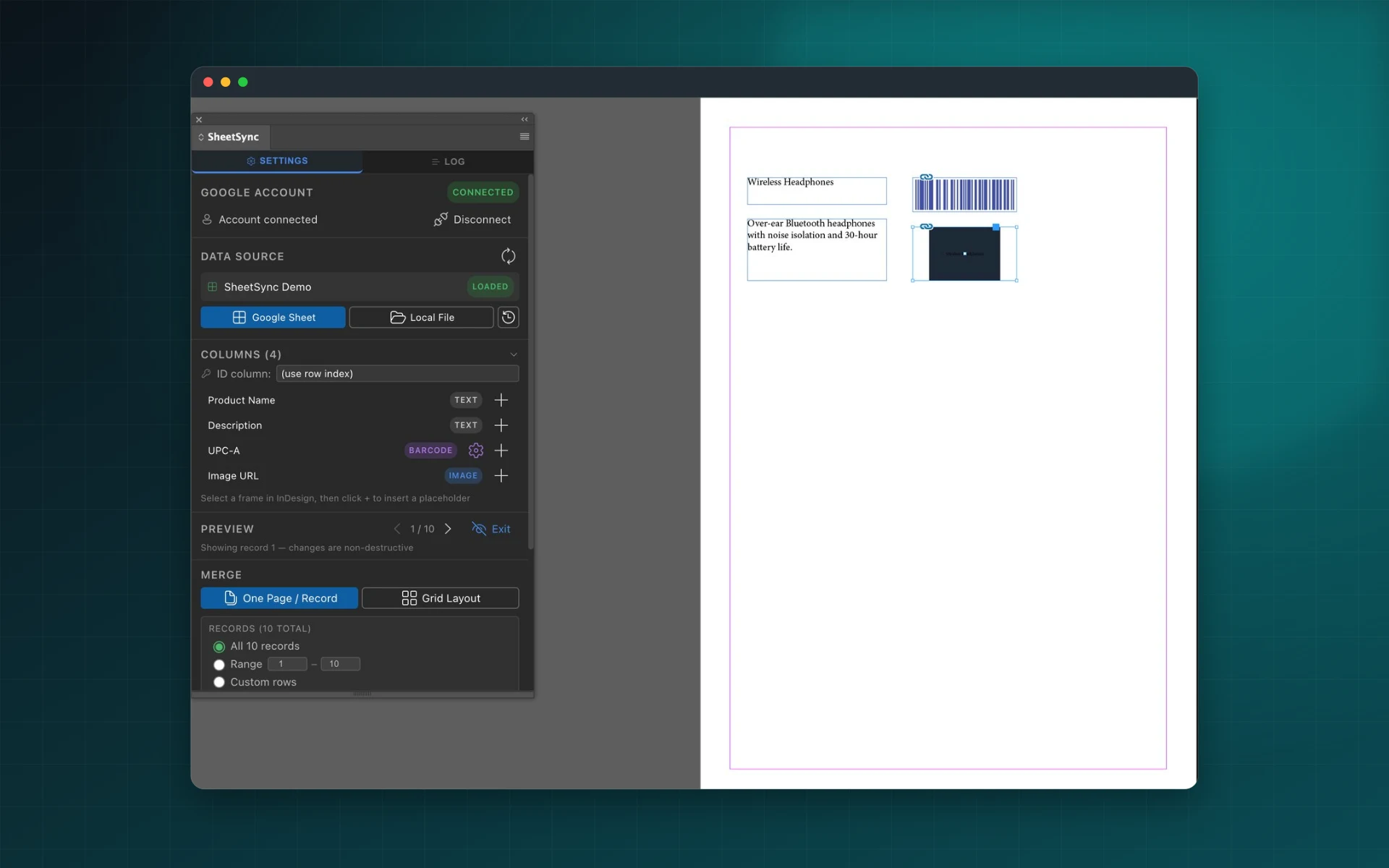
Live Spreadsheet Data Inside
Your InDesign Layouts
Sheet Sync eliminates the manual work of copying and pasting spreadsheet data into InDesign documents. Connect your Google Sheets, Excel, or CSV file once, map each data field to the corresponding text frame or table cell, and synchronize all content automatically whenever your source data changes.
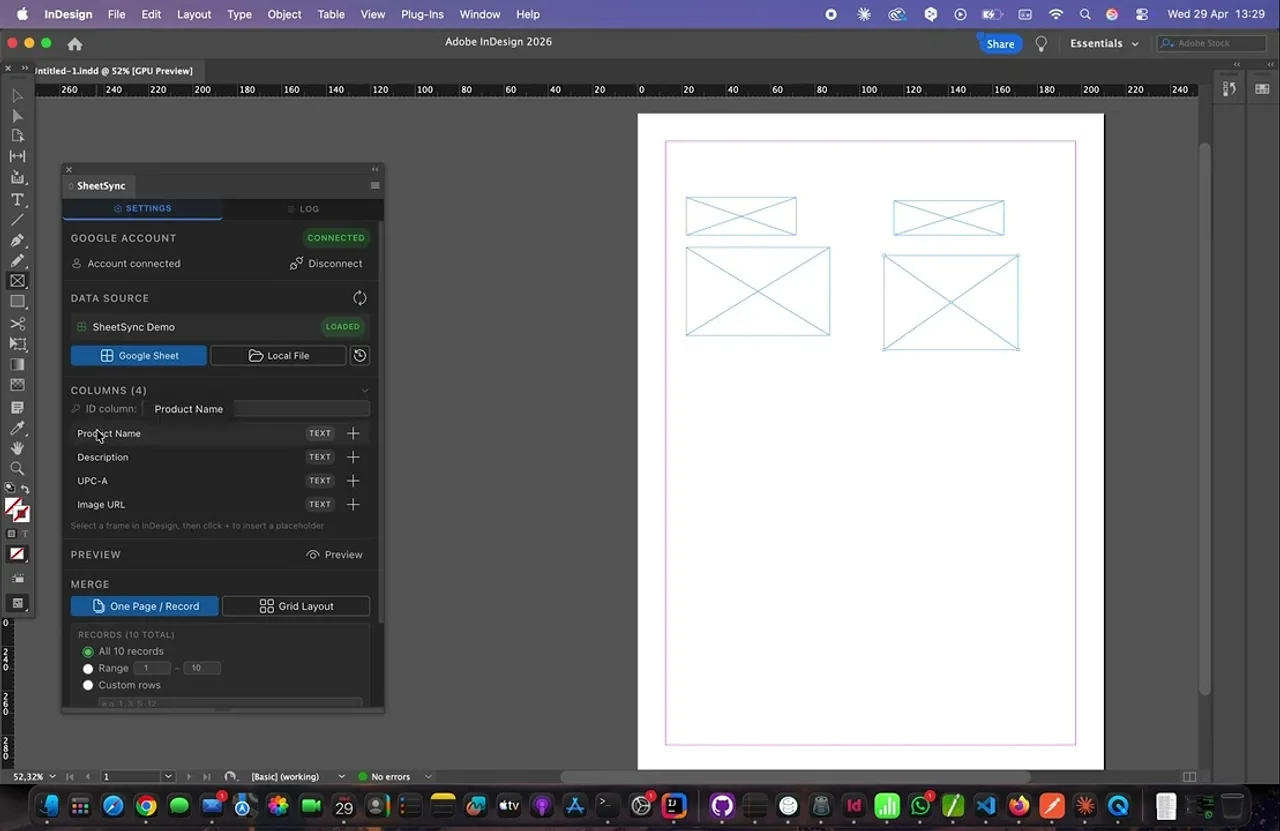
Connect Spreadsheets to InDesign Layouts
Import data from Google Sheets, Microsoft Excel, or CSV files directly into InDesign without leaving the application. Sheet Sync reads your spreadsheet columns and makes them available for mapping to any text frame or table in your document. Changes to your source file are reflected in InDesign with a single sync action.
Field Mapping and Table Binding
Map individual spreadsheet columns to specific text frames or table cells using a visual interface. Maintain persistent links between your data source and your layout so that subsequent syncs update only the mapped content, preserving all formatting, styles, and surrounding design elements.
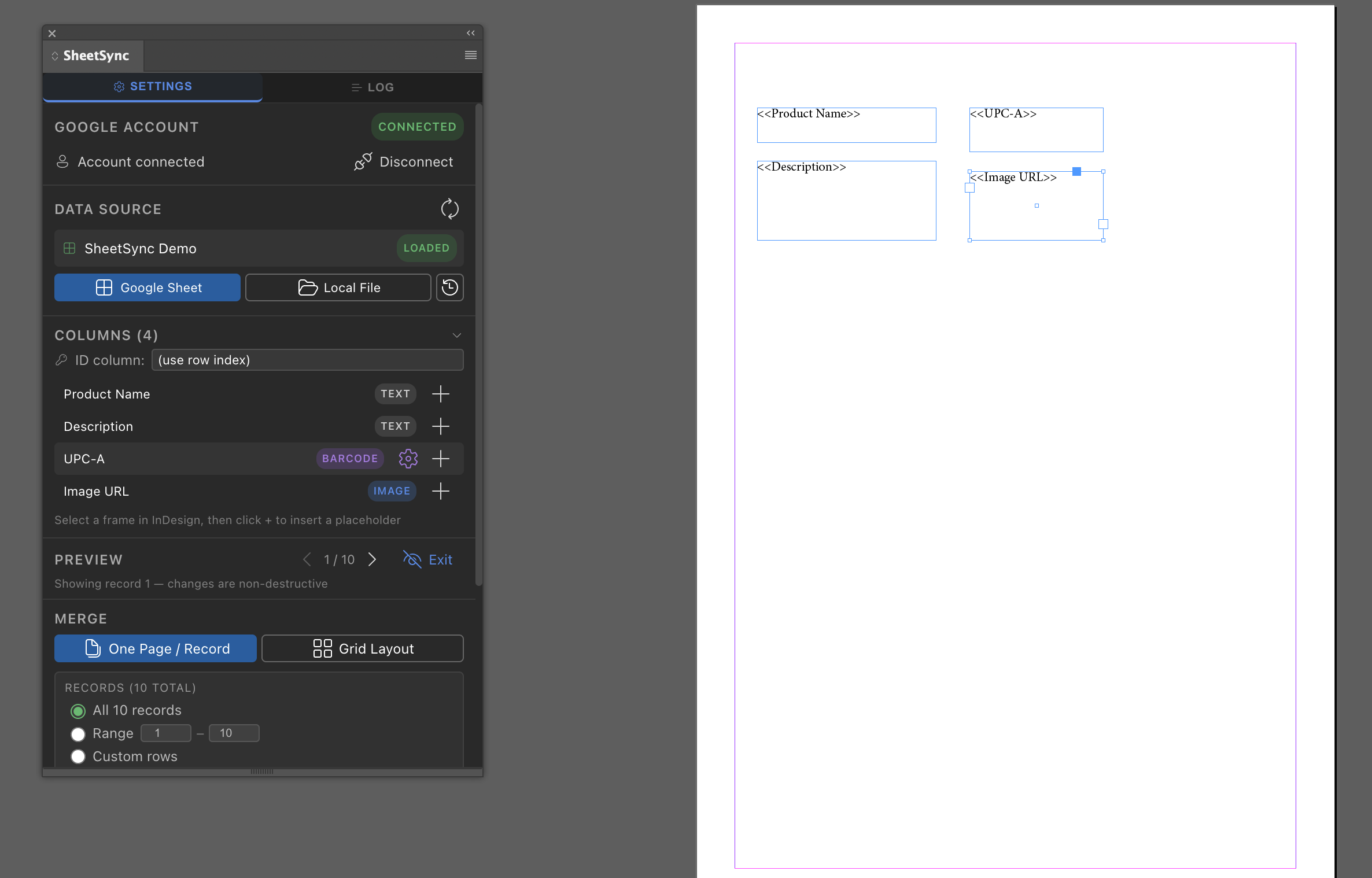
One-Click Synchronization
Trigger a full document sync at any time with a single click. Sheet Sync reads the current state of your linked spreadsheet and updates all mapped text frames and table cells simultaneously. No manual copy-paste, no export-import cycles, and no risk of missed updates across multi-page documents.
Ideal for Catalogs, Price Lists, and Reports
Sheet Sync is designed for publishing workflows where layout content changes frequently. Product catalogs, retail price lists, financial reports, and data-driven editorial layouts all benefit from a persistent, automated connection between structured spreadsheet data and professionally designed InDesign templates.
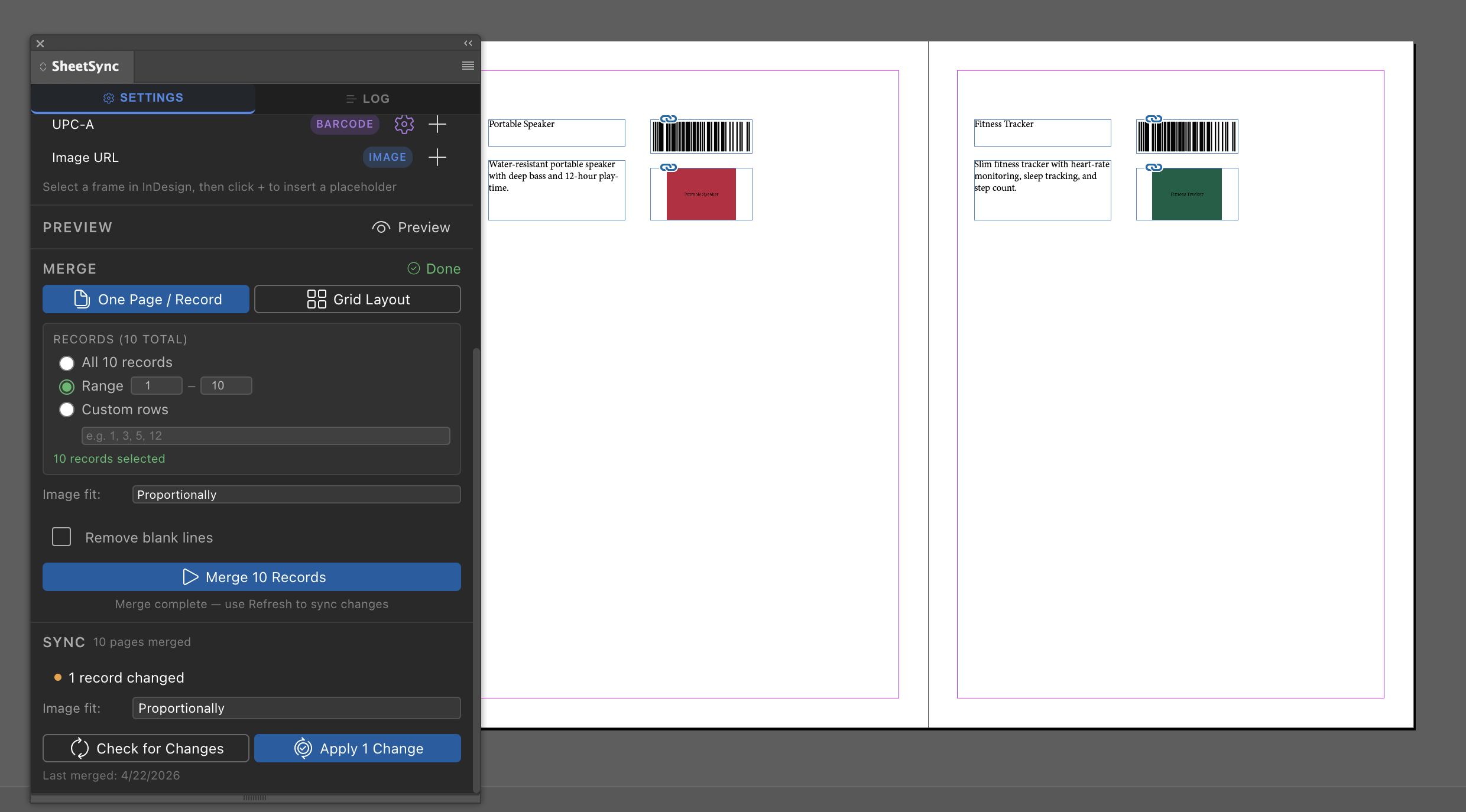
See Sheet Sync in Action
Watch how Sheet Sync connects a spreadsheet to an InDesign layout, maps data fields to text frames and tables, and synchronizes all content automatically. See how publishing teams use Sheet Sync to eliminate manual data entry and keep catalog and price list layouts up to date without leaving InDesign.
Frequently asked questions
Which data sources can I connect?
Google Sheets, Microsoft Excel files and CSV files.
Does a sync overwrite my formatting?
No. A sync updates only the mapped content and keeps formatting, styles and the surrounding design.
What is it used for?
Catalogs, price lists, reports and any layout whose content comes from structured data and changes often.
Is my spreadsheet stored on your servers?
No. Spreadsheet content is read to fill your document and is not stored on our servers. See the privacy policy for details.
How is it different from InDesign Data Merge?
Sheet Sync keeps a persistent link between each field and its frame or table cell, so you can update an existing document again and again instead of generating a new one.
Automate Your Data-Driven InDesign Workflows
Download Sheet Sync from Adobe Exchange and connect your spreadsheets to InDesign layouts today. Map your data fields once and synchronize all linked content automatically on every update — no scripting or manual copy-paste required.
Privacy Policy · Terms and Conditions
The use of raw or derived user data received from Workspace APIs will adhere to the Google User Data Policy, including the Limited Use requirements.