GPT Translator for Adobe Photoshop
Translate the text in your Photoshop designs without leaving Photoshop. GPT Translator translates whole documents or selected layers with ChatGPT and keeps layer structure, fonts and formatting as they are.
- Whole documents or selected layers
- Layer structure, fonts and formatting preserved
- Glossary and context for consistent wording
- Uses your own OpenAI API key
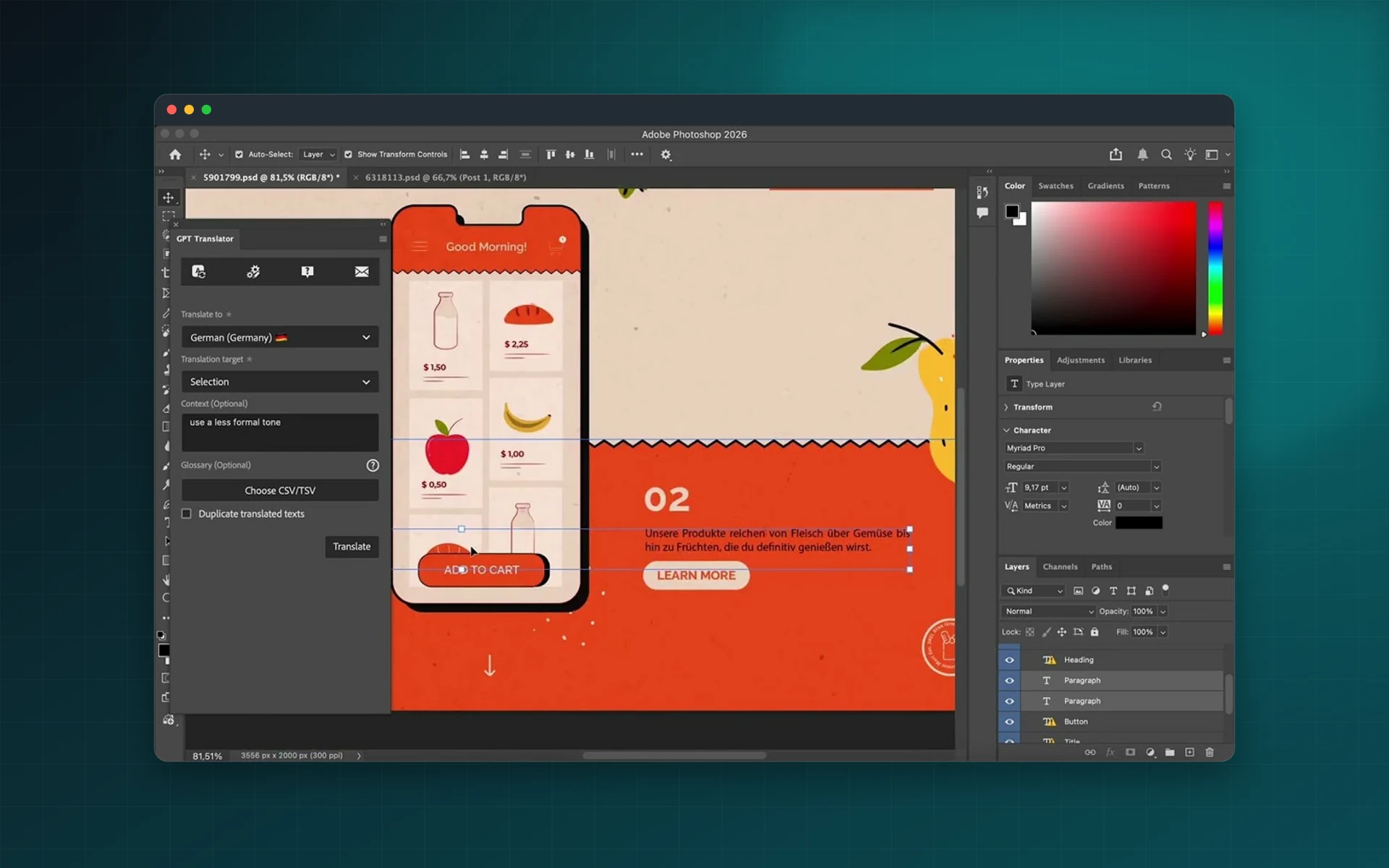
Professional Translation for Every Design Project
GPT Translator delivers AI-powered translation built for visual content creators. Translate catalogs, brochures, UI layouts, and social posts while maintaining format integrity and design precision.
Catalogs and Product Sheets
Translate product catalogs with complete format preservation
Process multi-page product catalogs and specification sheets while maintaining layout structure, typography, and design elements.
- Preserve complex layouts and grid structures
- Maintain product specifications and technical data accuracy
- Process multiple SKUs and product variations efficiently
Brochures and Marketing Materials
Deliver multilingual marketing campaigns faster
Translate promotional brochures, flyers, and advertising materials while keeping brand visual identity intact.
- Maintain brand colors, fonts, and visual hierarchy
- Preserve call-to-action messaging and promotional content
- Accelerate time-to-market for global campaigns
UI/UX Layouts and Social Posts
Localize digital interfaces and social content efficiently
Translate UI labels, buttons, and navigation elements along with social graphics while keeping designs consistent.
- Translate UI labels, buttons, and navigation elements
- Adapt social media posts for different language markets
- Maintain design consistency across all language versions
AI-Powered Translation Technology
Leverage OpenAI ChatGPT for intelligent translation
Access AI translation with support for multiple OpenAI models so you can balance quality, speed, and cost.
- Support for GPT-3.5, GPT-4, and future model releases
- Context-aware translation with natural language understanding
- Continuous improvement as OpenAI technology advances
Multilingual Design Translation
In Seconds, Not Hours
GPT Translator is the essential Photoshop plugin for designers, agencies, and marketing teams managing multilingual visual content. Powered by OpenAI ChatGPT, this Adobe Exchange plugin delivers AI translation inside Photoshop, saving hours of manual work while maintaining pixel-perfect design integrity.
Translate Full Documents or Selected Layers
Effortlessly translate entire Photoshop projects or selected layers in a single click. The streamlined interface integrates directly into Photoshop - no copy-paste or external tools required.
Native Adobe Photoshop Workflow Integration
Translate inside Photoshop while preserving layer structure, font styles, formatting, and layout so designs stay pixel-perfect.
Consistent Terminology with Glossary and Context
Maintain brand voice with custom glossary support and context-aware AI translation for product names and technical terms.
Powered by OpenAI ChatGPT with Your API Key
Use your own OpenAI API key and choose the model you prefer (GPT-3.5, GPT-4, or future models) with privacy-friendly architecture.
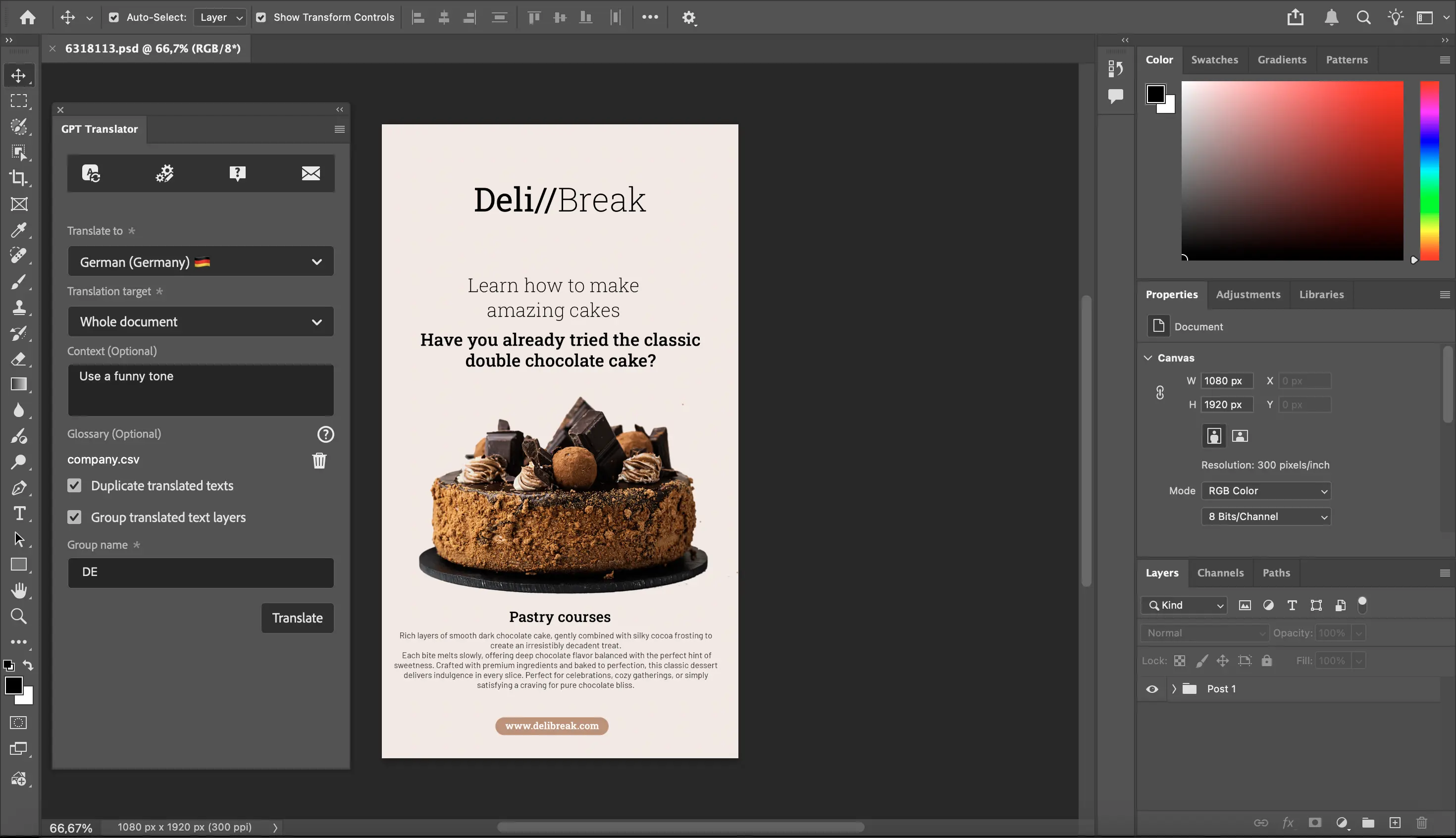
Watch GPT Translator Transform Your Photoshop Workflow
See how design teams translate complete Photoshop documents in seconds. Explore the OpenAI ChatGPT integration, automatic format preservation, and glossary-driven consistency for multilingual design projects.
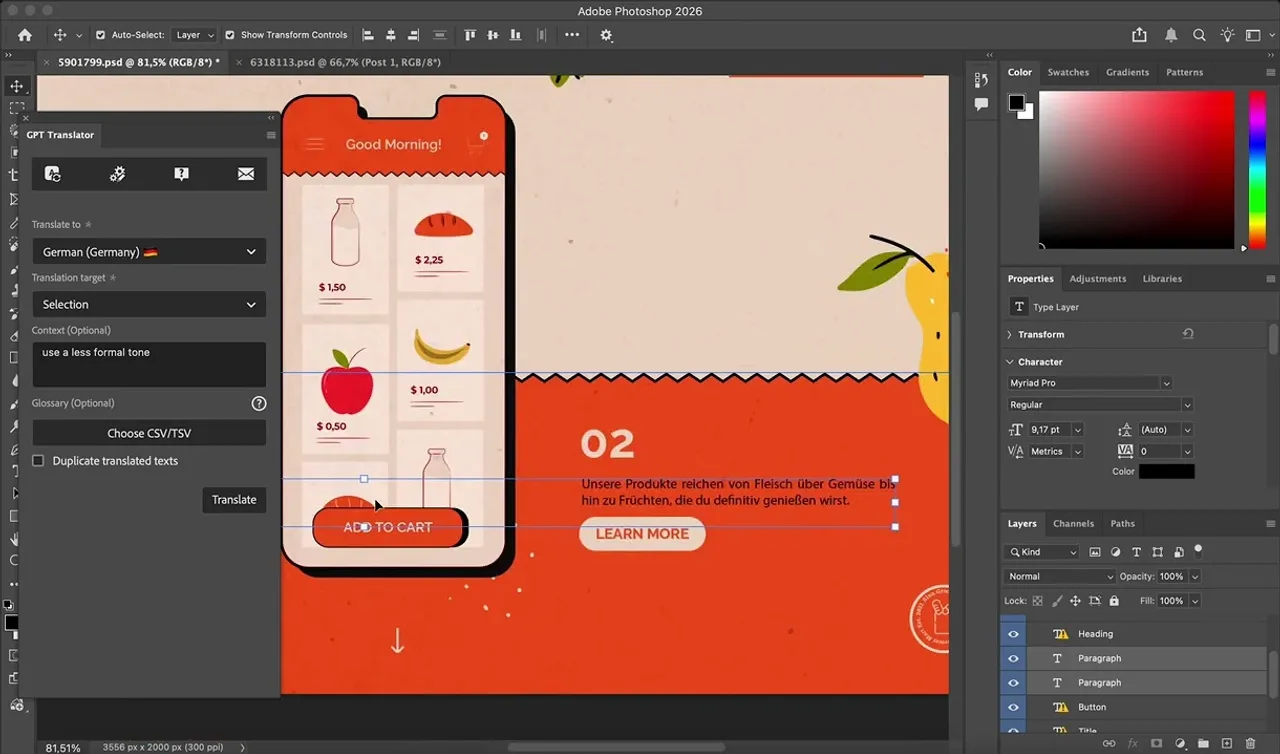
Frequently asked questions
Do I need an OpenAI account?
Yes. GPT Translator uses your own OpenAI API key, and you choose the model.
Which Photoshop versions are supported?
Adobe Photoshop 22.0.0 or later.
Can I translate only some layers?
Yes. Translate the whole document or only the layers you select.
Does the design change after translation?
Layer structure, font styles, formatting and layout are preserved. Translated text can be longer or shorter than the original, so check that it still fits.
How do I keep terminology consistent?
Add a glossary for fixed terms and a short context note describing tone and subject.
Transform Your Multilingual Design Workflow Today
Download GPT Translator from Adobe Exchange and secure early-bird lifetime pricing of just $29 for the first 100 customers. Requires Adobe Photoshop 22.0.0 or higher and your own OpenAI API key.