 Adobe InDesign
Table Refiner for Adobe InDesign
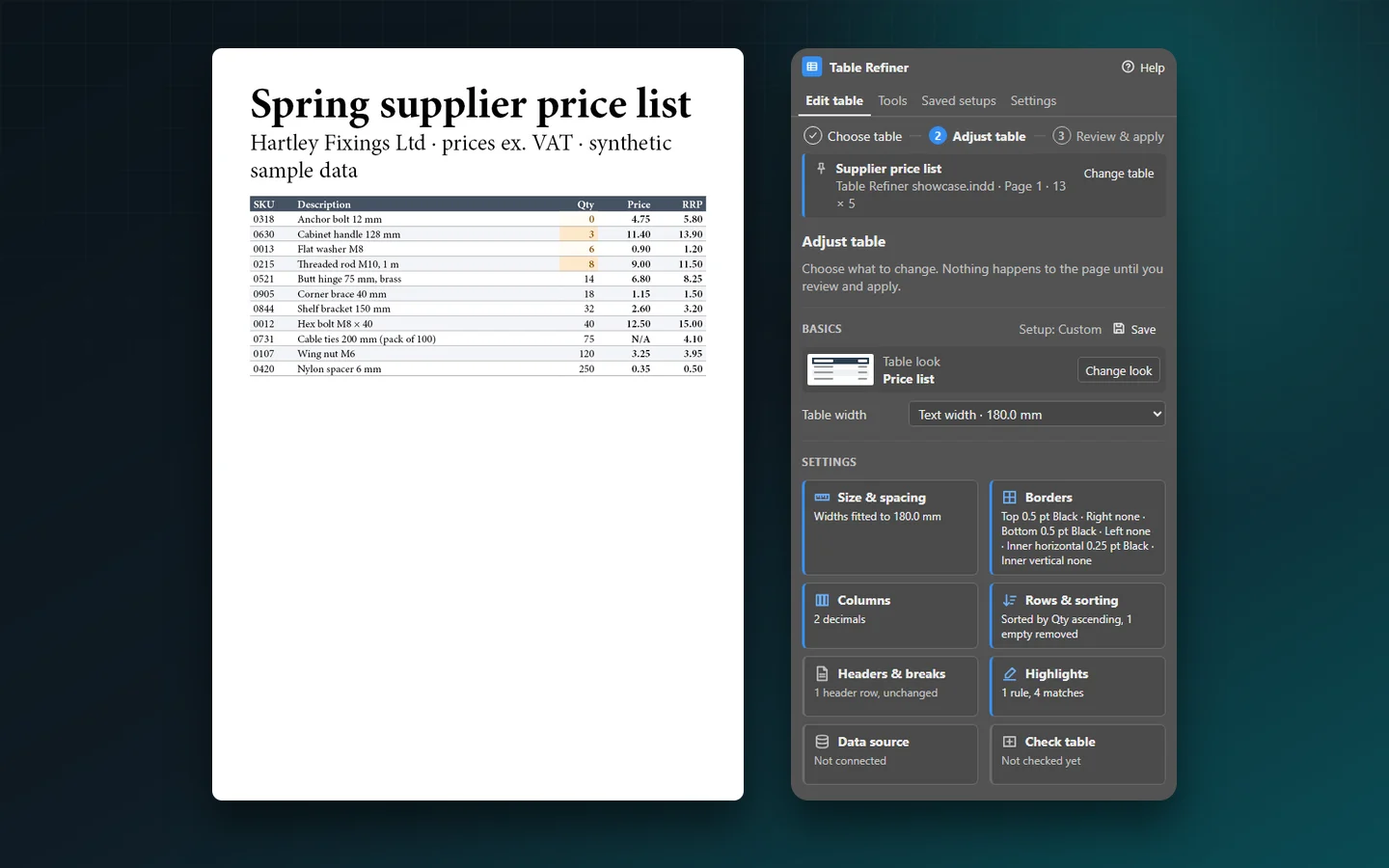
Turn messy InDesign tables into clean, consistent ones without retyping a cell. Pick a table, give it a look, fit its columns, sort and tidy its rows, then review every change before it is applied. The result stays a normal, editable InDesign table.
- Choose, adjust, review, apply
- Native, editable InDesign tables
- Nothing changes without your review
- One-time purchase on Adobe Exchange
Installs from Adobe Exchange · opens in a new tab
- Works in
- Adobe InDesign
- InDesign 2024 (19.0) or later
- Price
- $69
- one-time purchase
- Support
- From the developers
- Updates included
Everything a table needs before it goes to print
Tables arrive with uneven columns, prices typed as 12.5 and 9, empty rows and headers that stop at the first page. Table Refiner fixes them in a few clicks, inside InDesign.
Three steps for everyday work
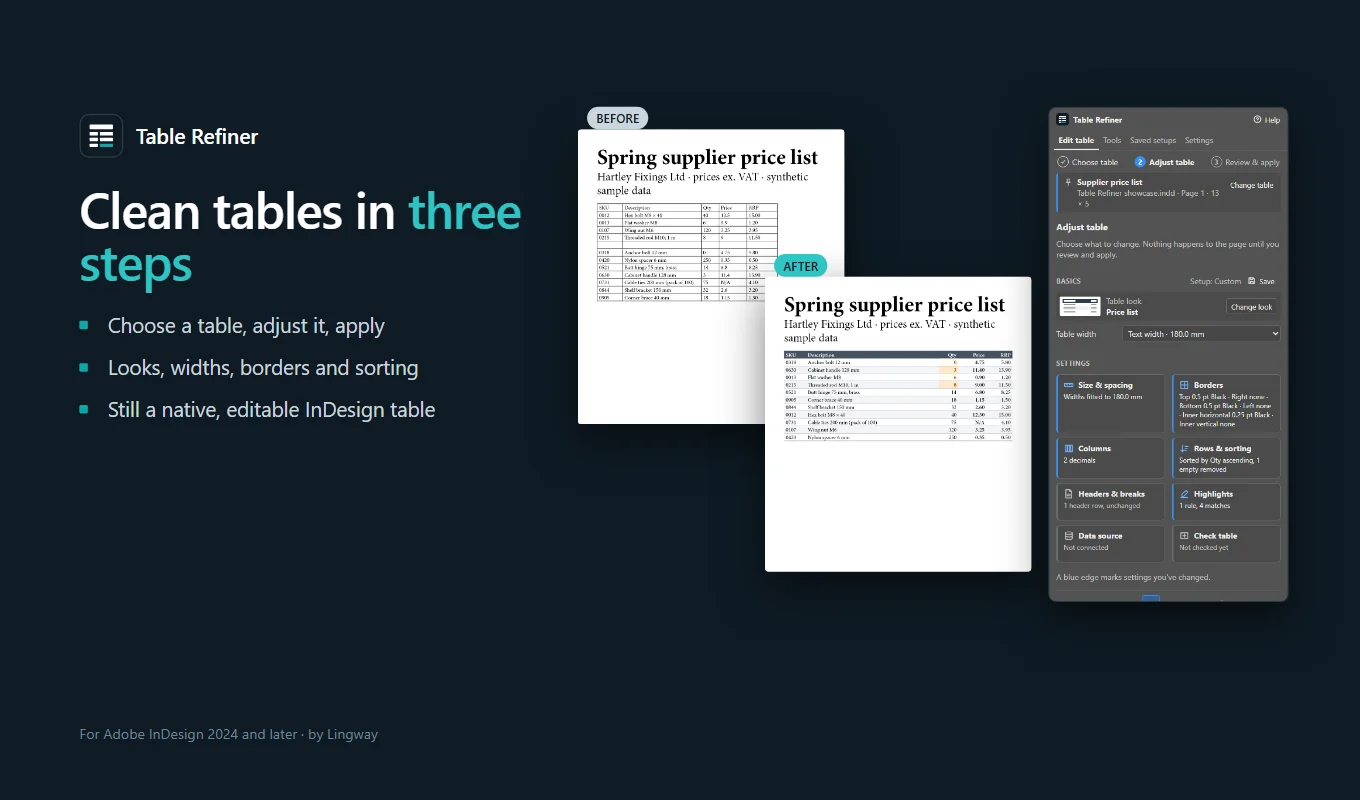
Choose table, Adjust table, Review & apply. The panel keeps the everyday path short and puts the extra power in clearly named settings.
Nothing changes silently
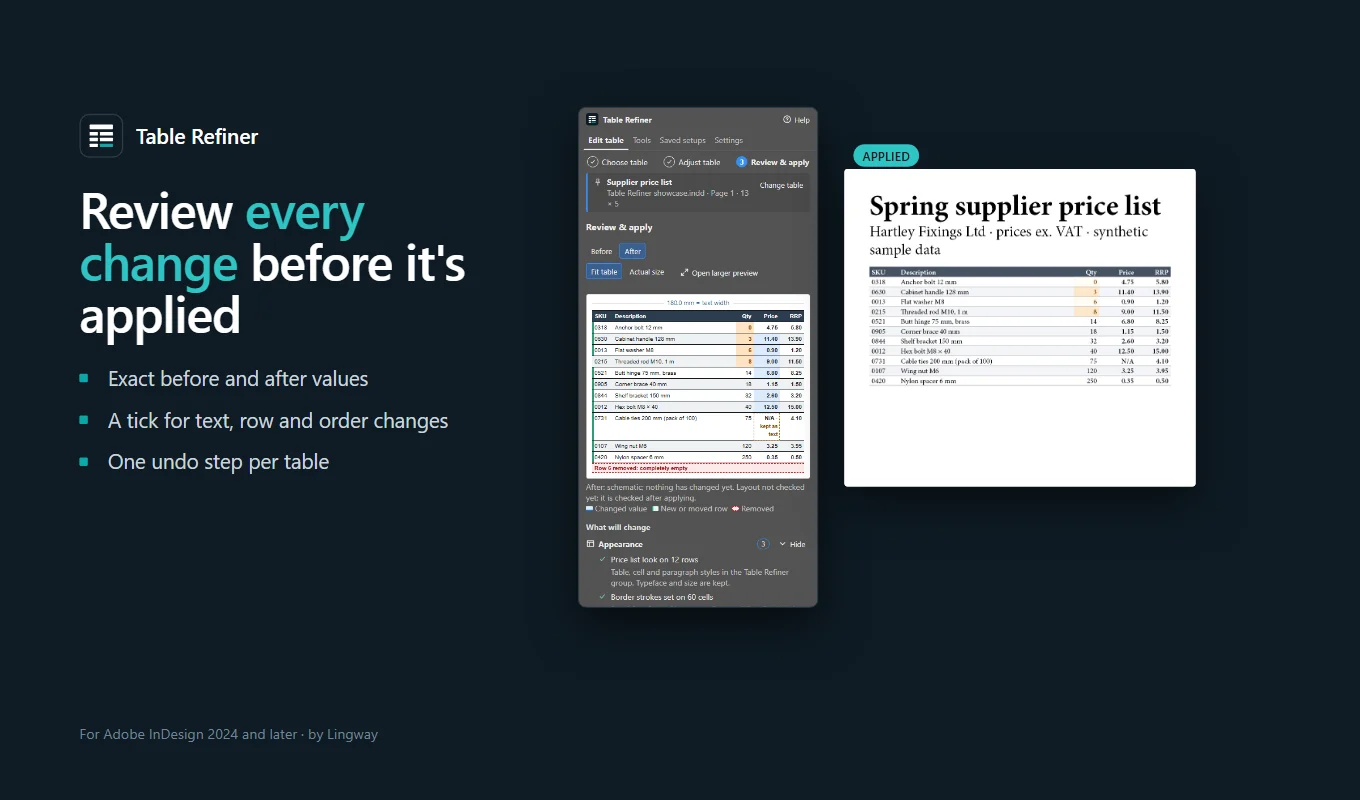
Every change is listed before you apply it. Changes to text, rows or order need your tick, and a status line always says what will happen.
Native, editable tables
The result is an ordinary InDesign table, styled with table, cell and paragraph styles you can edit. Your existing styles are never changed.
Five ready-made looks
Clean report, Price list, Technical specification, Comparison and Minimal. A look changes appearance only: never your text, sizes or row order.
Columns that fit, type that doesn't shrink
Fit widths to the text column, the frame or a custom size, keep proportions or fit to contents. Type size and line weights are never scaled.
Sort, clean and highlight
Sort rows by one or more columns, numbers as numbers, remove empty rows, show prices with two decimals and highlight values such as low stock.
Headers and page breaks
Turn the first row into a header that repeats on every page, add footer rows, and keep section headings with the rows that follow them.
Updates from a CSV file
Connect a supplier's CSV or TSV file, match rows by a key such as SKU, and choose which new values to take. The table keeps its design.
Saved setups and document tools
Save your choices as a setup and reuse them on the next table, or check, find and update every table in the document at once.
From install to result in a few clicks
- 1
Choose the table
Click inside a table and choose Use this table. It stays pinned in the panel until you choose another.
- 2
Adjust it
Pick a look, set the width and open any setting: columns, rows and sorting, headers and breaks, highlights.
- 3
Review and apply
Read the list of changes, tick it when text or rows change, and apply. Each table is one step in Edit > Undo.
See it inside the app
Built for catalogues, price lists and data sheets
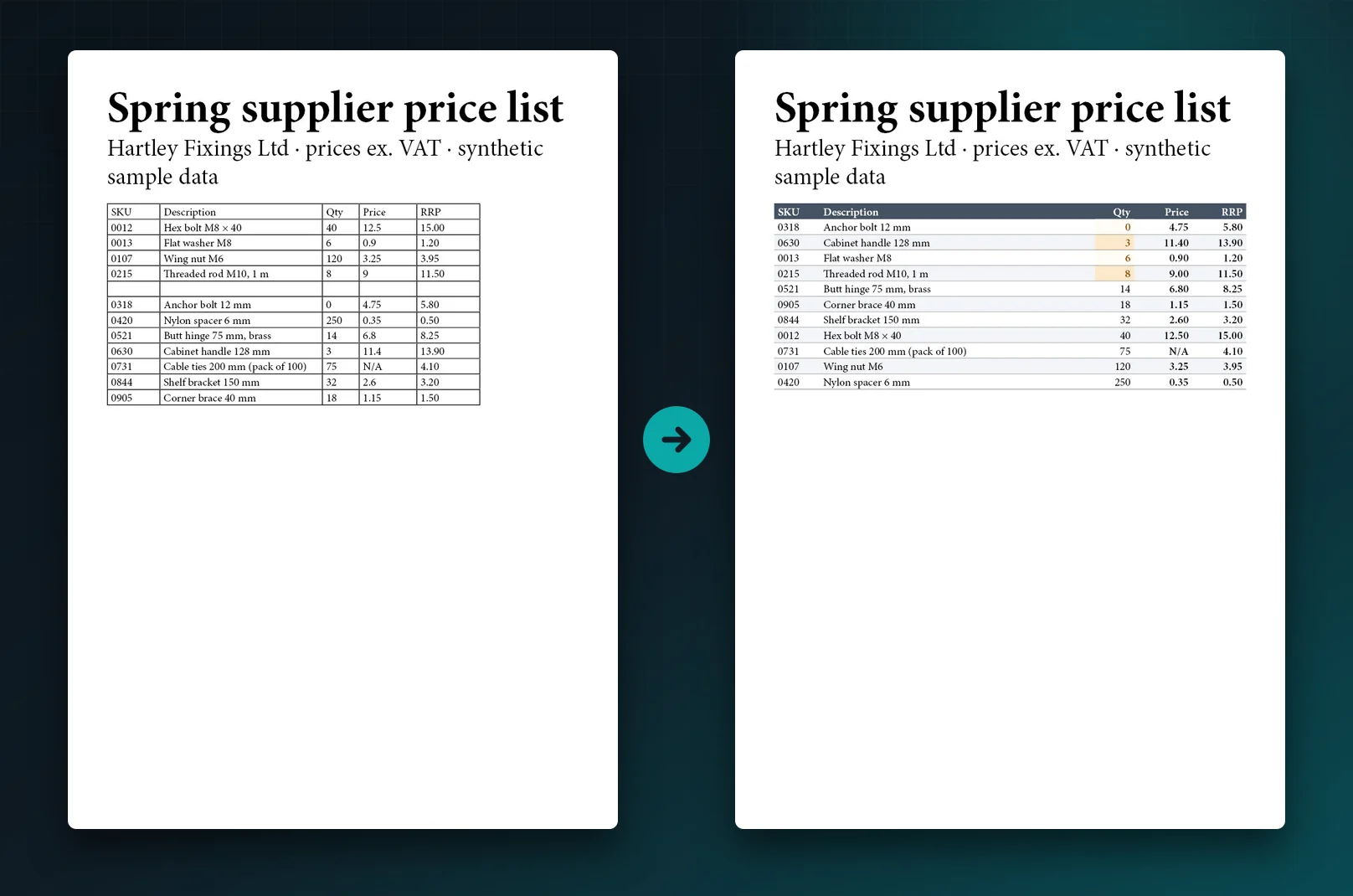
The pictures below are real InDesign pages, exported before and after using the plugin. The table data is a made-up sample.
From messy to consistent in one pass
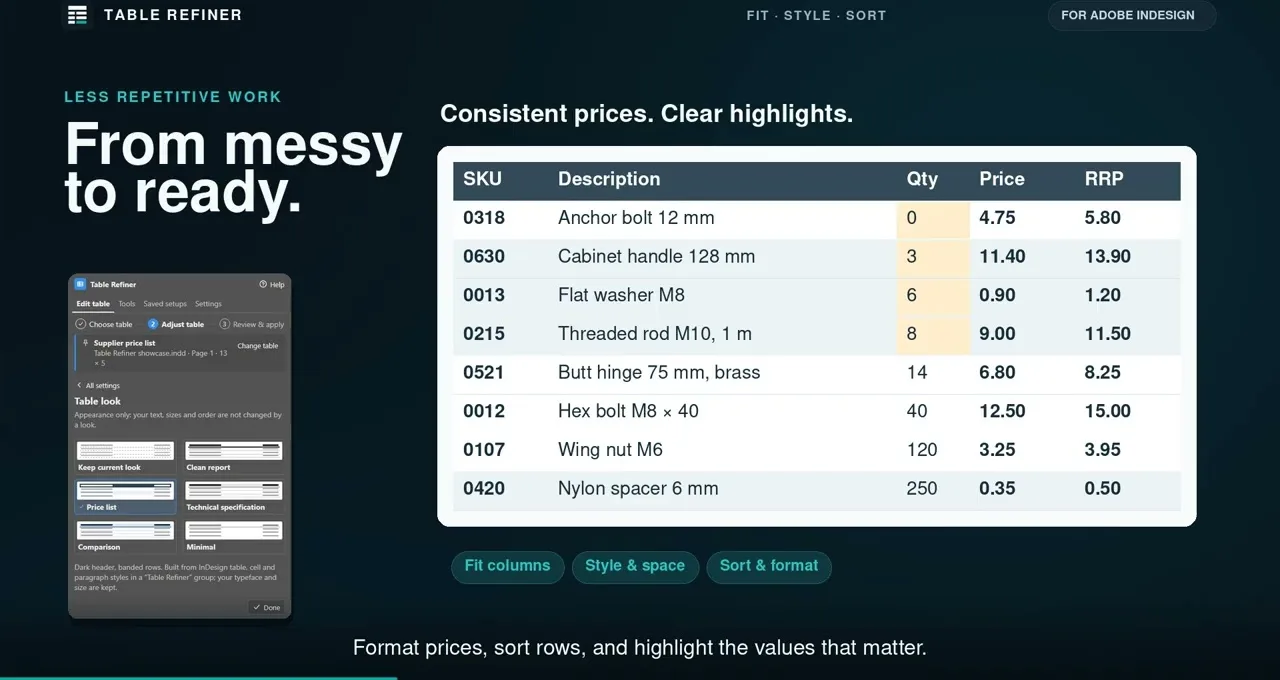
A supplier price list arrives with a default grid, uneven widths, an empty row and prices typed as 12.5 and 9. One pass gives it the Price list look, fits the columns to the text width, shows every price with two decimals, removes the empty row, sorts by quantity and highlights low stock.
Codes such as 0012 keep their zeros, and N/A is never read as 0.
See every change before it happens
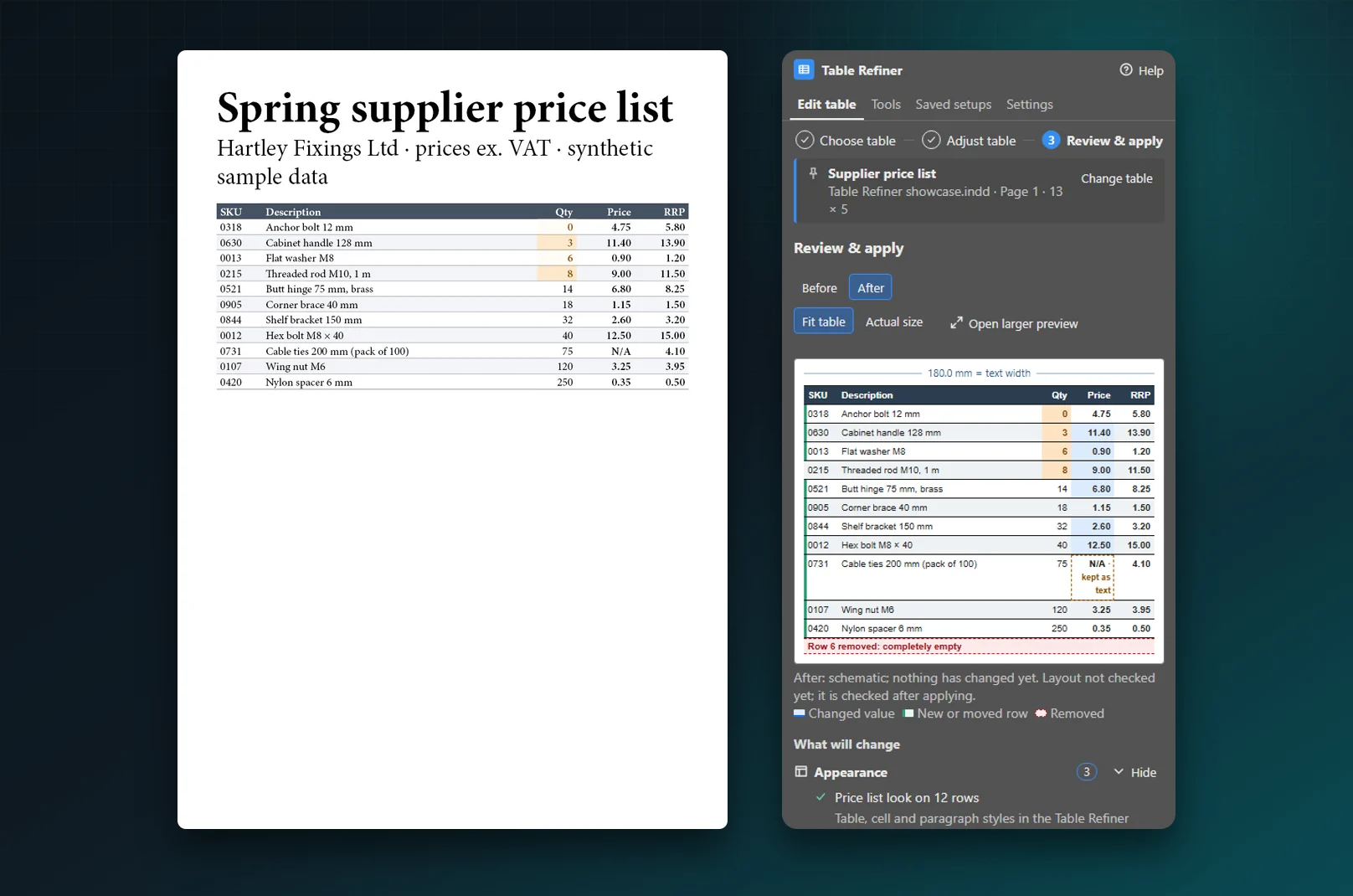
The review shows the table Before and After, with changed values tinted, moved rows marked and removed rows shown in red. Below it, every change is listed by type: appearance, sizes, values, structure and order, pagination.
When text, rows or order change, you tick I reviewed these changes, and the label says exactly what you approve, for example 6 numbers rewritten, 1 row removed, 9 rows moved. Apply updates the table or creates a transformed copy, and Edit > Undo takes it back.
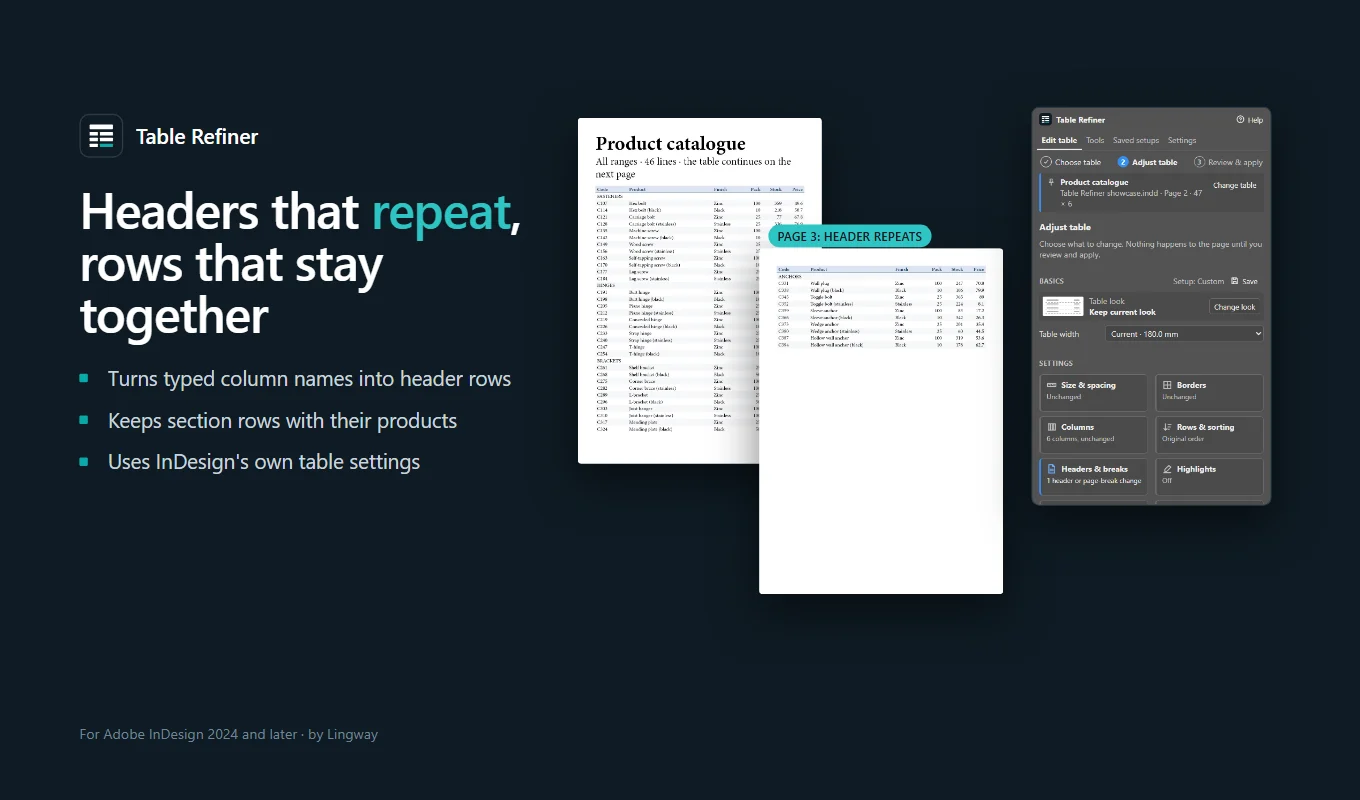
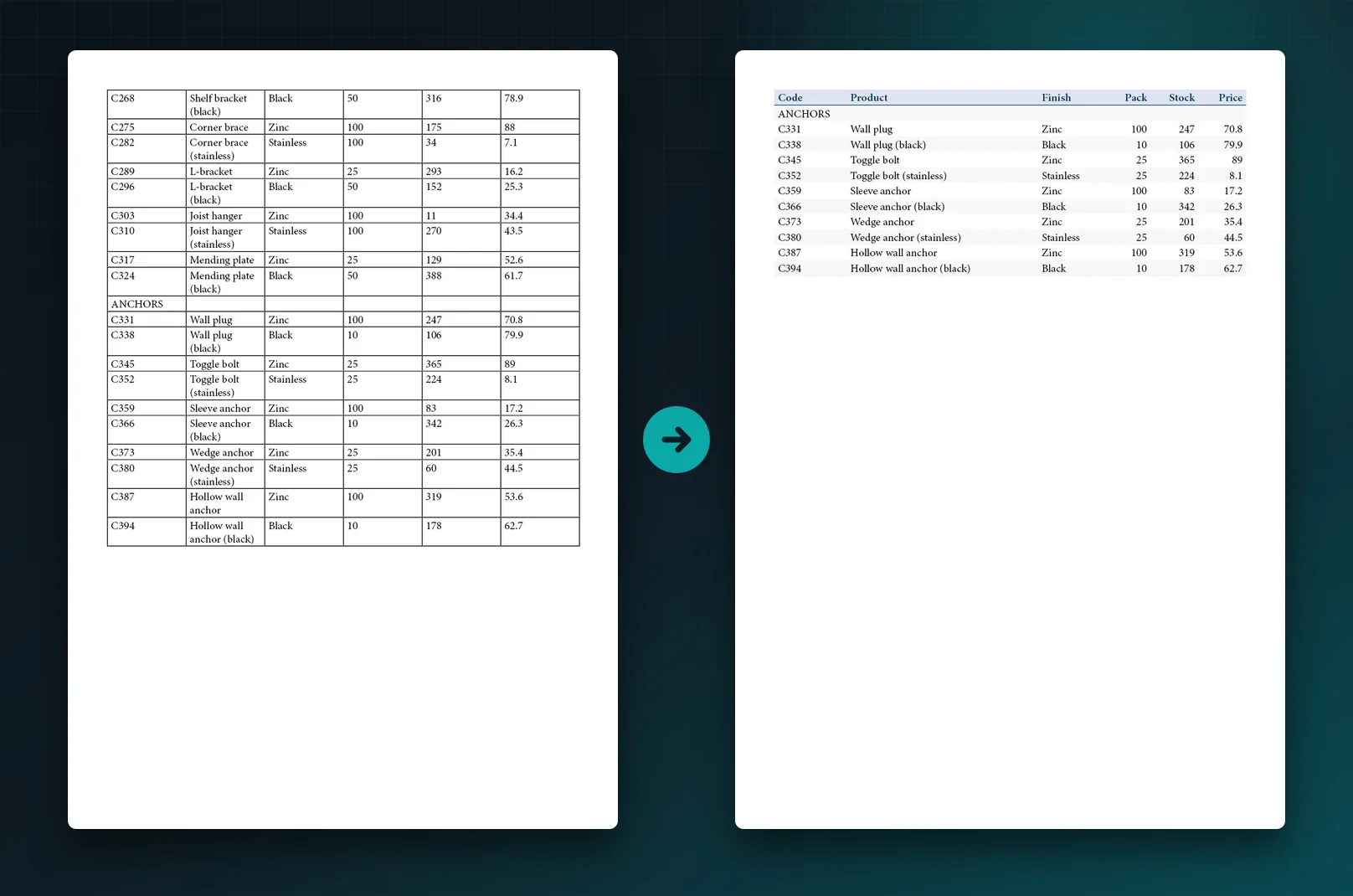
Tables that run over several pages
A long catalogue table continues on page 3 without its column names, and a section heading is left alone at the foot of page 2. Table Refiner notices that the first row holds column names and offers Make it a header row, so it repeats at the top of every page using InDesign's own header rows.
In Headers & breaks, keep each section heading with the next row. The rule follows the row by its code, so it survives sorting and data updates.
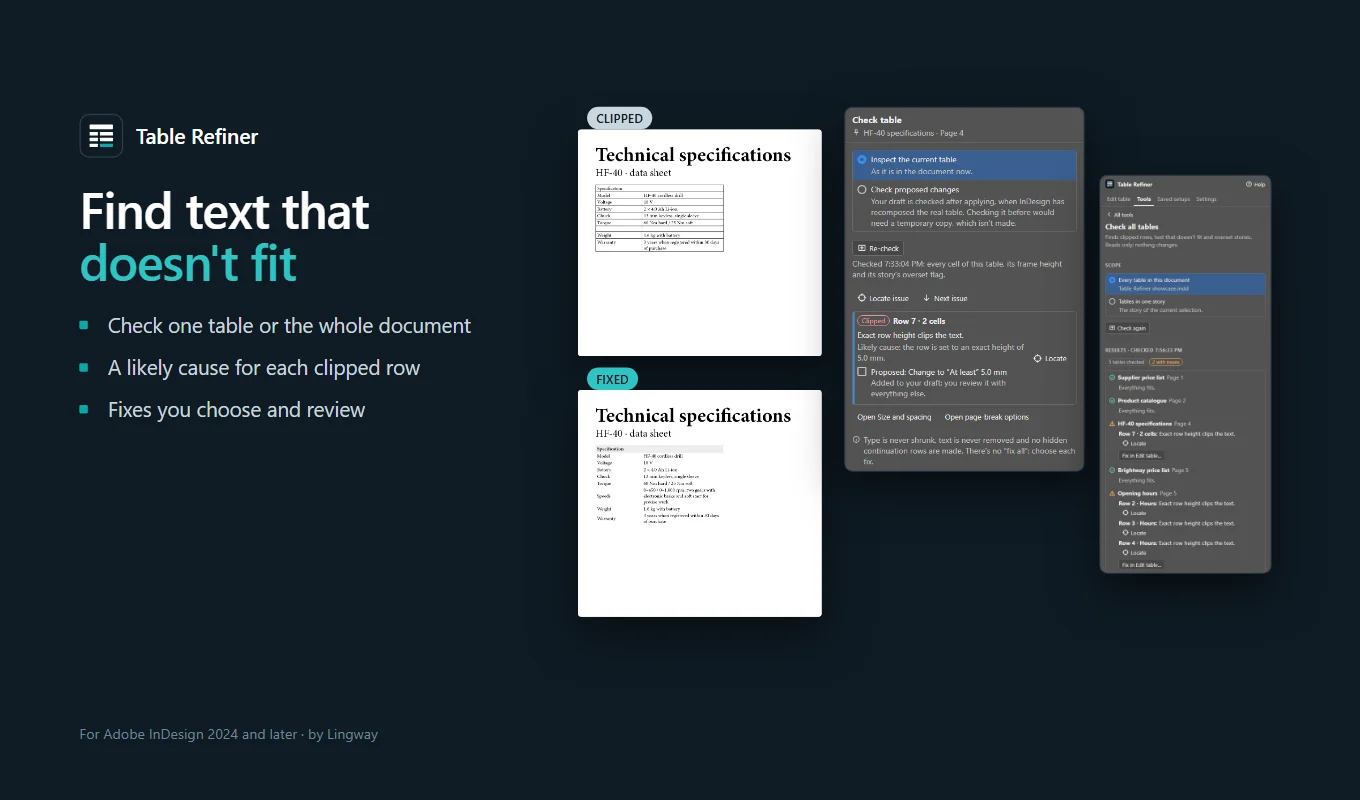
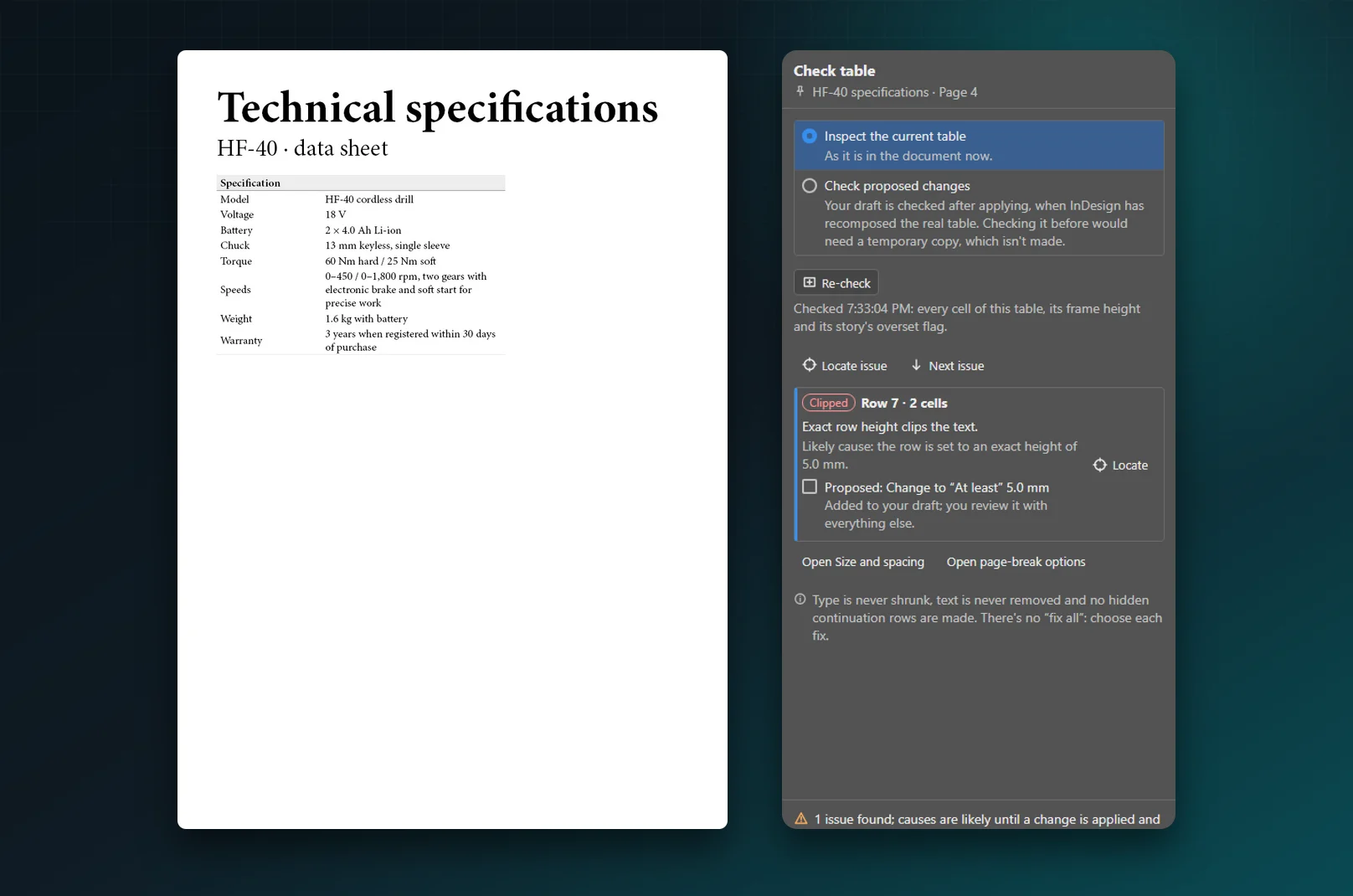
Text that doesn't fit, found and fixed
Check table finds text that is cut off and names the likely cause, for example the row is set to an exact height of 5.0 mm. It proposes a fix, such as At least 5.0 mm, which you add to your draft and review with everything else.
It never shrinks type, removes text or adds hidden rows, and there is no "fix all": you choose each fix. After applying, the panel checks again and tells you honestly whether everything fits.
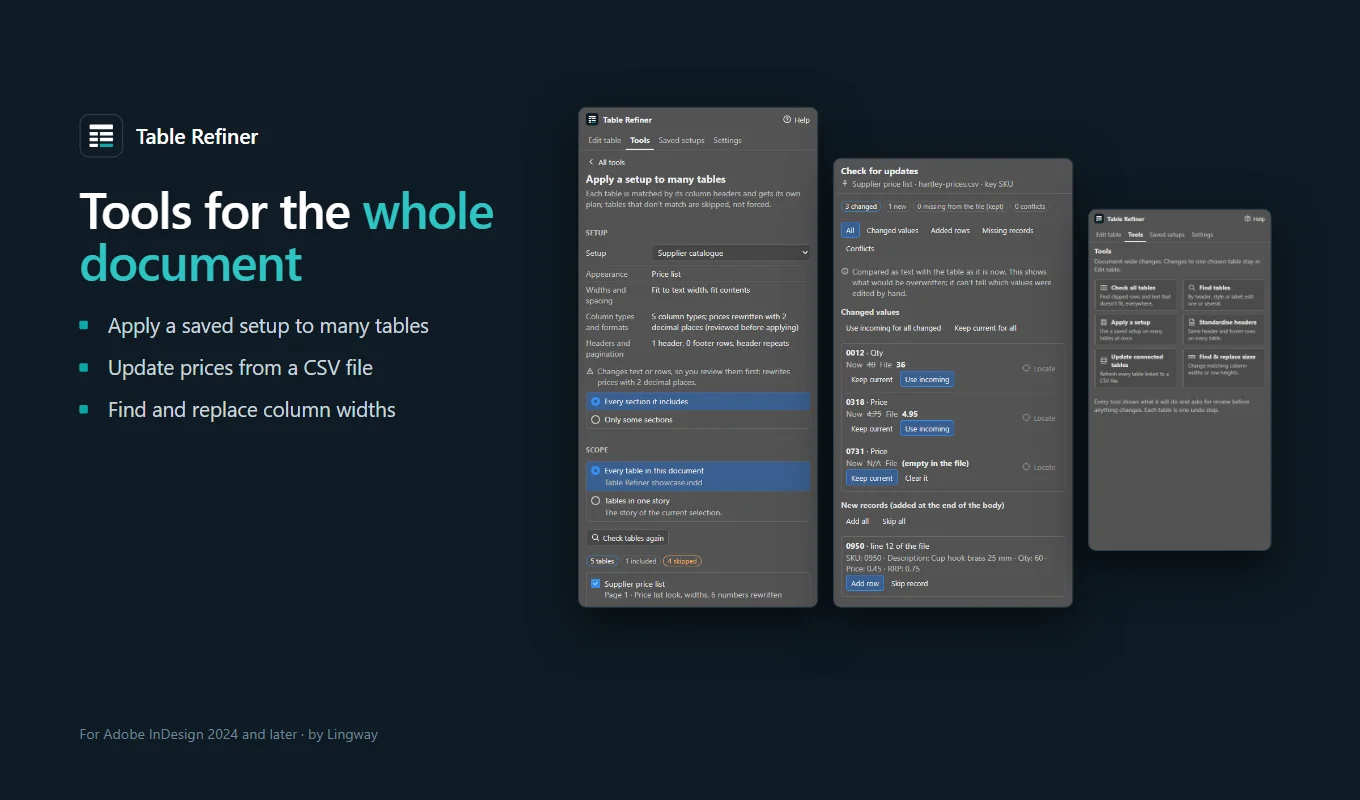
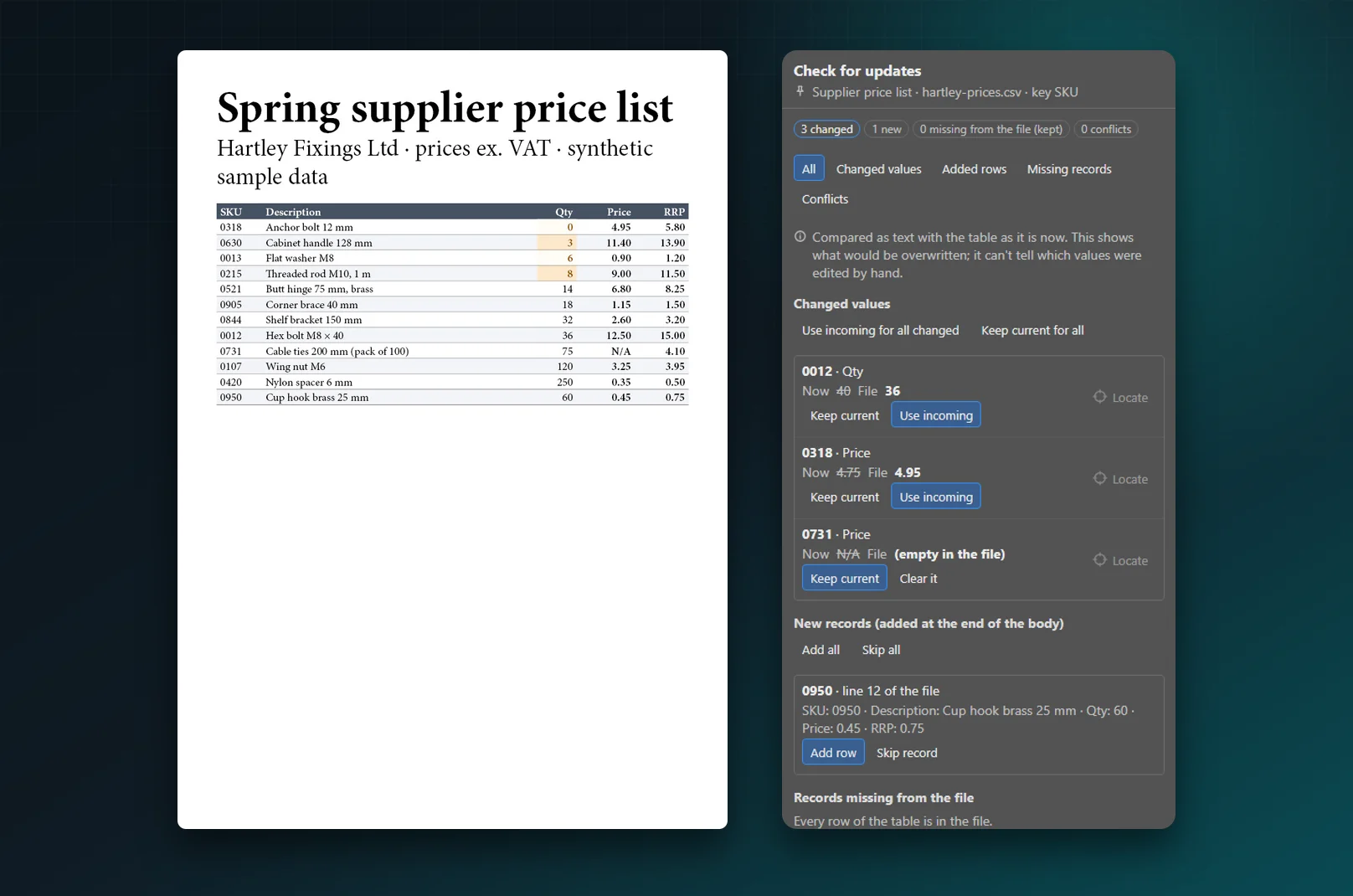
Update prices from the supplier's file
Connect a CSV or TSV file, check how its columns match the table and choose a row key such as SKU. The panel lists every difference, and for each one you choose Keep current or Use incoming. New records can be added at the end of the table.
An empty value in the file never clears a cell unless you say so, and keys that appear twice are listed as conflicts, never matched by guessing.
Built for production work
Supplier price lists
Consistent prices, decimals and highlights, refreshed from the supplier's file when prices change.
Product catalogues
Long tables over many pages, with repeating headers and section headings kept with their products.
Technical data sheets
Specification tables with clean rules, rows that grow to fit their text and nothing cut off.
Studios with house styles
One saved setup for every table of a client, shared as a file with colleagues.
See Table Refiner in action
A messy supplier price list becomes a clean, consistent table: look, column widths, number formats, sorting and highlights, reviewed before anything changes.
 Plays from YouTube (privacy-enhanced mode)
Frequently asked questions
Does Table Refiner change my text?
Only when you choose a change that rewrites values, such as showing prices with two decimals, and you see each value before it is applied. A table look changes appearance only, and changes to text, rows or order need your tick in the review.
Is the result still a normal InDesign table?
Yes. Table Refiner works on native InDesign tables and styles them with ordinary table, cell and paragraph styles in a Table Refiner group. You can edit them like any other style. Your existing styles are never changed.
Can I undo a change?
Yes. Each table you change is one step in Edit > Undo, and the panel has an Undo last change button. You can also create a transformed copy beside the page and keep the original untouched.
Does it handle tables that continue on the next page?
Yes. It turns column names into header rows that repeat where the table continues, adds footer rows, and keeps chosen rows, such as section headings, with the next row so they are never left alone at the foot of a page.
Can I update a table from Excel?
Table Refiner reads CSV and TSV files. Save the sheet as CSV from Excel, connect it to the table and preview the updates. You choose which values to take, and the table keeps its design.
Does it work with merged cells?
Looks, widths, borders and page-break settings work on almost every table. Sorting, moving columns and adding or removing rows need a simple table without merged or graphic cells. The panel always says which operation is limited for a table, and why.
Does it need an internet connection?
No. Everything runs inside InDesign on your computer. Nothing is sent anywhere, and diagnostics for support never include your cell contents.
Which InDesign versions are supported?
InDesign 2024 (version 19.0) or later, on Windows and macOS. The panel follows InDesign's interface brightness, from Dark to Light.
Where can I get it, and what does it cost?
Table Refiner is sold on Adobe Exchange for a one-time payment of US$69, with no subscription. Install it from its Exchange page and it opens as a panel in InDesign.
Refine your next table in InDesign
Buy Table Refiner once on Adobe Exchange and turn every messy table of your layout into a clean, editable one.
Need a feature it does not have yet?
We wrote this plugin, so we can extend it, connect it to your systems or build a private version for your team.
Talk to the developersHow we build Adobe pluginsGuides and tutorials
More from Lingway

DataInk for Adobe InDesign
Native, editable vector charts in InDesign, from your data or your tables.
View Product
Tables Extractor for Adobe InDesign
Extract tables from PDFs and scans into editable InDesign tables.
View Product
WP-Exporter: InDesign to WordPress
Publish InDesign articles to one or many WordPress sites.
View Product