 Adobe InDesign
Next Barcode Suite Batch for Adobe InDesign
Make hundreds of barcodes and QR codes in Adobe InDesign from a spreadsheet, in one run. Pick the column, choose a grid, one per page or the frames of your label template, and click Insert. Bad rows are listed, not printed.
- One barcode per row of a CSV or Excel file
- Grid, one per page, or into your label frames
- Wrong check digits listed by row, never printed
- One-time $64.99, no subscription
- Works in
- Adobe InDesign
- Adobe InDesign 2025 (20.0) or later, macOS and Windows. Tested on Adobe InDesign 2026 on macOS
- Price
- $64.99
- one-time purchase
- Support
- From the developers
- Updates included
When every item needs its own barcode
Product labels, shelf tags, tickets, serial numbers, asset tags, shipping labels: placing barcodes one by one takes hours. Batch Edition reads your data and places every barcode on your pages, as real vector objects you can edit.
CSV, Excel or pasted data
One barcode per row of a CSV, TSV, TXT or Excel (.xlsx) file, or values pasted from a spreadsheet. Comma, semicolon and tab separated files are recognised.
Number sequences
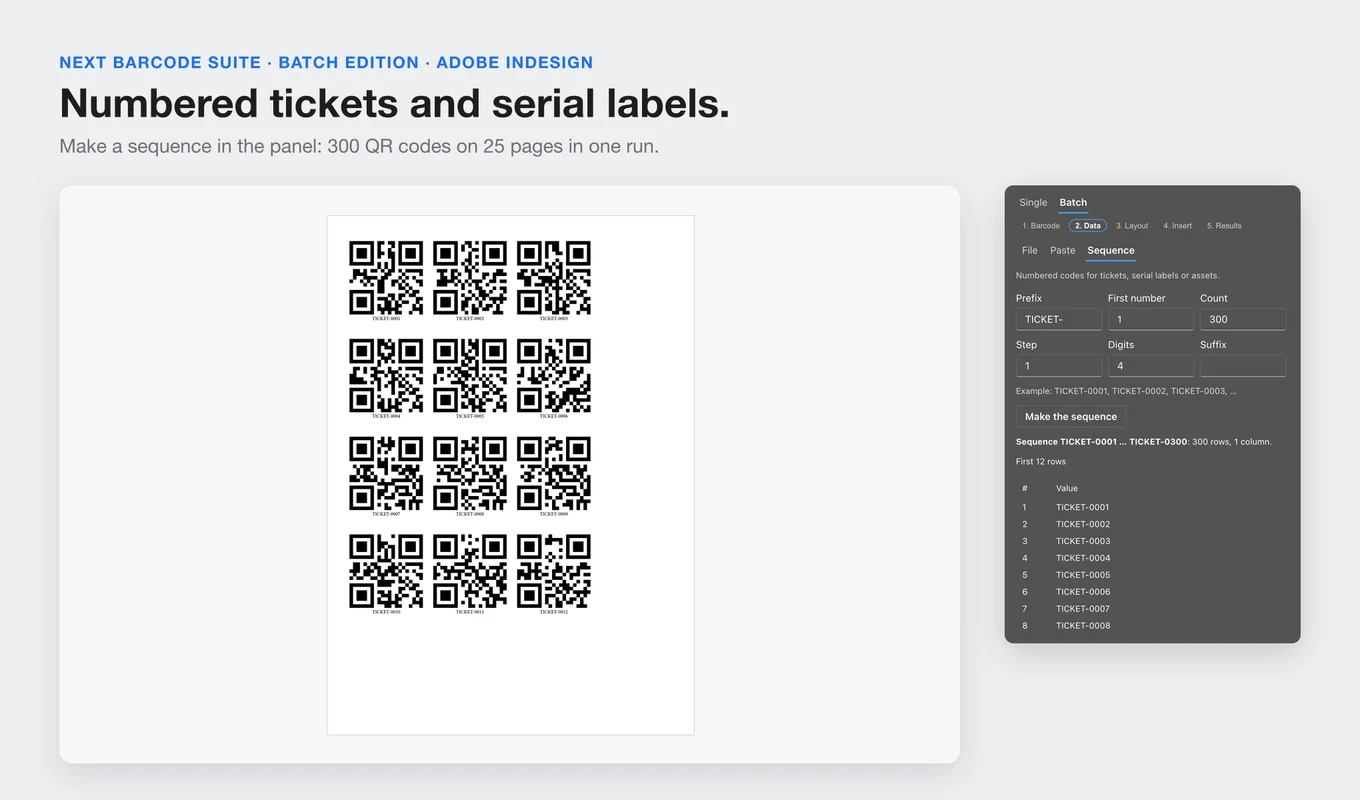
Tickets and serial labels without a spreadsheet: prefix, first number, step, digits and suffix, for example TICKET-0001 to TICKET-0300.
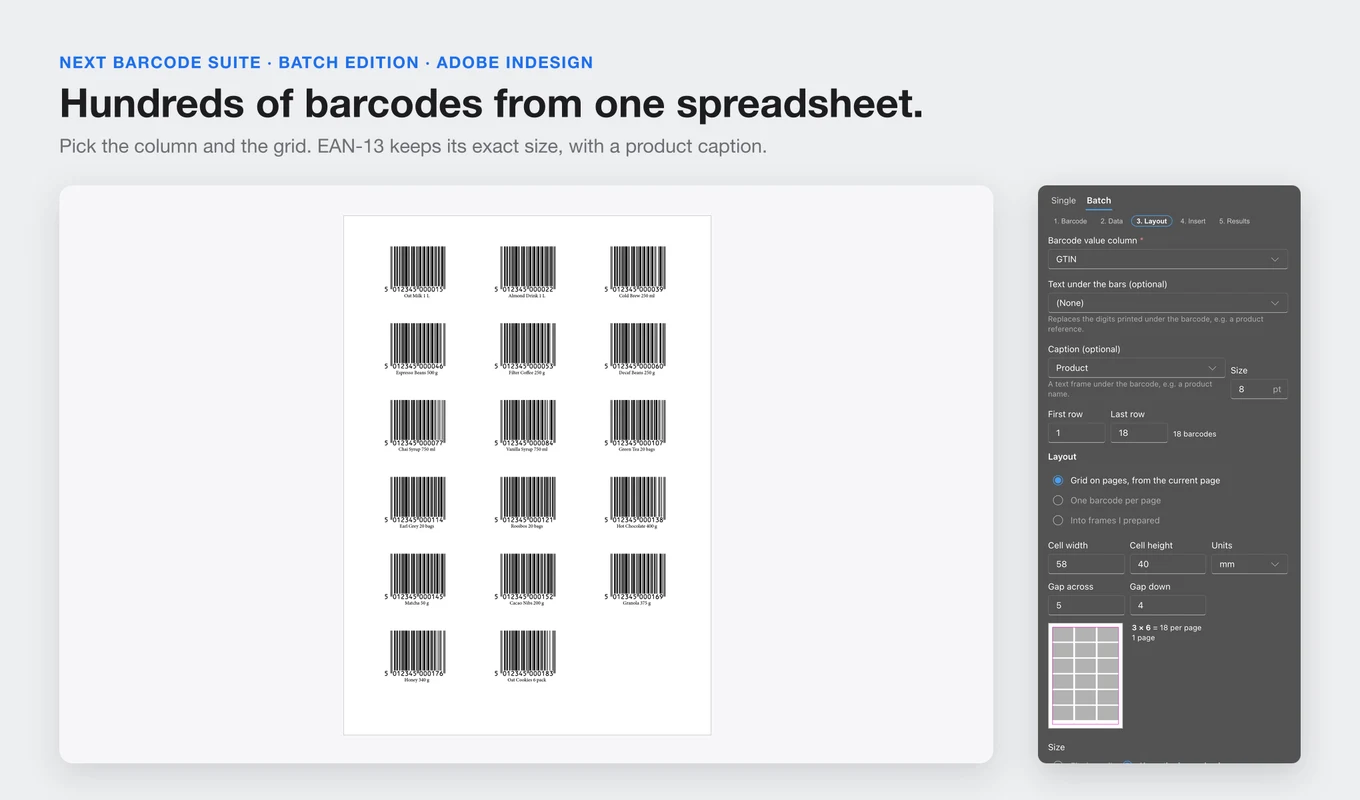
Grid on pages
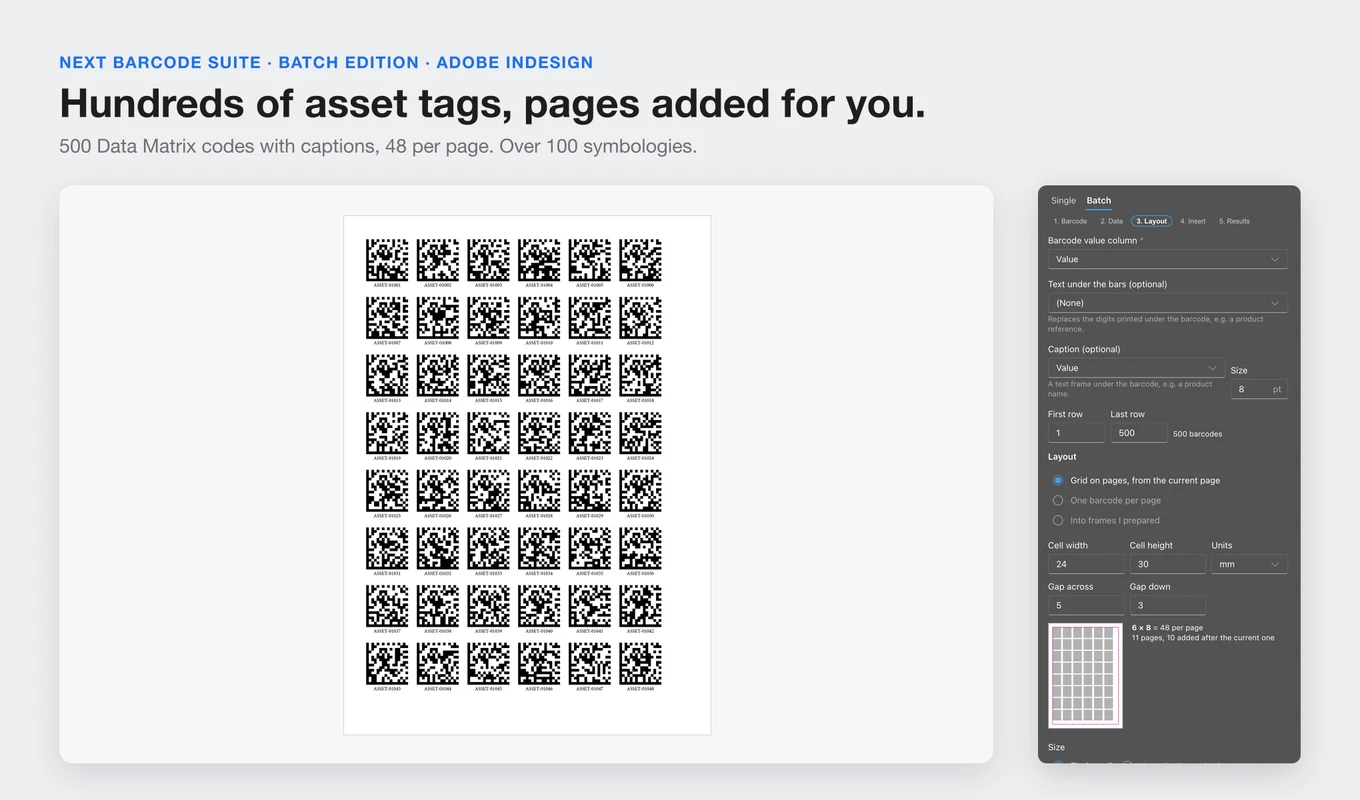
Set the cell size and gaps in mm, cm, inches or points and see how many fit per page. Pages are added after the current one when the batch needs them.
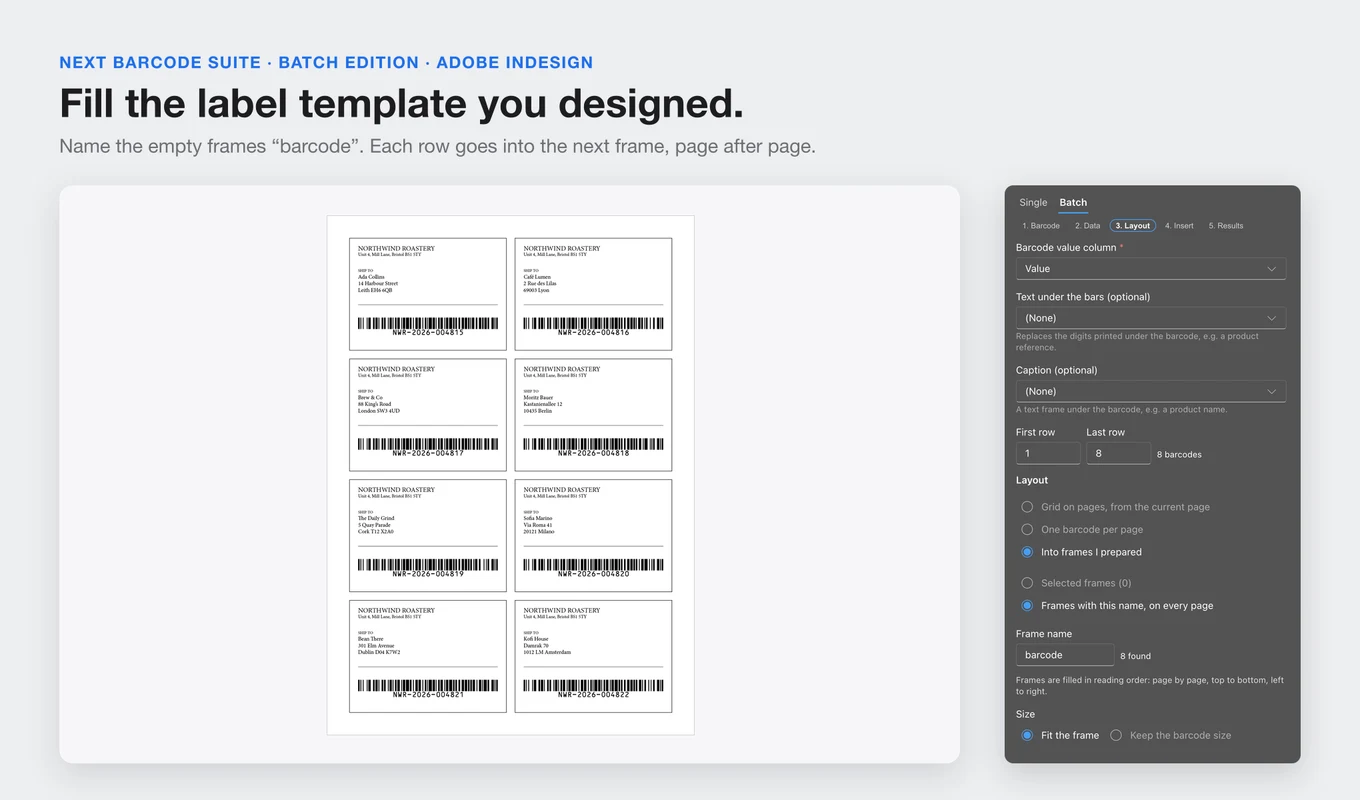
Into your label frames
Select empty frames, or name them "barcode" on every page, and they are filled in reading order. Or put one barcode per page, centred in the margins.
Captions and exact sizes
Add a caption from another column, such as a product name. EAN and UPC codes keep their exact size, set by the magnification (80% to 200%).
Checked before print
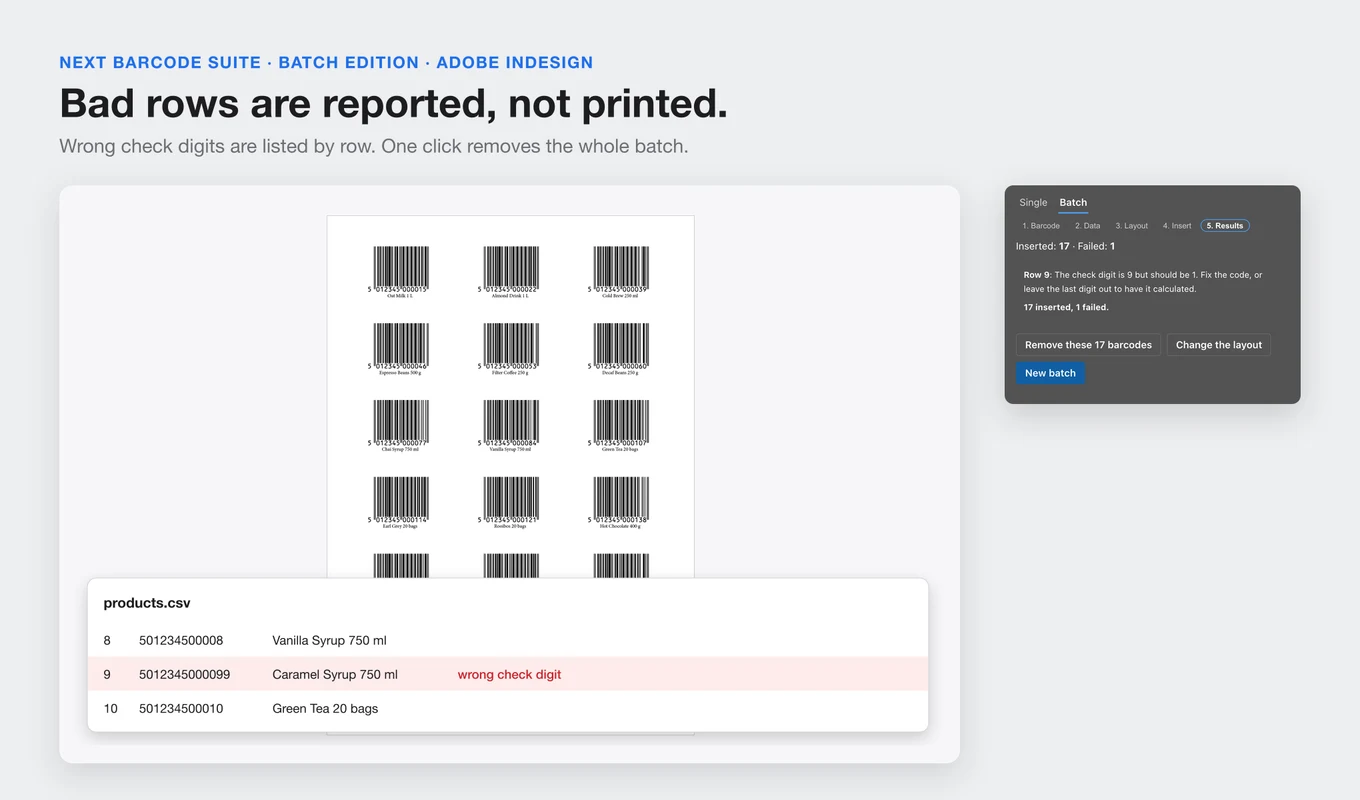
Wrong check digits and invalid values are listed by row number, never silently changed. A warning shows when Excel may have dropped leading zeros.
110 formats
EAN-13, EAN-8, UPC, ISBN, GS1-128, ITF-14, Code 128, Code 39, QR Code, Data Matrix, PDF417, Aztec, postal codes and more.
Native, editable objects
Each barcode is a named group of vector paths in CMYK, RGB or your document swatches, with no linked files. Remove these barcodes takes the whole batch out again, with the pages it added.
From install to result in a few clicks
- 1
Choose the barcode
Pick the format and style: colours, text under the bars, size, rotation and quiet zones.
- 2
Load your data
Open a CSV or Excel file, paste values or make a number sequence, and pick the columns for the value and the caption.
- 3
Lay out and insert
Choose a grid, one per page or your frames, then click Insert. The results list any row that could not be made.
See it inside the app
Built for production work
Packaging and retail labels
EAN and UPC codes for a whole product range, with the product name under each code.
Event tickets
Hundreds of numbered QR codes for tickets, badges and vouchers.
Inventory and asset tags
Data Matrix or Code 128 tags for every item, serial number or location.
Shipping and mailing labels
Fill the label template you designed in Adobe InDesign, one tracking code per label.
See Batch Edition in Adobe InDesign
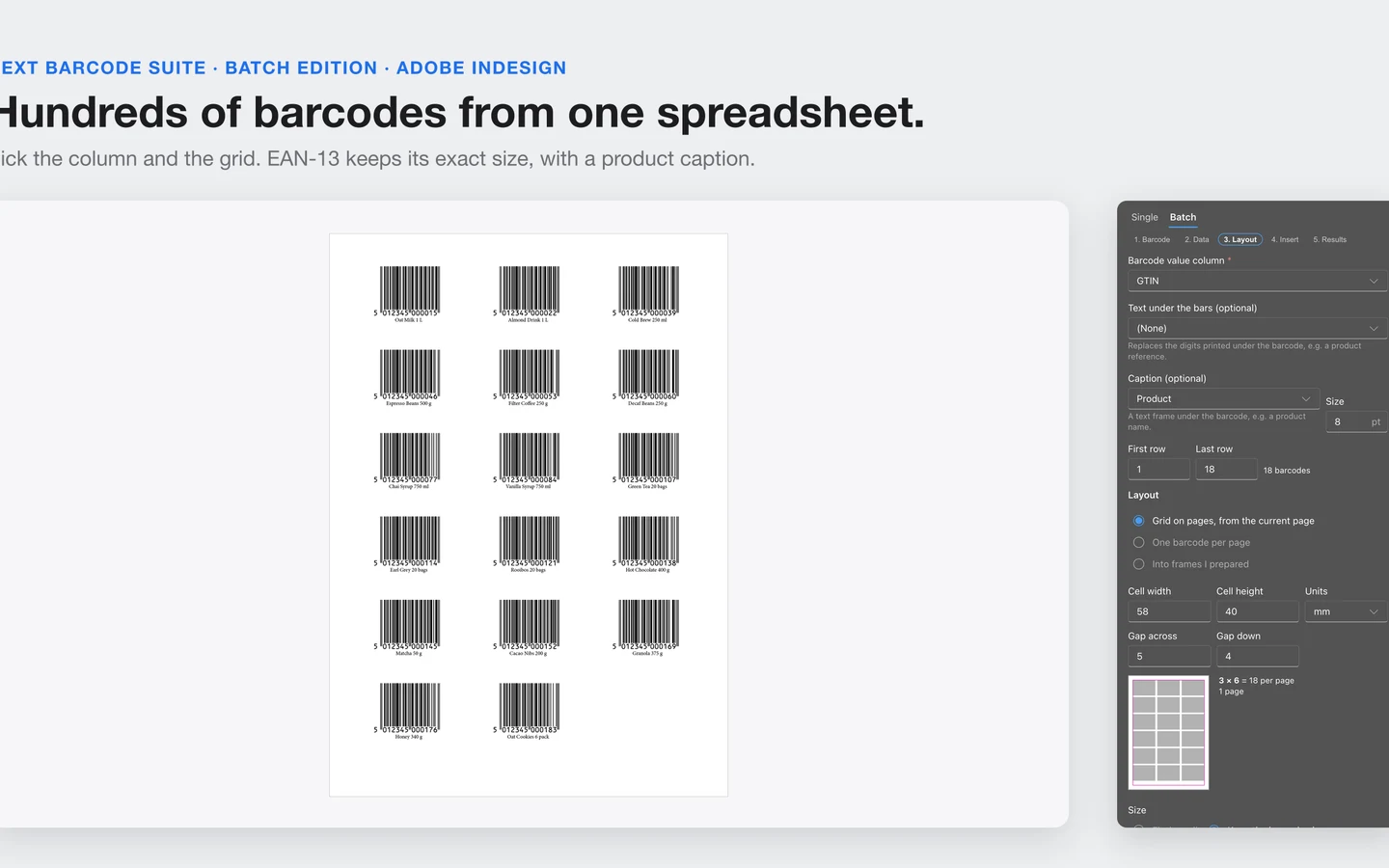
A product list turned into a page of EAN-13 codes, a label template filled frame by frame, 300 numbered QR tickets, 500 asset tags, and a bad row caught before print.
Frequently asked questions
How is it different from Next Barcode Suite for Adobe InDesign?
Next Barcode Suite places one barcode at a time. Batch Edition adds data import, number sequences and layouts, so a whole list becomes barcodes in one run. It includes the single-barcode tab too.
Which files can I import?
CSV, TSV, TXT and Excel (.xlsx) files, or values pasted from a spreadsheet. You choose the columns and can insert all rows or a range, for example rows 101 to 200.
Can it fill a label template I already designed?
Yes. Name the empty frames "barcode" (or select them) and each row goes into the next frame, page after page, in reading order.
What happens with a wrong check digit?
The row is listed in the results with the reason and the expected digit. Nothing is changed silently, and the other rows are placed.
How many barcodes can it make at once?
We tested 300 Code 128 codes over 22 pages and 500 Data Matrix tags in one run. Long batches can be stopped at any time.
Is it a subscription?
No. You pay $64.99 once. The licence key works on 2 computers, and there is a 14-day refund if it doesn't work for you.
Do I need an account or an internet connection?
No. Barcodes are made inside Adobe InDesign and your data never leaves your computer. Only the licence key is checked with Gumroad.
Which versions of Adobe InDesign does it support?
Adobe InDesign 2025 (20.0) and later, on macOS and Windows. We tested it on Adobe InDesign 2026 on macOS.
Stop placing barcodes one by one
Get Next Barcode Suite Batch Edition and turn your next spreadsheet into a page of barcodes in Adobe InDesign.
Need a feature it does not have yet?
We wrote this plugin, so we can extend it, connect it to your systems or build a private version for your team.
Talk to the developersHow we build Adobe pluginsMore from Lingway

Next Barcode Suite for Adobe InDesign
Generate 159+ barcode and QR code formats as vectors inside InDesign.
View Product
Next Barcode Suite for Illustrator
Generate barcodes and QR codes in 159+ formats directly inside Adobe Illustrator, as vector artwork.
View Product
Next Barcode Suite for Adobe Photoshop
Generate 159+ barcode and QR code formats inside Photoshop.
View Product