How to Add a Logo to a QR Code in Adobe Illustrator (and Keep It Scanning)
A QR code with your logo in the middle looks like part of the design instead of a sticker added at the end. It still scans, because QR codes are built to survive missing pieces. Adobe Illustrator has no QR code tool, though, so the usual method is to make the code on a website, place it, and paste a logo over it by hand. That works, but you have to know how much of the code the logo can cover. Here is how to do it reliably.
Why a logo doesn’t break the code
QR codes carry error correction: redundant data that lets a reader rebuild the message when part of the code is dirty, torn or covered. There are four levels:
| Level | Recovers about |
|---|---|
| L | 7% |
| M | 15% |
| Q | 25% |
| H | 30% |
A logo in the centre deliberately hides some modules and lets error correction fill them in. Use level H for any code with a logo. The cost is a denser code: the same content needs more modules, so keep the link short.
How big the logo can be
Error correction is a budget, and the logo should spend only part of it. Print defects, scratches, gloss and a poor camera need the rest.
- Logo width: about a fifth to a quarter of the code’s width. That covers only a few percent of the area.
- Centre it. The middle of the code holds data, not the structural patterns readers look for first.
- Never touch the three corner squares (the finder patterns) or the small alignment square near the bottom-right corner. The reader needs them to locate and straighten the code.
- Give it a clean edge. A white or background-coloured pad around the logo keeps stray modules from merging into its outline.
Method 1: by hand
- Generate a code at error correction H on a web generator and download it as SVG.
- Open it in Illustrator, ungroup, and recolour the modules from RGB to your CMYK swatch.
- Place your logo on top, centred, at about a fifth of the code’s width.
- Draw a rounded rectangle behind the logo, filled with the background colour, slightly larger than the logo.
- Test it on several phones.
The weak points: you have to remember to choose level H, many generators route the link through their own short URL, and nothing tells you if the logo is too large.
Method 2: QR Studio
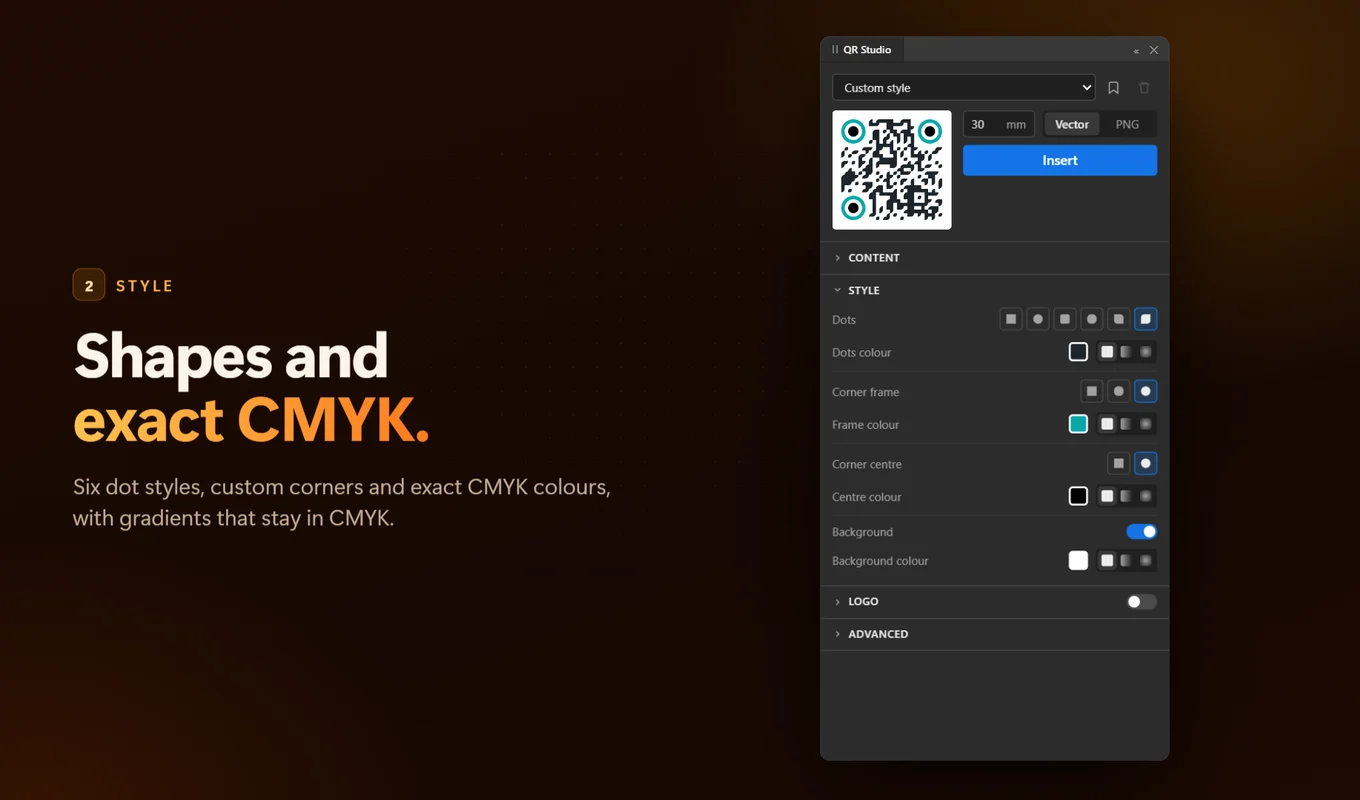
QR Studio for Adobe Illustrator builds the code with the logo in one step:
- Open Window > Extensions > QR Studio and enter the content.
- Add your PNG, JPG or SVG logo. Error correction is raised automatically to cope with it.
- Style the code around it: six dot styles, custom corner shapes, solid colours or gradients, and a coloured or transparent background.
- Click Insert. The code lands on the artboard as native vector paths, in exact CMYK in a CMYK document.
The built-in scan check warns about low contrast, inverted colours or a code that won’t scan before you place it. Brand kits save the logo, colours, shapes and link, so the next code for the same brand matches in one click.
Brand colours that still scan
- Dark on light. The modules must be clearly darker than the background. Navy, dark green, burgundy and dark grey work. Yellow, light blue, pastels and light-grey modules often don’t.
- Avoid inverted codes. Light modules on a dark background fail on many phone cameras.
- Gradients: keep both ends of the gradient dark. A gradient that fades towards the background colour loses contrast at one side.
- Custom dot styles (rounded, dots) read fine on modern phones, but keep the corner squares bold and closed.
Test it
Scan the printed code at its final size with two or three phones, including an older one, before going to press. If one phone hesitates, shrink the logo, darken the colour or enlarge the code. For packaging, the substrate and finish matter too: see QR codes on packaging in Illustrator.
For every way to make the code itself, read how to make a QR code in Adobe Illustrator. Working in a layout instead? QR Studio for Adobe InDesign places the same branded codes as CMYK vector PDFs.
Sources
- DENSO WAVE, QR Code error correction feature
- DENSO WAVE, QR Code structure
Frequently asked questions
How does a QR code still scan with a logo on it?
QR codes include error correction: extra data that lets a reader rebuild the code when part of it is missing or damaged. A logo in the centre hides some modules, and error correction fills them in. Use the highest level, H, which restores about 30% of the codewords.
How big can the logo be?
Keep it well inside what error correction can recover. A logo about a fifth to a quarter of the code's width covers only a few percent of its area and leaves room for print defects. Never cover the three large corner squares.
Can a QR code use brand colours?
Yes, as long as the modules stay clearly darker than the background. Dark brand colours work; pale ones, yellows and light-on-dark inverted codes often fail. Test on several phones.
Fahd Jlif is part of the team at Lingway, which makes plugins for Adobe InDesign, Illustrator, Photoshop and After Effects. LinkedIn