 Adobe After Effects
Translator PRO for Adobe After Effects
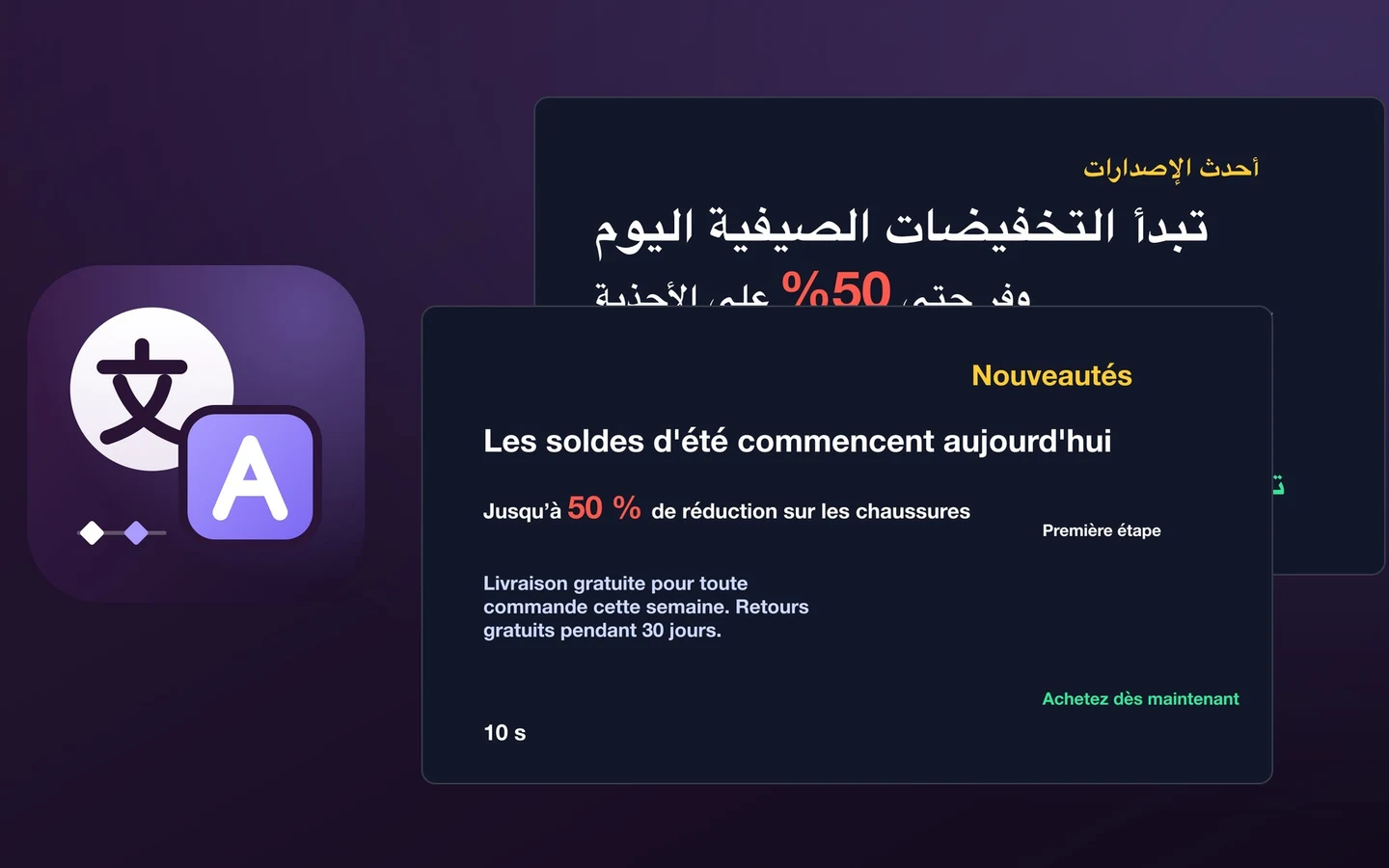
Translate the text layers of a comp, its precomps or a whole project with DeepL, inside Adobe After Effects. The red word stays red, Arabic comes out right to left, long lines are flagged, and each language lands in its own copy of the comp.
- Works with your own DeepL API key, free or paid
- One comp per language, your original untouched
- Styling inside a layer is kept
- API key stored locally, no Lingway server
- Works in
- Adobe After Effects
- Adobe After Effects 2025 (25.1) or later, DeepL API key. Tested on Adobe After Effects 2027 on macOS
- Price
- $60
- one-time purchase
- Updated
- 25 Nov, 2026
- Support
- From the developers
- Updates included
The translation round trip, done inside Adobe After Effects
A film in six languages means copying every text into a translator, pasting it back layer by layer, fixing the bold word that lost its style, and doing it again five times. Translator PRO does that round trip and leaves the layout decisions to you.
Translate where the text is
Selected layers, the active comp, the comp with all its precomps, comps selected in the Project panel, or the whole project. Choose one or several languages and click Translate.
One comp per language
The comp and every precomp under it are duplicated, relinked and translated, in a Translations folder with one subfolder per language. Your original is not touched.
Styling is kept
A layer with several styles, such as one red word in a white sentence, keeps them: each style comes back on the right words, even when the word order changes.
Right-to-left languages
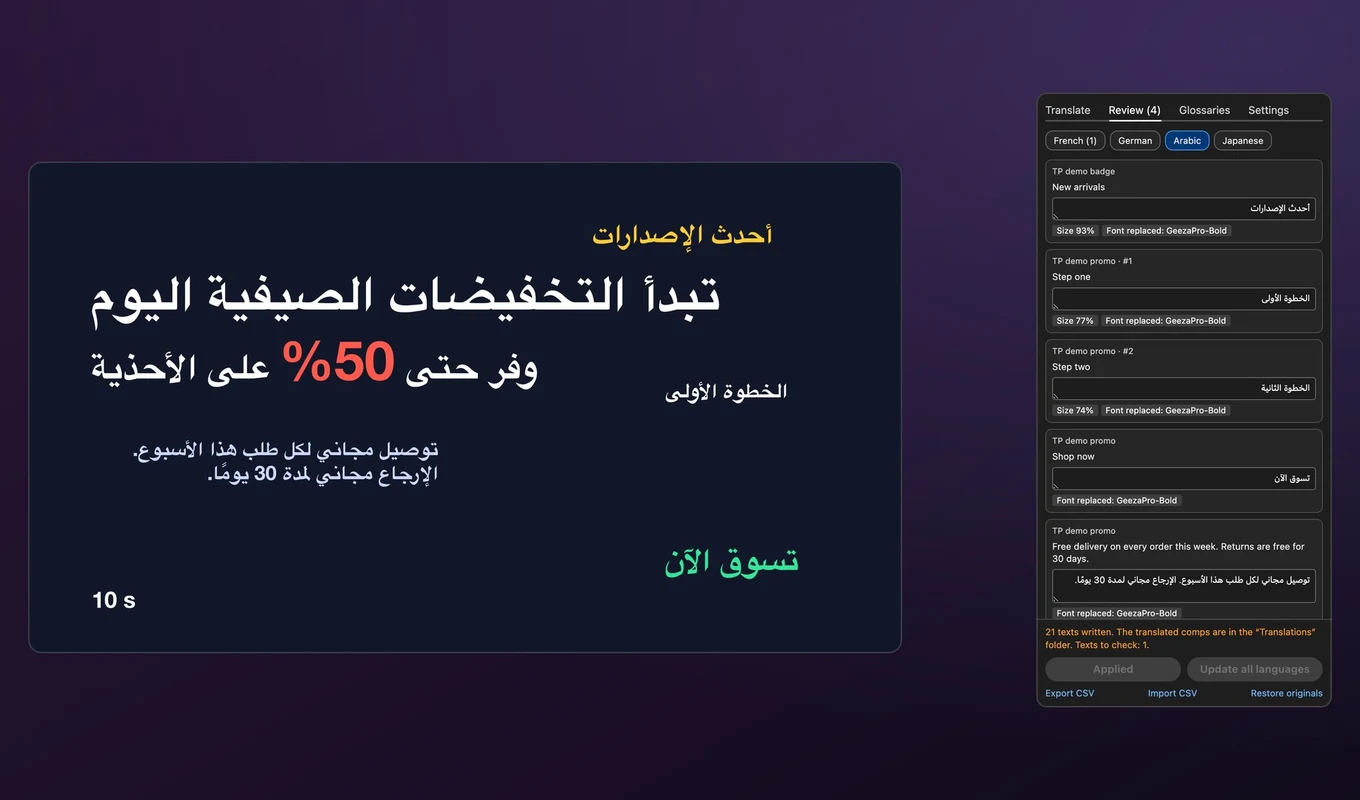
Arabic, Hebrew, Persian and Urdu are set right to left, and the text stays on the side of its anchor point where you placed it. Digits can stay 0–9 or become Arabic or Persian digits.
A font that has the letters
When a layer's font cannot show the translation, only the characters it lacks take another font, in the same weight when the family offers it. You can choose that font per language.
Review before anything is written
Every translation is listed next to its source. Edit any line, then apply. Export the table as CSV for a reviewer and import it back.
Long translations
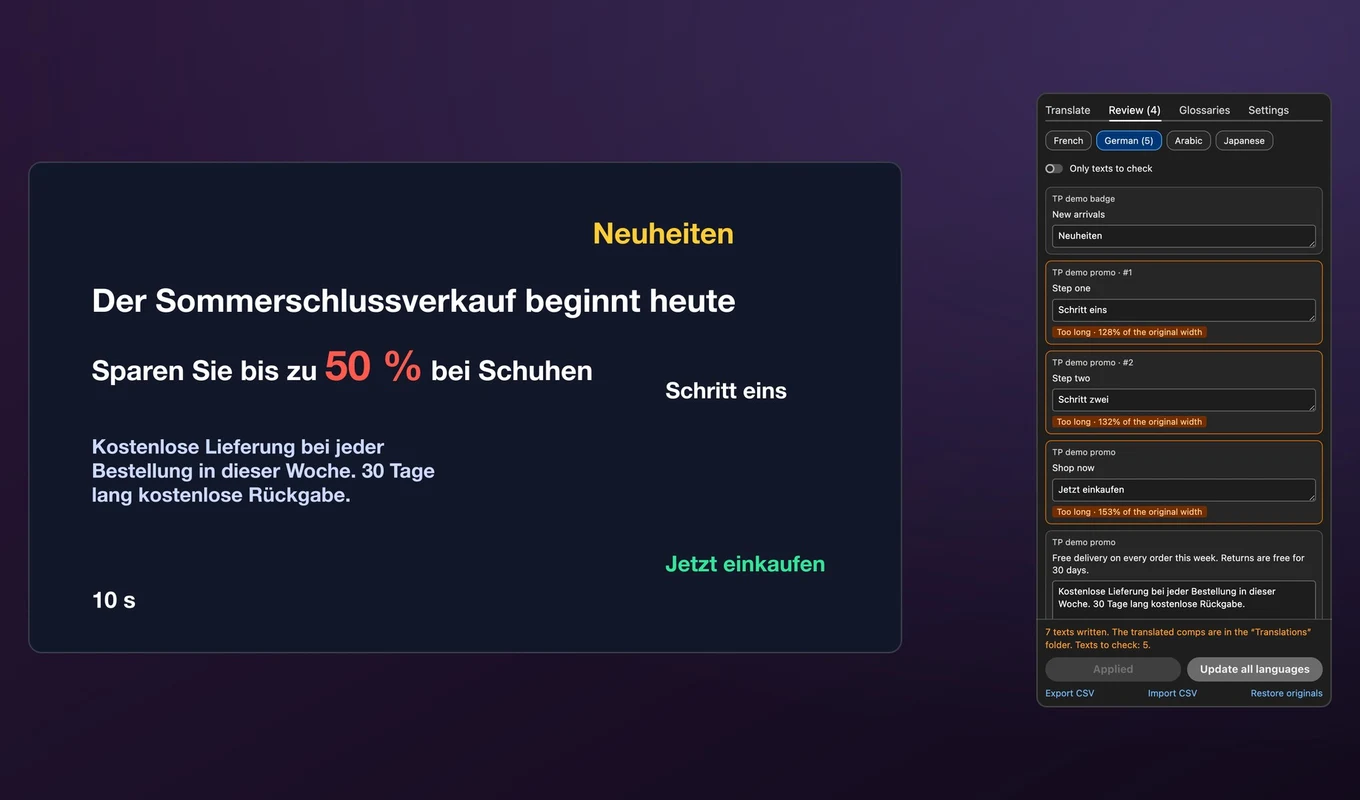
Texts that became wider than the original are flagged, with how much wider. Or let Translator PRO reduce the size to fit, down to a limit you set.
Context, glossaries, instructions
Describe the film once and the other texts of the same comp are sent as context too, which DeepL does not bill. Use the glossaries of your DeepL account and add instructions such as "keep product names in English".
Your key, your computer
Texts go from your computer straight to DeepL. There is no Lingway account and no Lingway server, and the key is stored on your computer only.
From install to result in a few clicks
- 1
Paste your DeepL key
The panel shows how to get a DeepL API key in three steps and checks it as you paste. DeepL's free Developer plan works.
- 2
Pick the languages and translate
Choose what to translate and one or several languages, describe the film in a line, and click Translate.
- 3
Review, then apply
Read each line next to its source, change what you want, and apply. Each language lands in its own copy of the comp, or in place if you prefer.
See it inside the app

Language versions of a comp, without rebuilding it
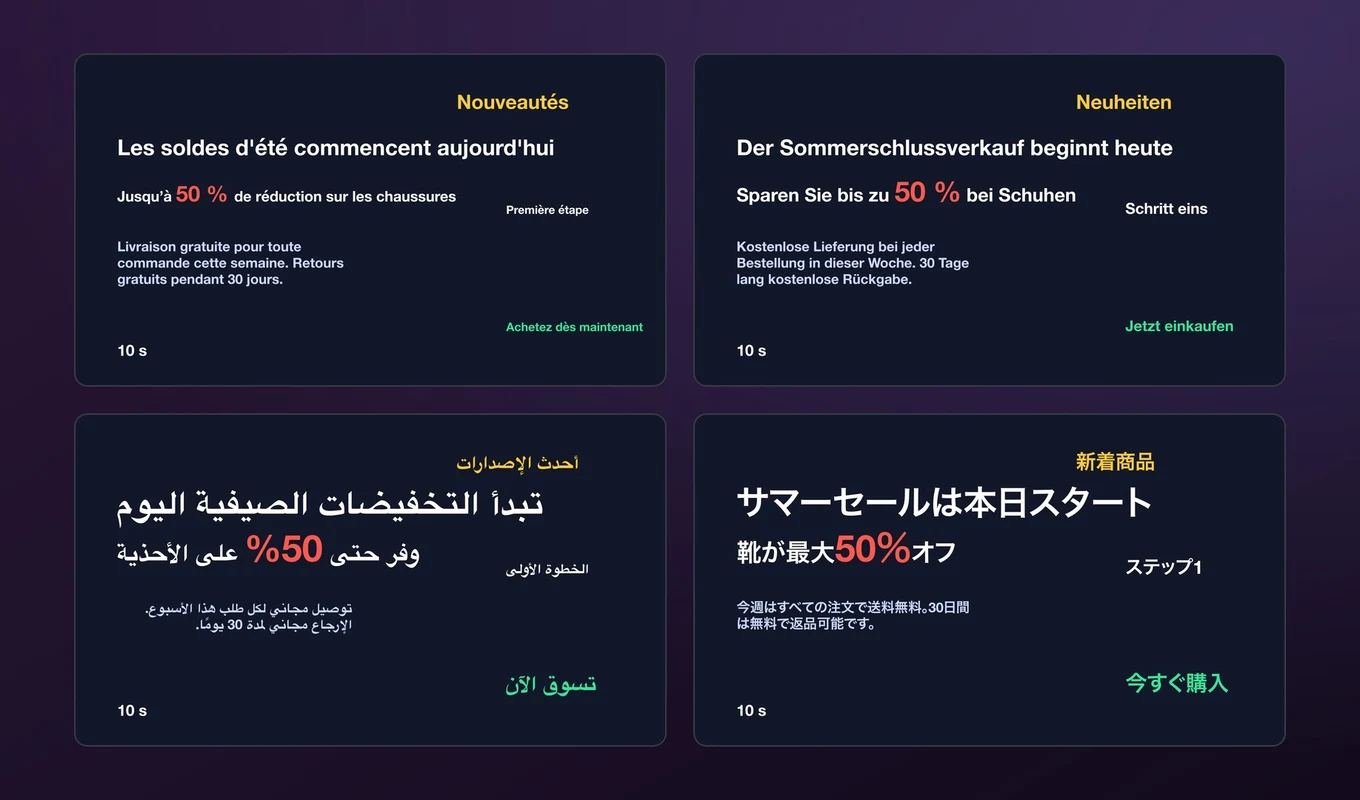
Every comp below was rendered by Adobe After Effects from copies the plugin made, with real DeepL translations. The shop and the offer are made up.
Translate a comp, its precomps or the project
Pick the scope, the source language (or let DeepL detect it) and one or several target languages, then click Translate. Source Text keyframes are translated one by one and keep their times.
Layers with only numbers or symbols are left out, so nothing is sent or billed for "45%". Layers driven by an expression are listed and left alone.

One comp per language
One comp per language duplicates the comp and every precomp under it, relinks them and translates the copies. They land in a Translations folder, one subfolder per language, and your original stays as it is.
Replace the texts writes into your comp instead, as one undo step, and keeps the original of every layer so you can restore it or translate into another language later.
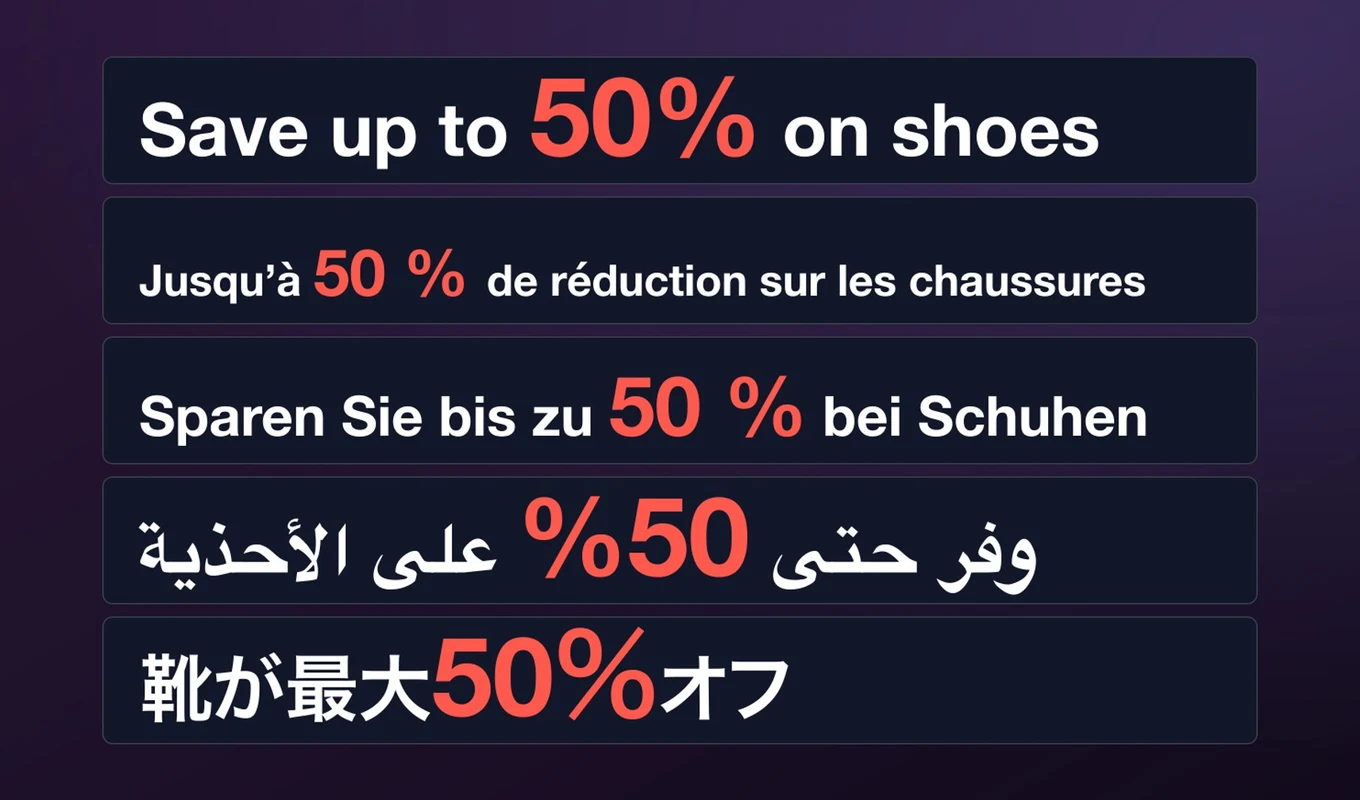
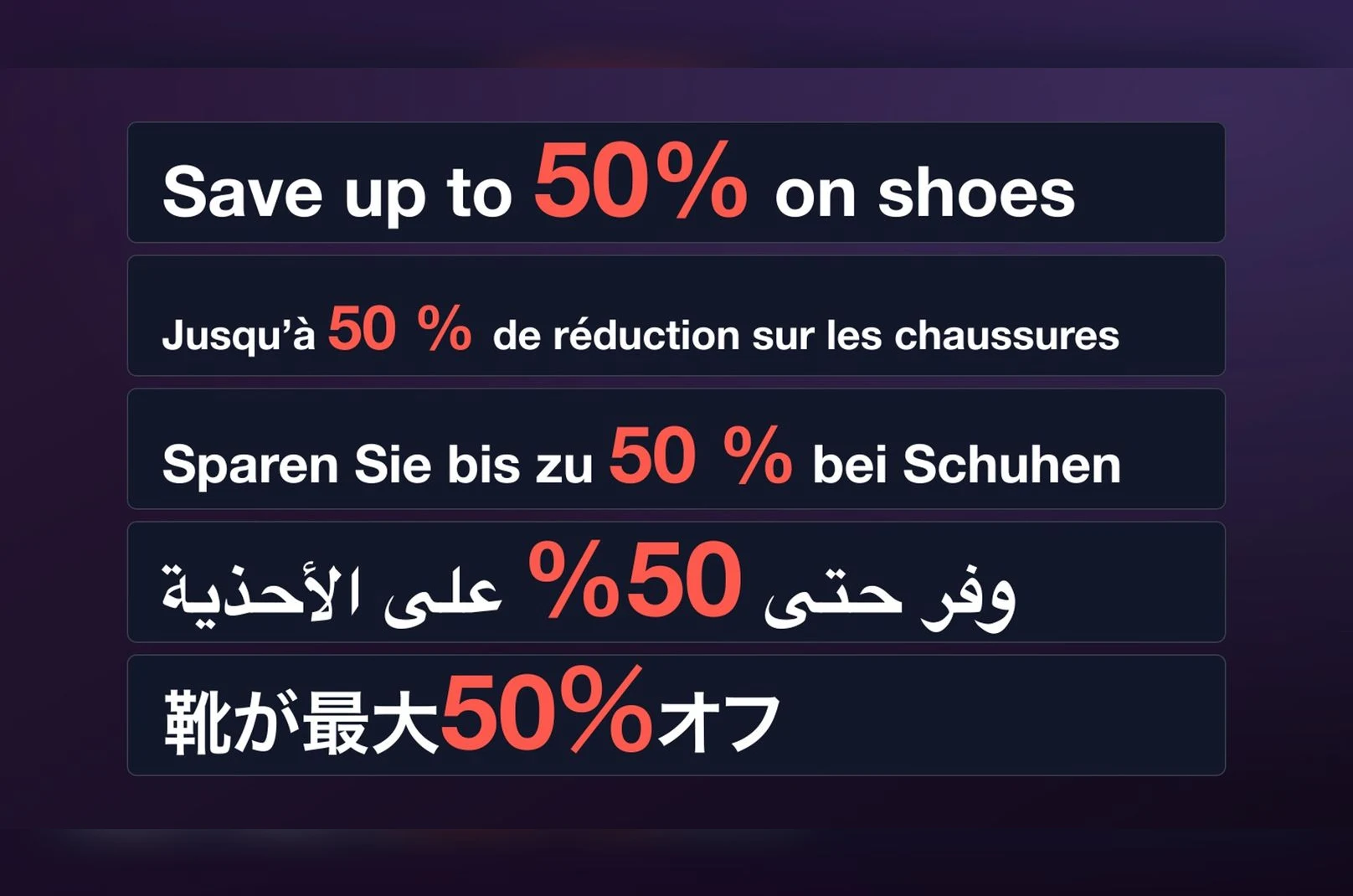
The red word stays red
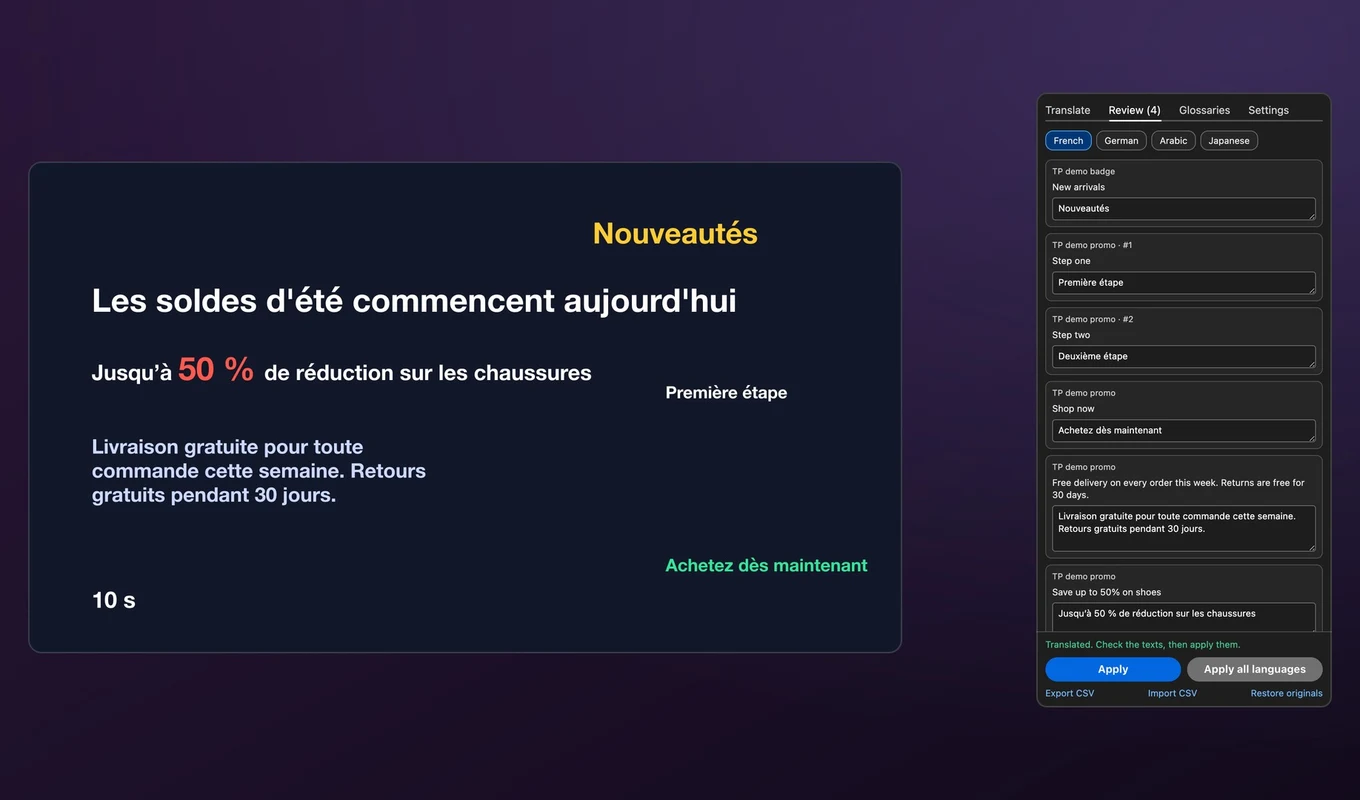
Text with several styles inside one layer travels to DeepL with a mark around each style, and comes back with each style on the right words, even when the translation changes the word order.
Line breaks stay where the translation puts them.
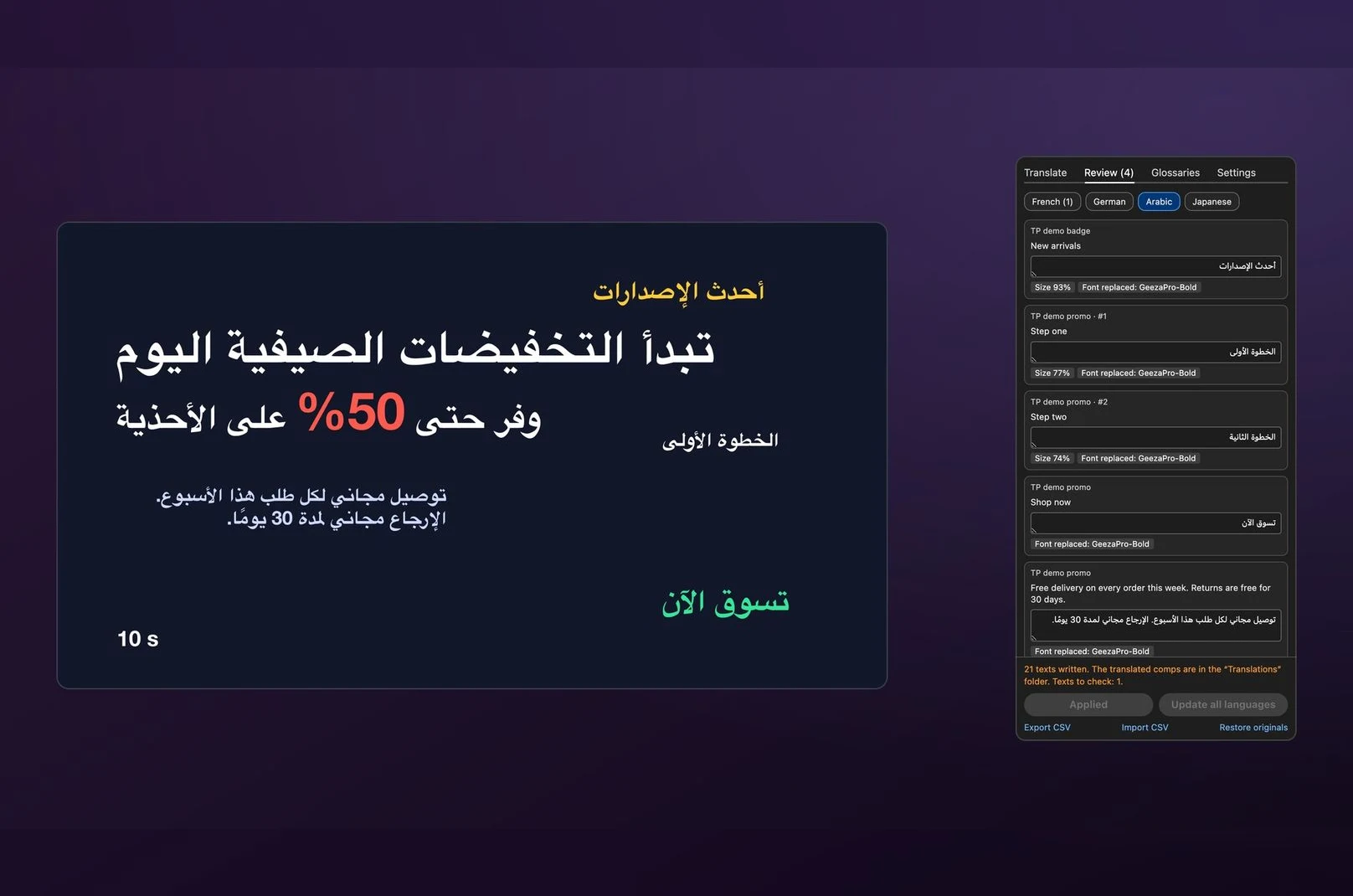
Right to left, in a font that has it
Arabic, Hebrew, Persian and Urdu targets are set right to left, and the text stays on the side of its anchor point where you placed it.
When the layer's font has no glyphs for the translation, only the characters it lacks take another font, in the same weight when the family has it. In the picture, the Arabic words are in a bold Arabic font and "50%" is still in the designer's font.
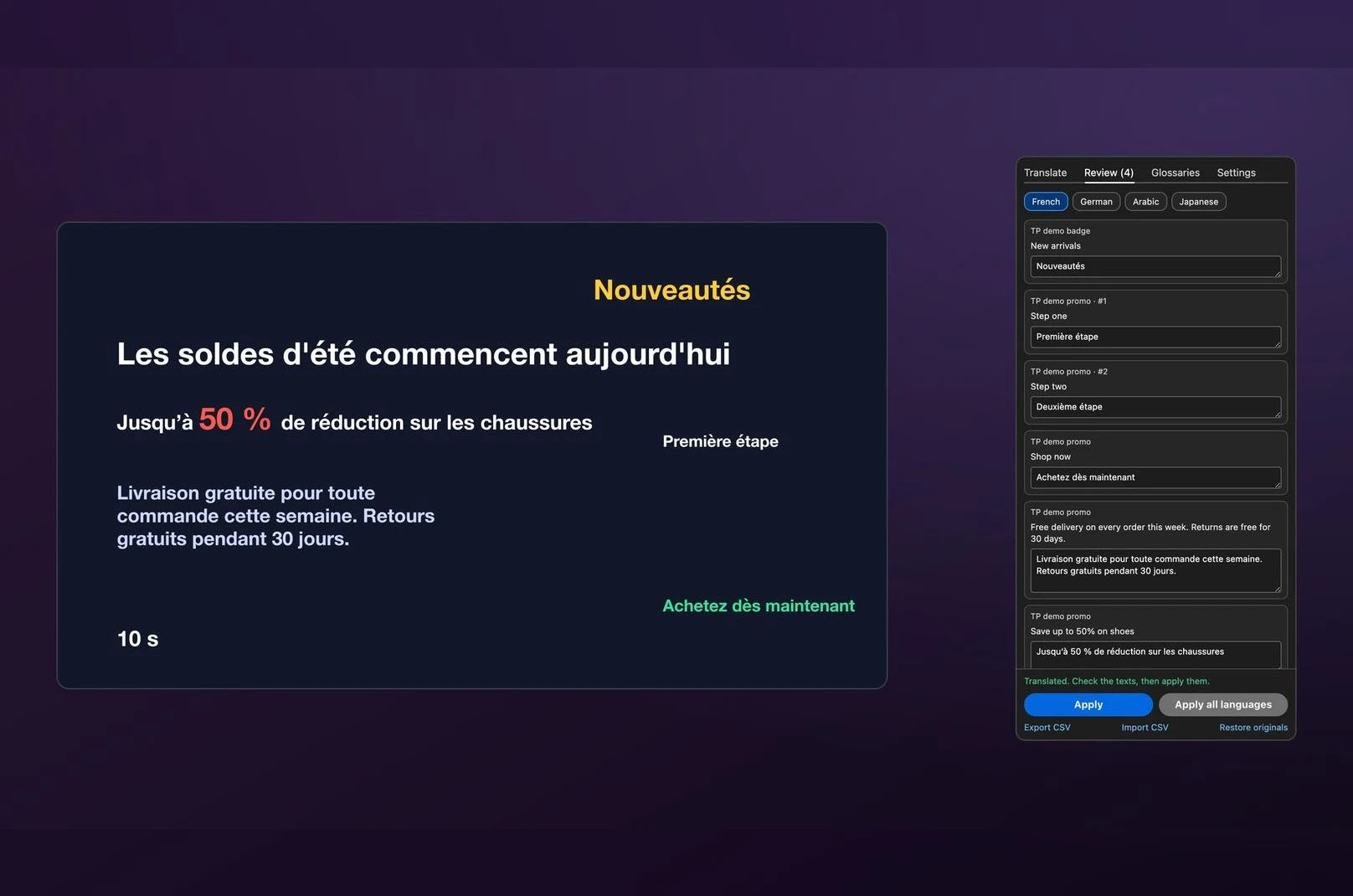
Check every line before it is written
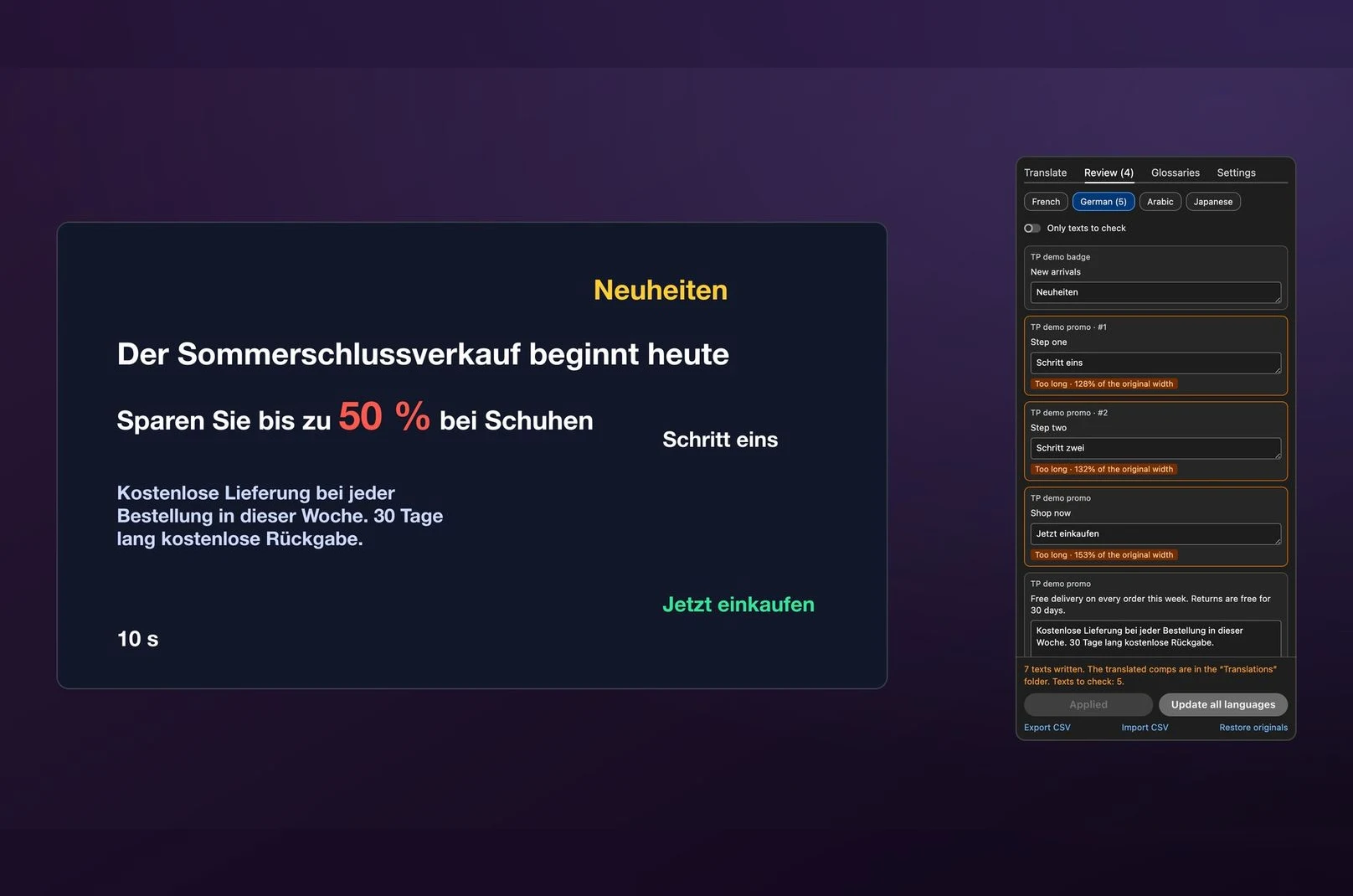
The Review tab lists each text with its translation, per language. Edit any line, then Apply. Click a line to open its comp and select the layer.
Export CSV gives a reviewer the whole table; Import CSV brings their changes back. If you change a line after applying, Update rewrites the same comps.
Long translations, flagged or fitted
After applying, texts that became wider than the original are flagged, with how much wider, so you know where to look.
Or choose Reduce the size to fit and set the smallest size you accept: the plugin shrinks only what needs it, and still flags what does not fit at that limit.
Context, glossaries and instructions
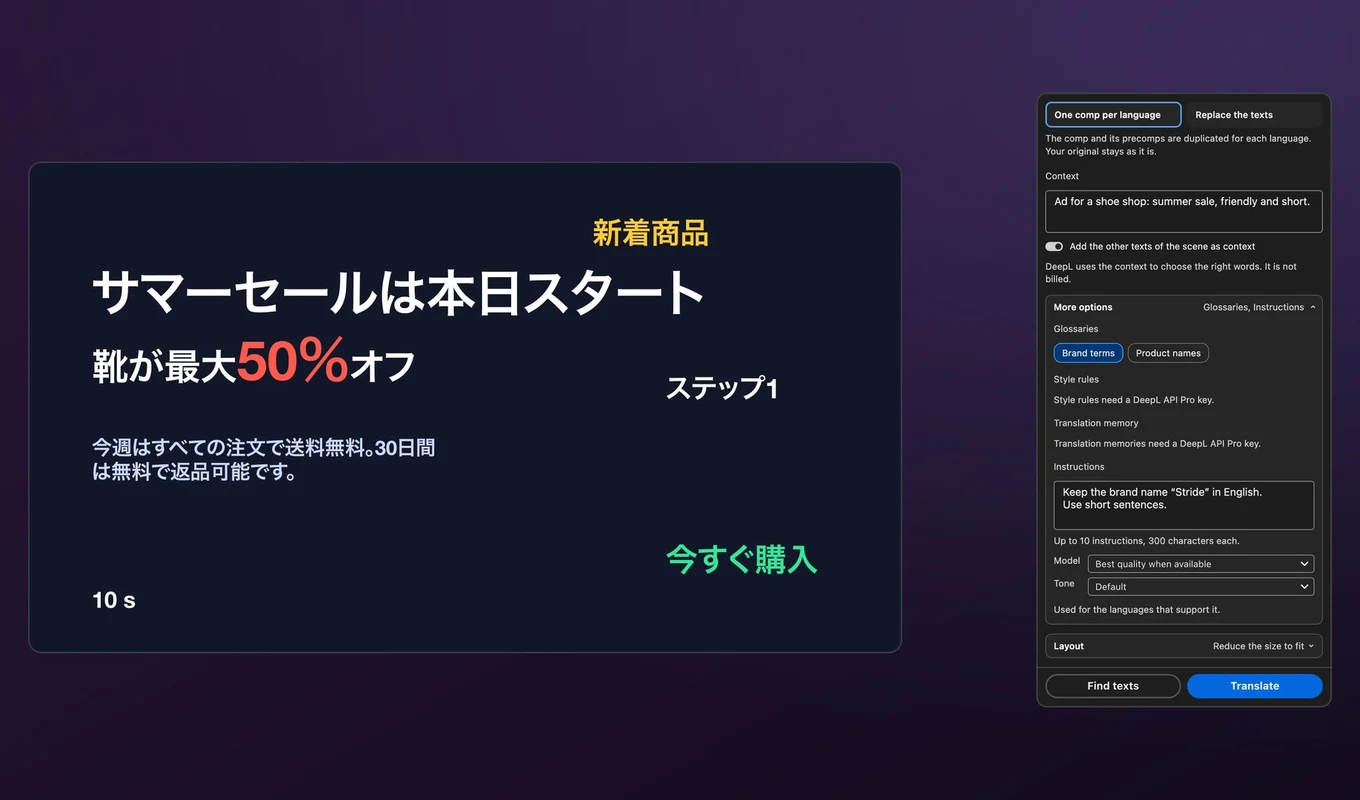
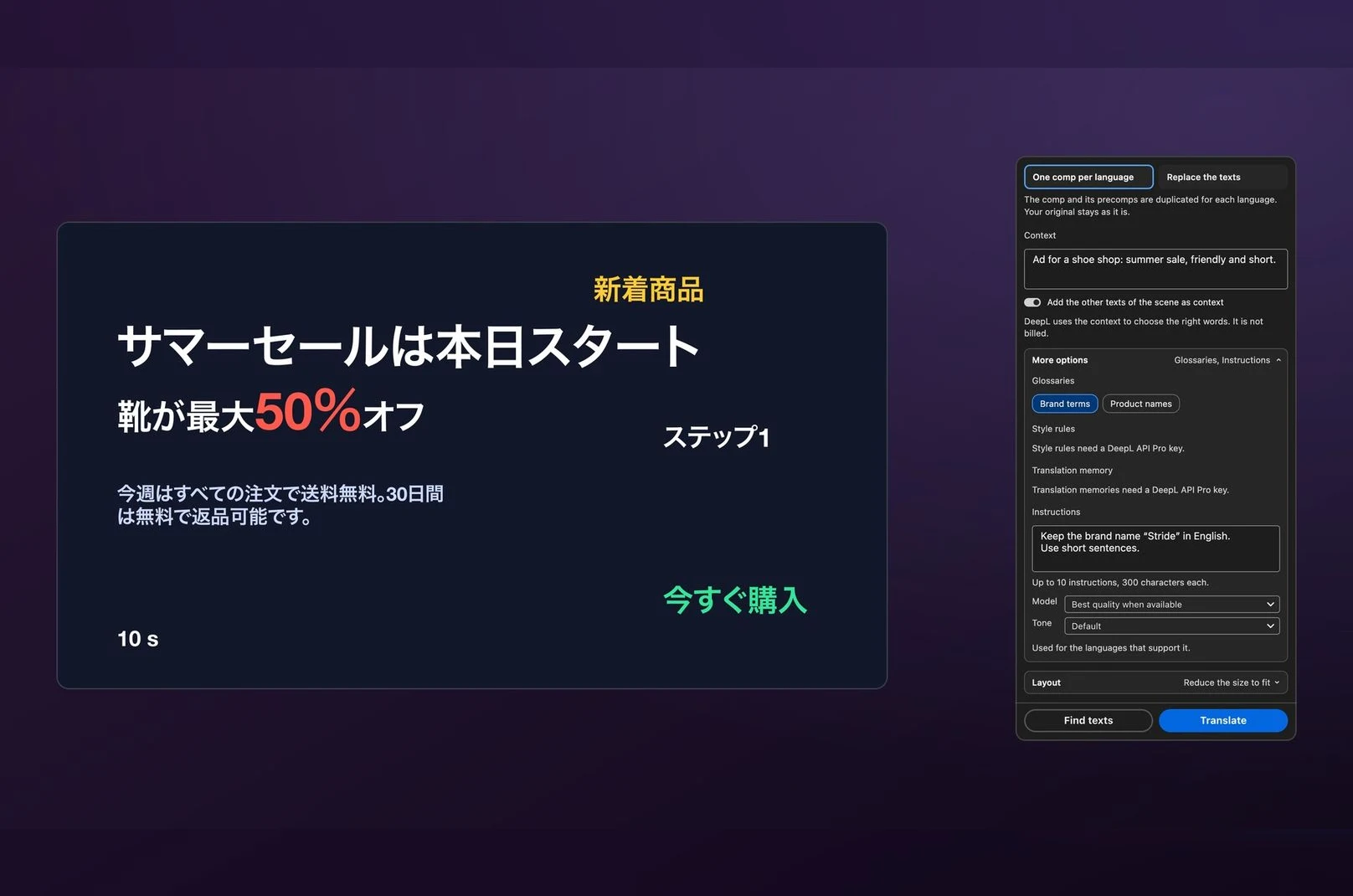
Describe the film once ("Ad for a running shoe, playful tone"). The other texts of the same comp are sent as context too, so a one-word button is translated in the sense of its scene.
Pick up to five glossaries from your DeepL account, or create one from a CSV file. Add instructions, choose a formal or informal tone, and the DeepL model.
Built for production work
Agencies and studios
One film delivered in many languages, with the client's glossary and a CSV for their reviewers.
Localization vendors
Receive an .aep, return the language versions as separate comps, and keep the original intact.
Marketing teams
Social ads and product videos for each market, using the DeepL account and glossaries the company already has.
Arabic, Hebrew and Asian markets
Right-to-left direction, digits and fonts handled, instead of fixed by hand on every layer.
See Translator PRO in Adobe After Effects
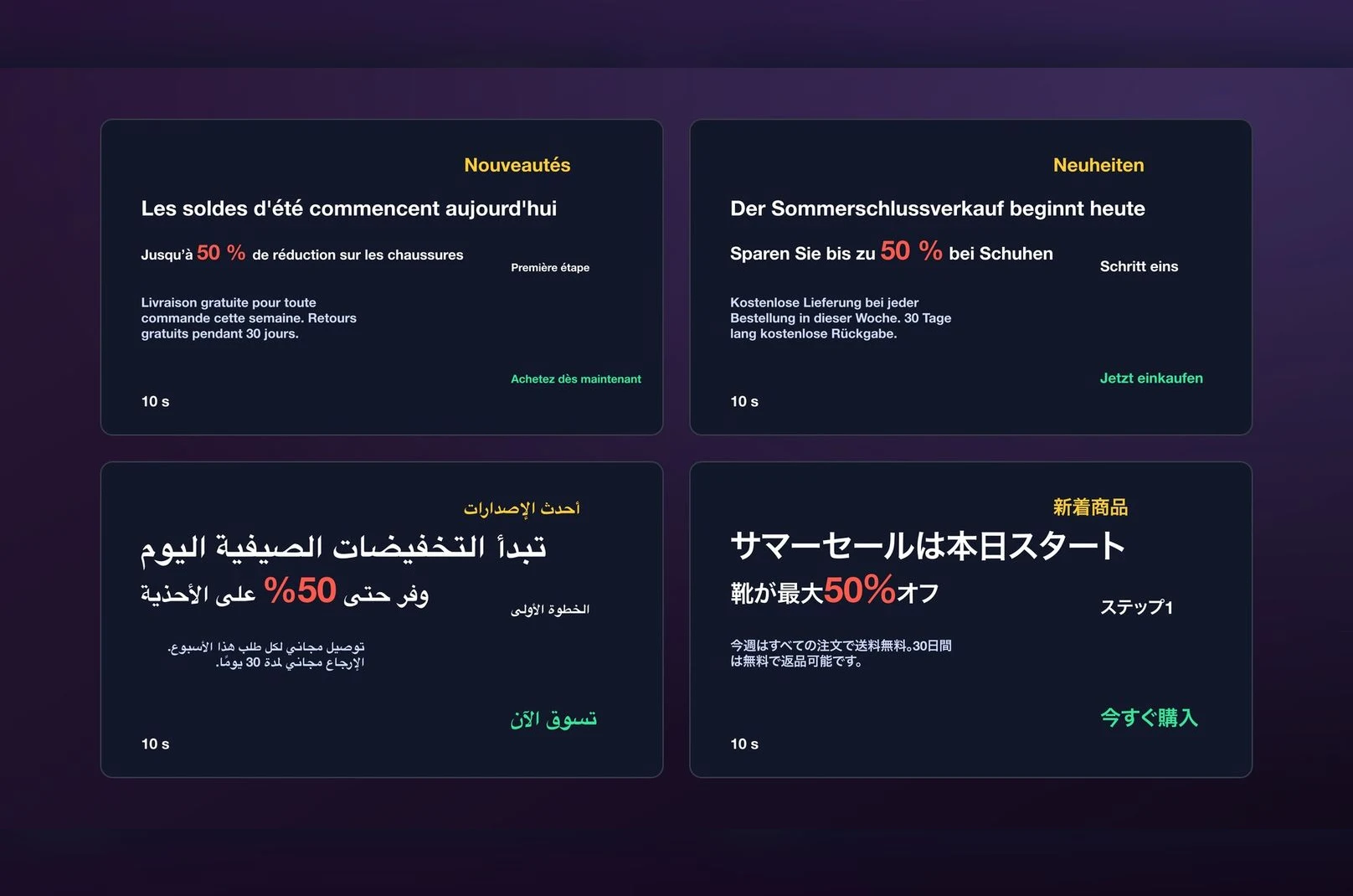
One promo comp translated into French, German, Arabic and Japanese: the key, the review, one comp per language, styling kept, and long translations flagged or fitted.
Frequently asked questions
Do I need a DeepL account?
Yes, a DeepL API key. New accounts start on DeepL's free Developer plan, with 1,000,000 characters in total that do not renew, which is a lot of on-screen text. After that, DeepL bills its Growth plan. The panel shows how to get the key in three steps.
Is it a subscription?
No. You pay $60 once for Translator PRO. DeepL bills its own API plan separately if you go beyond the free one.
Where do my texts go?
From your computer straight to DeepL. Lingway runs no server for this plugin and sees nothing. The key is stored on your computer only.
Will it change my comp?
Not with One comp per language: it works on copies. With Replace the texts it changes your layers, as one undo step, and keeps the originals so you can restore them.
What happens when a translation is too long?
It is flagged, with how much wider it became. You can also let the plugin reduce the size, down to a limit you choose. It does not move or rewrap your layout.
Does it translate text in expressions, images or Essential Graphics?
No. It translates text layers, including their Source Text keyframes. Layers driven by an expression are listed and left alone.
Does a project open without the plugin?
Yes. Translated comps are ordinary comps with ordinary text layers, so anyone can open and render the project.
Which versions of Adobe After Effects does it support?
Adobe After Effects 2025 (25.1) and later, on macOS and Windows. We tested it on Adobe After Effects 2027 on macOS.
I translate InDesign and Illustrator files too. Is there a version for those?
Yes: Translator PRO for Adobe InDesign, for Adobe Illustrator and for Adobe Photoshop are separate products, also built on DeepL.
More from Lingway

Translator PRO for Adobe InDesign
Translate InDesign documents with DeepL and keep styles, formatting and layout intact.
View Product
Translator PRO Batch Edition
Translate many InDesign, IDML and ICML files in a single run with DeepL, with styles and layout preserved.
View Product
AI Translator Pro for Adobe InDesign
Translate InDesign documents with modern AI models while preserving formatting, styles, tables, and layout structure.
View Product