 Adobe InDesign
Swatchwise for Adobe InDesign
One panel for the colour work around an Adobe InDesign layout. Swatchwise tidies the Swatches panel, builds a palette from your brand colour, picks chart colours everyone can tell apart, and finds text that is too light to read.
- Unused, look-alike and RGB swatches fixed
- Palettes from your brand colour
- Colour-blind-safe chart colours
- WCAG AA / AAA text check
Installs from Adobe Exchange · opens in a new tab
- Works in
- Adobe InDesign
- Adobe InDesign 2025 (20.0) or later
- Price
- $14.99
- one-time purchase
- Updated
- 25 Nov, 2026
- Support
- From the developers
- Updates included
Four colour jobs, one panel
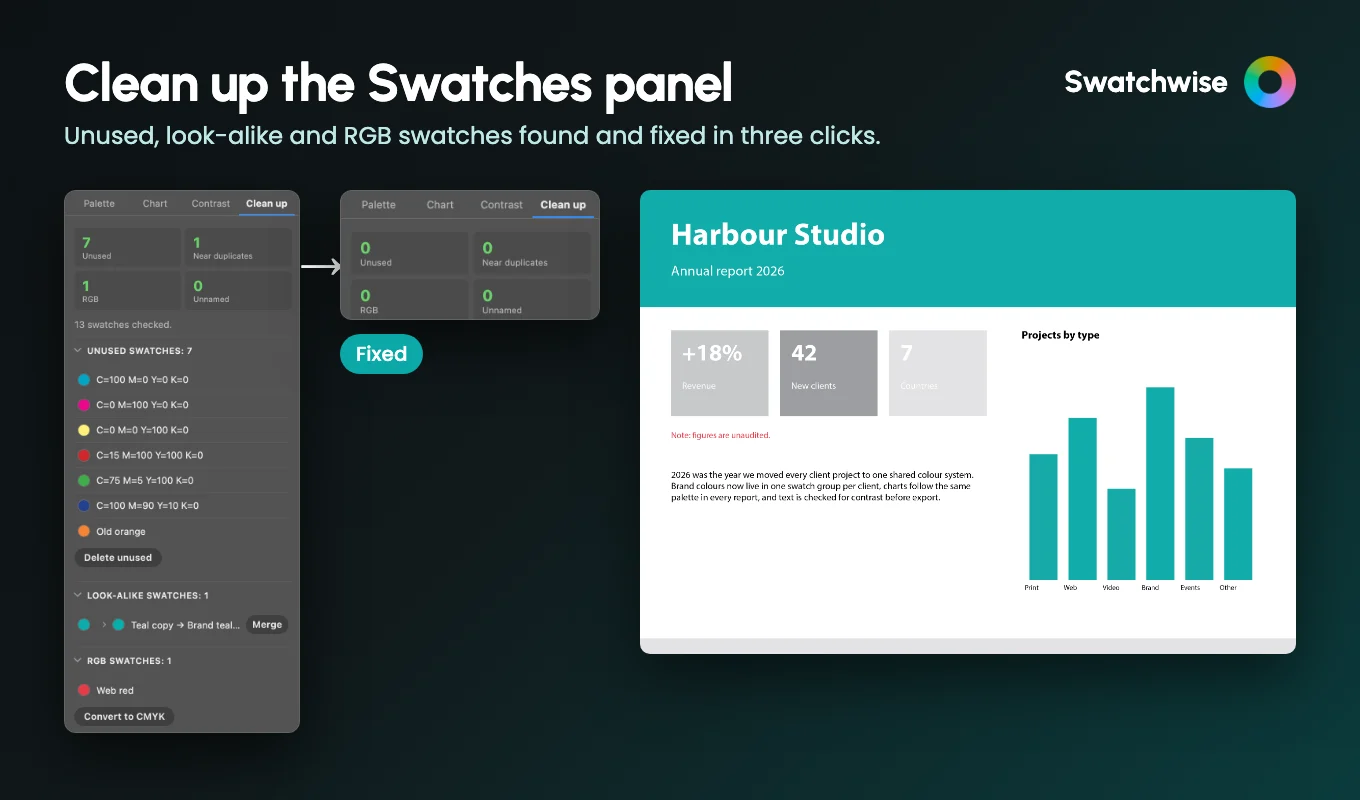
Inherited documents collect dozens of unused, duplicated and RGB swatches. Swatchwise fixes them, then helps you choose colours that print right and read well.
Delete unused swatches
Finds swatches nothing uses and deletes them in one click.
Merge look-alikes
Finds near-duplicate swatches and merges them into one, so every object uses the same colour.
RGB to CMYK
Finds RGB swatches in print documents and converts them to CMYK. Names unnamed colours and exports the swatch list to CSV.
Palettes from one colour
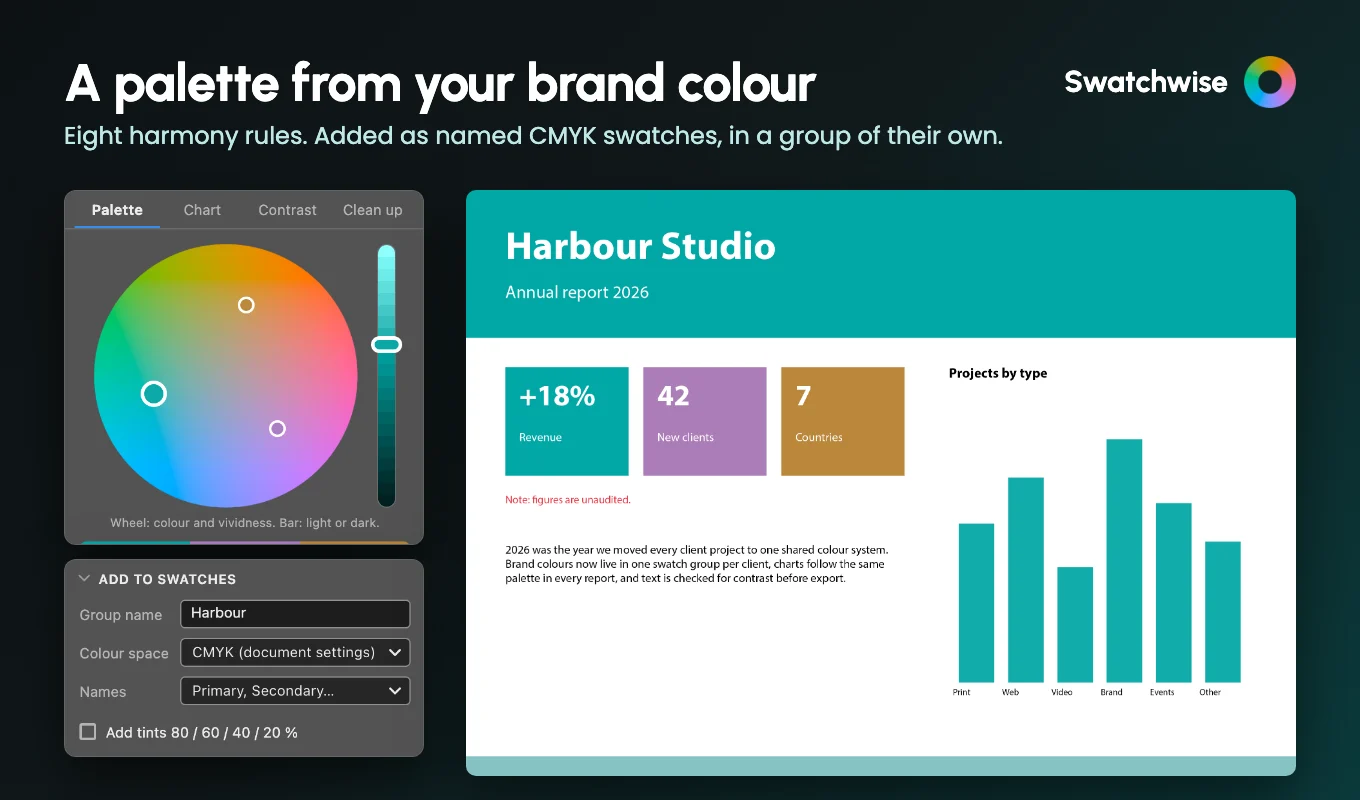
Eight harmony rules from a hex value or the selected object, added as named swatches in their own group, in CMYK, RGB or Lab, with optional 80/60/40/20% tints.
Chart colours for everyone
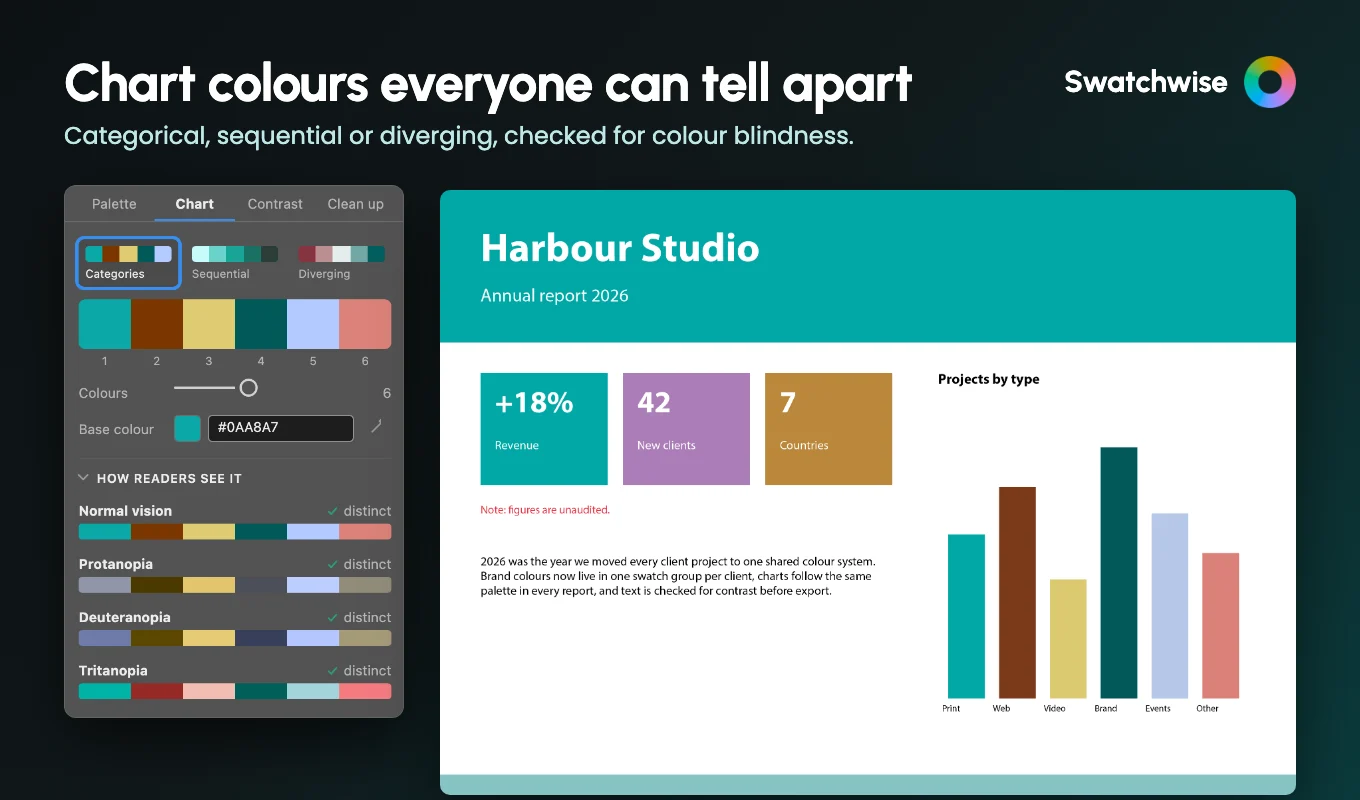
Categorical, sequential and diverging palettes, previewed as people with protanopia, deuteranopia and tritanopia see them, and checked to stay distinct.
Text people can read
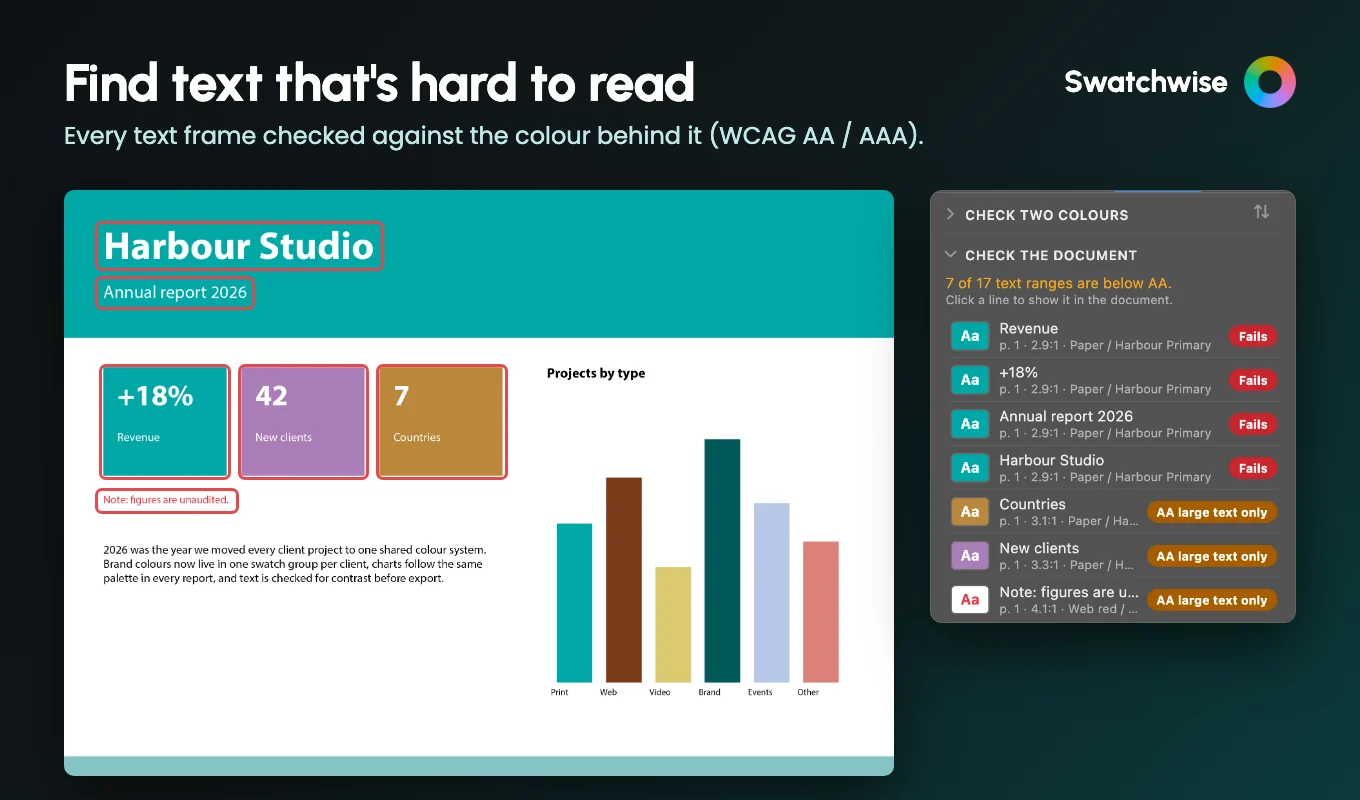
Contrast ratio and WCAG AA / AAA grade for any pair, and a scan of every text frame against the colour behind it. Click a line to go to it.
.ase import and export
Bring palettes in and out as Adobe Swatch Exchange files.
Native results
Everything Swatchwise makes is ordinary swatches, groups and tints. Colleagues don't need the plugin.
Offline, no account
The plugin never connects to the internet and collects no data. Panel in English, French and German.
From install to result in a few clicks
- 1
Clean up
Open the Clean up tab: delete unused swatches, merge look-alikes and convert RGB to CMYK.
- 2
Build the palette
Start from your brand colour, pick a harmony rule and add the palette as a named swatch group.
- 3
Check contrast
Scan the document and fix the lines that fall below WCAG AA.
See it inside the app
Built for production work
Annual reports
Chart colours readers can tell apart, and figures that pass contrast on coloured panels.
Brand documents
One swatch group per brand, built from the brand colour, with tints.
Accessible publishing
A WCAG check of every text frame before the PDF goes out.
Prepress
RGB swatches found and converted before the file goes to print.
Why your InDesign swatches are a disaster
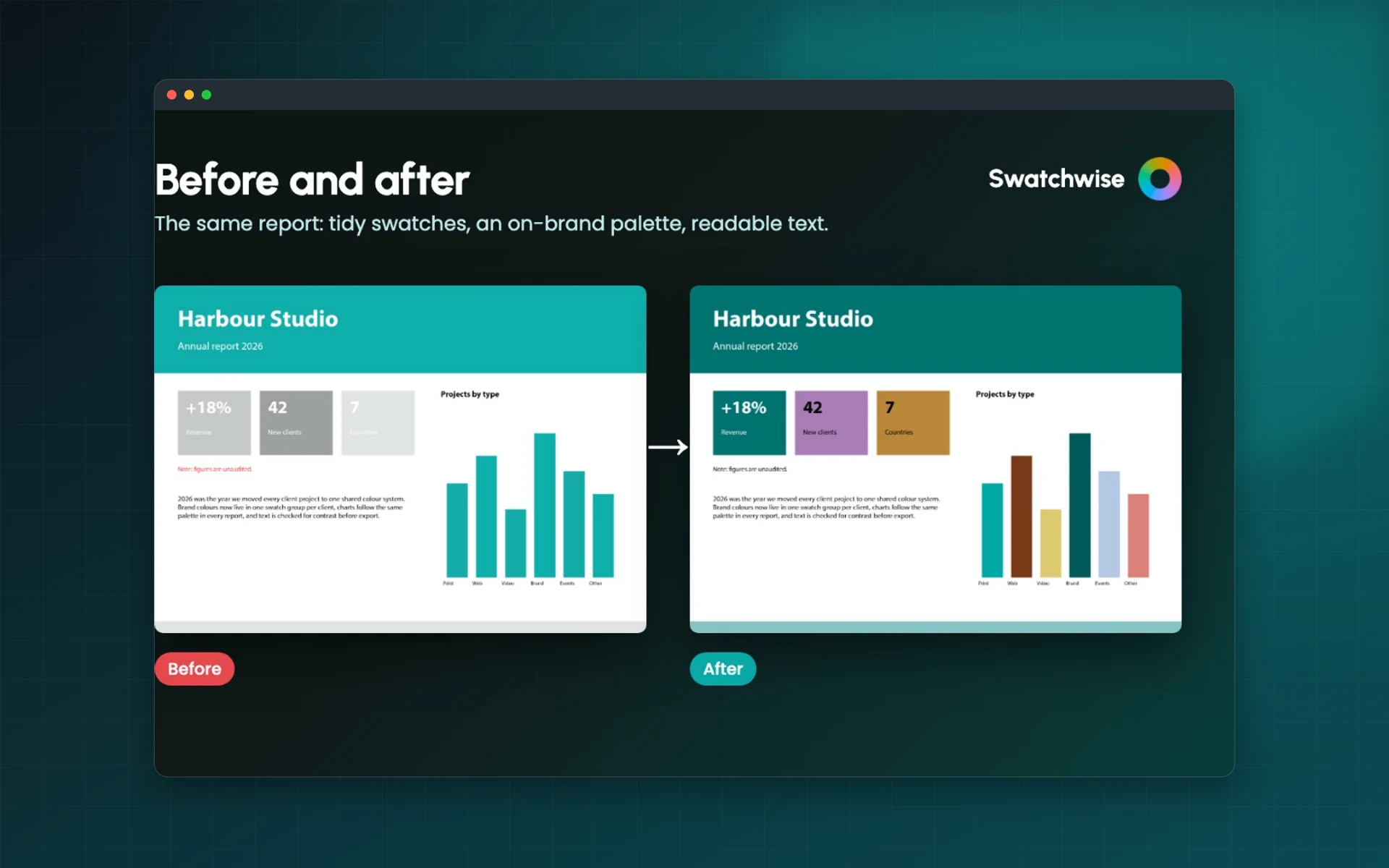
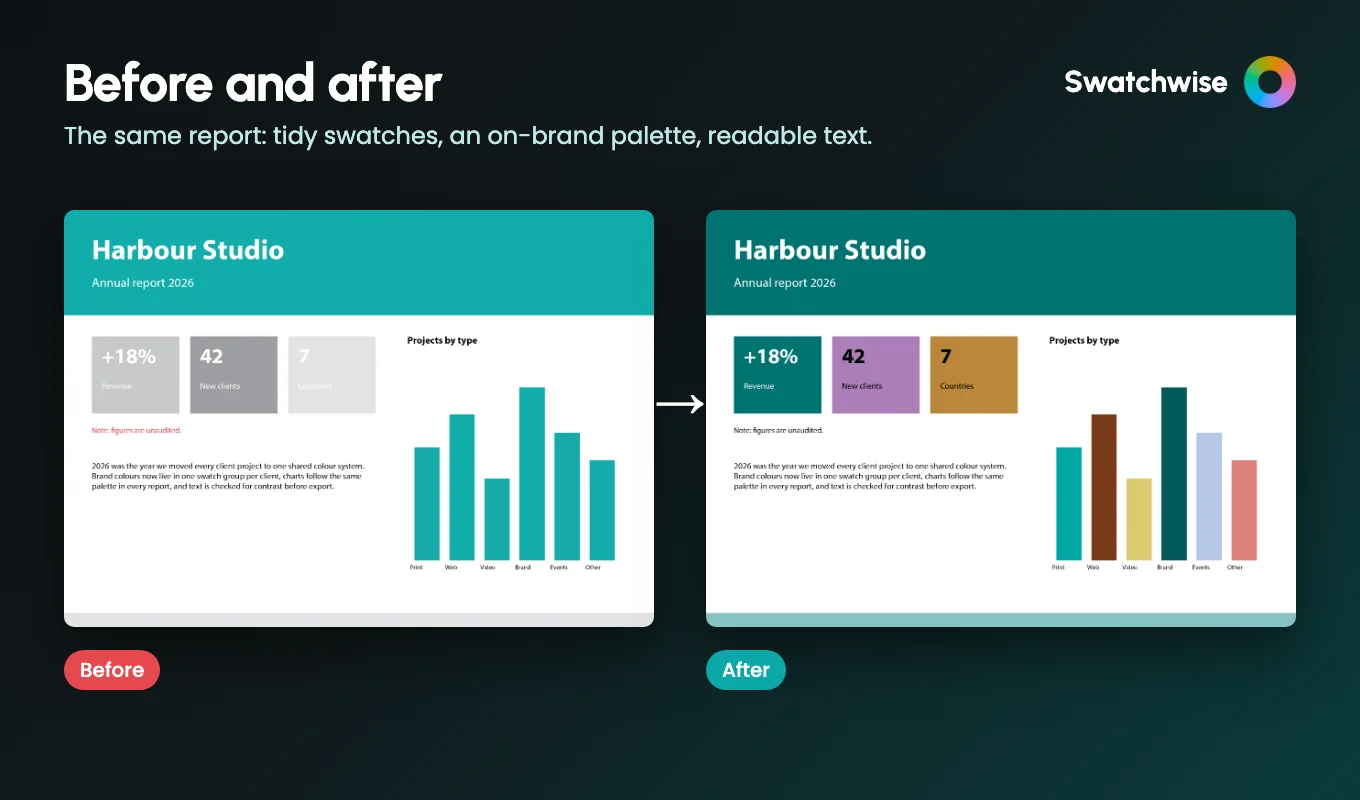
An inherited annual report goes from untidy to clean, on-brand and readable in about a minute.
Frequently asked questions
How do I delete all unused swatches in Adobe InDesign?
InDesign's Swatches panel menu has Select All Unused, then Delete Swatch. Swatchwise does the same in one click and also finds near-duplicate swatches to merge and RGB swatches to convert to CMYK.
Can Swatchwise check WCAG contrast?
Yes. It shows the contrast ratio and WCAG AA / AAA grade for any text and background pair, and scans every text frame in the document against the colour behind it, listing the lines that fail.
Are the chart colours colour-blind safe?
Swatchwise previews each palette as people with protanopia, deuteranopia and tritanopia see it and checks that the colours stay distinct.
Do colleagues need Swatchwise to open my file?
No. Everything it makes is native InDesign swatches, swatch groups and tints.
How much does it cost?
$14.99 once on Adobe Exchange. No subscription, no account, and it works offline.
More from Lingway

Bleedline for Adobe Photoshop
Bleed, crop marks, trim and bleed boxes and a PDF/X-4 setting for any Adobe Photoshop document, in one click.
View Product
Caliper for Adobe Illustrator
Sizes, gaps, specs and a legend for any Illustrator artwork, in one click and any unit.
View Product
DataInk for Adobe Illustrator
13 kinds of chart drawn as editable Adobe Illustrator paths, in your swatches and character styles.
View Product