 Adobe After Effects
Layerfold for Adobe After Effects
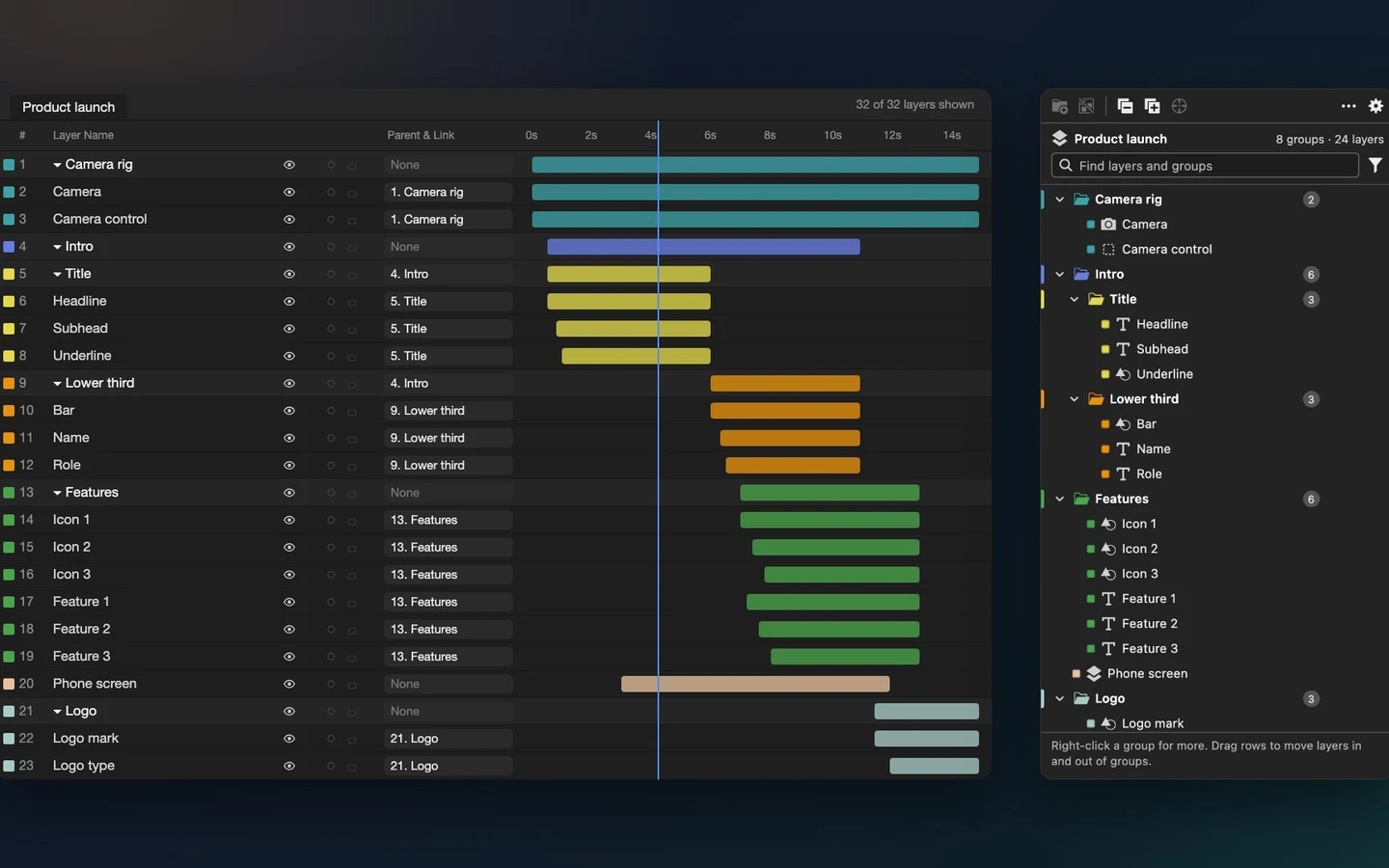
Folders for the Adobe After Effects timeline. Select layers, press Cmd+G, and they become a group you can fold, hide, solo, lock, move and trim together, without precomposing. Groups are plain layers, so the project opens anywhere without the plugin.
- Group layers with Cmd+G, no precomps
- Fold, hide, solo, lock and mute whole groups
- Plain layers: projects open without the plugin
- One-time $39, no subscription
- Works in
- Adobe After Effects
- Adobe After Effects 2022 (22.0) or later. Tested on Adobe After Effects 2027 on macOS
- Price
- $39
- one-time purchase
- Updated
- 25 Nov, 2026
- Support
- From the developers
- Updates included
Group layers in Adobe After Effects without precomposing
Adobe After Effects has no folders in the timeline. It is the most-voted Adobe After Effects feature request, with 230 votes since 2022. The usual answer is a precomp, which crops your layers, can break expressions and parenting, and hides the animation in another comp. Layerfold gives you groups that stay in the comp you're working in.
Group with Cmd+G
Select layers in the timeline or the panel and press Cmd+G (Ctrl+G on Windows). They stay in the same comp, in the same order, with their keyframes. Groups nest as deep as you need.
Fold your timeline
Fold one group, all groups, or every group except the one you're working on. A folded group shows as one row. Your own shy layers stay shy.
Switches for a whole group
Hide, solo, lock or mute a group in one click. Each layer's own setting comes back when you switch the group back.
Move the group, not each layer
Members are parented to the group's header layer, so moving, scaling or rotating it moves the group. Centre the pivot on the group's layers at any time, without a jump.
Time tools
Move a group to the current time, shift it by frames, trim its start or end, stretch it or slip its contents. Optional group opacity on top of each layer's own.
Precomps and groups, both ways
Open a precomp as a group in the comp you're in, with its layers and animation. Turn a group into a precomp when you do need one, for example for an effect on the whole group.
A folder tree for big comps
The panel shows the comp as a tree with a count per folder. Search by name, show groups only, drag rows in and out of groups, duplicate a group or copy it to another comp.
Opens anywhere
A group is a null layer, parenting, label colours and shy switches. Clients, freelancers, template buyers and render farms open a normal project, with no missing-effect warning.
Feels like part of Adobe After Effects
The panel follows Adobe After Effects' interface brightness and speaks 8 languages. Every action is one undo step. It works offline, with no account and no Lingway server.
From install to result in a few clicks
- 1
Select layers
Select the layers in the timeline or in the Layerfold panel (Window > Extensions > Layerfold).
- 2
Press Cmd+G
Press Cmd+G (Ctrl+G on Windows) or click the first button in the panel. Name the group and pick its colour.
- 3
Fold, switch and move
Fold the group, hide or solo it, move its header, or right-click it for the time tools and more.
See it inside the app
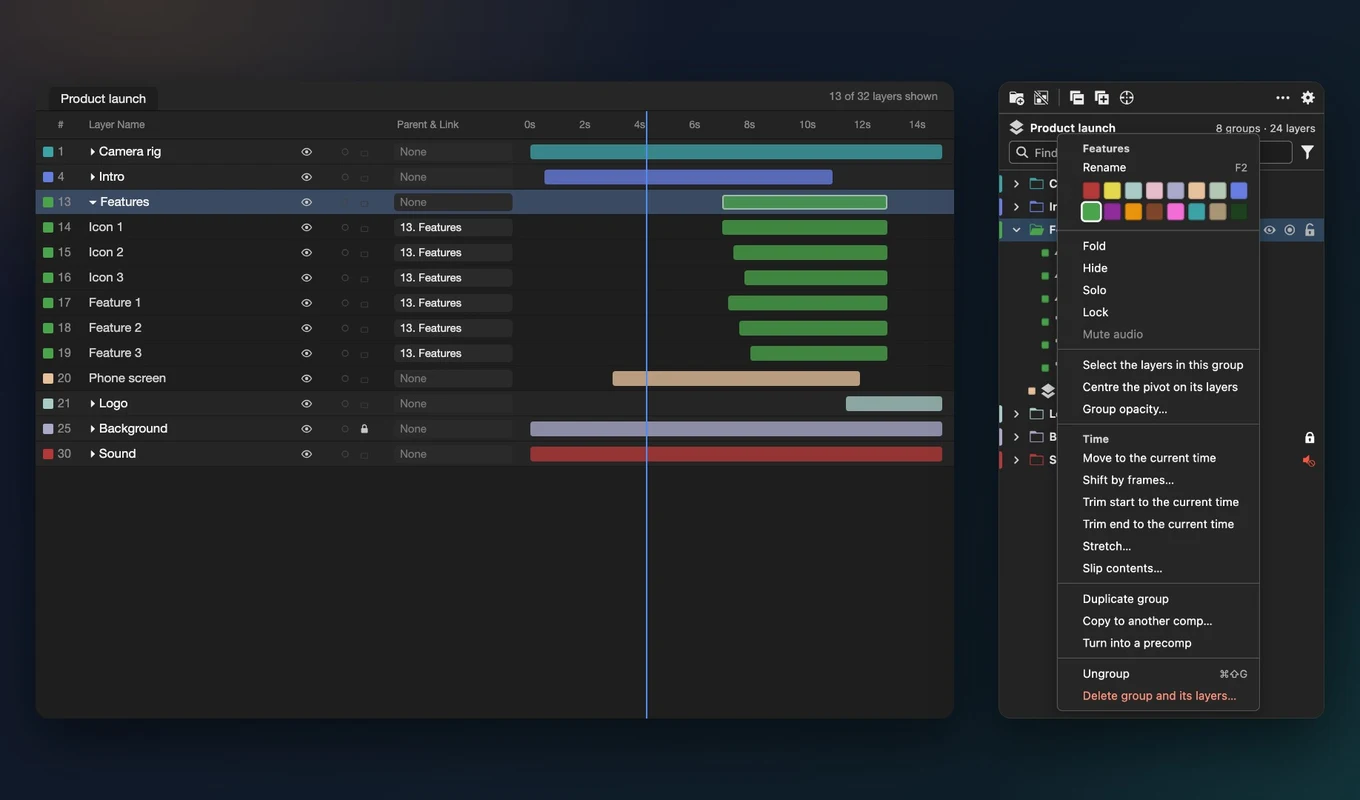
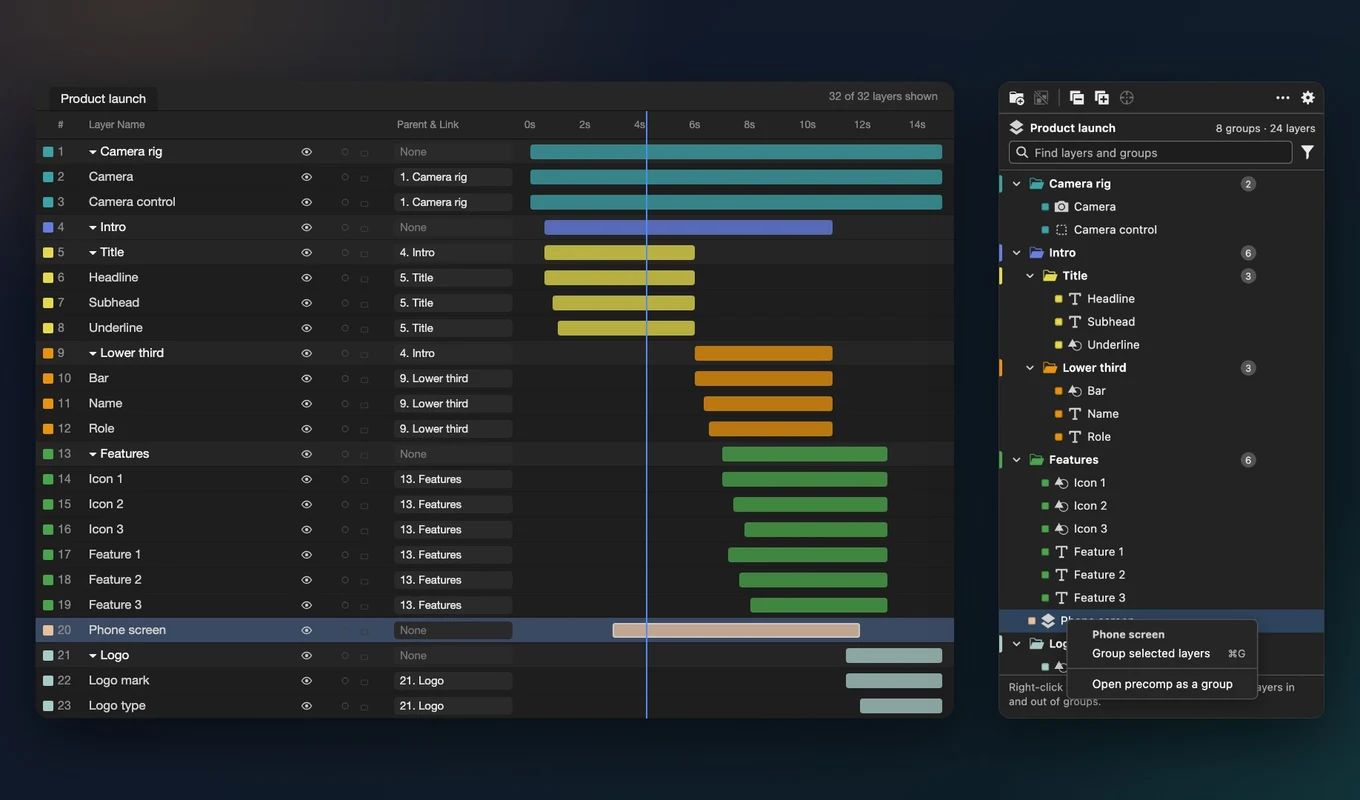
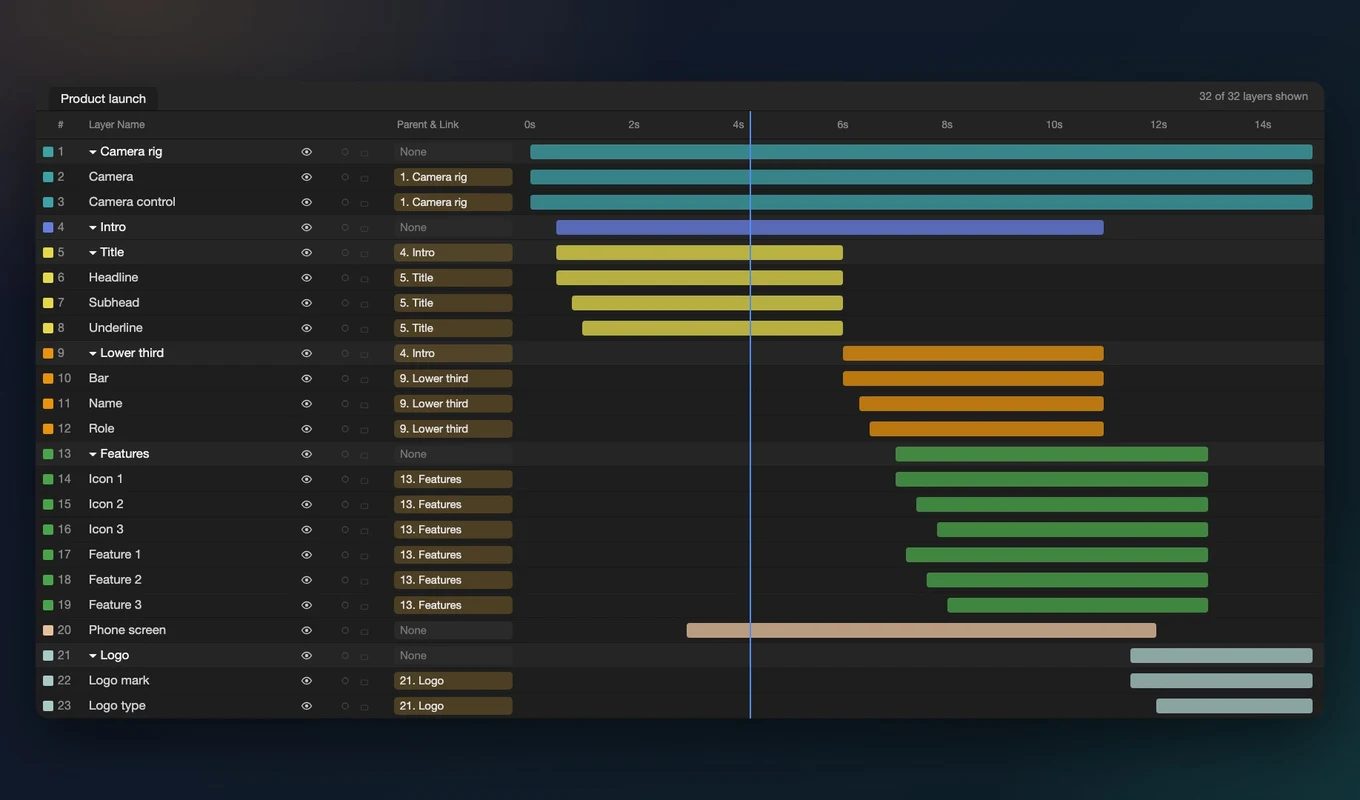
Organize layers in Adobe After Effects, the way other apps already do
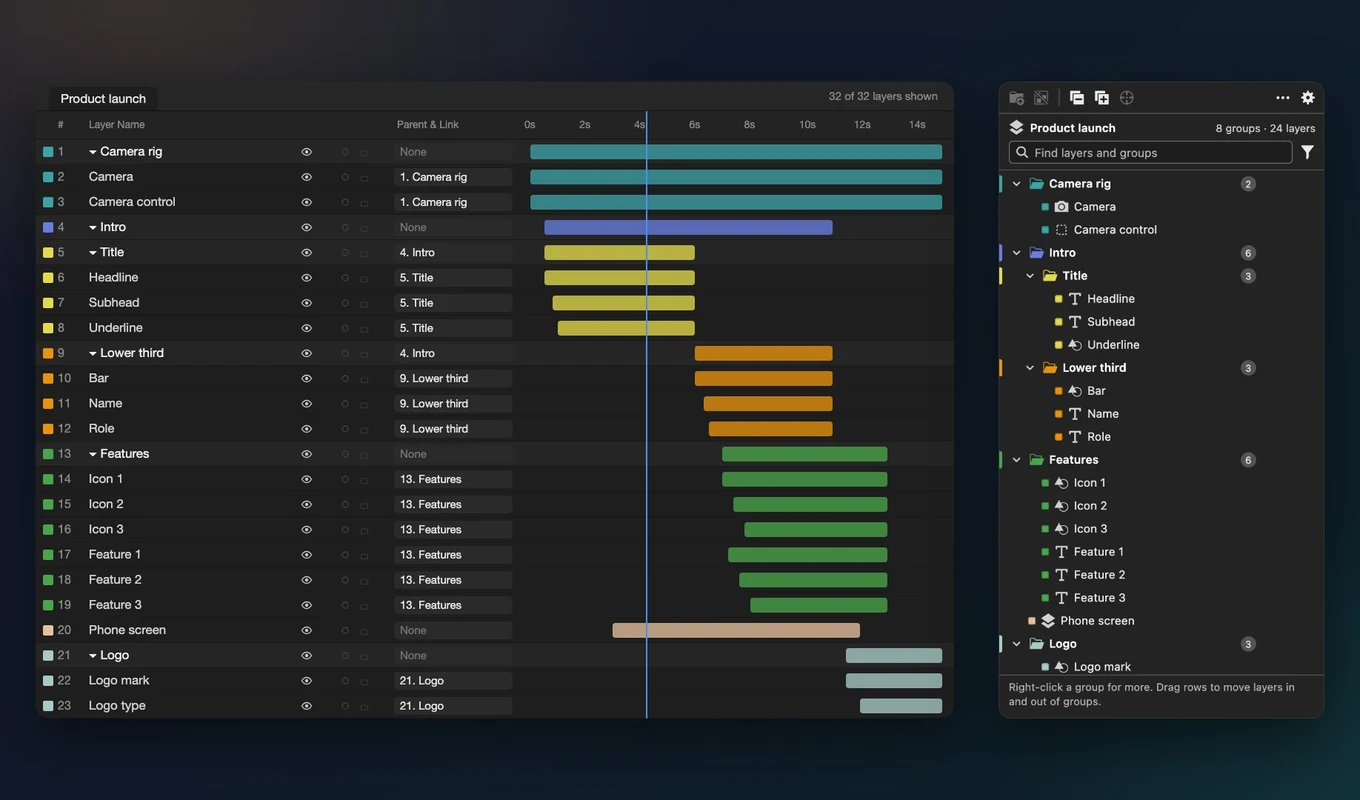
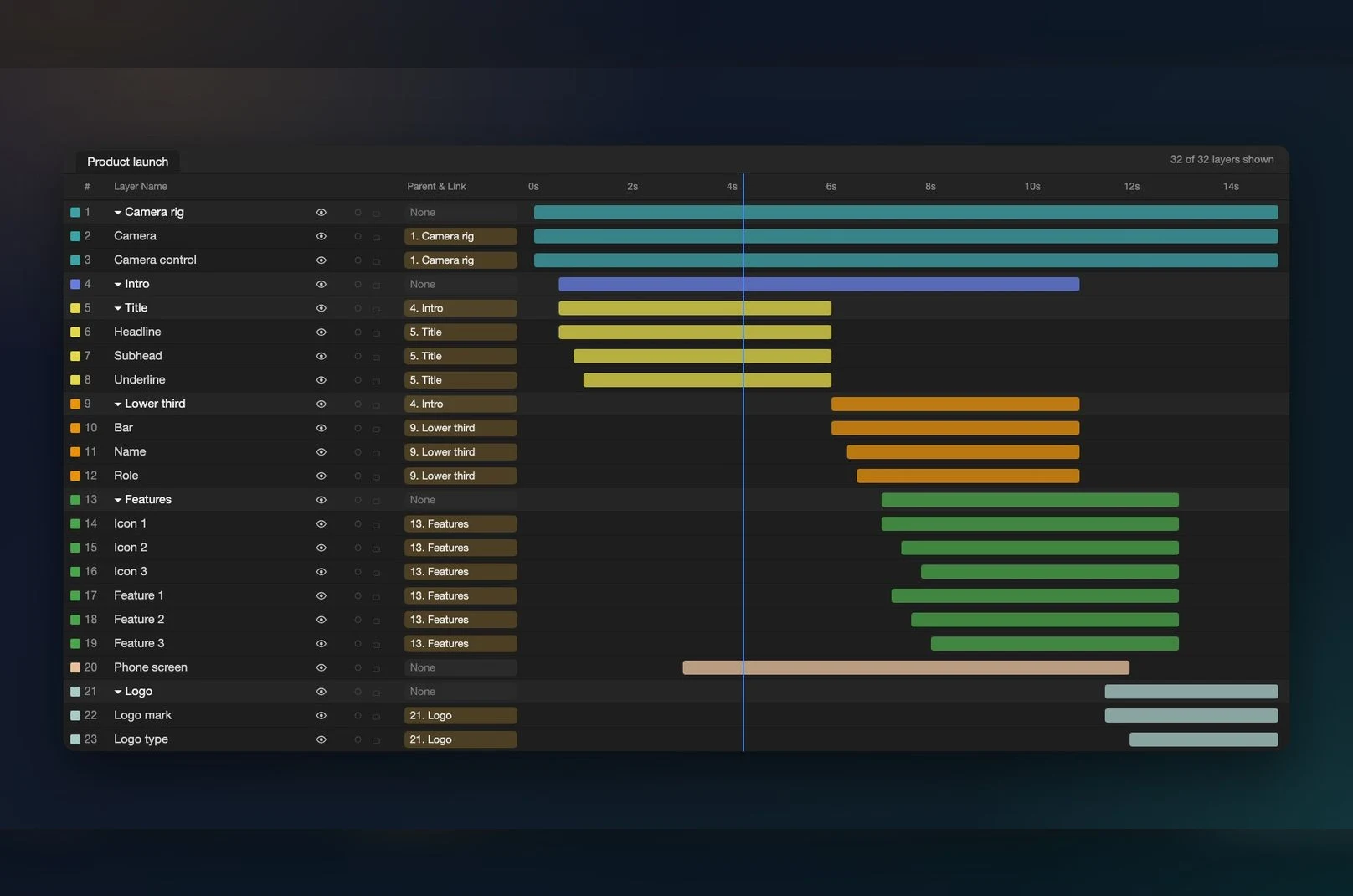
Photoshop, Illustrator and most 3D apps have had layer folders for years. Layerfold brings them to the Adobe After Effects timeline using only what every version already has. The comp in these pictures is made up; the panel is the real panel.
Folders in the Adobe After Effects timeline
Select layers and press Cmd+G. Layerfold adds a header layer above them and parents the layers to it, in the same comp. Name the group, pick a label colour, and the colour goes to every layer in it, so a folder reads at a glance.
Put groups inside groups as deep as you need. Ungroup puts everything back as it was, including each layer's own label colour and switches.
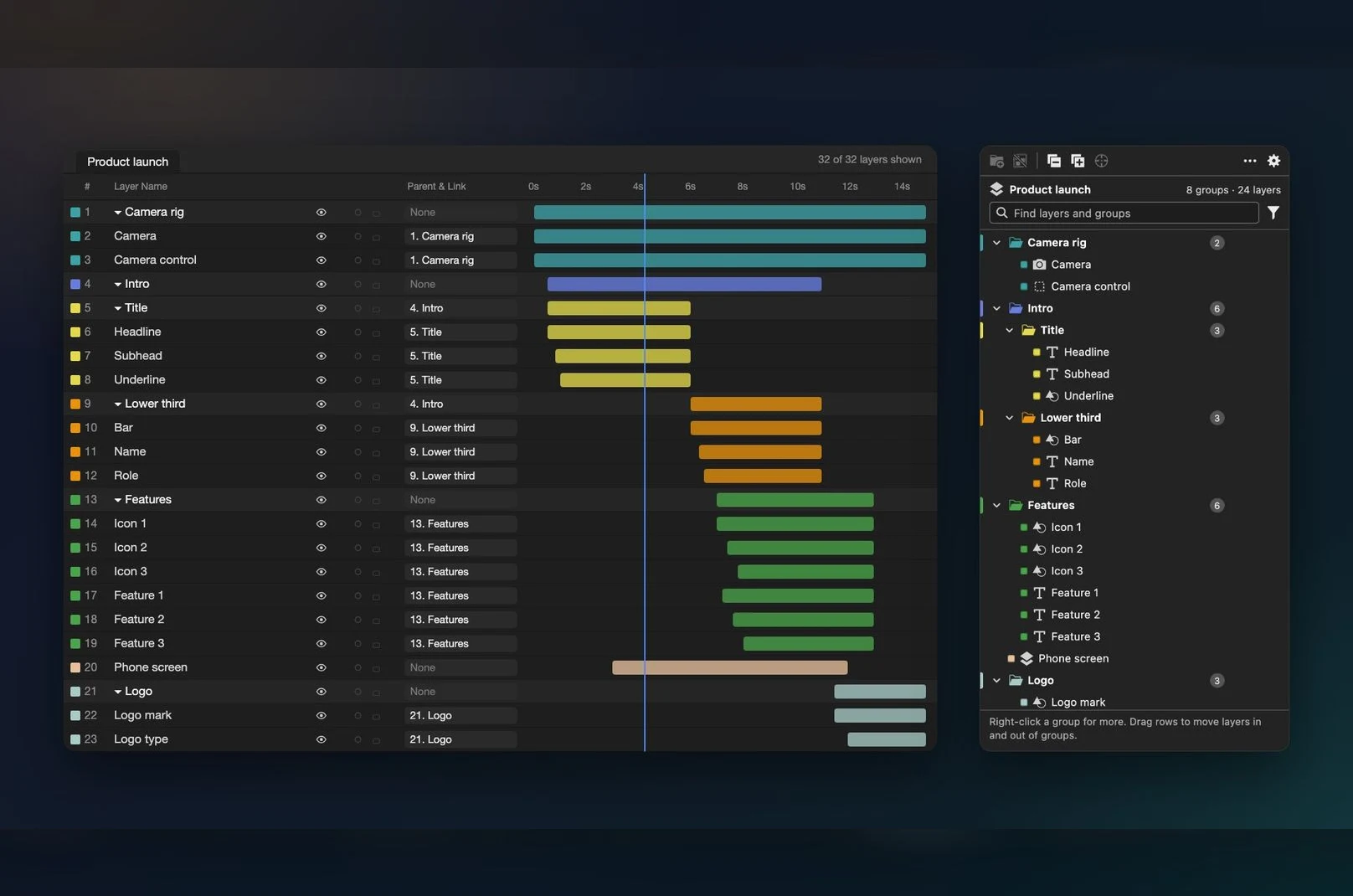
Fold what you aren't working on
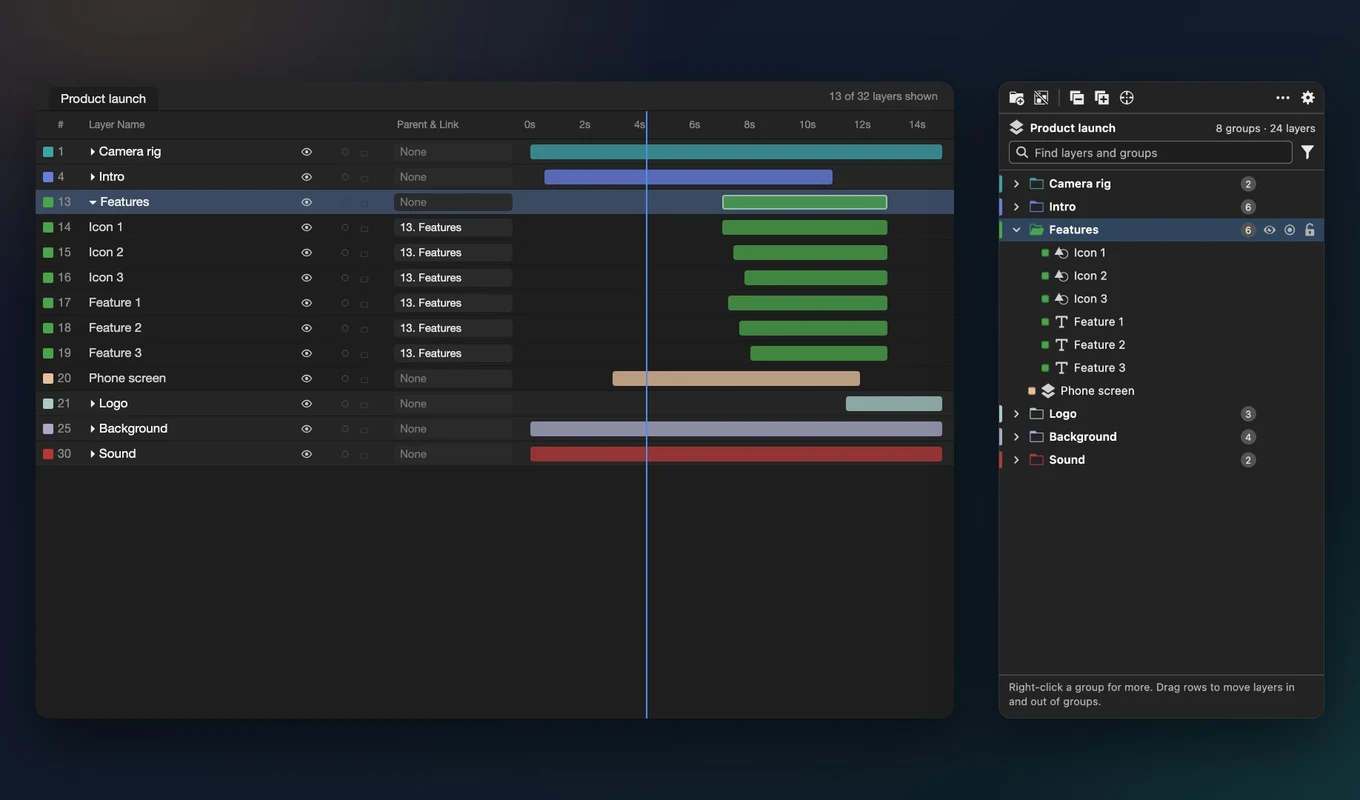
Fold one group, Fold all, or Focus on the selected group: every other group folds. A folded group is one row in the timeline.
Folding uses shy switches, and your own shy layers stay shy: Layerfold keeps its fold state apart from yours.
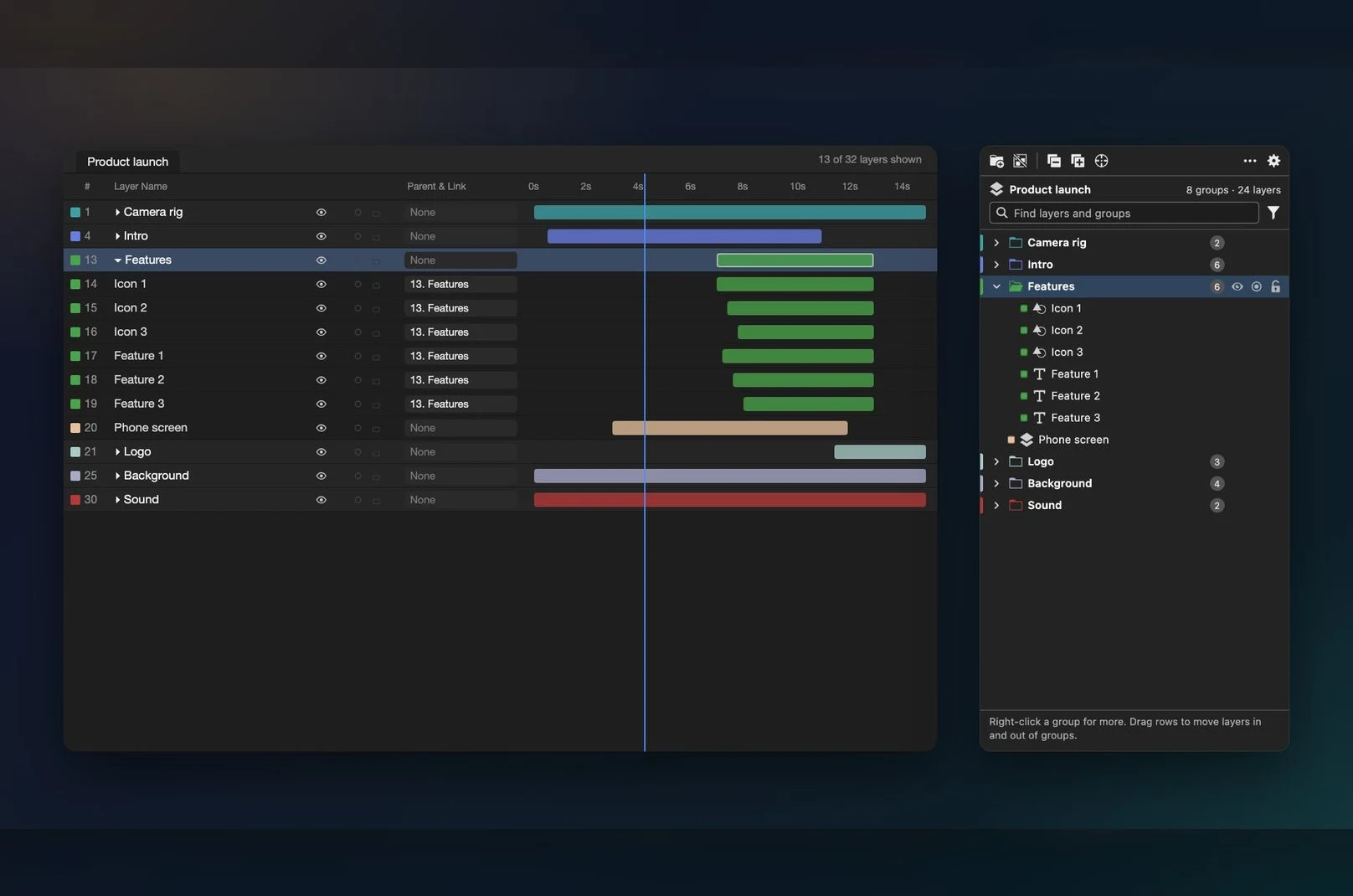
Hide, solo, lock or mute a group
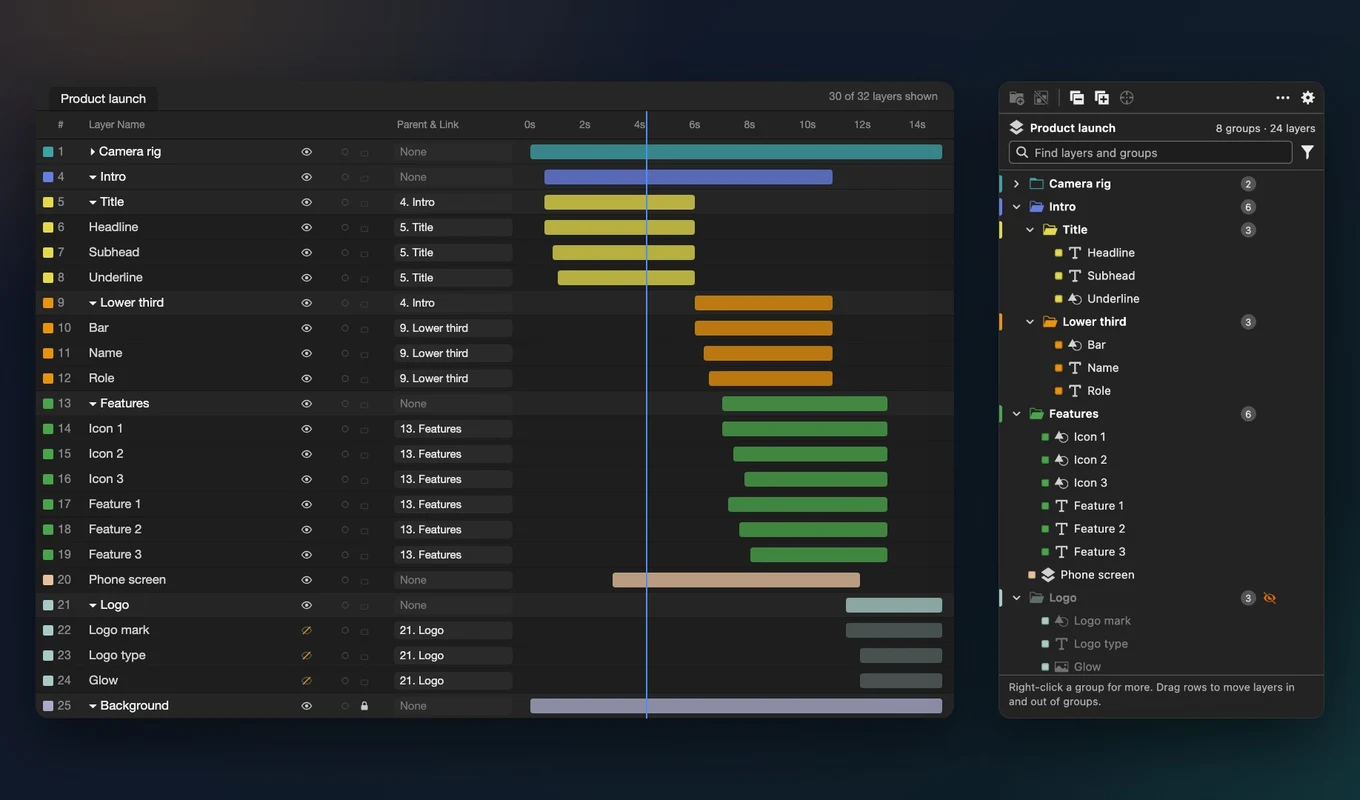
The eye, solo, lock and audio switches work on a whole group, from the panel row or the group's menu.
Layerfold remembers each layer's own setting, so a layer you had hidden stays hidden when you show the group again.
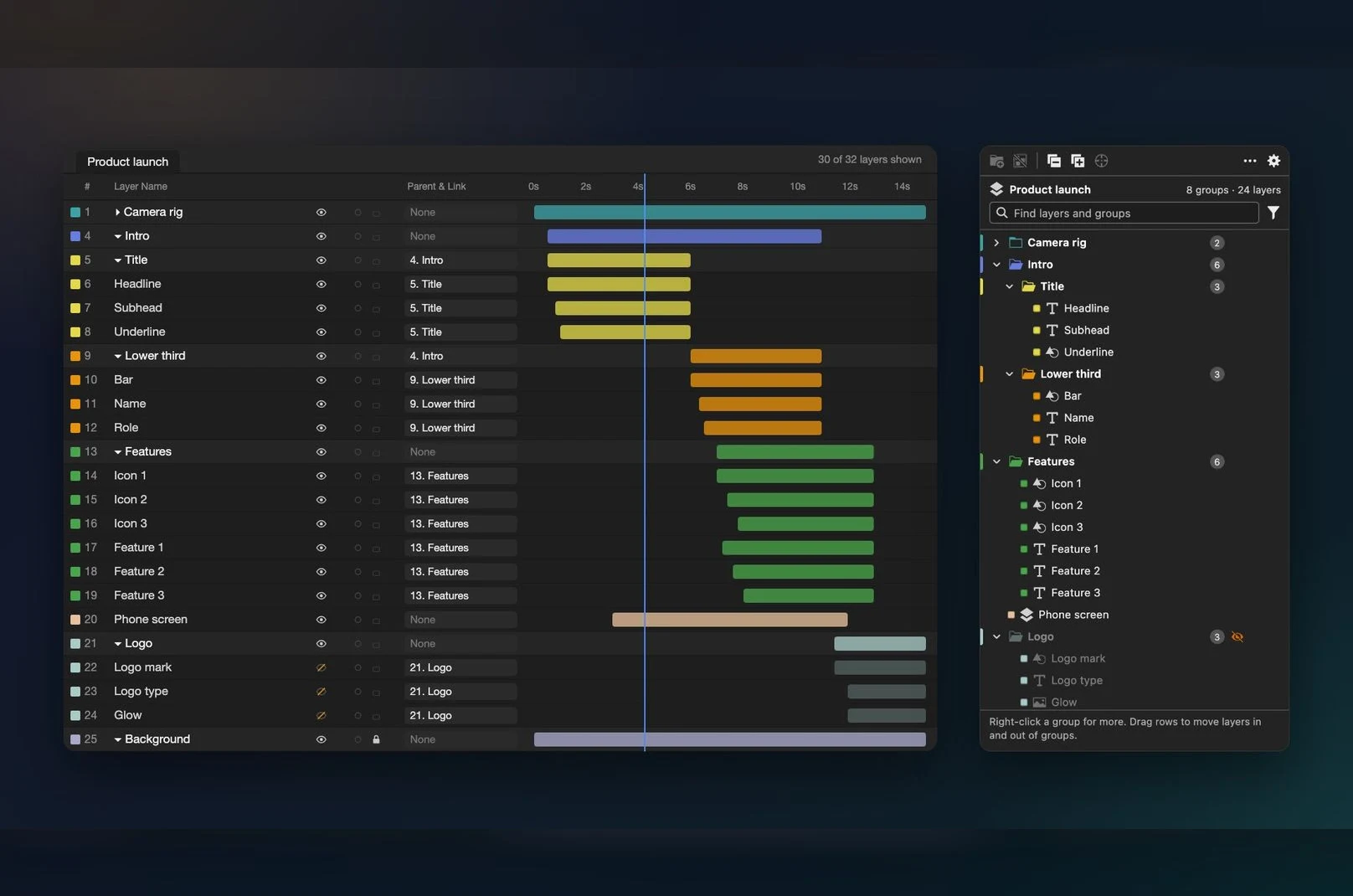
Move, trim, stretch and slip in time
Right-click a group for the Time tools: Move to the current time, Shift by frames, Trim start or Trim end to the current time, Stretch and Slip contents.
The same menu centres the pivot on the group's layers, adds a group opacity, duplicates the group or copies it to another comp.
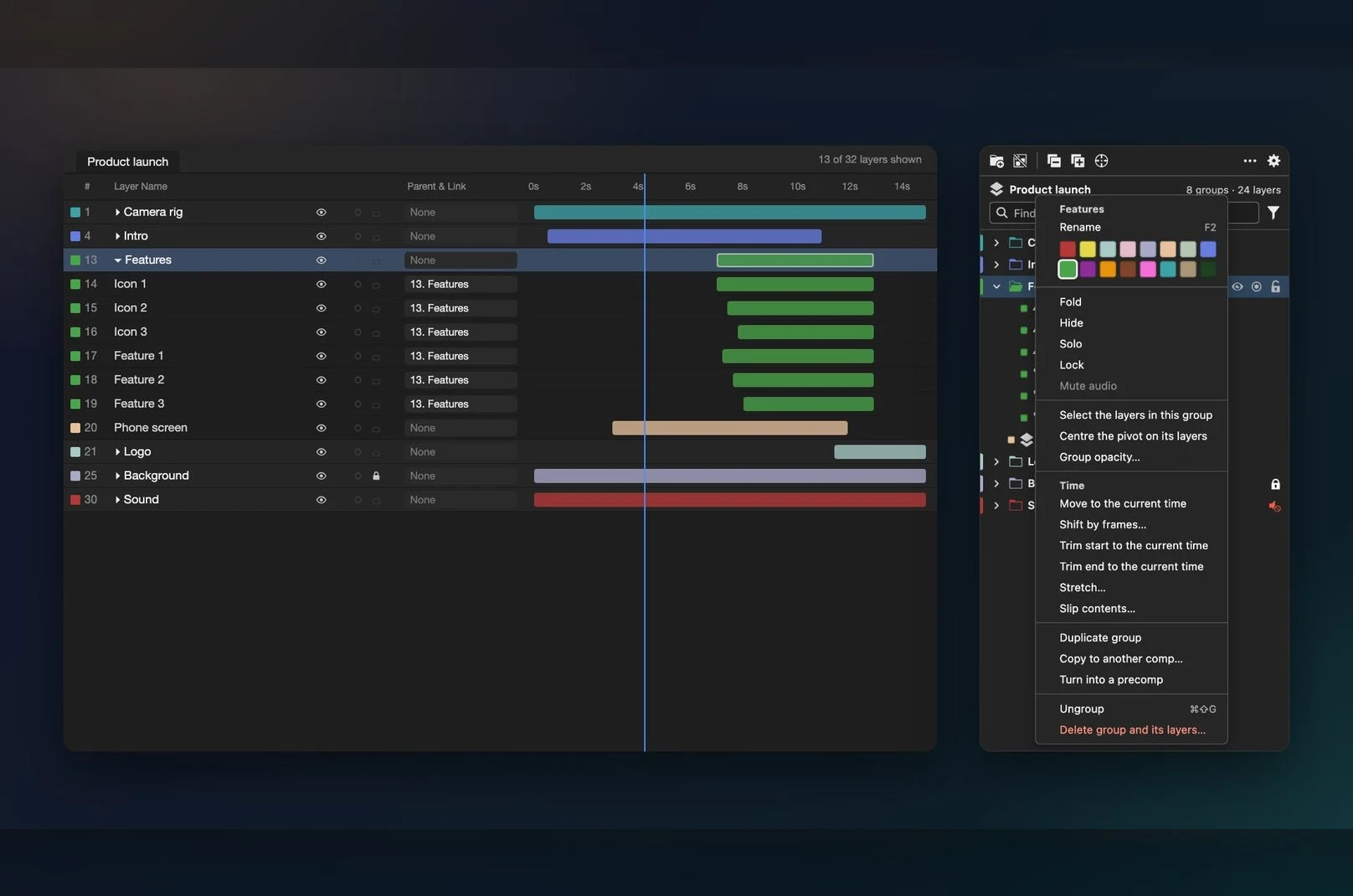
Precomps and groups, both ways
Right-click a precomp layer and choose Open precomp as a group: its layers move into the comp you're in, inside a folder, with their animation. Layerfold tells you first if a precomp setting, such as an effect on the precomp layer, can't come along.
When you do need a precomp, Turn into a precomp does it for a whole group. Already sorted your layers by label colour or by a prefix like "BG_"? Group by label colour and Group by name prefix make the groups for you.
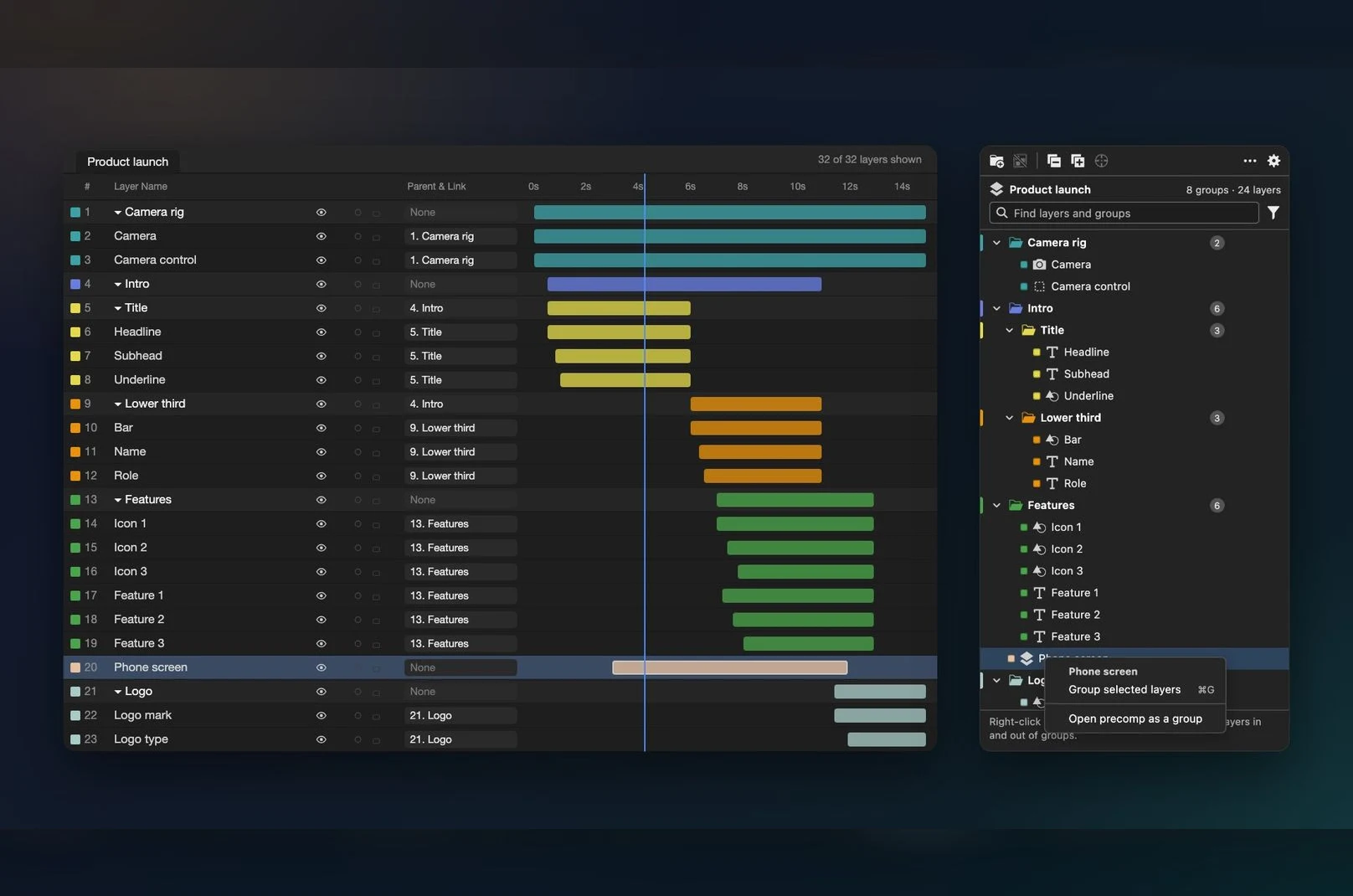
Your project still opens anywhere
A group is a null layer with its members parented to it, plus label colours and shy switches. Every version of Adobe After Effects already has these, so the project opens and renders the same on a computer without Layerfold.
Remove Layerfold from a comp or a whole project in one step: the headers go, and every layer stays where it is with its animation.
Built for production work
Big motion design comps
Explainers, product launches and title sequences with 50 to 300 layers, sorted into folders you can fold.
Character animation
Body parts, rigs and controllers grouped and locked, without precomps that break parenting.
Templates and MOGRTs
Organized projects for buyers who don't have any plugin: everything is plain layers.
Studios and teams
Hand projects to colleagues and render farms on any Adobe After Effects version, with nothing missing.
See Layerfold in Adobe After Effects
A 60-layer comp, why precomps aren't the answer, then groups made with Cmd+G, folded, switched, moved in time, and a precomp opened as a group.
Frequently asked questions
Can you group layers in Adobe After Effects without precomposing?
Not natively: Adobe After Effects has no layer folders. Layerfold adds them. Select the layers and press Cmd+G (Ctrl+G on Windows). They stay in the same comp, with their keyframes, expressions and parenting.
Is there a shortcut to group layers in Adobe After Effects?
Yes. In the Layerfold panel, Cmd+G groups and Cmd+Shift+G ungroups. To use the same keys in the timeline, open Settings in the panel and follow the two steps, then restart Adobe After Effects. With shape contents selected, the keys still group shapes as before.
Does the project open on a computer without Layerfold?
Yes. A group is a null layer with the group's layers parented to it, plus label colours and shy switches. It opens and renders the same everywhere.
What happens to my own shy layers?
They stay shy. Layerfold keeps its own fold state and gives you yours back when you unfold.
Can I put a group inside a group?
Yes, as deep as you need. Drag rows in the panel to move layers and groups in and out of groups.
Can I add an effect to a whole group?
Turn the group into a precomp and add the effect there. You can open the precomp as a group again later.
How is it different from Group Therapy?
Group Therapy draws indents and tinted rows inside the timeline with a native plugin, for Adobe After Effects 2026 and 2027, at $99.95. Layerfold uses only standard layers, works from Adobe After Effects 2022, leaves nothing a collaborator needs to install, and costs $39 once. It shows the folder tree in its panel instead.
Is it a subscription?
No. You pay $39 once and get the 1.x updates. A 14-day trial lets you try every feature first.
Which versions of Adobe After Effects does it support?
Adobe After Effects 2022 (22.0) and later, on macOS and Windows. We tested it on Adobe After Effects 2027 on macOS.
More from Lingway

Bleedline for Adobe Photoshop
Bleed, crop marks, trim and bleed boxes and a PDF/X-4 setting for any Adobe Photoshop document, in one click.
View Product
Caliper for Adobe Illustrator
Sizes, gaps, specs and a legend for any Illustrator artwork, in one click and any unit.
View Product
DataInk for Adobe Illustrator
13 kinds of chart drawn as editable Adobe Illustrator paths, in your swatches and character styles.
View Product