 Adobe InDesign
Footnoter Free for Adobe InDesign
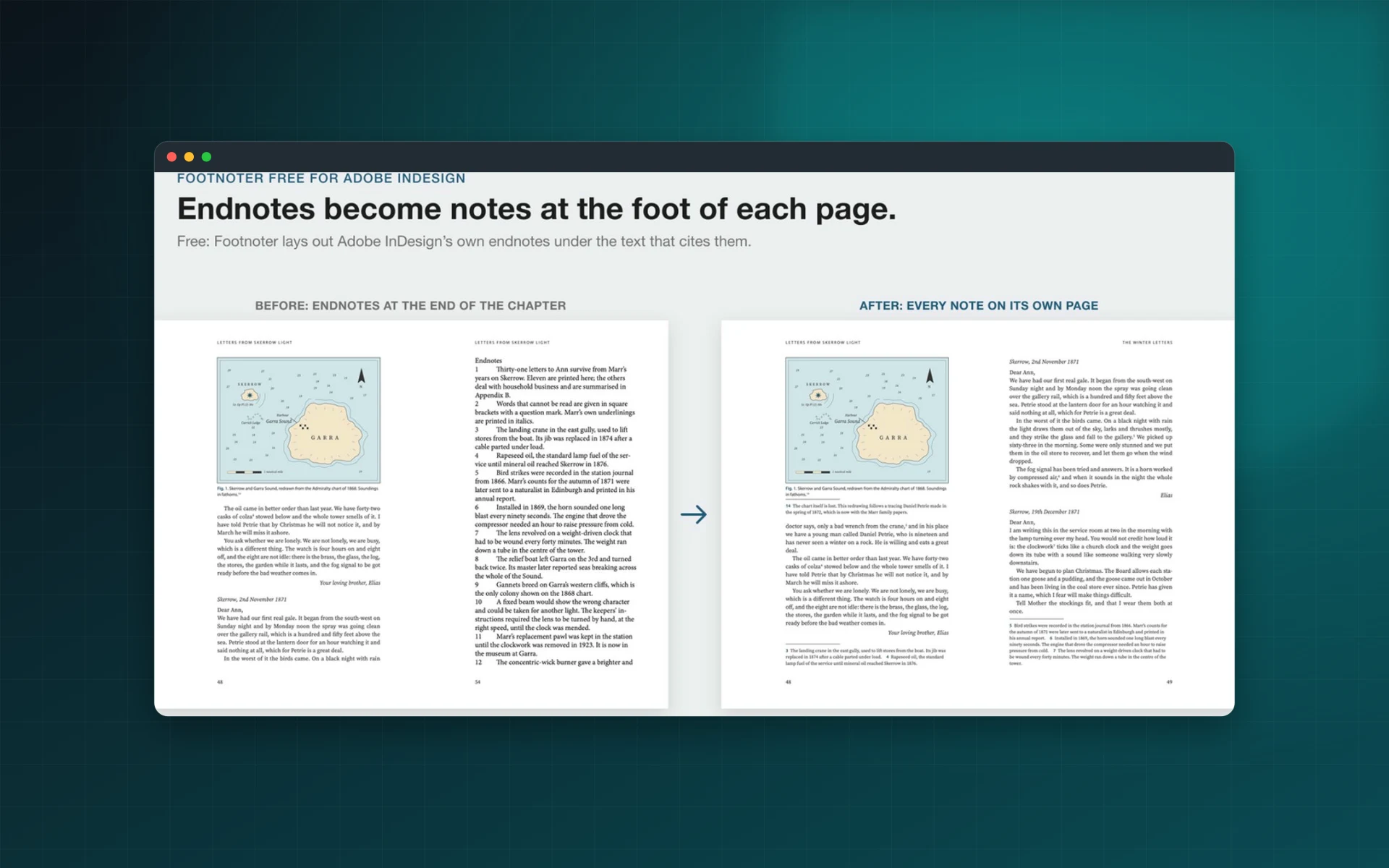
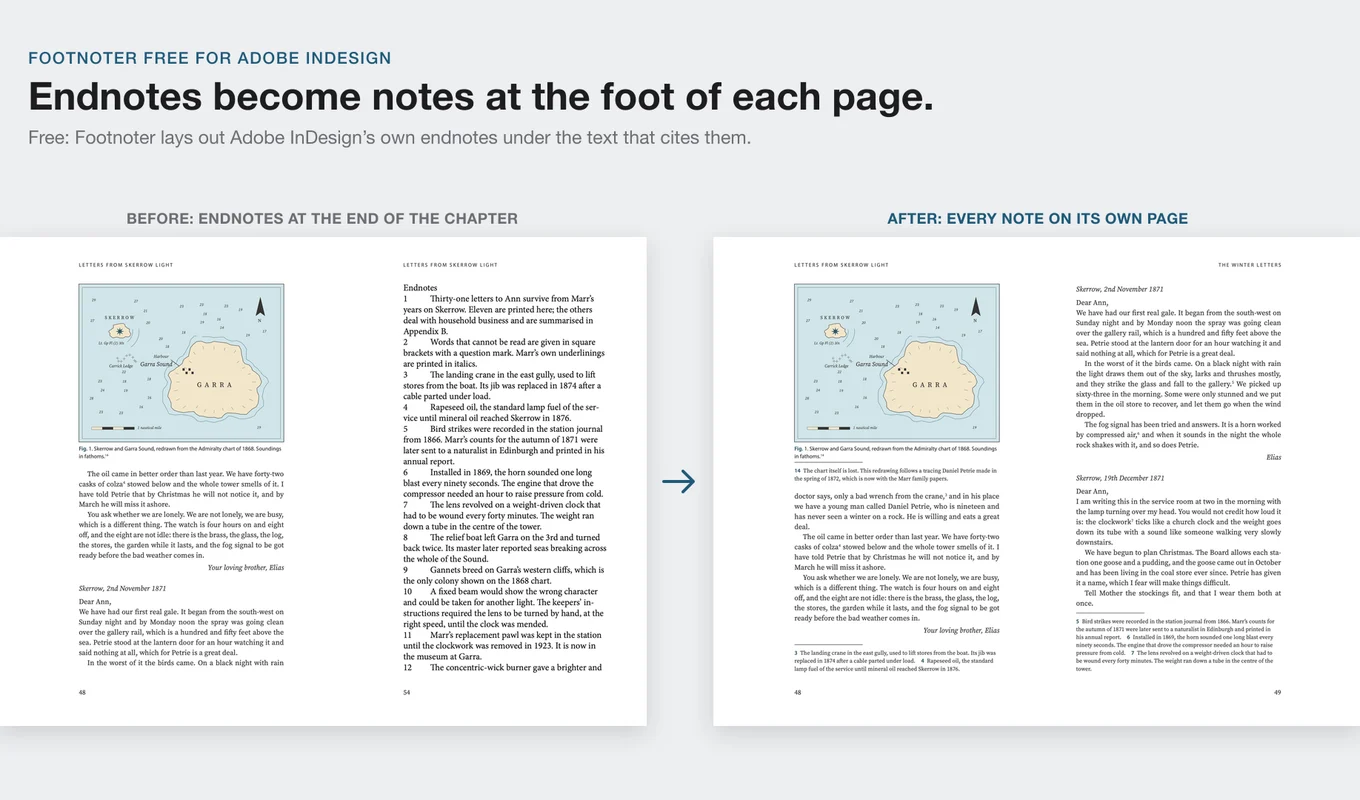
Put your notes at the foot of the page, in Adobe InDesign. Free. Footnoter Free takes the endnotes you already have and sets each one under the text that cites it, run in like a printed book. Edit the text, click Lay out notes, and only the pages that changed are redone.
- Free on Adobe Exchange
- Run-in notes, like a printed book
- Captions, sidebars and tables too
- Switch off restores the endnotes
Installs from Adobe Exchange · opens in a new tab
- Works in
- Adobe InDesign
- Adobe InDesign 2025 (20.0) or later
- Price
- Free
- Updated
- 25 Nov, 2026
- Support
- From the developers
- Updates included
Footnotes the way books set them
Adobe InDesign's endnotes pile up at the end of the chapter, and its footnotes can't sit in a caption or a table. Footnoter Free starts from the endnotes and puts each note on the page of its reference.
Run-in notes
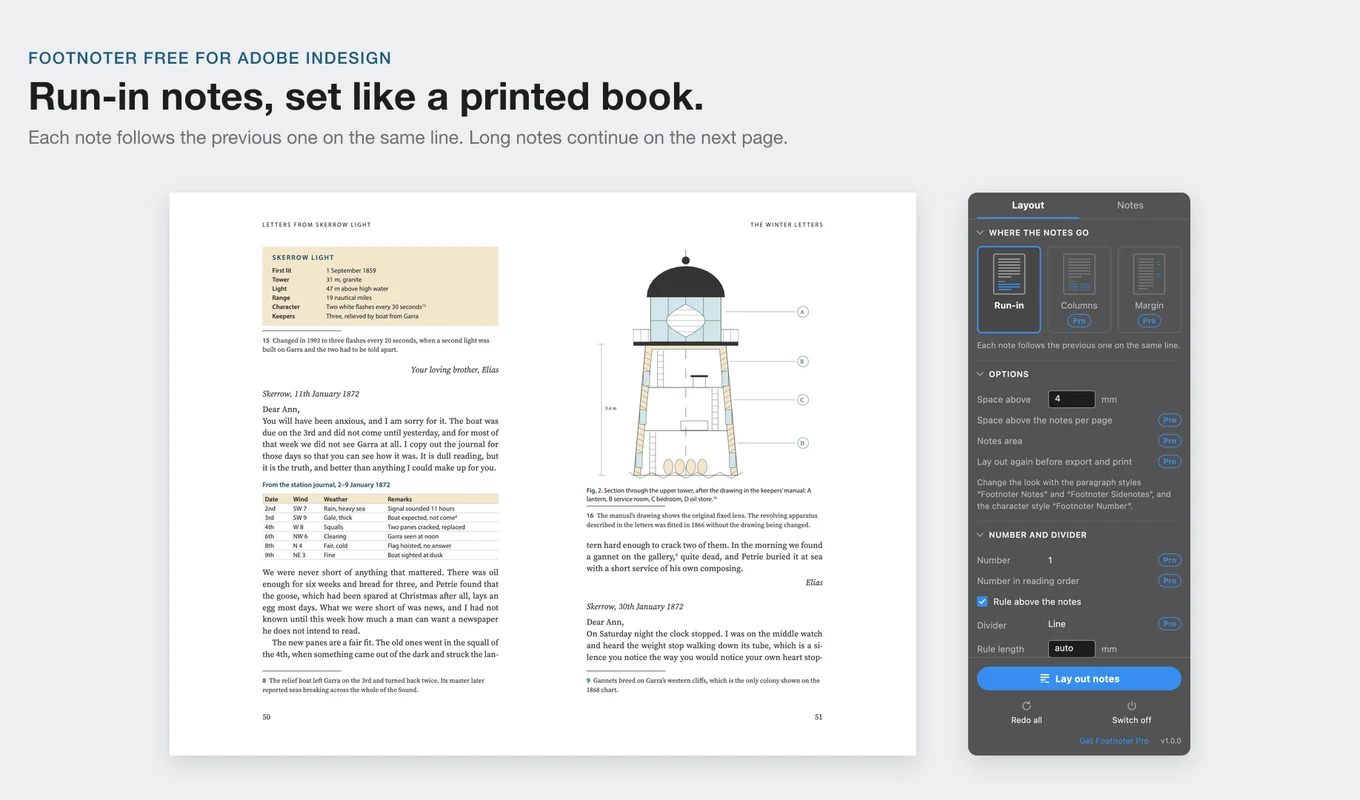
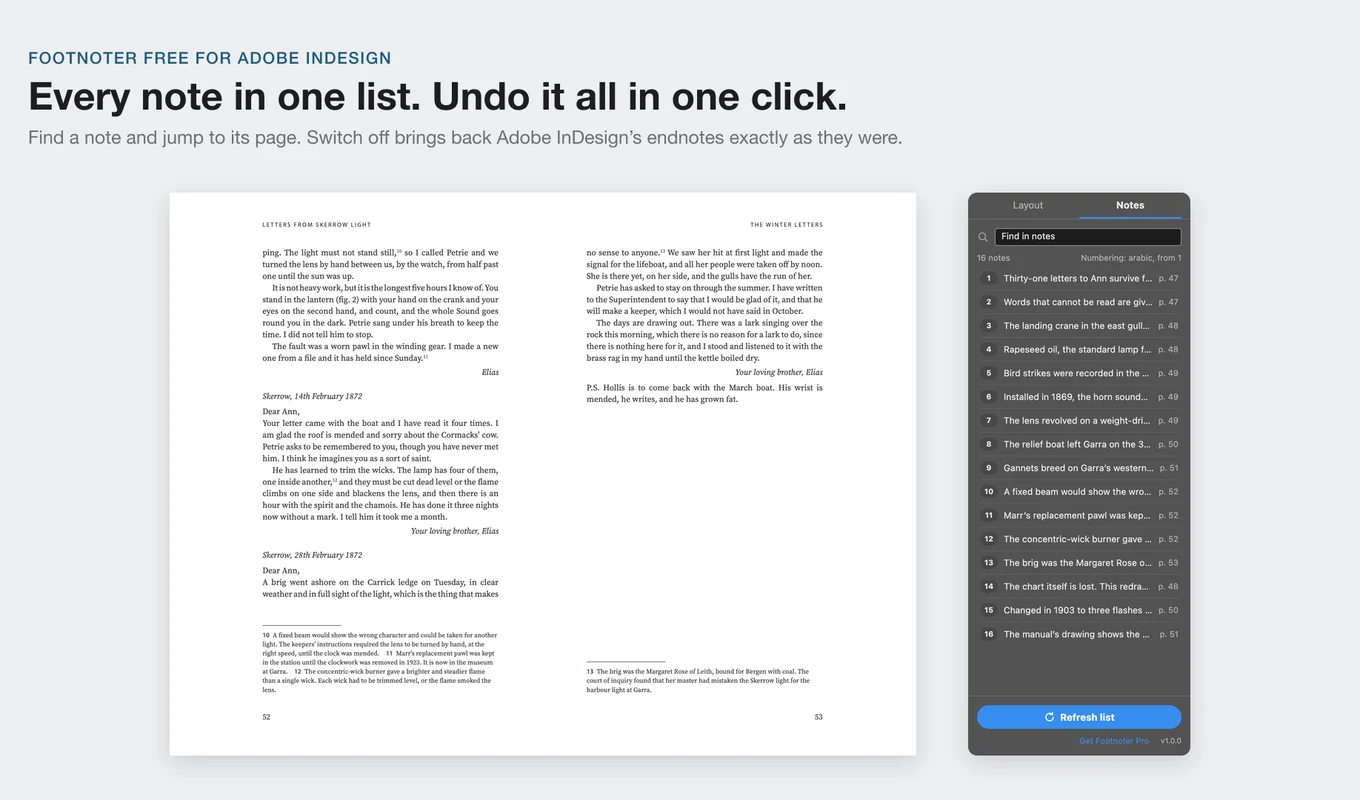
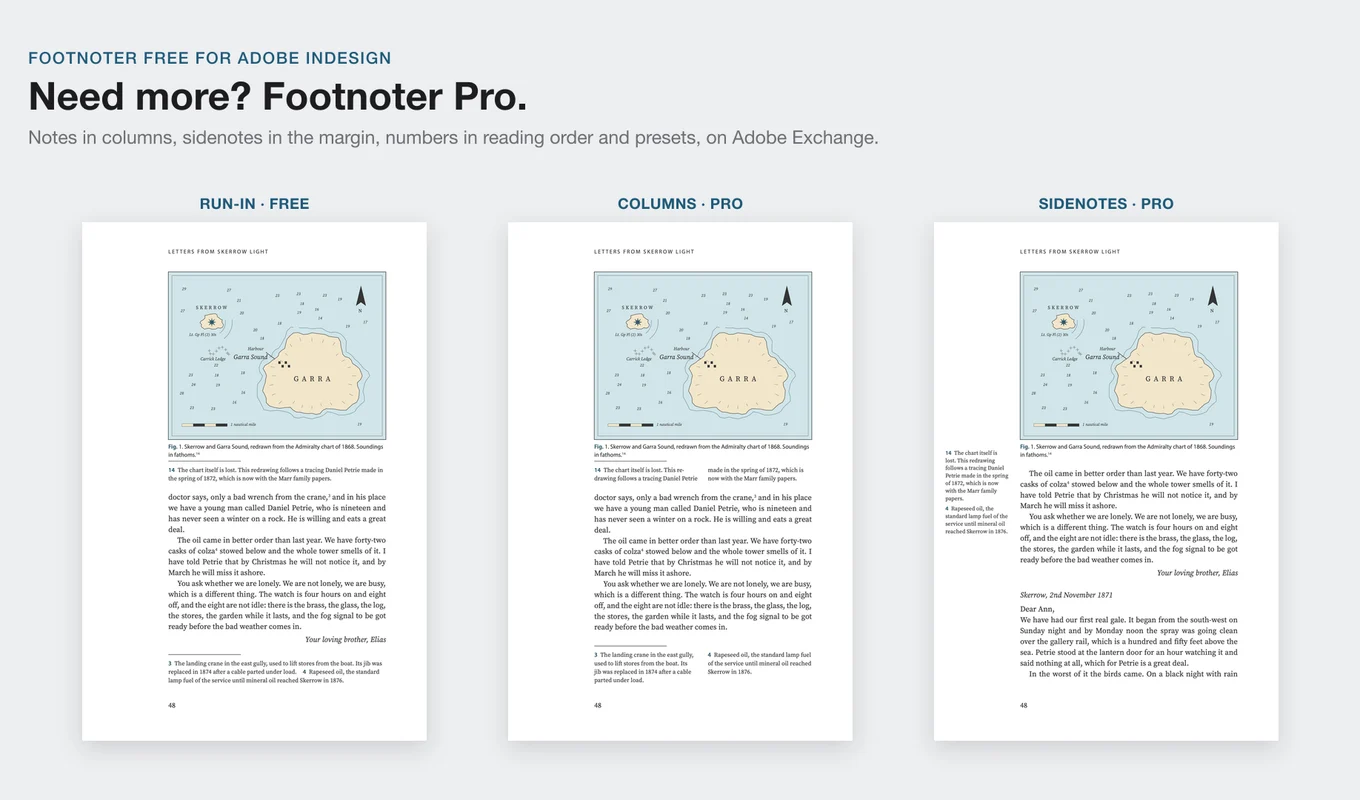
Notes at the foot of each page under their own rule, each following the previous one on the same line.
On the right page
Every note starts on the page of its reference. A long note continues on the next page.
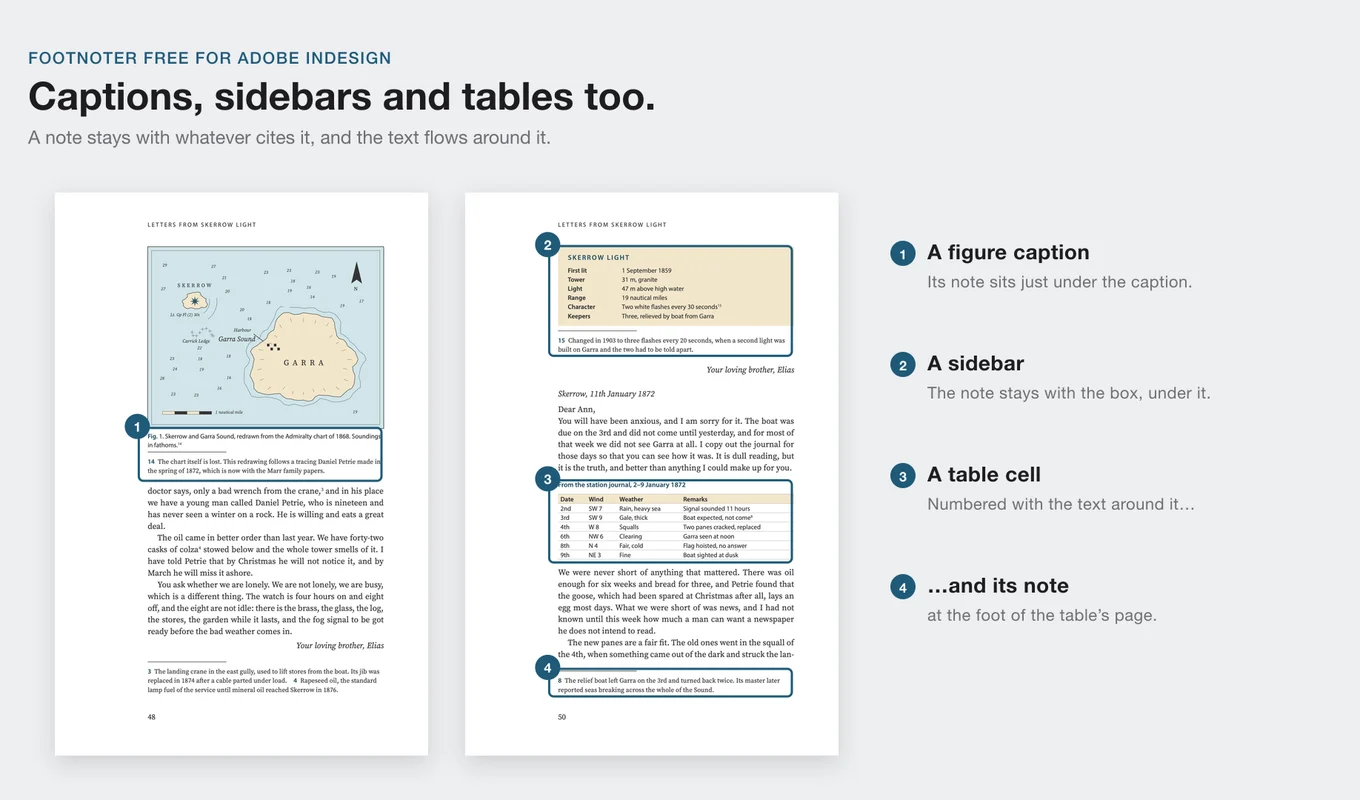
Captions, sidebars, tables
Captions and sidebars keep their notes just under them. Notes in table cells go at the foot of the table's page.
Your styles
Notes use the paragraph style "Footnoter Notes" and the character style "Footnoter Number", so you set the look the usual way.
Footnotes too
Converts existing footnotes to endnotes in one click, and back on Switch off.
Safe to switch off
Switch off puts Adobe InDesign's endnotes back exactly as they were. The Notes tab lists every note with its page.
From install to result in a few clicks
- 1
Start from endnotes
Use Type > Insert Endnote, or convert existing footnotes to endnotes in one click.
- 2
Lay out notes
Open the panel and click Lay out notes. Each note lands at the foot of its page.
- 3
Edit and repeat
After editing, click again: only the pages that changed are redone.
See it inside the app
Frequently asked questions
Is Footnoter Free really free?
Yes. Footnoter Free is free on Adobe Exchange, with no account and no time limit. It works offline.
What is the difference with Footnoter Pro?
Footnoter Pro adds notes in one to three columns, sidenotes in the margin, numbers in reading order, number formats and hanging numbers, any object as the divider, laying out again before export and print, and presets.
Do colleagues need the plugin to open my file?
No. Anyone can open, print or export the document without Footnoter. Only laying out the notes again needs it.
Which versions of InDesign are supported?
Adobe InDesign 2025 (20.0) and later. The panel speaks English, French and German.
More from Lingway

DataInk for Adobe InDesign
Native, editable vector charts in InDesign, from your data or your tables.
View Product
Table Refiner for Adobe InDesign
Clean, consistent InDesign tables in three steps, with every change reviewed before it is applied.
View Product
Footnoter for Adobe InDesign
Run-in notes, notes in columns and sidenotes in Adobe InDesign, made from the endnotes you already have.
View Product