 Chart typeTransparent fills
Area chart
Volume and its change over time.
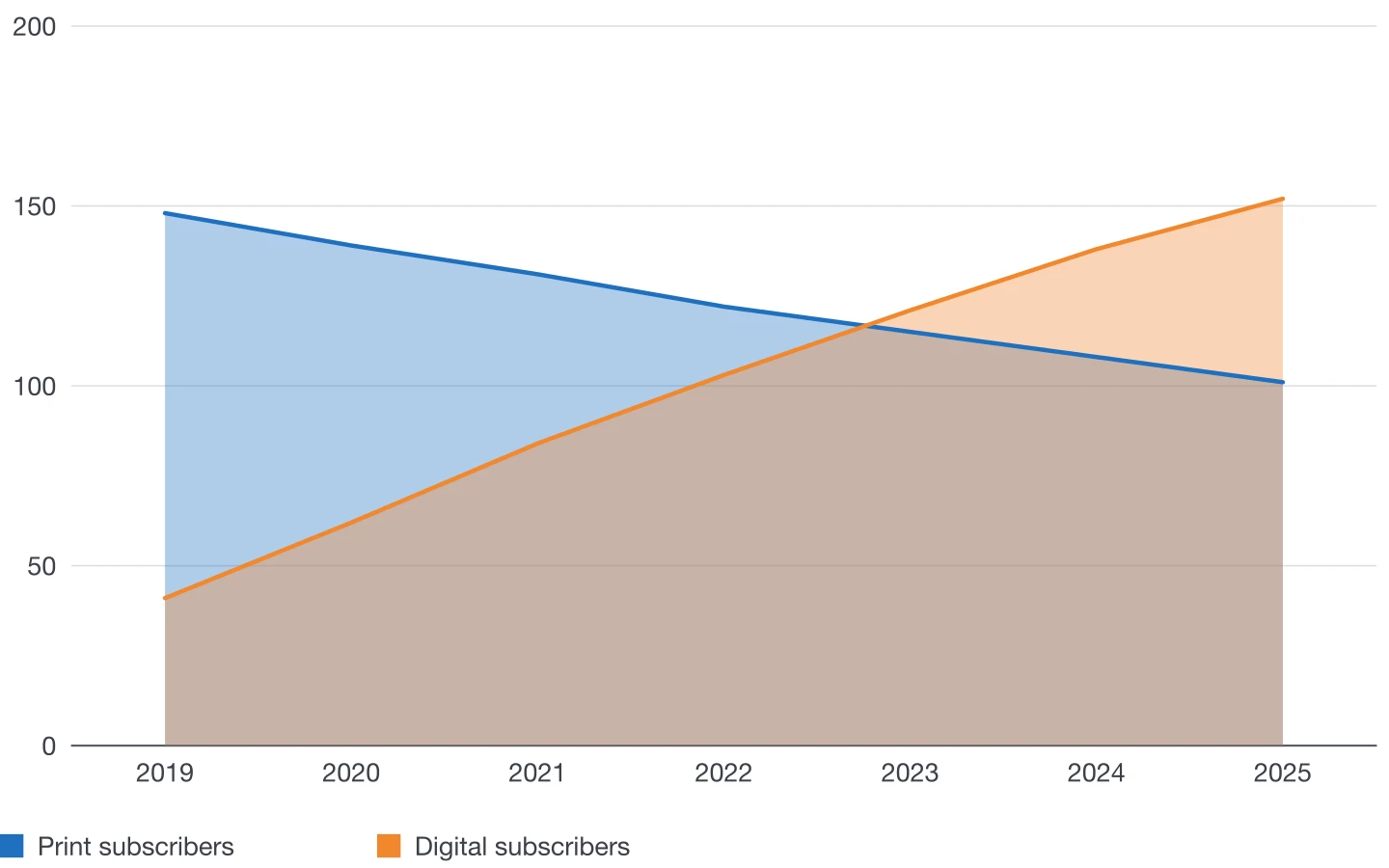
An area chart is a line chart with the space below each line filled, which stresses volume. Fills are transparent so overlapping series stay visible.
Plugin options
Options for this chart
- 1
Fill opacity
How transparent the filled areas are, so series behind stay readable.
- 2
Line width and markers
The outline of each area and optional markers on its points.
- 3
Smooth curves
Straight or smooth outlines.
- 4
Axis and gridlines
Gridline steps, tick marks, axis line and weights.
Also available for every chart
- Colours and styles
- DataInk object styles, one colour in tints or a swatch group of your document; your own paragraph styles for axis labels, values and legend.
- Legend
- Below or beside the chart, or as an InDesign table you style like any other.
- Numbers
- Number format of 14 locales, decimals, prefix and suffix (€, %, kg), compact numbers (12K).
- Size
- Width and height in your document's unit, or fit a frame you drew beforehand.
- Data
- Panel grid, large data editor, paste, Excel and CSV import, or a linked InDesign table.
- Presets
- Save the look, reuse it, and share it with your team as a file.
Editorial guide
When to use it
Typical use
Volumes over time, such as subscribers, production or visitors, when the size of the quantity matters as much as its trend.
Better avoided
Many series: overlapping fills turn muddy. Use lines instead.
Layout tips
- Draw the larger series first so it sits behind.
- Keep fills light, around 30 to 40% opacity.
- Start the axis at zero: areas are read as quantities.
Data structure
Sample data
Periods in the first column, one series per further column.
Paste a table like this one, import it from Excel or CSV, or click in an InDesign table with the same layout.
| Year | Print subscribers | Digital subscribers |
|---|---|---|
| 2019 | 148 | 41 |
| 2020 | 139 | 62 |
| 2021 | 131 | 84 |
| 2022 | 122 | 103 |
| 2023 | 115 | 121 |
| 2024 | 108 | 138 |
| 2025 | 101 | 152 |
Other chart types
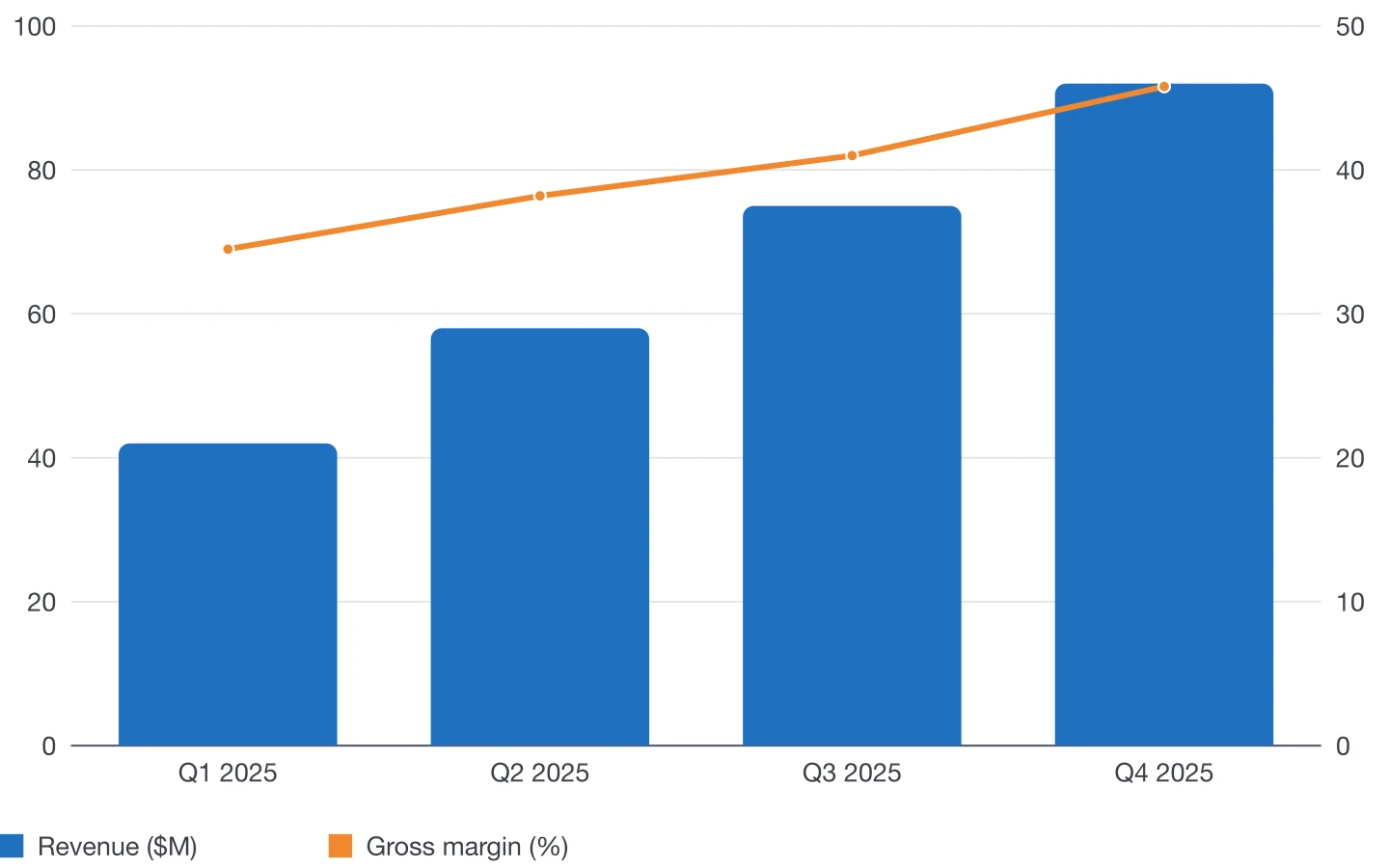 Combo chartColumns and lines together, with a second axis.
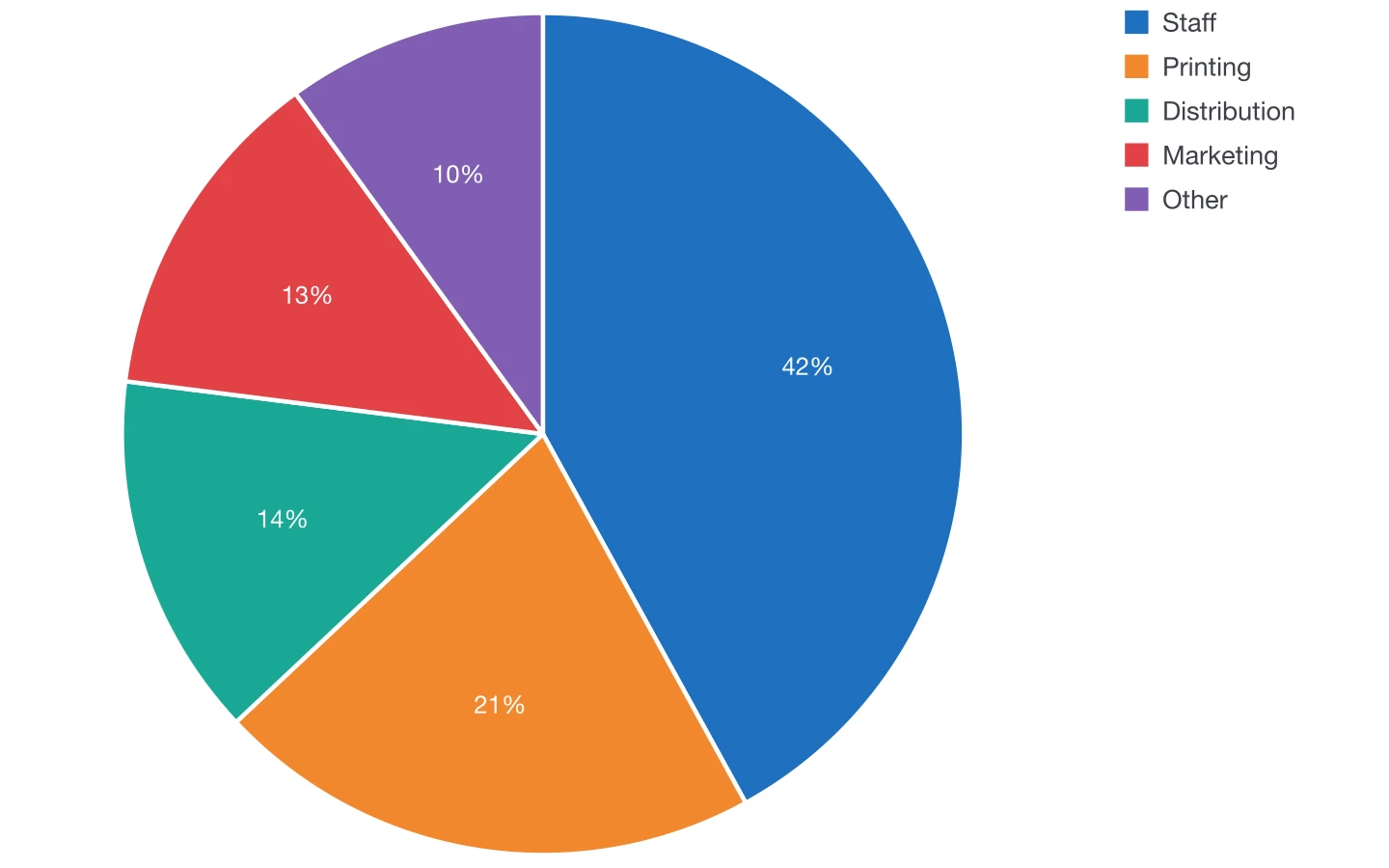 Pie chartParts of one total.
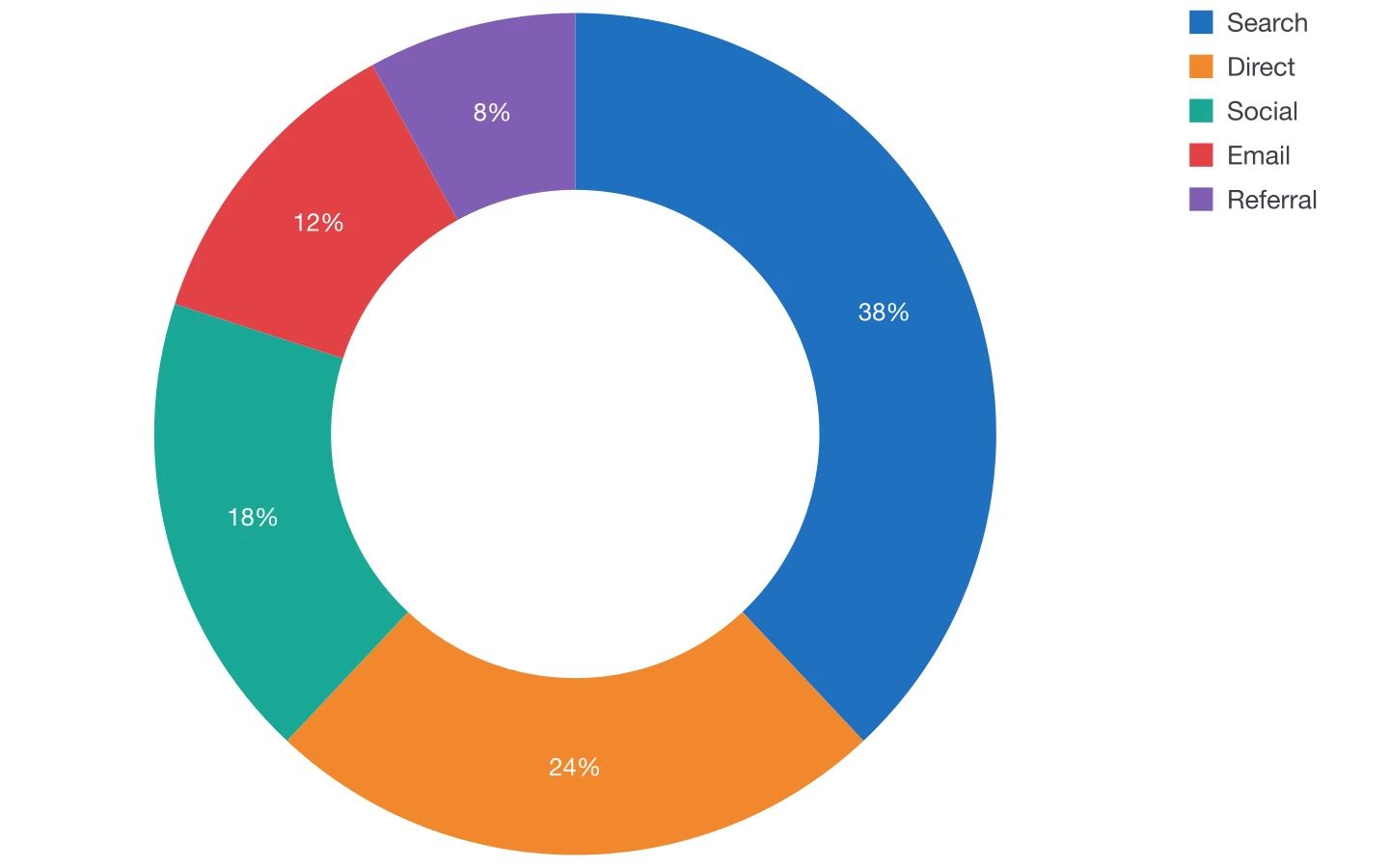 Doughnut chartA pie with room in the middle for a key figure.
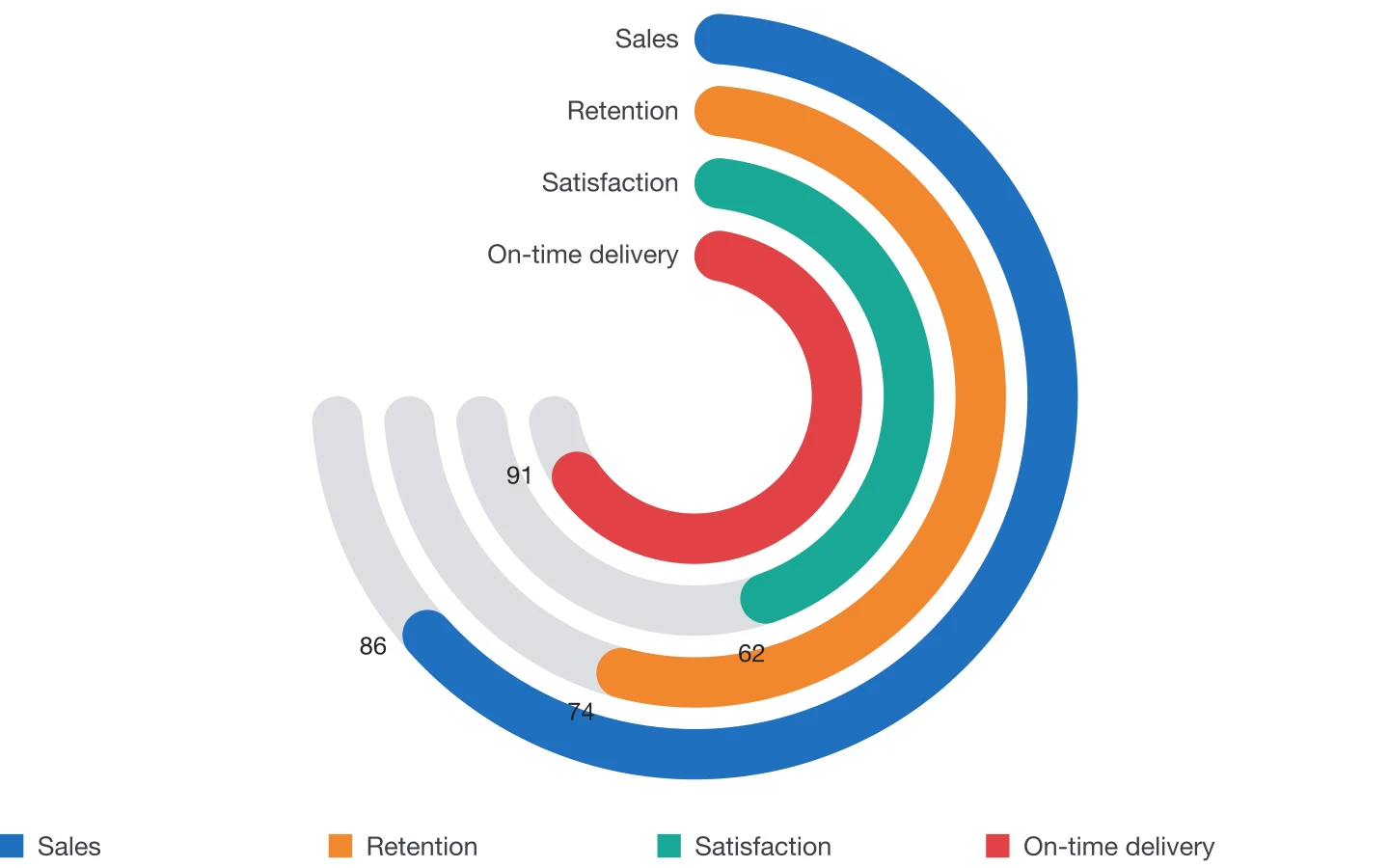 Radial bar chartConcentric rings for progress and scores.
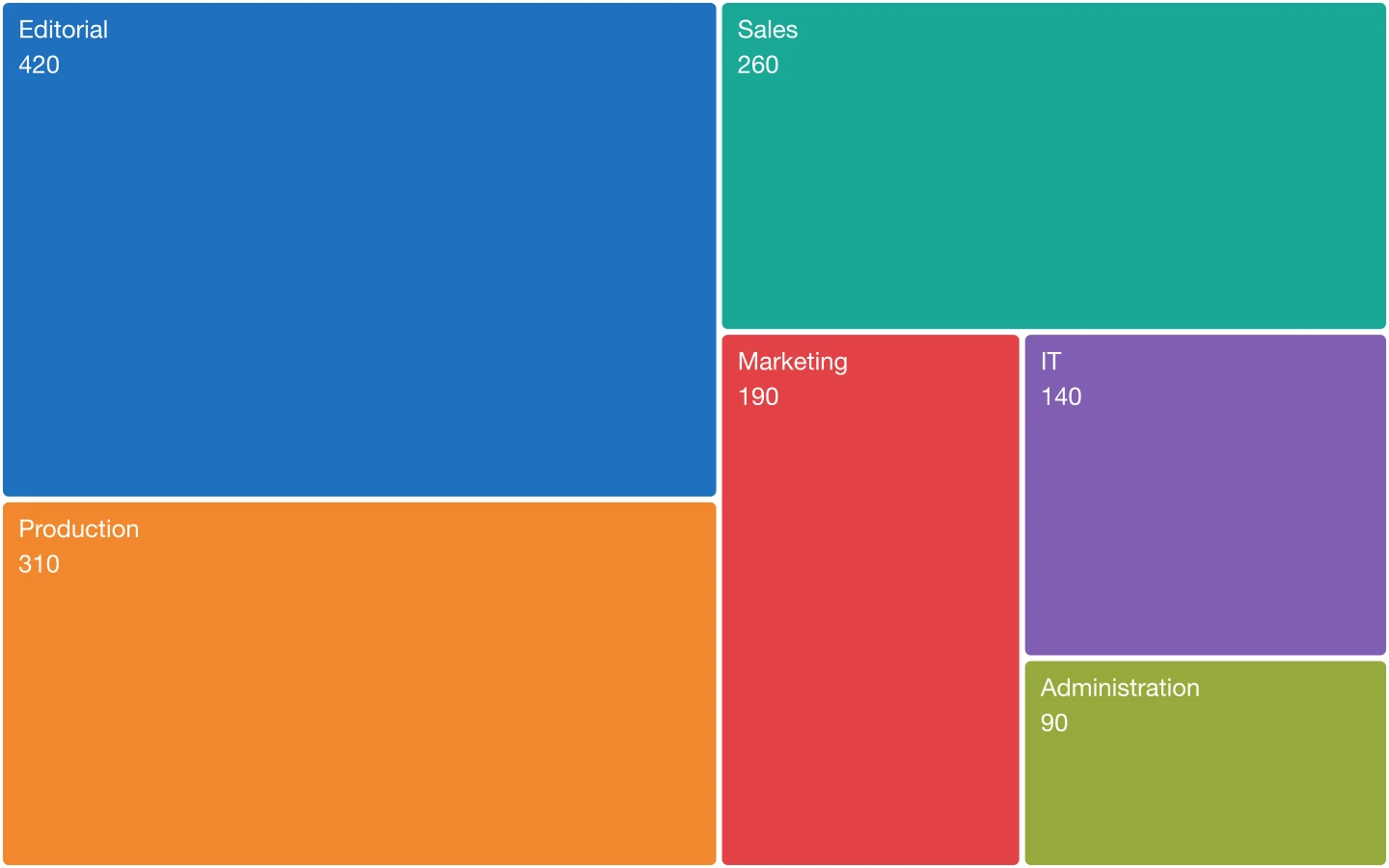 TreemapRectangles sized by value, filling the whole frame.
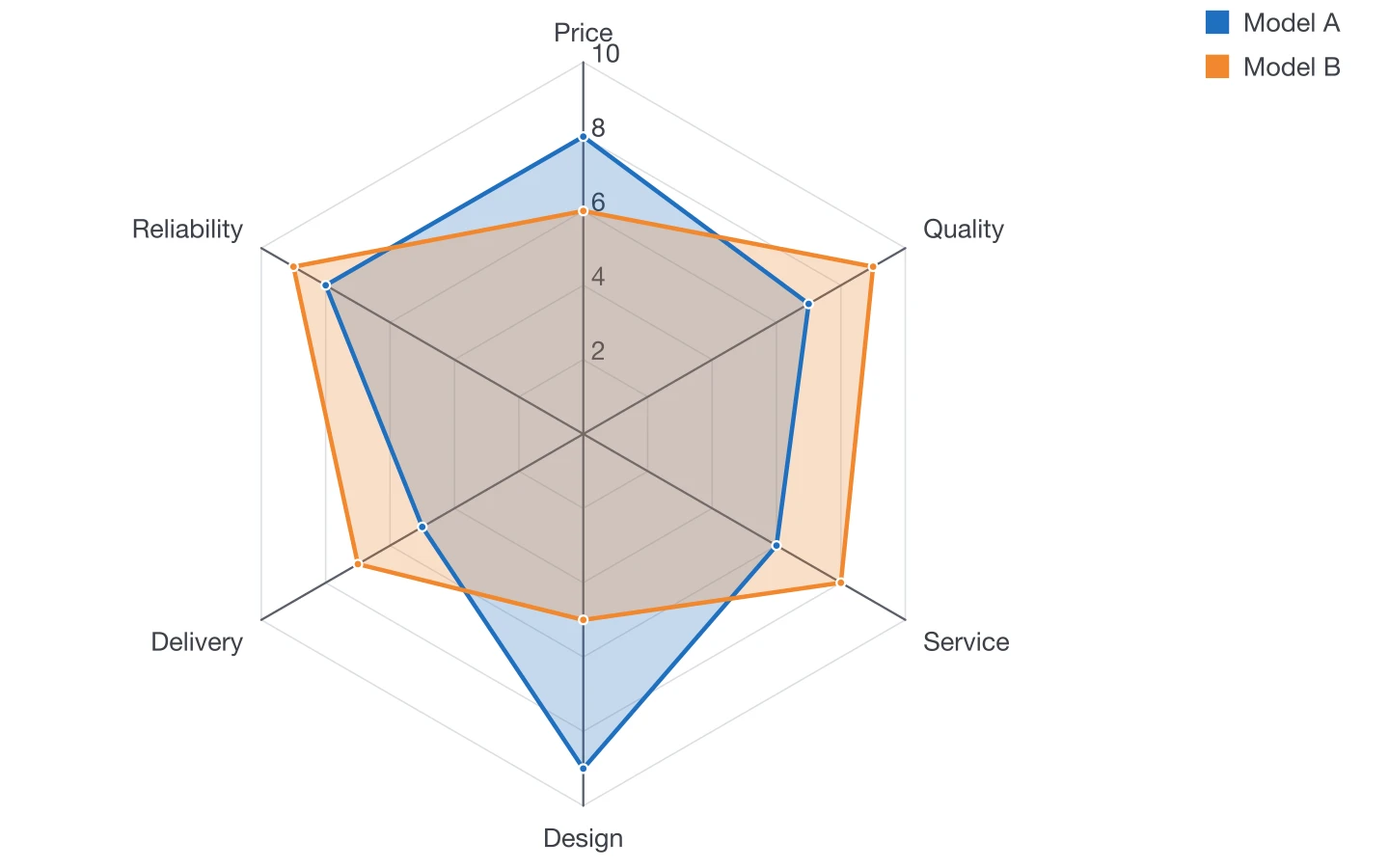 Radar chartProfiles across several criteria.
Make your next chart in InDesign
Buy DataInk once, on Adobe Exchange or Gumroad, and draw every chart of your layout natively, in your own styles.
Get DataInk for InDesign