 Trello
Translator for Trello
Translate your Trello board with DeepL, right where the cards are. Titles, descriptions and checklist items, plus list names and labels, with formatting and links kept in place. Not happy with a result? Undo puts the original text back.
- Translates titles, descriptions and checklist items
- Whole boards, lists and labels in one run
- Undo puts the original text back
- Free for one card at a time; Pro is $3 a month or $24 a year
Installs from Trello · opens in a new tab
- Works in
- Trello
- A Trello account on any plan, in a desktop browser, and a DeepL API key (DeepL has a free API plan)
- Price
- $24
- per year
- Updated
- 29 Nov, 2026
- Support
- From the developers
- Updates included
Translate Trello cards without copy and paste
Working across languages in Trello usually means copying a card into a translation tool and pasting the result back, one card at a time. Translator does it on the board, for one card or for all of them, and writes the translation where the text was.
Translate a card in two clicks
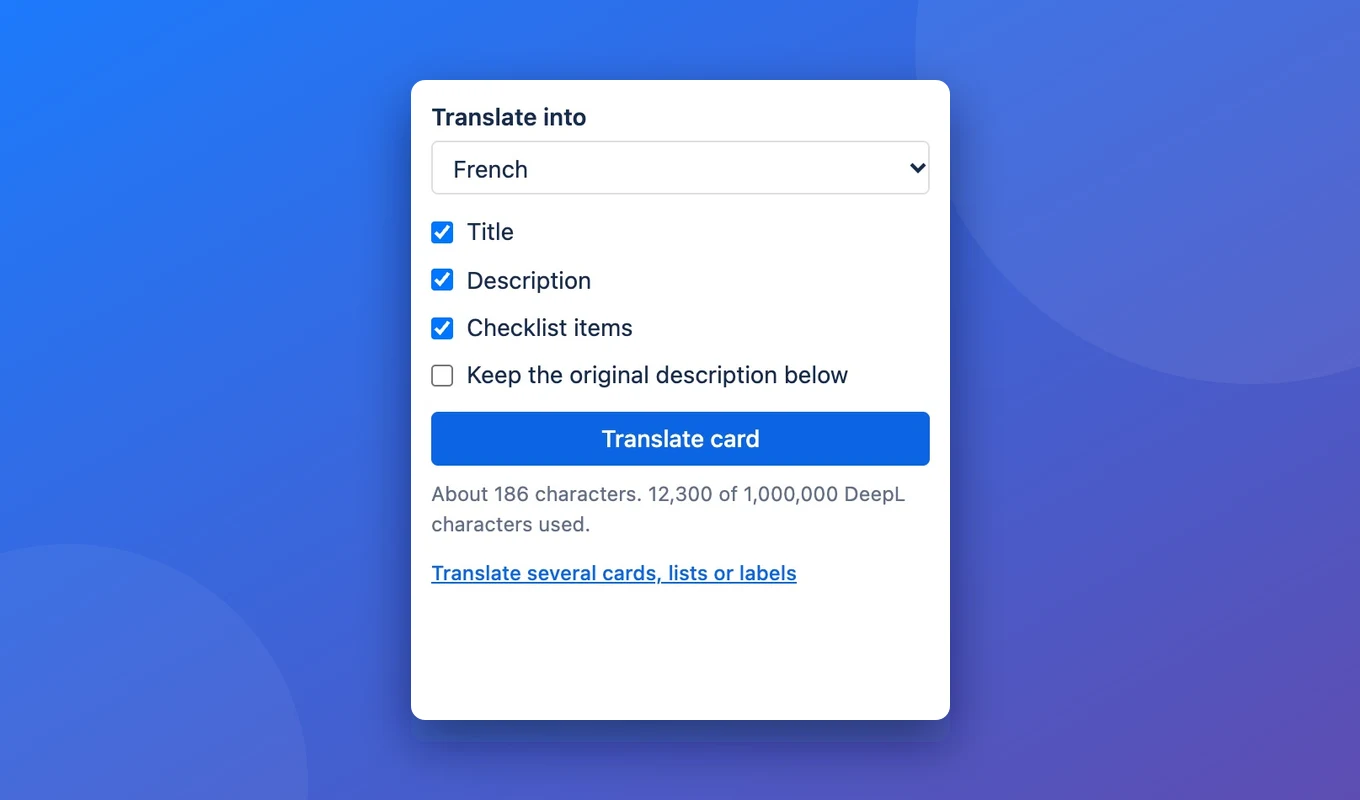
Open a card, click Translate and pick a language. The title, the description and the checklist items are translated in place.
Translate a whole board
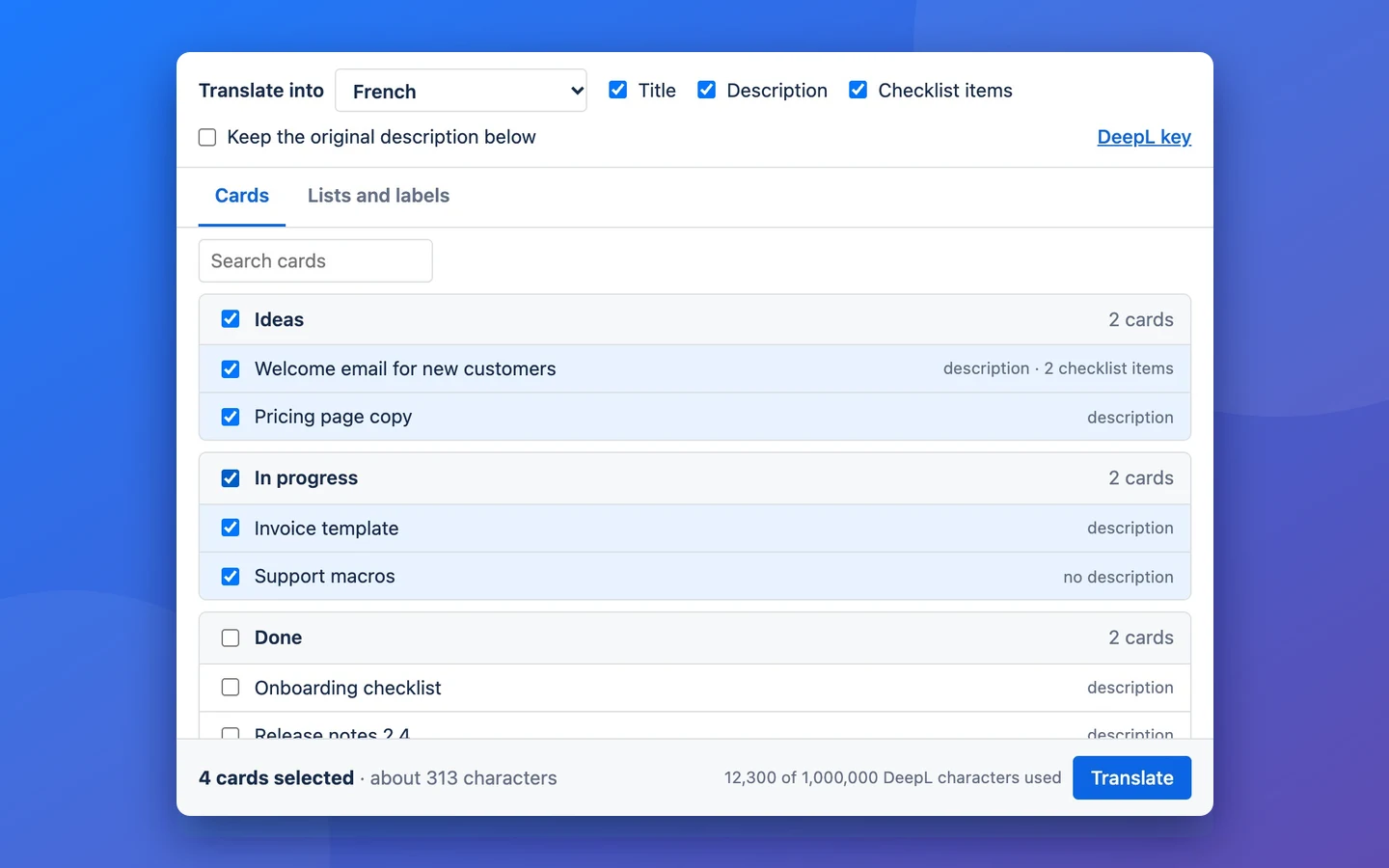
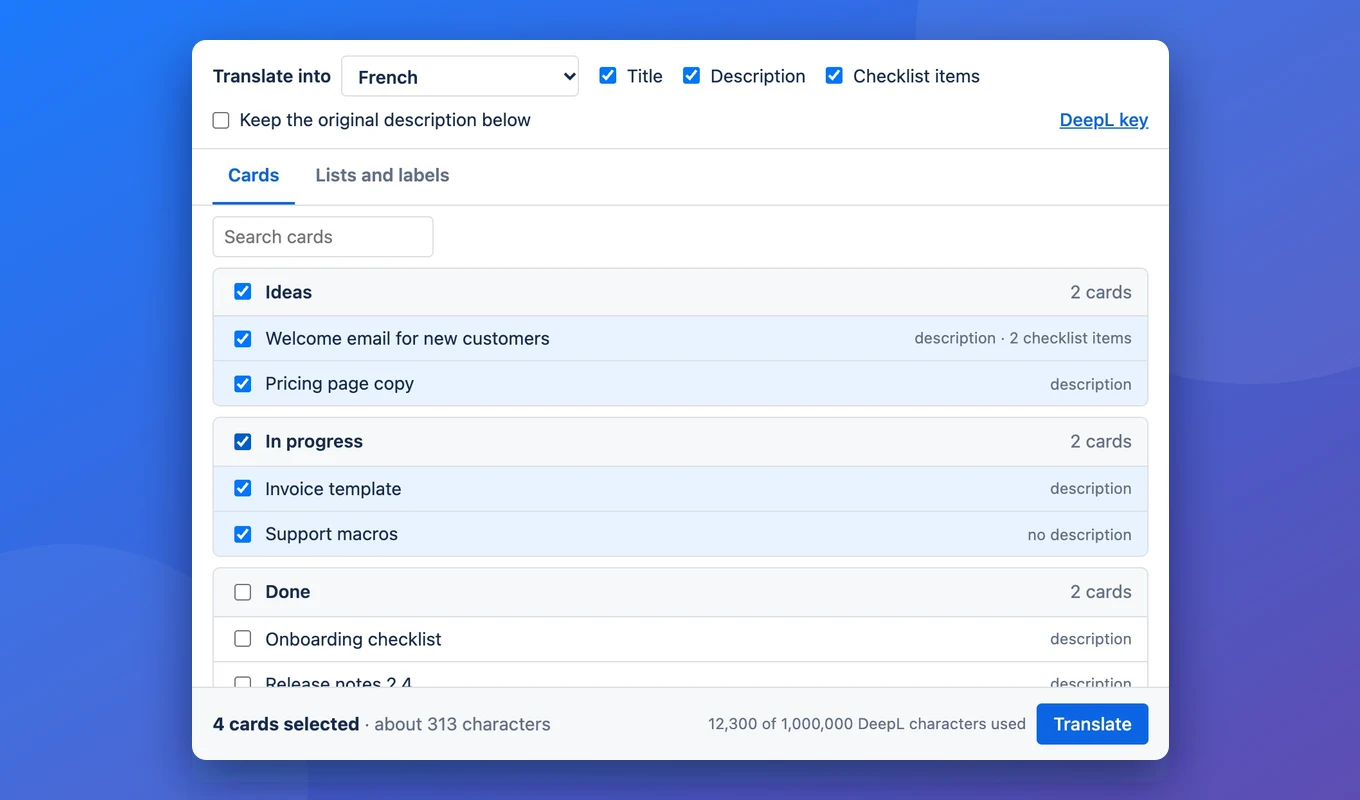
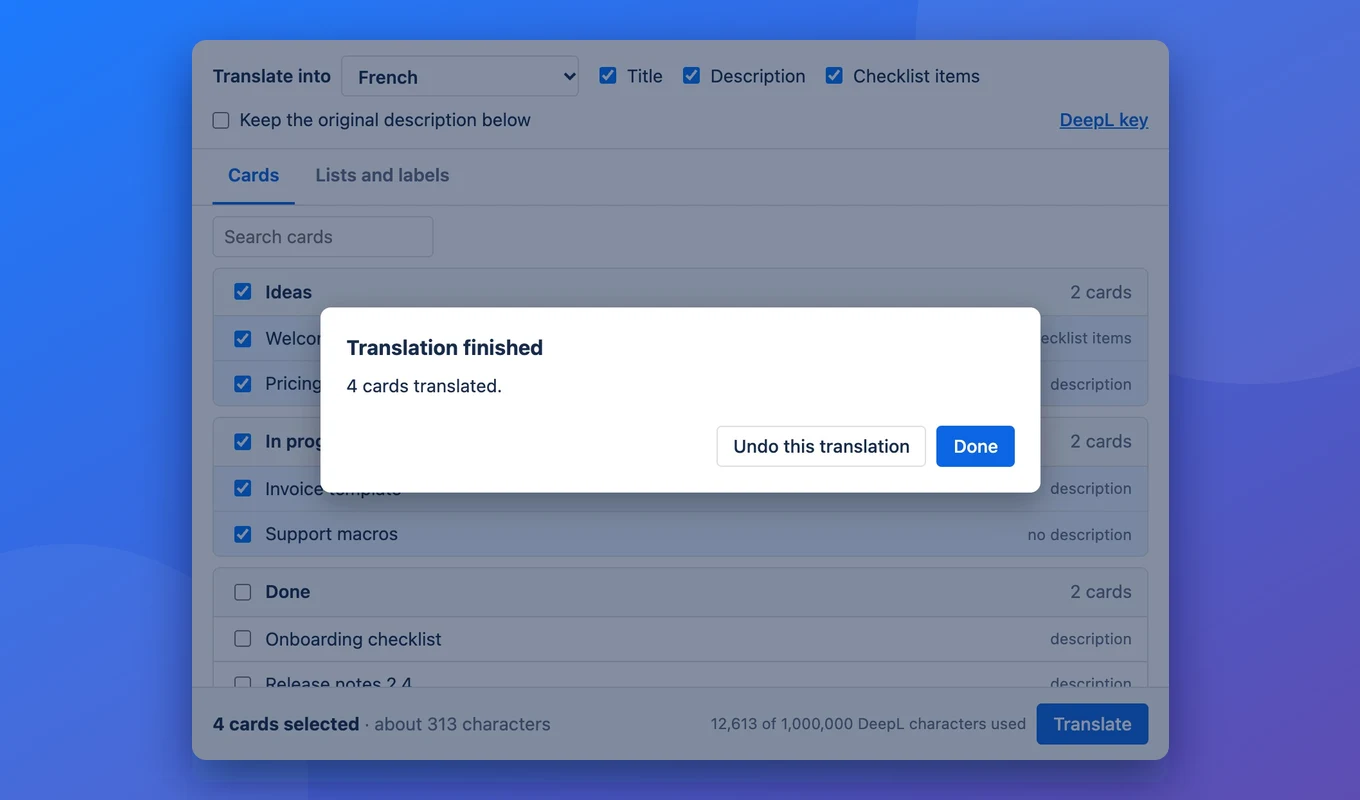
Select cards, whole lists or everything, and Translator works through them. A card that fails is reported and the run carries on.
Lists and labels too
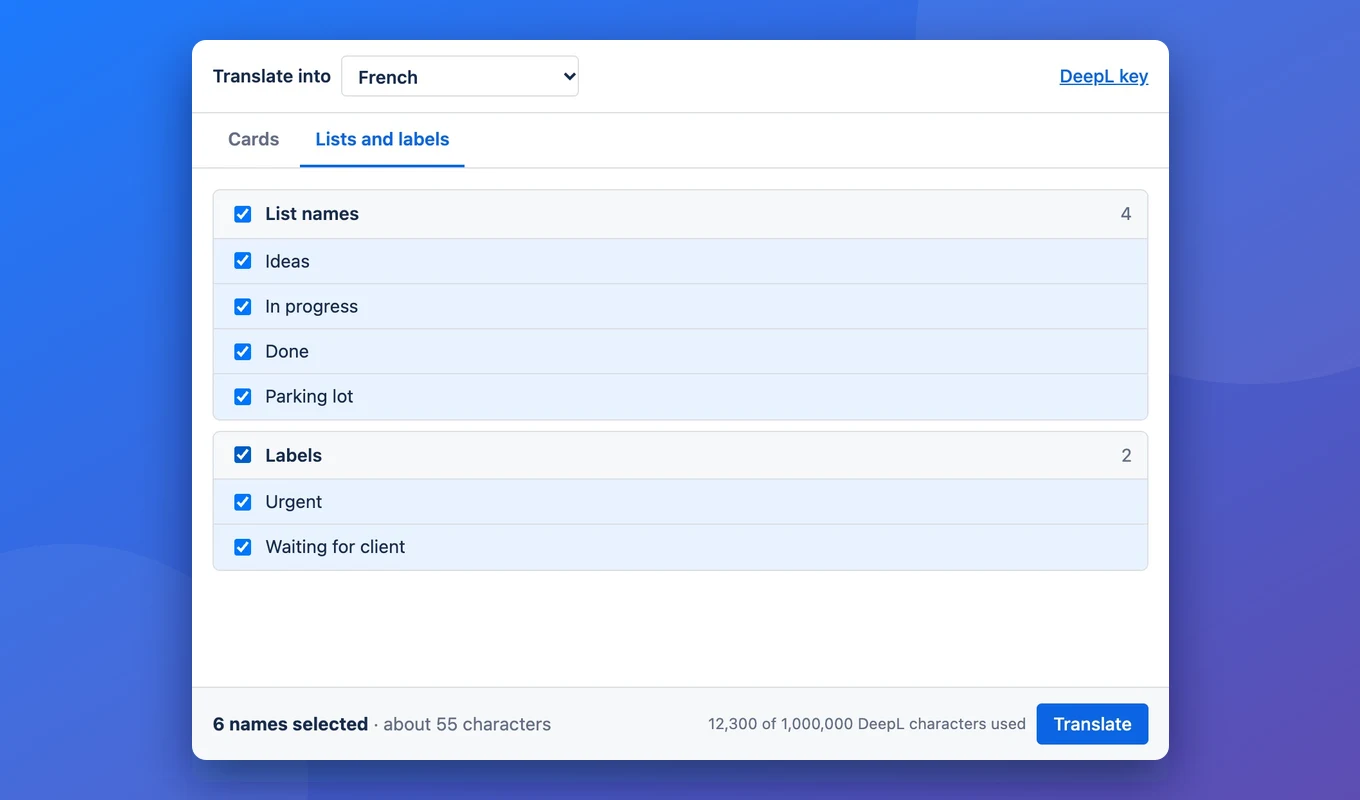
Translate list names and labels in the same screen, so the entire board reads in the new language, not only the cards.
Undo, and keep the original
Undo a run to put the original text back. You can also keep the source text under the translated description.
Know the cost first
Before each run you see how many DeepL characters it will use and how many you have left on your DeepL plan.
Your own DeepL account
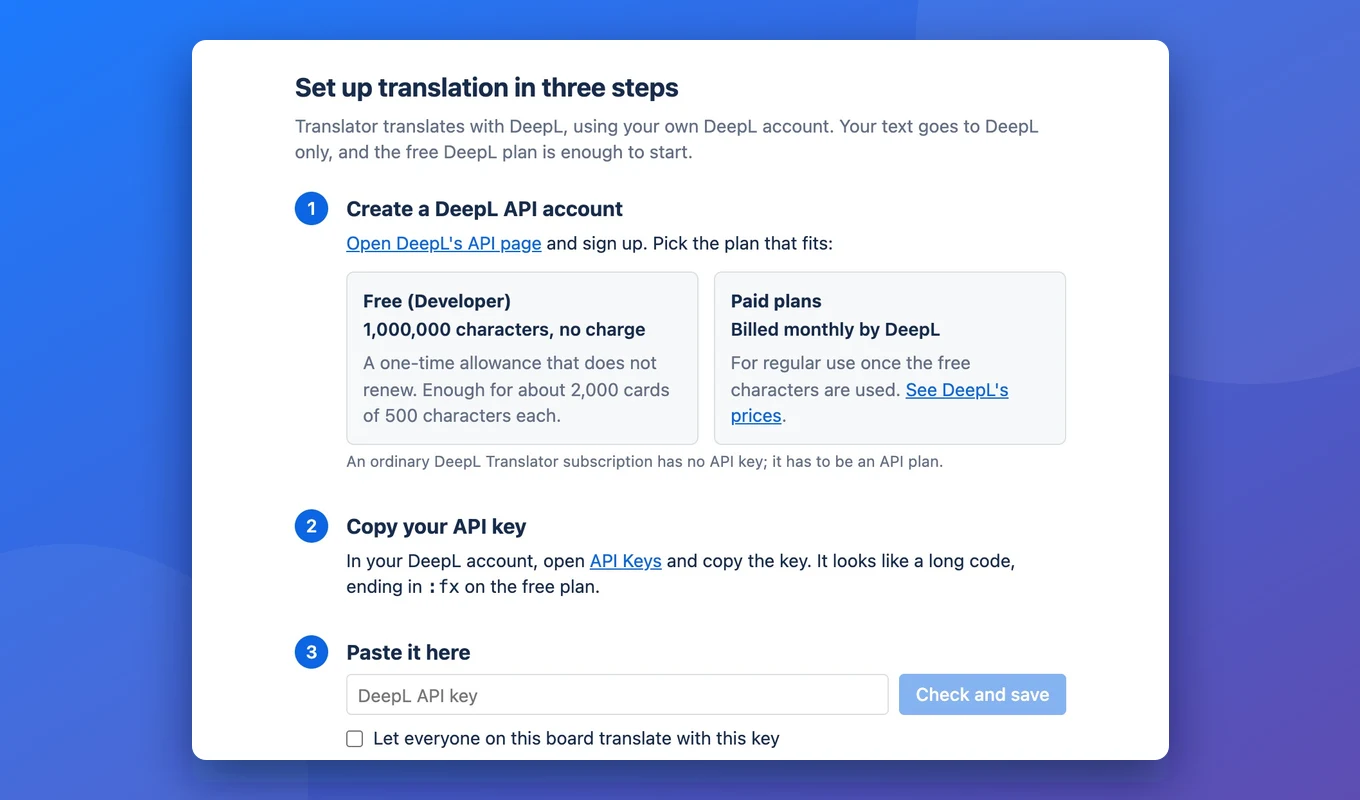
Translator uses your own DeepL API key, so you get DeepL's quality in more than 30 languages. A built-in guide walks you through getting a key in about two minutes.
From install to result in a few clicks
- 1
Add it and connect
Add Translator from Trello's Power-Up directory and connect it to your Trello account.
- 2
Paste your DeepL key
Create a DeepL API account (the free plan includes 1,000,000 characters) and paste the key. Translator checks it with DeepL before saving it.
- 3
Pick a language and translate
Translate the open card from its Translate button, or open Translator on the board to translate many cards, lists and labels at once.
See it inside the app
Built for production work
International teams
Share a board between offices that work in different languages.
Agencies and clients
Hand a project board to a client in their own language.
Support and operations
Read requests that arrive in another language without leaving the card.
Localisation work
Prepare a second-language copy of a board and keep the original text under each description.
Frequently asked questions
How do I translate a Trello card?
Add Translator to the board, open the card, click Translate and choose a language. The title, description and checklist items are replaced by their translation, and you can undo it.
Do I need a DeepL account?
Yes. Translator works with your own DeepL API key. DeepL's free API plan includes 1,000,000 characters; paid DeepL plans are billed by DeepL and are separate from Translator.
Is Translator free?
Translating one card at a time is free, as often as you like. Pro translates any number of cards in one run and adds list names and labels.
How much does Pro cost?
$3 a month or $24 a year, with a 7-day free trial. One licence is for one person and works on all their boards. You can cancel at any time.
Does it keep my formatting?
Yes. Bold text, paragraphs and links in a description stay in place in the translation.
Can I get the original text back?
Yes. Undo restores the original while the result of a run is still on screen. You can also keep the original description under the translated one.
Where does my text go?
To DeepL, under your own account, through a relay that keeps nothing. We keep no copy of your cards, your translations or your DeepL key, and there is no tracking.
Make your board readable for everyone on it
Add Translator to a Trello board and translate your first card for free.
Need a feature it does not have yet?
We wrote this plugin, so we can extend it, connect it to your systems or build a private version for your team.
Talk to the developers