 Trello
Priority & Estimates for Trello
Card priority and estimates, free on every board. Give each Trello card a priority and an estimate in story points, hours or days, see both as badges, and add up the work per list, per member and per week. No account and no sign-in.
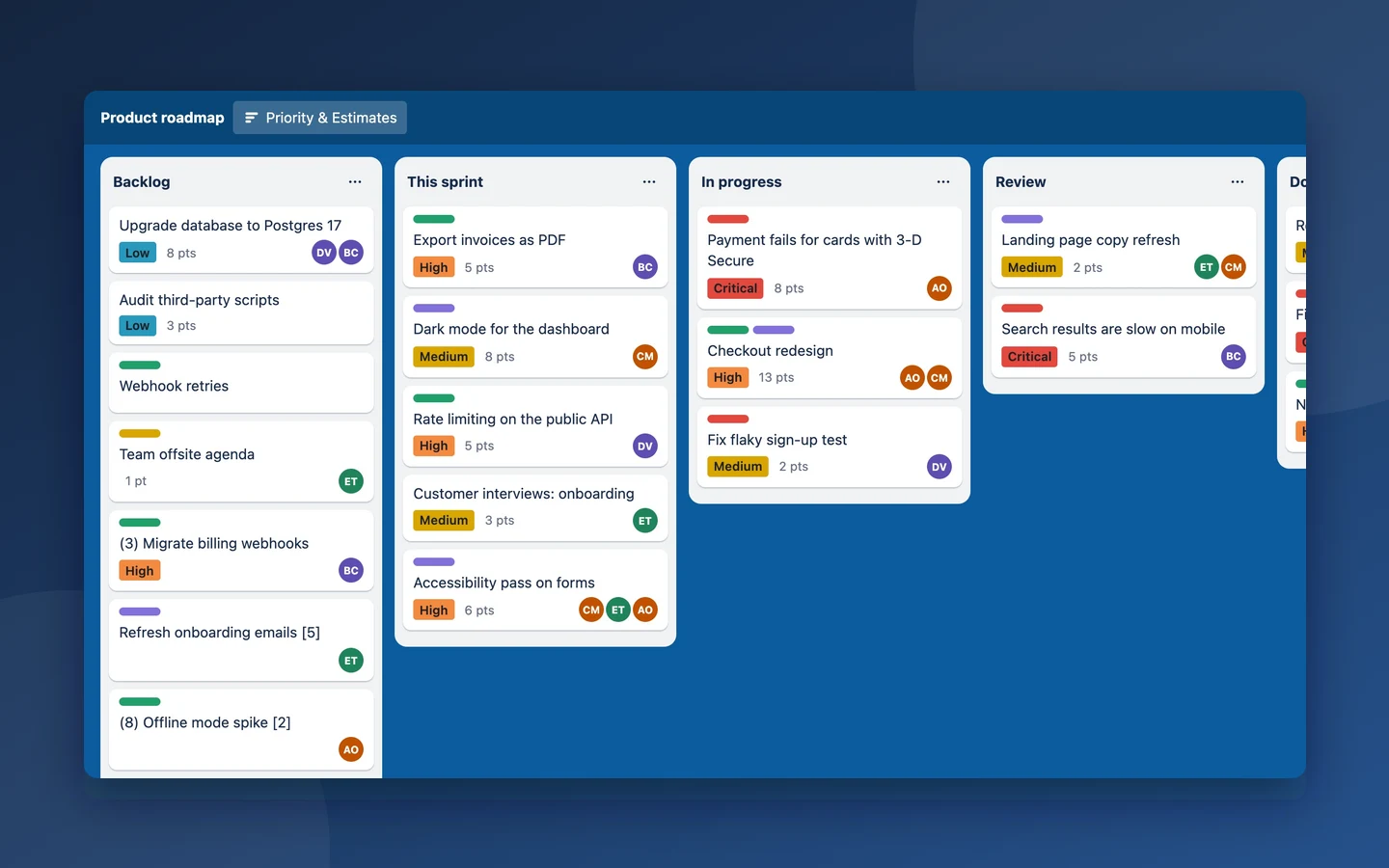
- Priority and estimate badges on every card
- Sort a list by priority or by estimate
- Workload per member, with weekly capacity
- Free with no account; Pro is $3 a month or $24 a year
Installs from Trello · opens in a new tab
- Works in
- Trello
- A Trello account on any plan, in a desktop browser
- Price
- $24
- per year
- Updated
- 29 Nov, 2026
- Support
- From the developers
- Updates included
Card priority and card size in one Power-Up
Trello has no priority field and no estimates. Teams work around it with labels and numbers in card titles, which can't be sorted or added up. Priority & Estimates adds both as real values on each card, and turns them into totals and a workload view.
Card priority
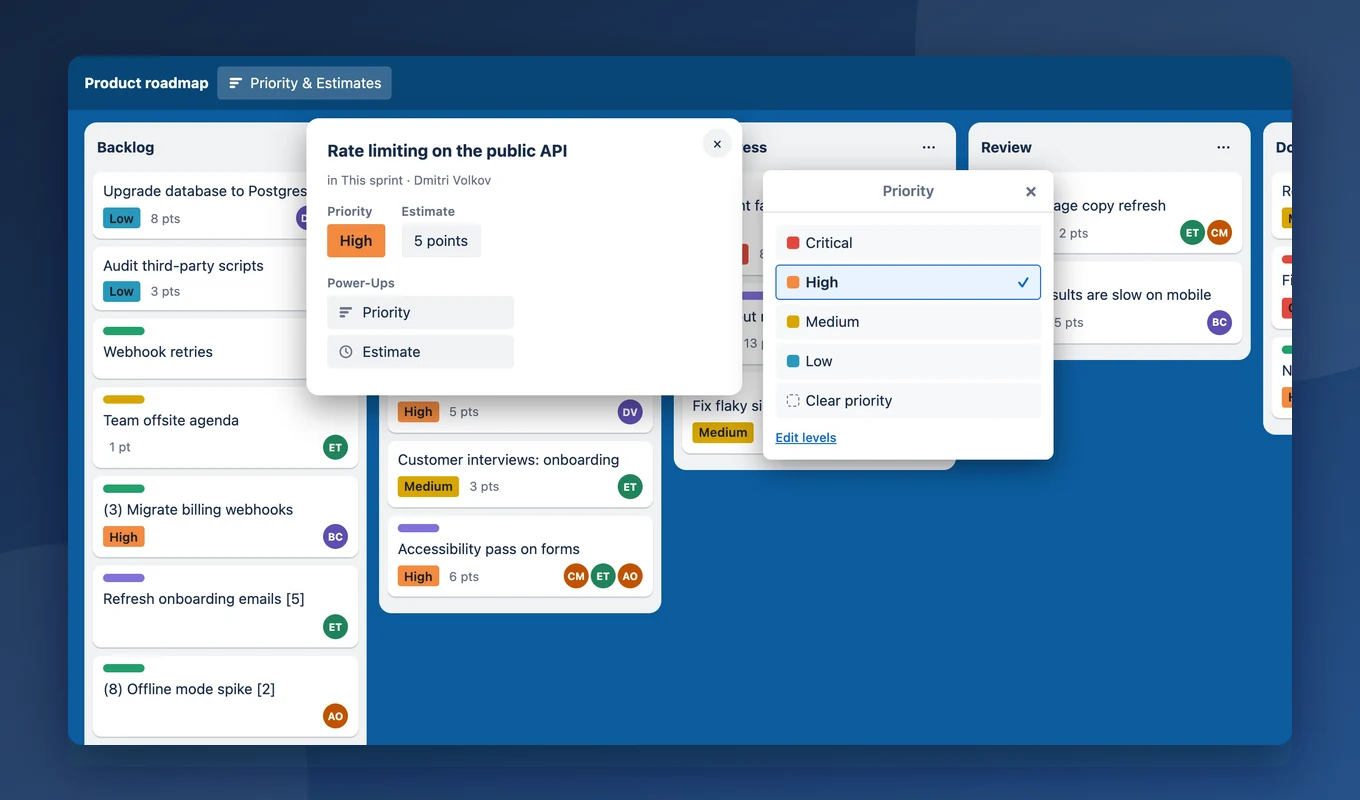
Four levels out of the box: Critical, High, Medium and Low. Rename them, change their colours or add your own.
Estimates
Story points, hours or days, picked from a Fibonacci scale or from a scale you choose.
Badges on every card
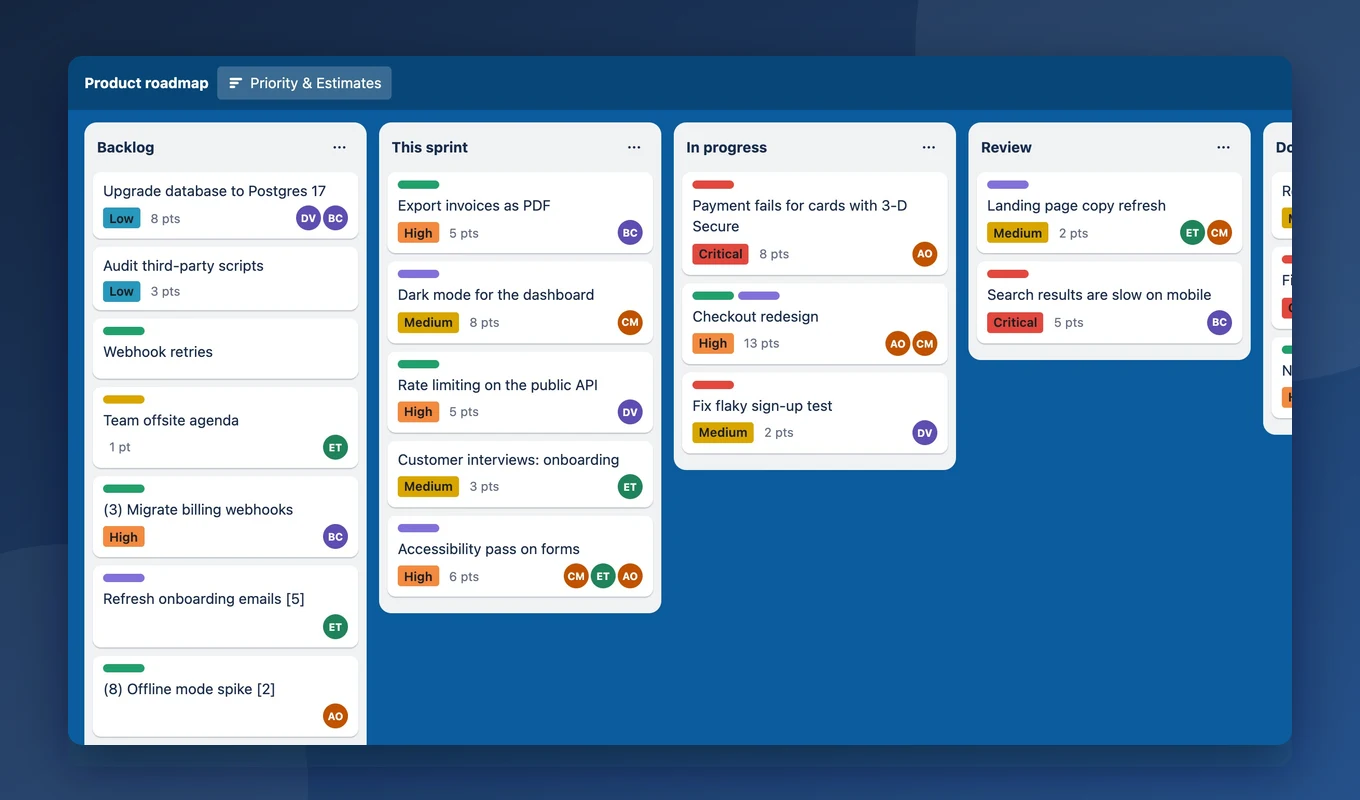
Priority and estimate show on the front and the back of each card, so the board can be read at a glance.
Sort and bulk-set
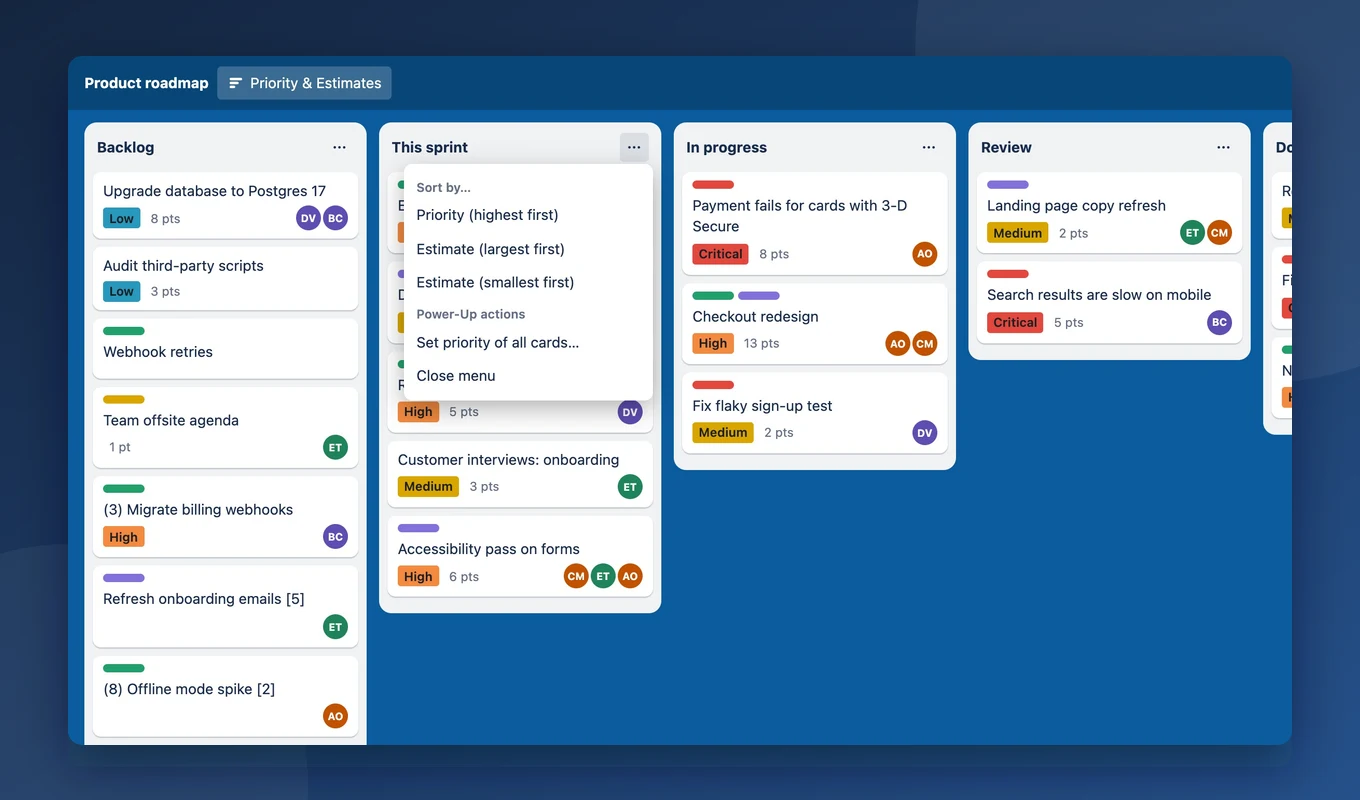
Sort a list by priority or by estimate, and set the priority of every card in a list at once.
Board overview
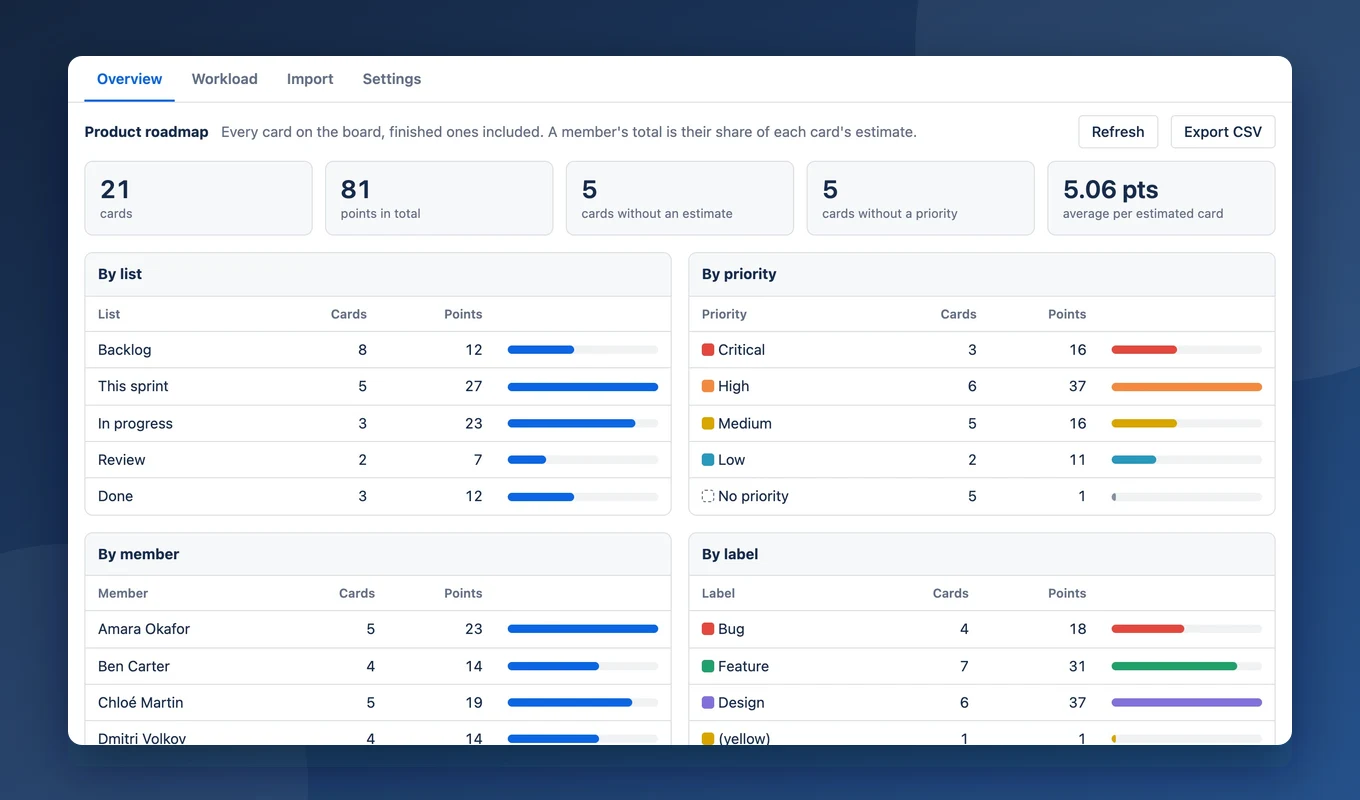
Cards and estimate totals per list, per priority, per member and per label, for the whole board.
Workload view
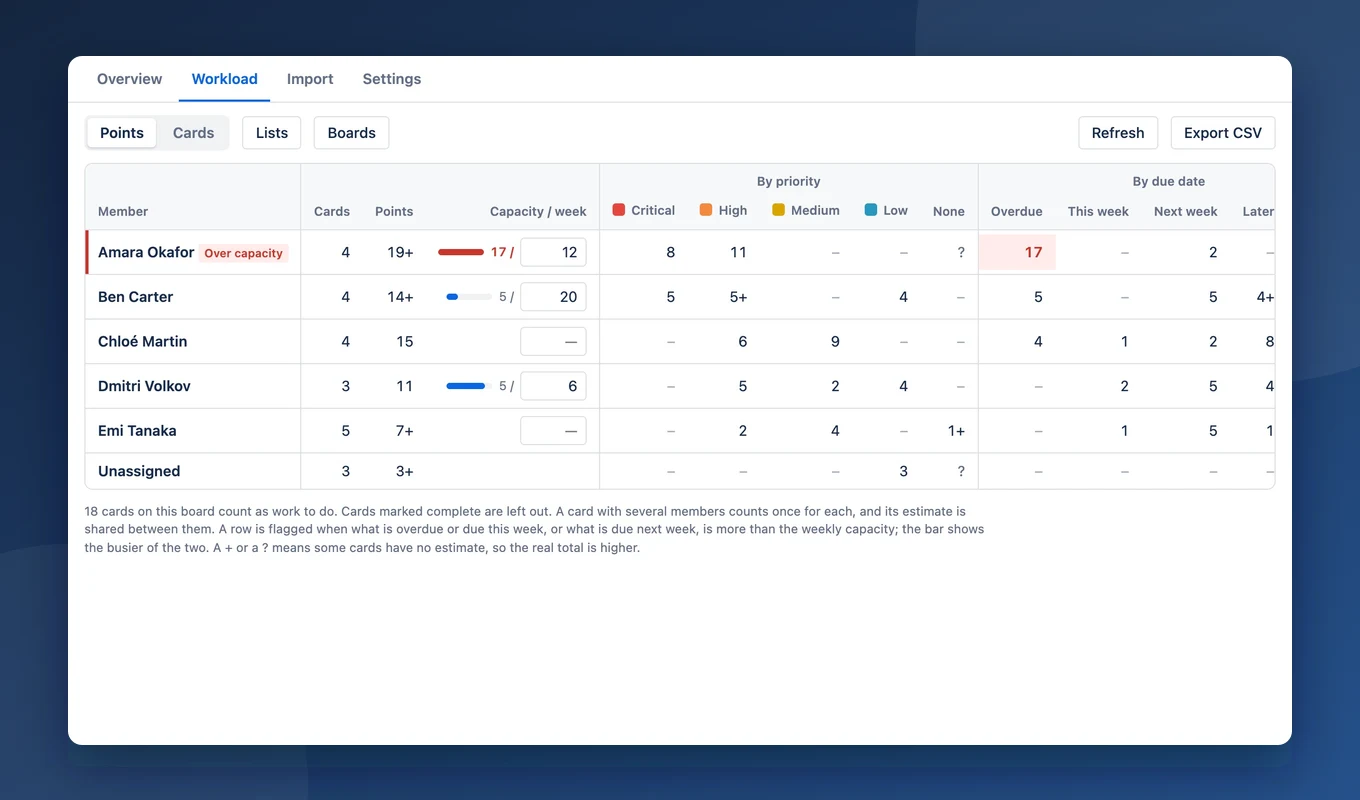
Work per member by priority and by due week. With Pro: a weekly capacity with over-capacity warnings, several boards together, and CSV export.
From install to result in a few clicks
- 1
Add it to your board
Add Priority & Estimates from Trello's Power-Up directory. It works at once: there is no account to create and nothing to connect.
- 2
Set priorities and estimates
Open a card and click Priority or Estimate. Already have estimates in card titles, such as (5) Fix login? Import them in one step.
- 3
Sort, total and plan
Sort lists from their menu, and open Priority & Estimates on the board for the totals and the workload view.
See it inside the app
Built for production work
Sprint planning
Estimate cards in story points and see what fits in the sprint, list by list.
Support and bug queues
Mark what is critical and sort the queue so it is always on top.
Agencies and freelancers
Estimate work in hours or days and see the total per client board.
Team leads
See who has too much this week before a deadline slips.
See Priority & Estimates in Trello
A priority and an estimate set from a card, the badges on the board, a list sorted by priority, then the board totals and the workload view.
Frequently asked questions
How do I add a priority to a Trello card?
Trello has no priority field. Add Priority & Estimates to the board, open a card and click Priority: the level shows as a coloured badge on the card, and you can sort a list by it.
Can I use story points in Trello?
Yes. Set an estimate on each card in story points, hours or days. The board overview adds them up per list, per member and per label.
Is Priority & Estimates free?
Priorities, estimates, badges, sorting, the board overview and imports are free, with no account. The free workload view shows 3 members of one board.
What does Pro add?
The whole team in the workload view, a weekly capacity with over-capacity warnings, several boards together, your own split of an estimate between members, and CSV export. It costs $3 a month or $24 a year, with a 7-day free trial.
Does it need access to my Trello account?
Not for priorities, estimates, badges and sorting: they work with no sign-in at all. Only the title import and the view across several boards ask you to connect to Trello.
Where is my data stored?
In Trello itself, on your cards and board. We keep no database, no user accounts and no tracking.
Can I import estimates I already have in card titles?
Yes. Estimates written in titles, such as (5) Fix login, can be imported in one step.
See what matters most, and how big it is
Add Priority & Estimates to a Trello board. Priorities, estimates and badges are free, with no account.
Need a feature it does not have yet?
We wrote this plugin, so we can extend it, connect it to your systems or build a private version for your team.
Talk to the developers