 Trello
Dependencies & Blockers for Trello
Card dependencies, with blockers that clear themselves. Say which Trello cards wait on which. Blocked cards get a red badge on the board, and it turns green by itself when the card they wait on is done. No account, and no access to your Trello account.
- Link cards: waits on, or blocks
- Blocked and Ready badges that update by themselves
- A map of the whole chain, and a schedule check
- Free with no account; Pro is $3 a month or $24 a year
Installs from Trello · opens in a new tab
- Works in
- Trello
- A Trello account on any plan, in a desktop browser
- Price
- $24
- per year
- Updated
- 29 Nov, 2026
- Support
- From the developers
- Updates included
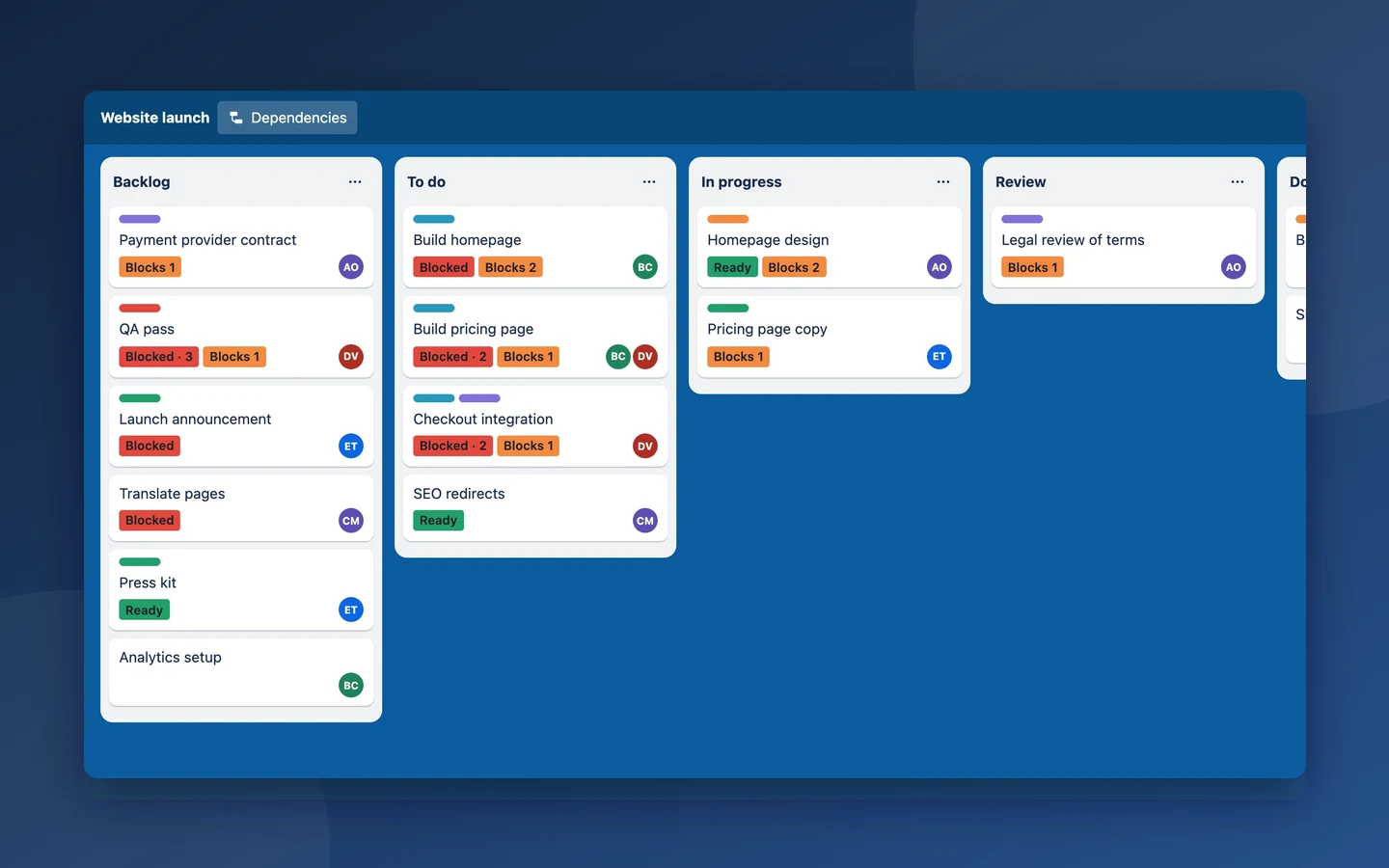
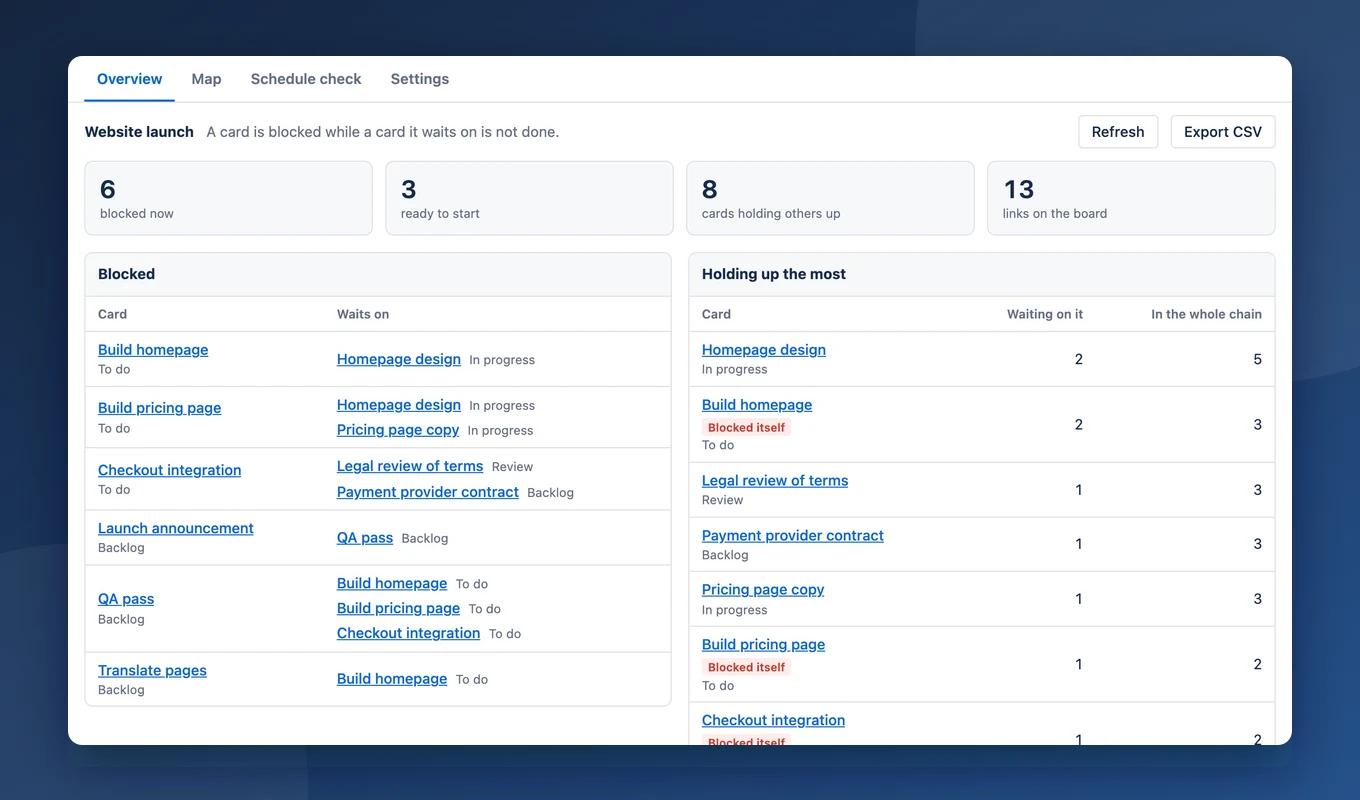
See what is blocked, and what can start
Trello cards don't know about each other. When one task has to wait for another, that lives in someone's head or in a comment, until the day it is forgotten. Dependencies & Blockers puts the link on the cards and shows on the board what is waiting and what is free to start.
Link cards
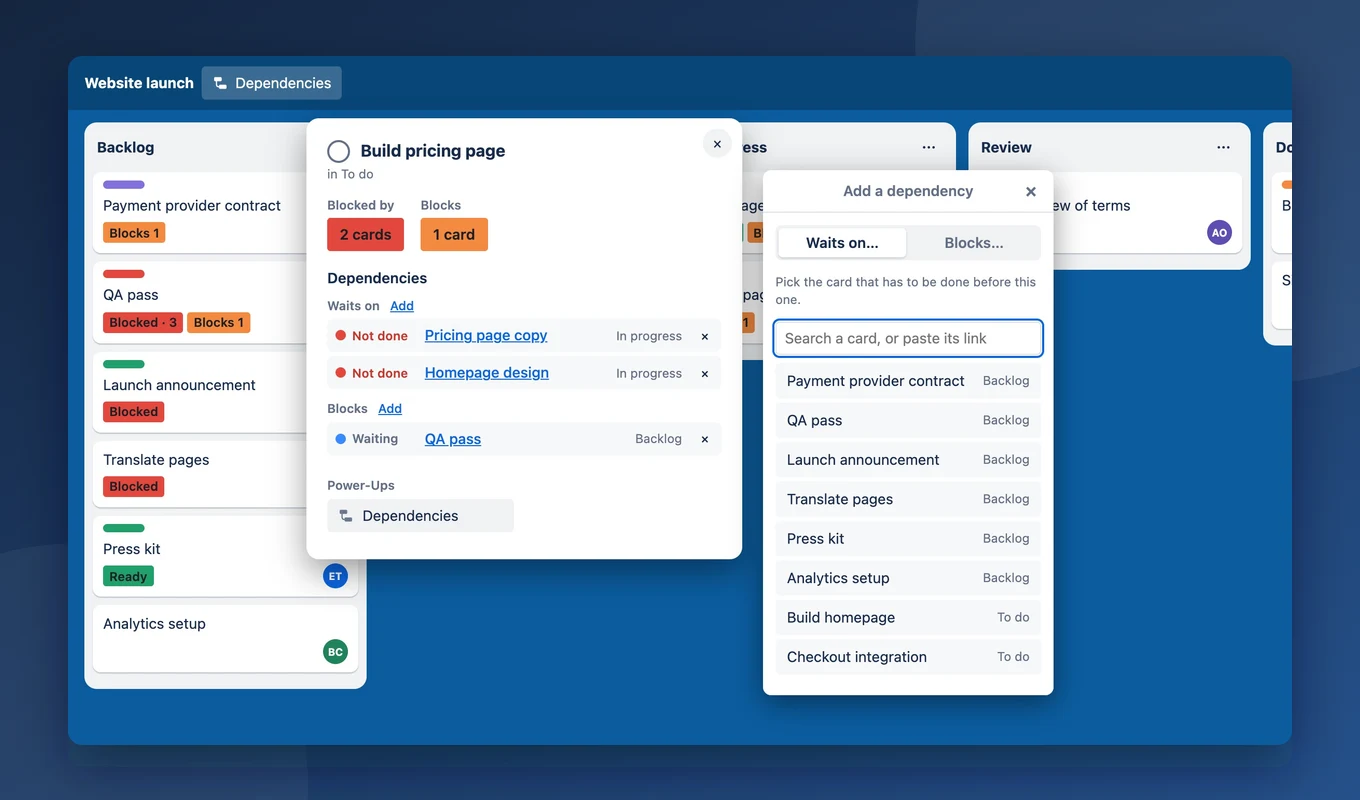
Mark a card as waiting on another, or as blocking it, by searching the other card's name or pasting its link.
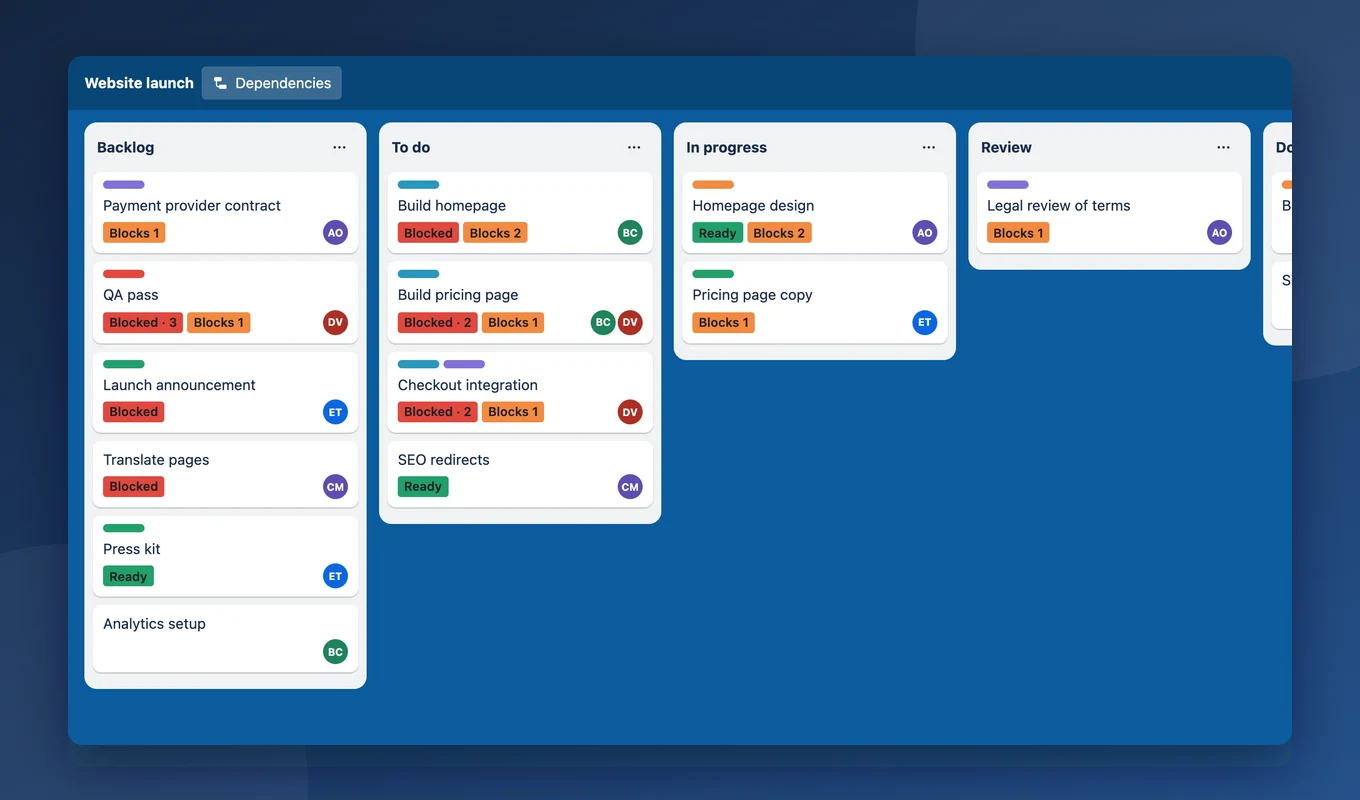
Blocked and Ready badges
Red while a card waits, green once everything it waits on is done. The badge updates by itself, without touching the card.
Dependencies on the card
A section on the back of each card lists what it waits on and what waits on it, with the state of each.
Ready first
Sort a list so that the cards that can start are on top, and the blocked ones below.
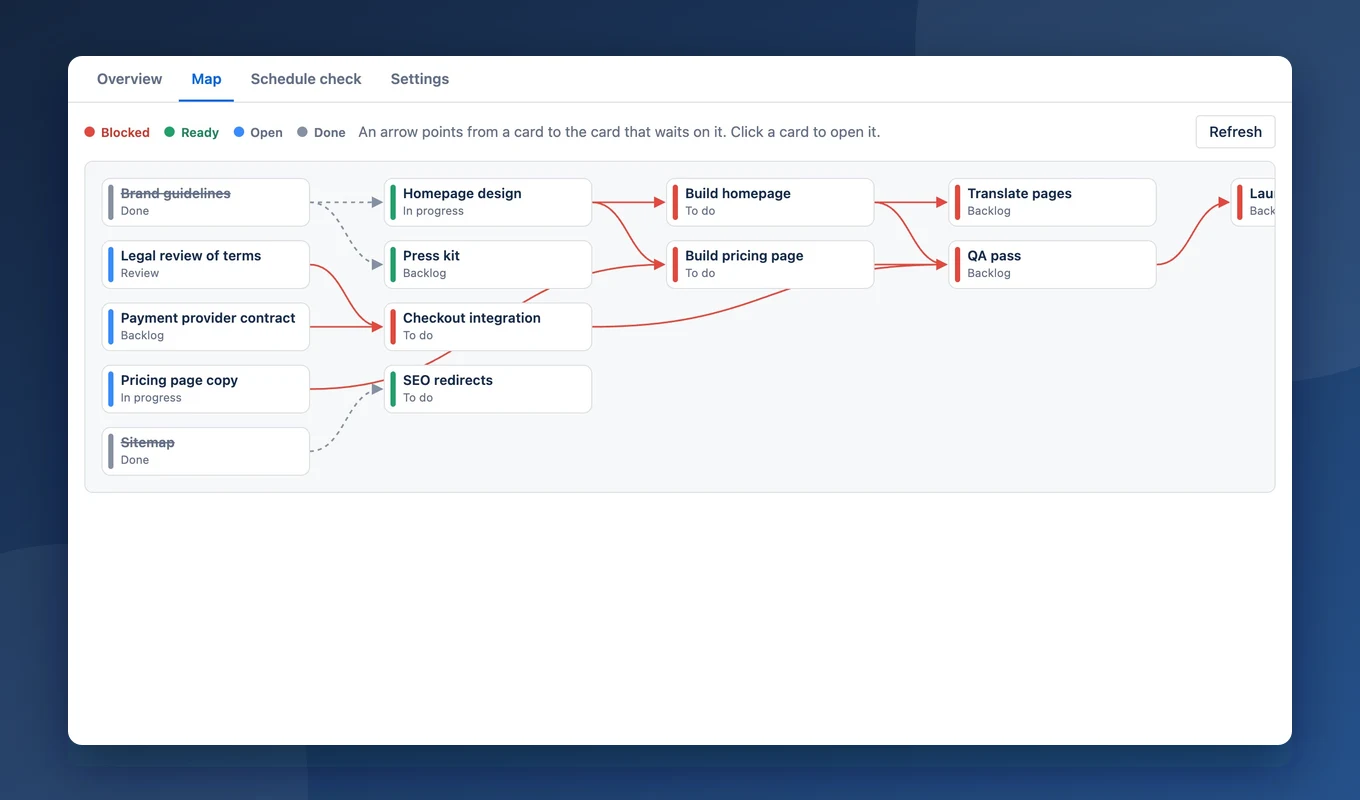
Dependency map
Every linked card, left to right in the order the work has to happen. 10 cards free, the whole board with Pro.
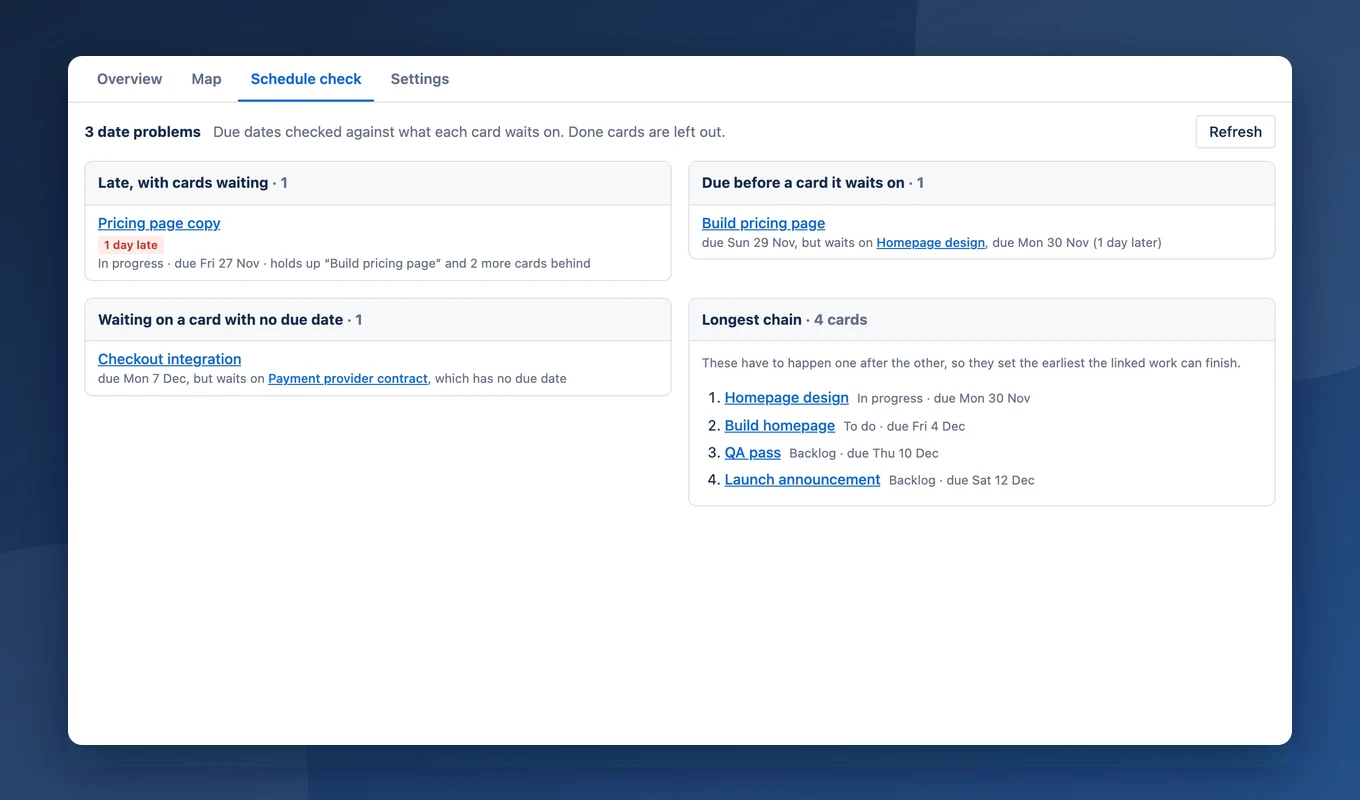
Schedule check
With Pro: cards due before what they wait on, late cards with everything behind them, and the longest chain on the board.
From install to result in a few clicks
- 1
Add it to your board
Add Dependencies & Blockers from Trello's Power-Up directory. It works at once: no account, and no access to your Trello account.
- 2
Link two cards
Open a card, click Dependencies and pick the card it waits on, or the card it blocks.
- 3
Watch the board
Blocked cards show a red badge. Mark a card complete and the cards that waited on it turn green by themselves.
See it inside the app
Built for production work
Product launches
Copy, design, build and QA in the right order, with the next startable task always visible.
Software teams
See which cards are blocked by an open bug or by a missing API before the stand-up.
Agencies
Show which tasks wait on the client, and which ones your team can start today.
Project managers
Check that no card is due before the card it depends on, and find the chain that drives the deadline.
See Dependencies & Blockers in Trello
A link added from a card, the Blocked badge on the board, a card finished and the cards behind it turning Ready, then the overview, the map and the schedule check.
Frequently asked questions
Does Trello have card dependencies?
Not natively. Dependencies & Blockers adds them: link two cards, and the card that waits shows a Blocked badge until the other one is done.
How does a card get unblocked?
By itself. A card counts as done when it is marked complete, archived or moved to a done list. Once every card it waits on is done, the badge turns from red (Blocked) to green (Ready), without anyone touching the waiting card.
Is Dependencies & Blockers free?
Links, badges, the card section, sorting, the board overview and a map of 10 cards are free, with no account.
What does Pro add?
The full dependency map, the schedule check, the longest chain and CSV export. It costs $3 a month or $24 a year, with a 7-day free trial.
Does it need access to my Trello account?
No. It asks for no access to your Trello account at all. It only sees the board it is added to, through Trello's own Power-Up frame.
Where are the links stored?
On the cards, in Trello. We keep no database, no user accounts and no tracking.
What does the schedule check find?
Cards with a due date earlier than a card they wait on, late cards together with everything that waits behind them, and the longest chain of dependent cards on the board.
Know what can start today
Add Dependencies & Blockers to a Trello board. Links and badges are free, with no account.
Need a feature it does not have yet?
We wrote this plugin, so we can extend it, connect it to your systems or build a private version for your team.
Talk to the developers