 Trello
Attachments Master for Trello
Every attachment on your Trello board, in one place. Find a file in seconds, download a whole board as one zip, and copy, move or delete attachments in bulk, without opening card after card. Your files go straight to your browser and are never stored on our servers.
- Every file on the board in one searchable table
- Download a board, a list or a card as one zip
- Copy, move and delete attachments in bulk
- Free plan; Pro is $12 a year with a 7-day trial
Installs from Trello · opens in a new tab
- Works in
- Trello
- A Trello account on any plan, in a desktop browser
- Price
- $12
- per year
- Updated
- 29 Nov, 2026
- Support
- From the developers
- Updates included
Manage Trello attachments without opening every card
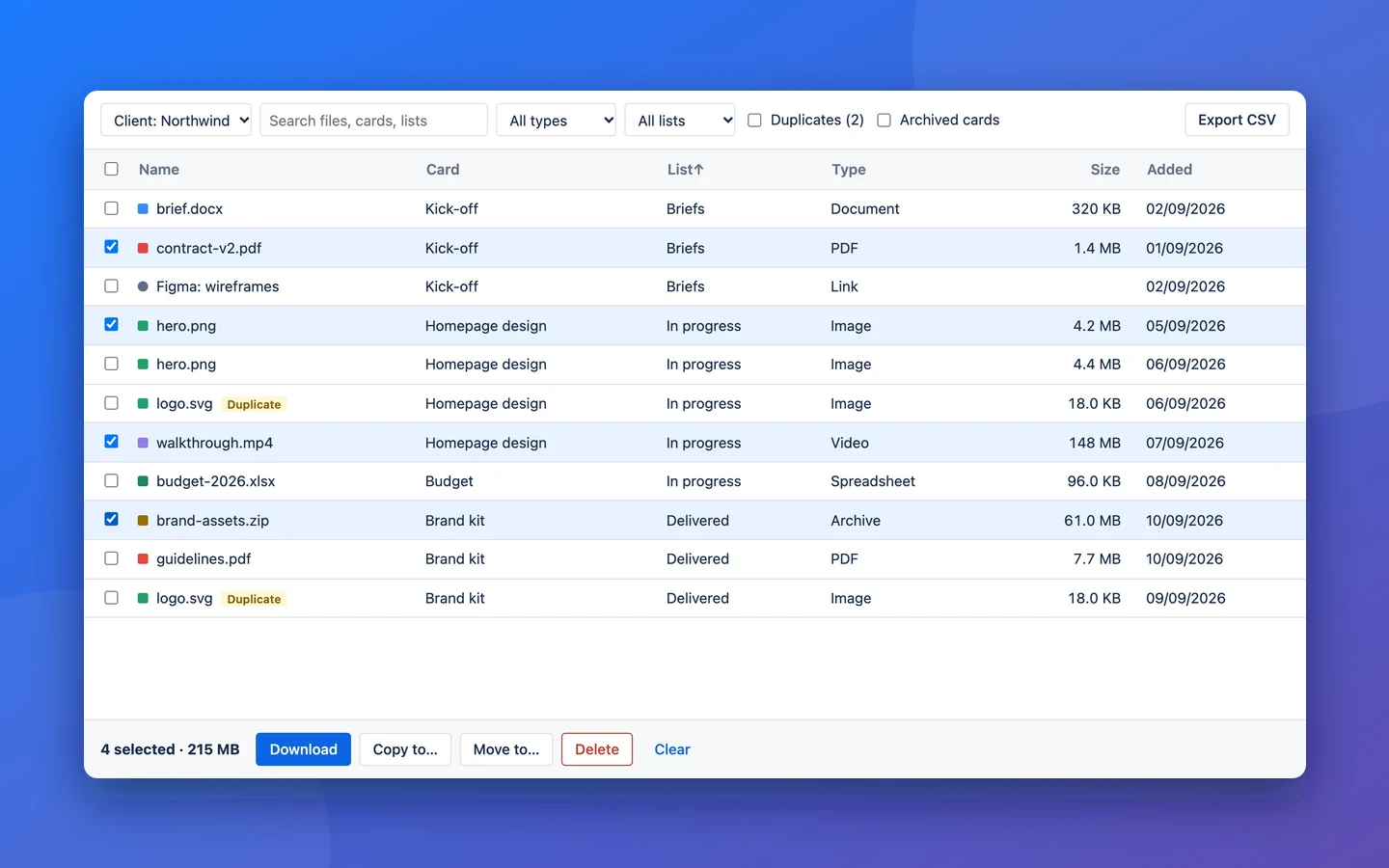
Trello shows attachments one card at a time. On a board with fifty cards, finding one PDF or downloading a client's files means fifty clicks. Attachments Master puts every file of the board in one table and lets you act on many of them at once.
One table for the whole board
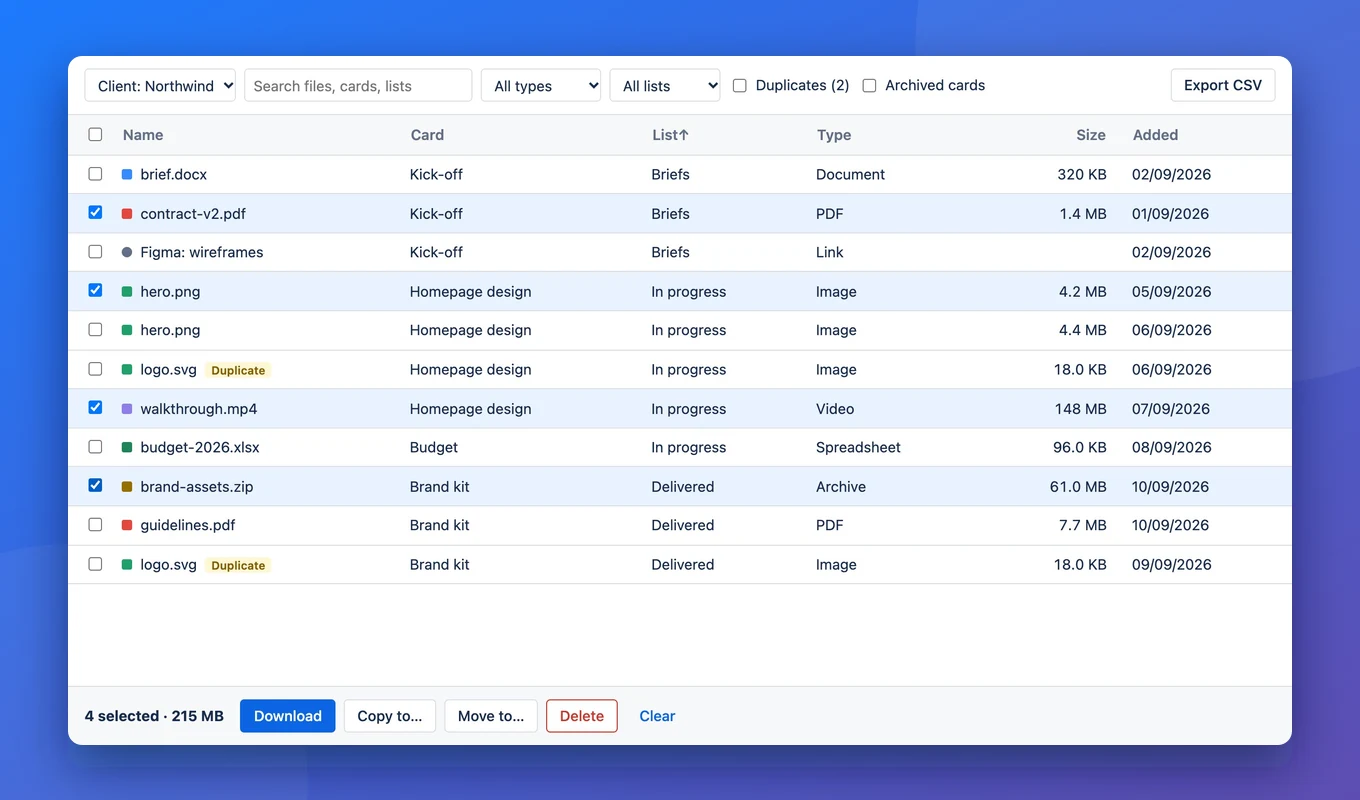
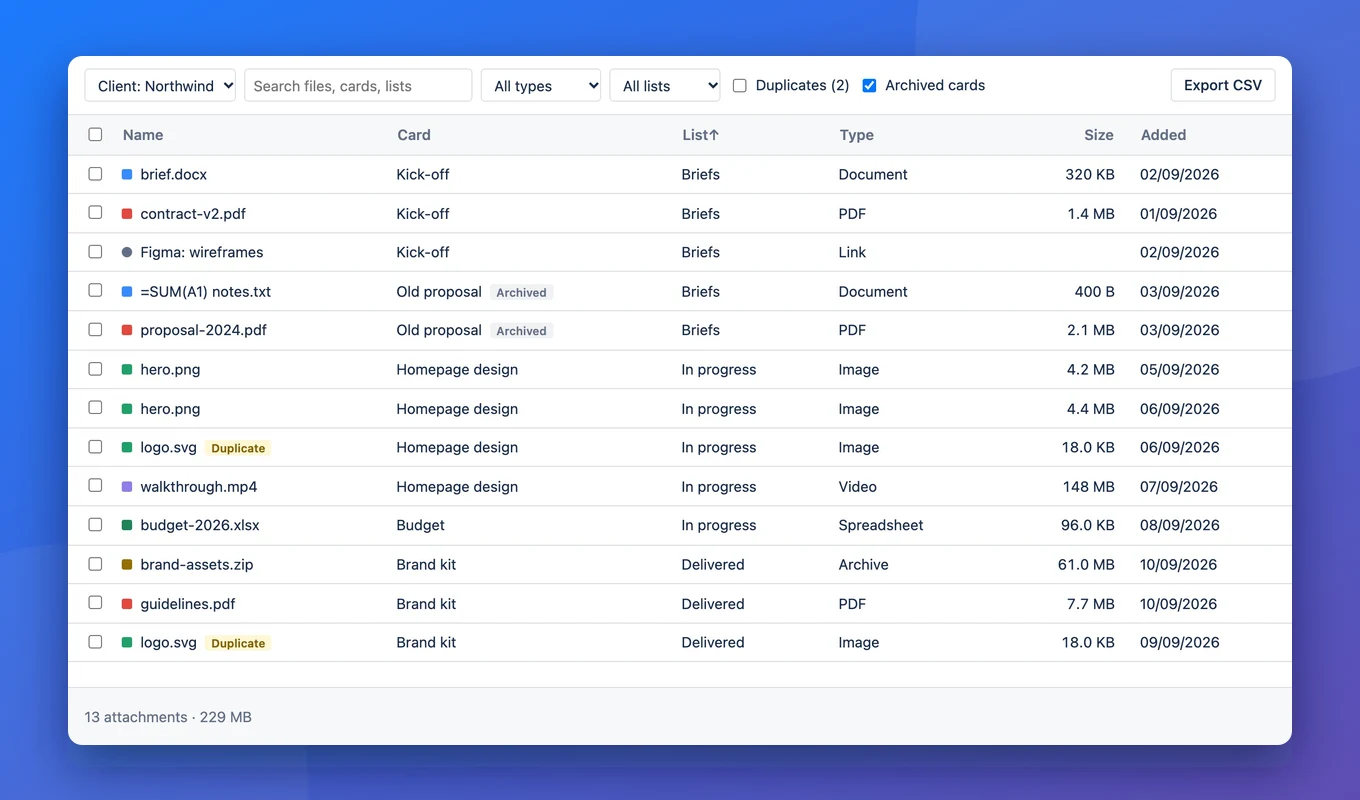
Name, card, list, type, size and date of every attachment. Sort by any column, and switch to another board of the workspace without leaving the screen.
Search and filter
Search file, card and list names, and filter by file type or by list. Open it from a card to see only that card's files.
Download as one zip
Download a whole board, a list, a card or any selection as a single zip, organised in List / Card folders so nothing gets mixed up.
Copy and move
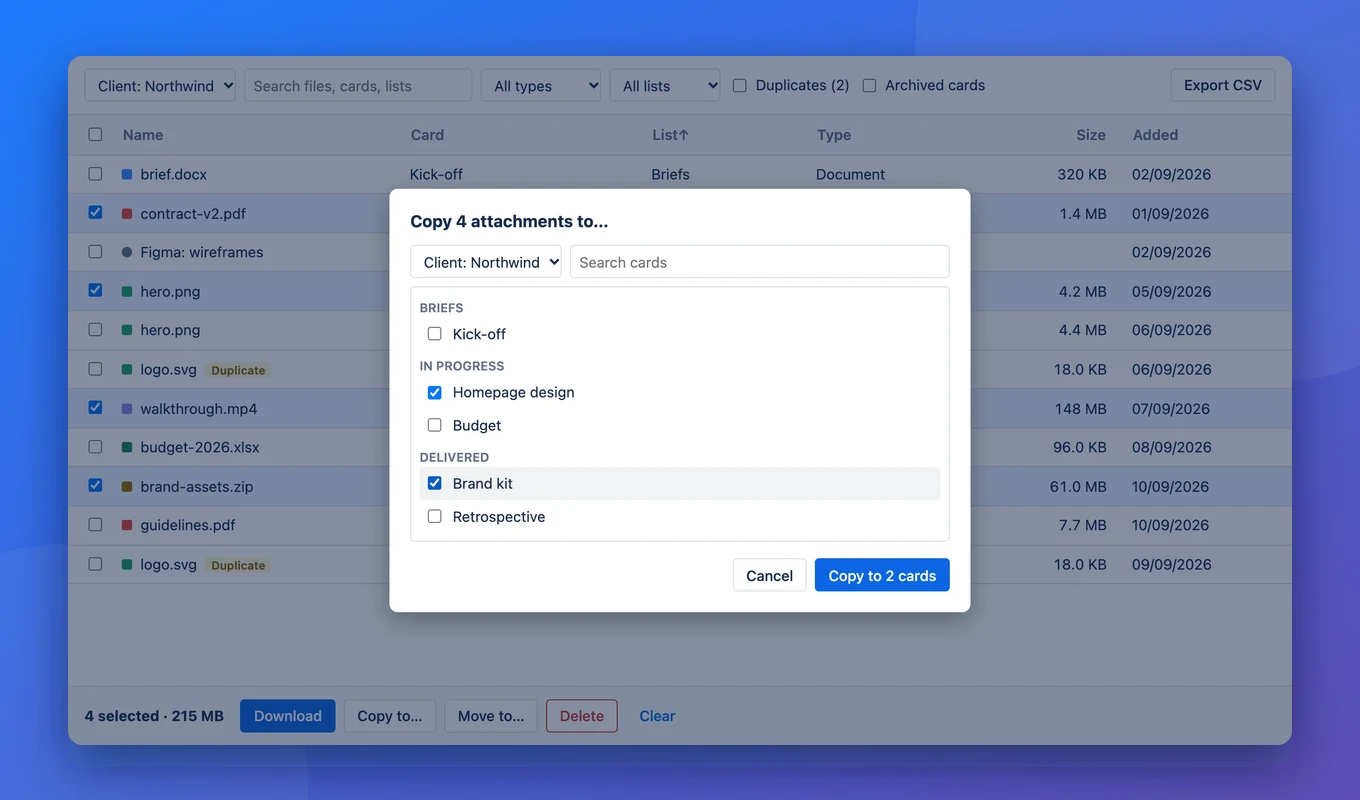
Copy files to one or several cards, on any board of your workspace. A move removes the original only once its copy has arrived.
Find duplicates and large files
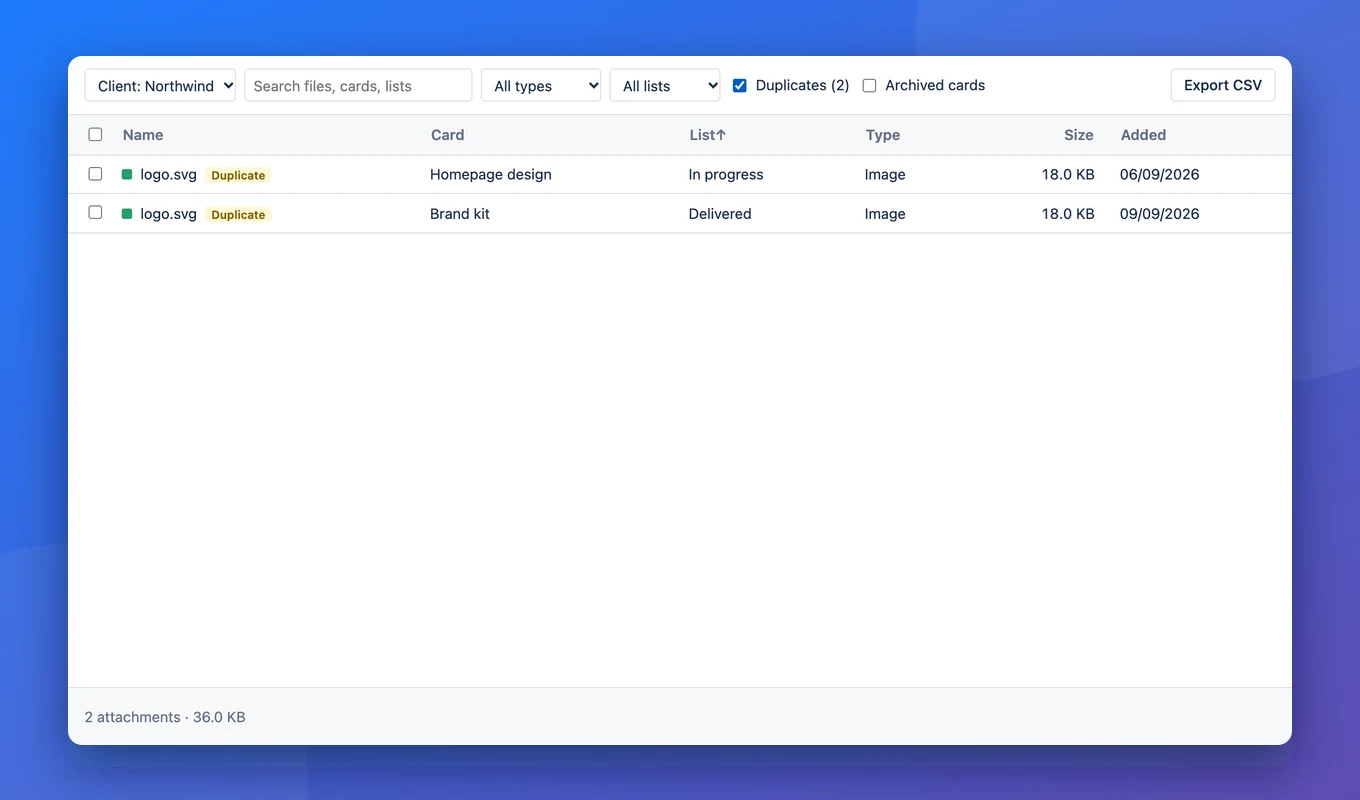
Spot files attached more than once and sort by size to see what takes up space, then delete what you don't need in one go.
Archived cards and CSV export
Include archived cards to recover old files, and export the full attachment list as CSV for audits and client handovers.
From install to result in a few clicks
- 1
Add it to your board
Add Attachments Master from Trello's Power-Up directory and connect it to your Trello account.
- 2
Open the table
Click Attachments on the board, or Manage attachments on a card, to see every file in one table.
- 3
Select and act
Tick the files you want, then download them as a zip, copy or move them to other cards, or delete them.
See it inside the app
Built for production work
Client handovers
Download every file of a project board as one organised zip at the end of a job.
Agencies and studios
Find the latest version of a design or a contract across dozens of cards in seconds.
Board clean-up
Remove duplicates and oversized files that pile up on a long-running board.
Audits and archives
Export the list of attachments as CSV, including the files on archived cards.
See Attachments Master in Trello
A board's attachments in one table, files selected, a download as one zip, then a copy to two cards.
Frequently asked questions
How do I download all attachments from a Trello board?
Trello has no button for it. Add Attachments Master, open it from the board, select all files and click Download: you get one zip, organised in List / Card folders.
Is Attachments Master free?
The free plan lets you browse, search and download single files, and run bulk actions on up to 3 attachments at a time. Pro removes that limit and adds archived cards and CSV export.
How much does Pro cost?
$12 a year, with a 7-day free trial. You can cancel at any time; Pro stays active until the end of the period you paid for. One licence is for one person and works on all their boards.
Are my files stored on your servers?
No. Files are streamed from Trello to your browser through a relay that keeps nothing: no file, no file name and no Trello token. There is no tracking.
Can I copy attachments to a card on another board?
Yes. You can copy or move files to one or several cards on any board of the same workspace.
Does it work with links as well as files?
Yes. Link attachments are listed and can be copied or moved like files; they are left out of zip downloads.
Which Trello plans does it work with?
All of them, including the free plan. Attachments Master runs inside Trello in a desktop browser.
Stop opening cards one by one
Add Attachments Master to a Trello board and see every file in one table. The free plan works right away.
Need a feature it does not have yet?
We wrote this plugin, so we can extend it, connect it to your systems or build a private version for your team.
Talk to the developers