How to Use ChatGPT in Adobe InDesign (MCP Setup in One Minute)
byLingway Team
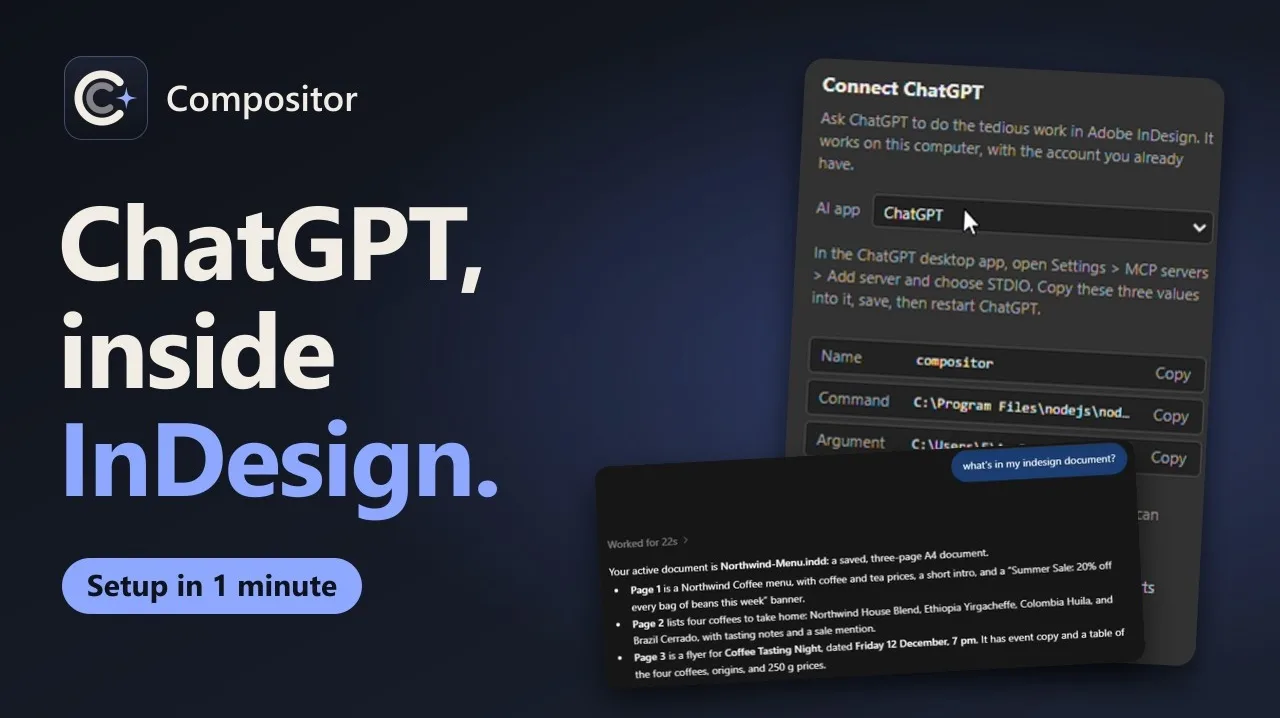
To use ChatGPT in Adobe InDesign, add Compositor to InDesign and register its connector in the ChatGPT desktop app as a custom MCP server of type STDIO. It takes about a minute. ChatGPT can then read your open document and change it with real text frames, styles and tables, and every change is one undo step.
Before you start
- The ChatGPT desktop app, with custom MCP servers available in its settings. The web version can’t start programs on your computer.
- Adobe InDesign, Photoshop, Illustrator or After Effects 2024 or later, with Compositor installed.
- Node.js 18 or later. ChatGPT uses it to start the connector. If you don’t have it, the Compositor panel offers Download Node.js for Compositor: it fetches the official program from nodejs.org (about 51 MB) into Compositor’s own folder and checks its SHA-256. Nothing is installed system-wide.
Step by step
- Choose ChatGPT in the panel. In InDesign, open Window > Extensions > Compositor, then Settings, and choose ChatGPT as your AI app. The panel shows three values, each with a Copy button: a name, a command (the path to Node.js) and an argument (the path to Compositor’s connector).
- Add the server in ChatGPT. In the ChatGPT desktop app, open Settings, find the MCP servers section and add a custom server.
- Choose STDIO and paste the name, the command and the argument from the panel.
- Save. The Compositor panel shows Connected to ChatGPT.
- Ask about your document in a new conversation, in Work mode. The first time, the panel asks whether ChatGPT may work in InDesign. Allow it.
A good first request: “What’s in my InDesign document? List the pages, the styles in use and anything overset.”
What ChatGPT can do once connected
ChatGPT gets the same 78 tools Claude does: 32 for InDesign, 15 each for Photoshop, Illustrator and After Effects, and one that lists the connected apps. In InDesign that means text frames, paragraph, character and object styles, swatches, shapes, tables, placed images and links, parent pages, find and replace with GREP, preflight and PDF export. The tools carry the app’s name, so one conversation can move from an InDesign flyer to a Photoshop post.
The panel stays in charge:
- deleting or replacing asks for your approval by default;
- every change is one step in Edit > Undo, and the panel lists them per request with Undo on the latest group;
- Pause stops ChatGPT at once.
Troubleshooting
“You’ve hit your usage limit.” One request becomes many steps: read the document, list fonts, create a style, add a frame, check the result. Each one counts against ChatGPT’s Work allowance. On the free plan it ran out after a few steps in our own test. Compositor isn’t called when this happens, so the panel shows nothing new. Use a paid plan for real work.
The panel doesn’t say “Connected”. Check that the command is the full path to Node.js and the argument is the full path to the connector, exactly as the panel shows them. The panel copies the connector to a fixed place so the path survives updates. If Node.js was moved or removed, the panel says so and offers Set up again.
ChatGPT doesn’t use the tools. Start a new conversation in Work mode after saving the server, and name the app: “In my open InDesign document…”.
Claude, Cursor and VS Code
The connector is a standard MCP server, so the same panel works with other apps. With Claude Desktop the setup is one click (see how to use Claude in Adobe InDesign). For Cursor and VS Code the panel offers an install link, and for any other app that can start a local MCP server it gives one command line to copy.
Sources
- Model Context Protocol, Introduction
- Node.js, Download Node.js
Frequently asked questions
Can ChatGPT work directly in Adobe InDesign?
Yes, with a local MCP connector. Compositor adds a panel to InDesign and a connector the ChatGPT desktop app can start as a custom MCP server. ChatGPT then reads and edits your open document with real styles, frames and tables.
Does it work on the free ChatGPT plan?
Only for a few steps. One request becomes many tool calls, and in our test the free plan's Work allowance ran out after a few of them. A real task needs a paid ChatGPT plan.
Do I need Node.js?
Yes, once. ChatGPT starts the connector with Node.js. If it isn't installed, the Compositor panel can download the official copy from nodejs.org into its own folder, check it and use it.
Should I use Chat or Work mode in ChatGPT?
Use Work mode (Work with ChatGPT). That is where we confirmed it working; ordinary Chat has not been checked.