How to Make Animated Charts in After Effects (From a Spreadsheet)
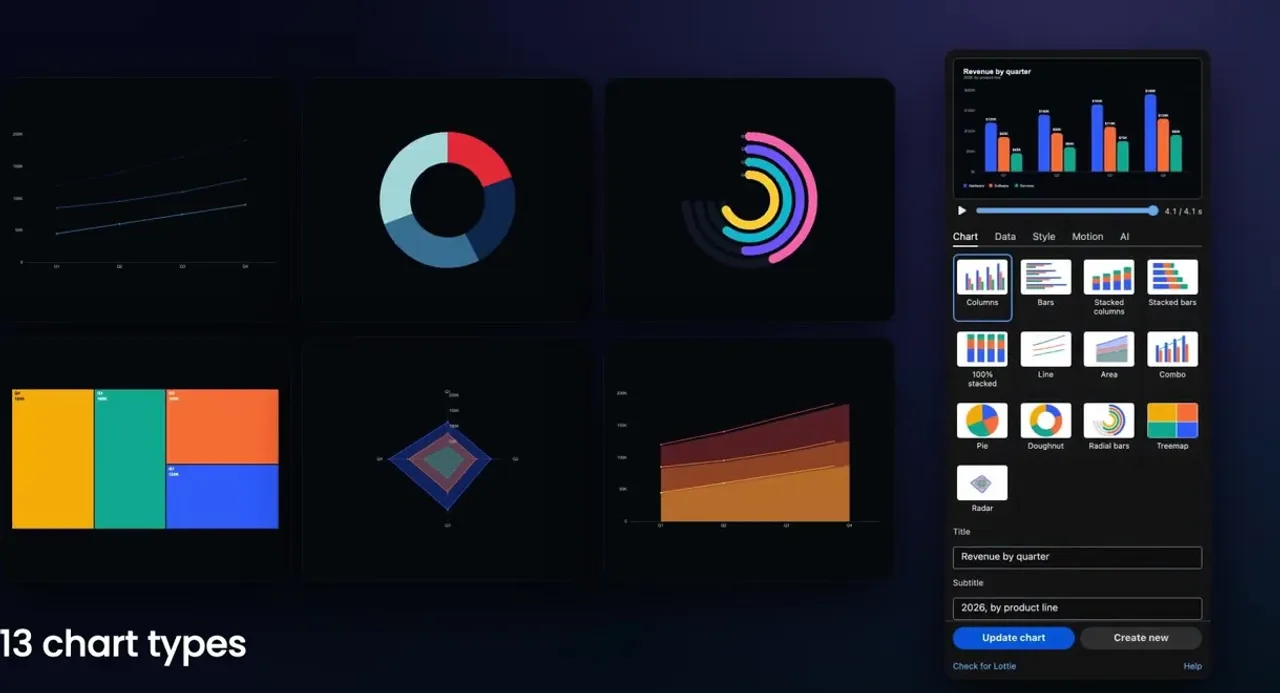
Animated charts are one of the most requested After Effects jobs, and one of the most tedious: every bar is a shape, every value needs a counter, and every data change means re-keying. There are three ways to build them. This guide compares them, then walks through DataInk Motion, which builds the chart from a pasted table.
Three ways to animate a chart
| Method | How | Good for | Pain |
|---|---|---|---|
| By hand | Draw shapes, keyframe each bar’s size, add text layers for values | A one-off chart with 4 bars | Every data change means re-keying |
| Expressions | Read a CSV or JSON footage file and drive sizes with expressions | Templates and data-driven series | Scripting, slow previews, not Lottie-friendly |
| A plugin | Paste the data, pick a type, build | Regular chart work, races, updates | Cost |
Build a chart with DataInk Motion
- Paste a table from Excel, Google Sheets or Numbers, or import a CSV or Excel file.
- Pick a chart type. 13 types: columns, bars, stacked and 100% stacked, line, area, combo, pie, doughnut (also as half circles), radial bars, treemap and radar.
- Set the motion. Bars grow, lines draw on, slices sweep round, tiles pop in. The panel plays the animation as you change settings, so you see the timing before anything is built.
- Pick the format: 16:9, 9:16, 1:1 or 4:5 in one click. Layout and text sizes follow the comp.
- Click Create chart.
The result is shape layers for bars, lines, slices and grid, and text layers for titles, labels and legend, every layer named. Easing is real temporal ease, so the keyframes stay editable in the Graph Editor. Value labels count up as bars grow, in your number format: currency, percent, decimals or short numbers like 12.5K.
Make a bar chart race
For the full method, with expressions and templates compared, read how to make a bar chart race in Adobe After Effects. With DataInk Motion it takes four steps:
- Put one category per row and one value column per year (2019, 2020, 2021…).
- Pick Bars.
- On the Motion tab, turn on Animate from column to column and Bar race.
- Click Create chart.
The chart moves from one year to the next on a fixed axis, the bars re-sort at every step, the year shows in the corner, and a comp marker marks each step.
Update without rebuilding
Select the chart comp and the panel loads its data, style and animation. Change the numbers and click Update chart: effects, blending modes, parenting, extra layers and colours you changed by hand stay. Each update is one undo step.
Exporting to Lottie
Lottie players don’t run After Effects expressions, which is why expression-driven charts often break on export. DataInk Motion animates shapes with keyframes only. Turn on Lottie-safe counters so counting numbers become Source Text keyframes too, then run Check for Lottie to list anything an exporter can’t keep.
DataInk Motion works in After Effects 2022 (22.0) and later on macOS and Windows, costs $89 once and has a 10-day trial. For static charts in print, see how to make an editable chart in Illustrator.
Sources
Frequently asked questions
How do I make a bar chart race in After Effects?
With DataInk Motion: put one category per row and one value column per year, pick Bars, turn on Animate from column to column and Bar race, then click Create chart. The bars re-sort at every step on a fixed axis, with the year in the corner.
Can After Effects import data from Excel for charts?
After Effects can read CSV and JSON files as footage and drive properties with expressions, which takes scripting. DataInk Motion lets you paste a table from Excel, Google Sheets or Numbers, or import a CSV or Excel file, and builds the chart for you.
Can animated charts be exported to Lottie?
Yes, if they use keyframes rather than expressions. DataInk Motion animates shapes with keyframes only, has Lottie-safe counters, and a Check for Lottie command that lists anything an exporter can't keep.
Oussama Touzni is part of the team at Lingway, which makes plugins for Adobe InDesign, Illustrator, Photoshop and After Effects. LinkedIn