 Adobe Photoshop
Translator PRO for Adobe Photoshop
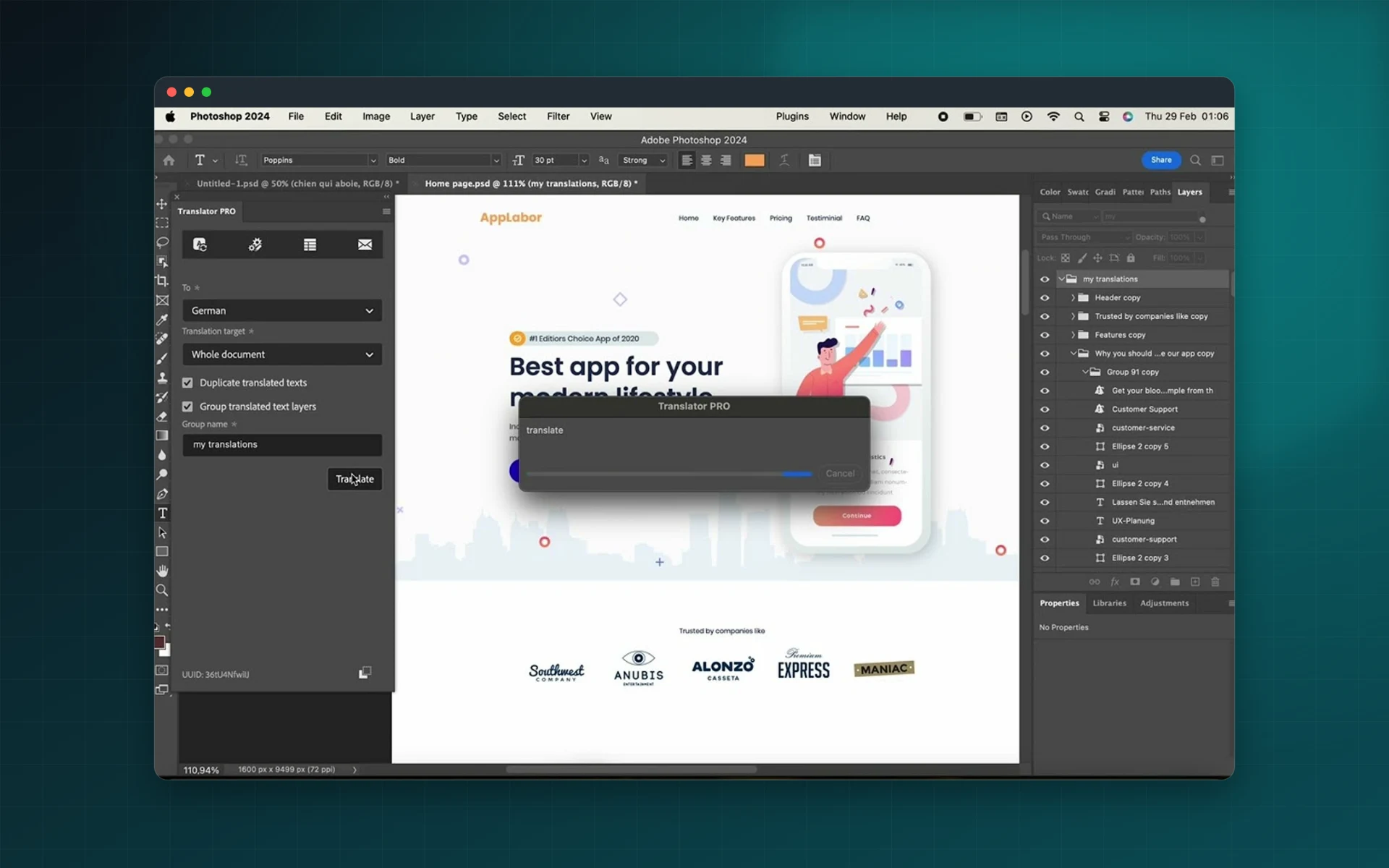
Translate every text layer of a PSD with DeepL in one click. Keep the original layers, group the translated ones and send localized banners, social posts and UI mockups out the same day.
- DeepL API Free or Pro, your own key
- Translate a whole PSD in one click
- Duplicate layers to keep originals
- Glossaries and formality control
Installs from Adobe Exchange · opens in a new tab
- Works in
- Adobe Photoshop
- Photoshop 22.0 or later, DeepL API key
- Price
- $45
- per year
- Installs
- 70+ users
- Support
- From the developers
- Updates included
Localized PSDs without retyping
Translator PRO for Photoshop works on text layers, so you keep full control of the design.
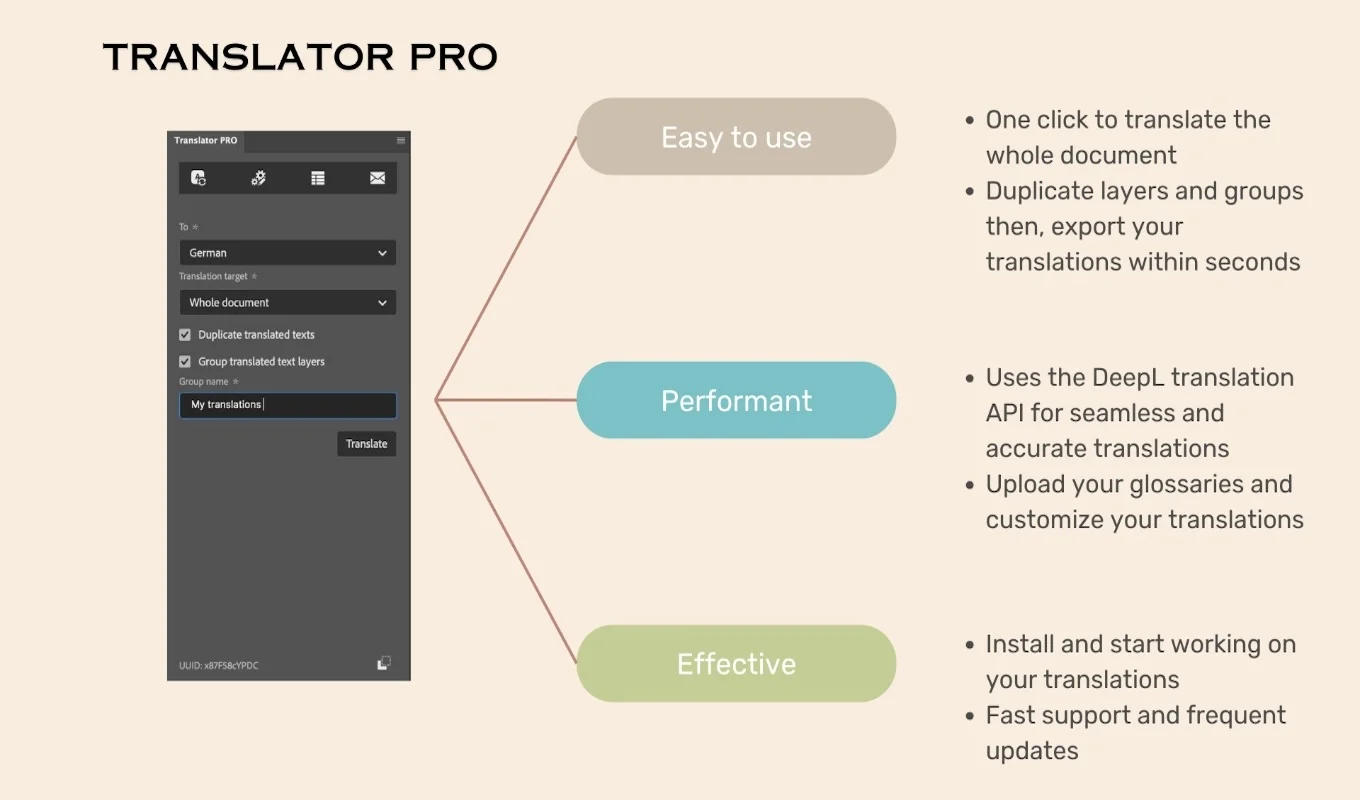
One-click document translation
Translate all text layers of the active document, or only the layers you selected.
Keep the originals
Duplicate layers before translating and group the translated versions, so the source text is always one click away.
Styles kept
Fonts, sizes and layer styles stay as they were. Some fitting is usually needed when a language runs longer.
Glossaries
Upload your own glossaries so product names and industry terms are translated the same way every time.
Formality control
Choose a formal or informal tone in the languages where DeepL supports it.
Your API key
Use DeepL API Free (500,000 characters a month) or Pro, with your own key for control and security.
From install to result in a few clicks
- 1
Add your DeepL key
Paste a DeepL API Free or Pro key into the panel.
- 2
Choose layers and language
Translate the whole document or the selected layers, with optional duplicates.
- 3
Fine-tune and export
Adjust line breaks where needed and export each language version.
See it inside the app
Built for production work
Social media teams
Publish the same campaign visuals in every market.
E-commerce
Localize product banners and promotional graphics.
UI and app mockups
Check how interfaces look in other languages before development.
Agencies
Turn around multilingual ad sets without a manual copy-paste step.
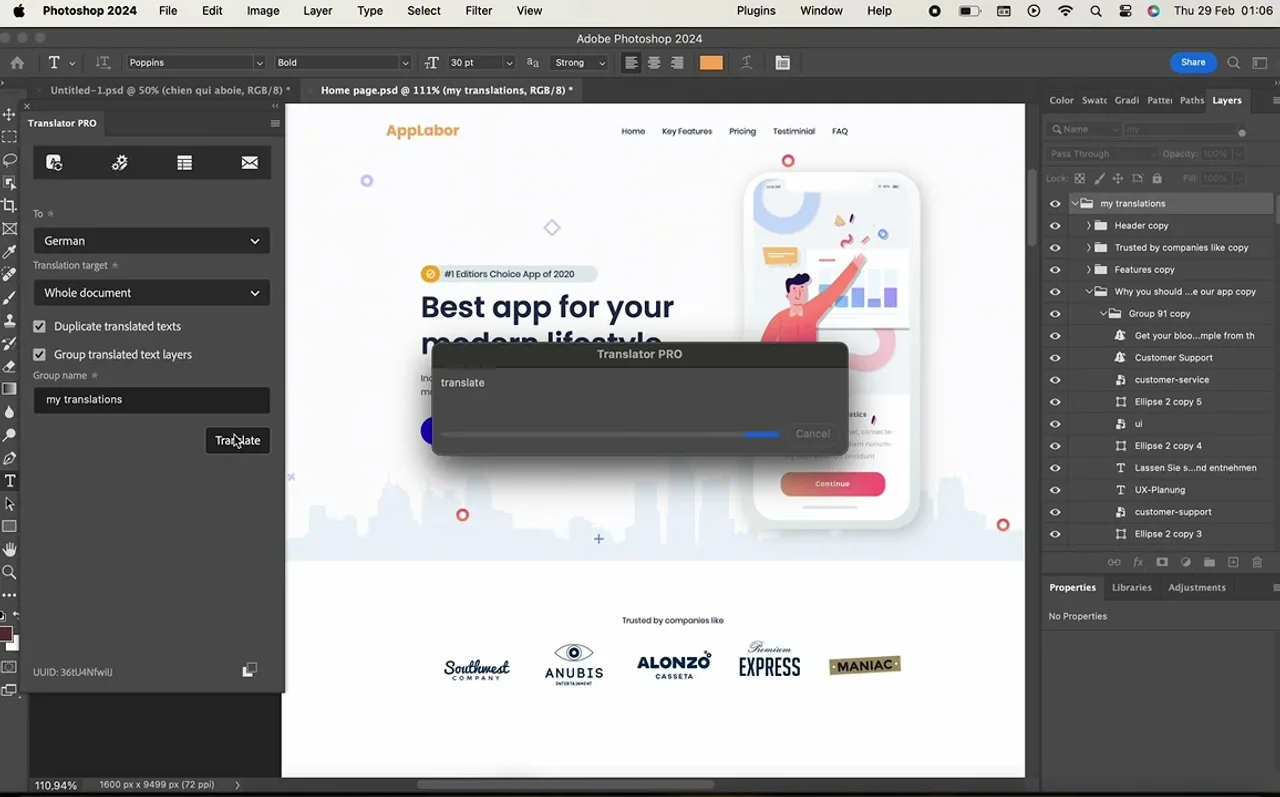
Watch Translator PRO in Photoshop
See a Photoshop design translated with DeepL, with the original layers kept.
 Plays from YouTube (privacy-enhanced mode)
Frequently asked questions
Do I need a DeepL account?
Yes. The plugin works with your own DeepL API key, Free (500,000 characters per month) or Pro.
Will the translated text fit my design?
Styles are kept, but languages differ in length, so some fine-tuning of line breaks or sizes is usually needed.
Can I keep the original text?
Yes. You can duplicate layers before translating and group the translated layers.
Which Photoshop versions are supported?
Adobe Photoshop 22.0 or later.
How is it billed?
Translator PRO for Photoshop is a yearly subscription on Adobe Exchange. DeepL usage is billed by DeepL.
Translate your next PSD in one click
Get Translator PRO for Photoshop on Adobe Exchange and connect your DeepL key.
Need a feature it does not have yet?
We wrote this plugin, so we can extend it, connect it to your systems or build a private version for your team.
Talk to the developersMore from Lingway

Translator PRO for Adobe InDesign
Translate InDesign documents with DeepL and keep styles, formatting and layout intact.
View Product
Translator PRO Batch Edition
Translate many InDesign, IDML and ICML files in a single run with DeepL, with styles and layout preserved.
View Product
AI Translator Pro for Adobe InDesign
Translate InDesign documents with modern AI models while preserving formatting, styles, tables, and layout structure.
View Product