 Adobe Illustrator
Quick Panel for Adobe Illustrator
Design your own Illustrator control panels. Put the menu commands, tools and Actions you use all day on clear buttons, organize them in workspaces and stop digging through menus.
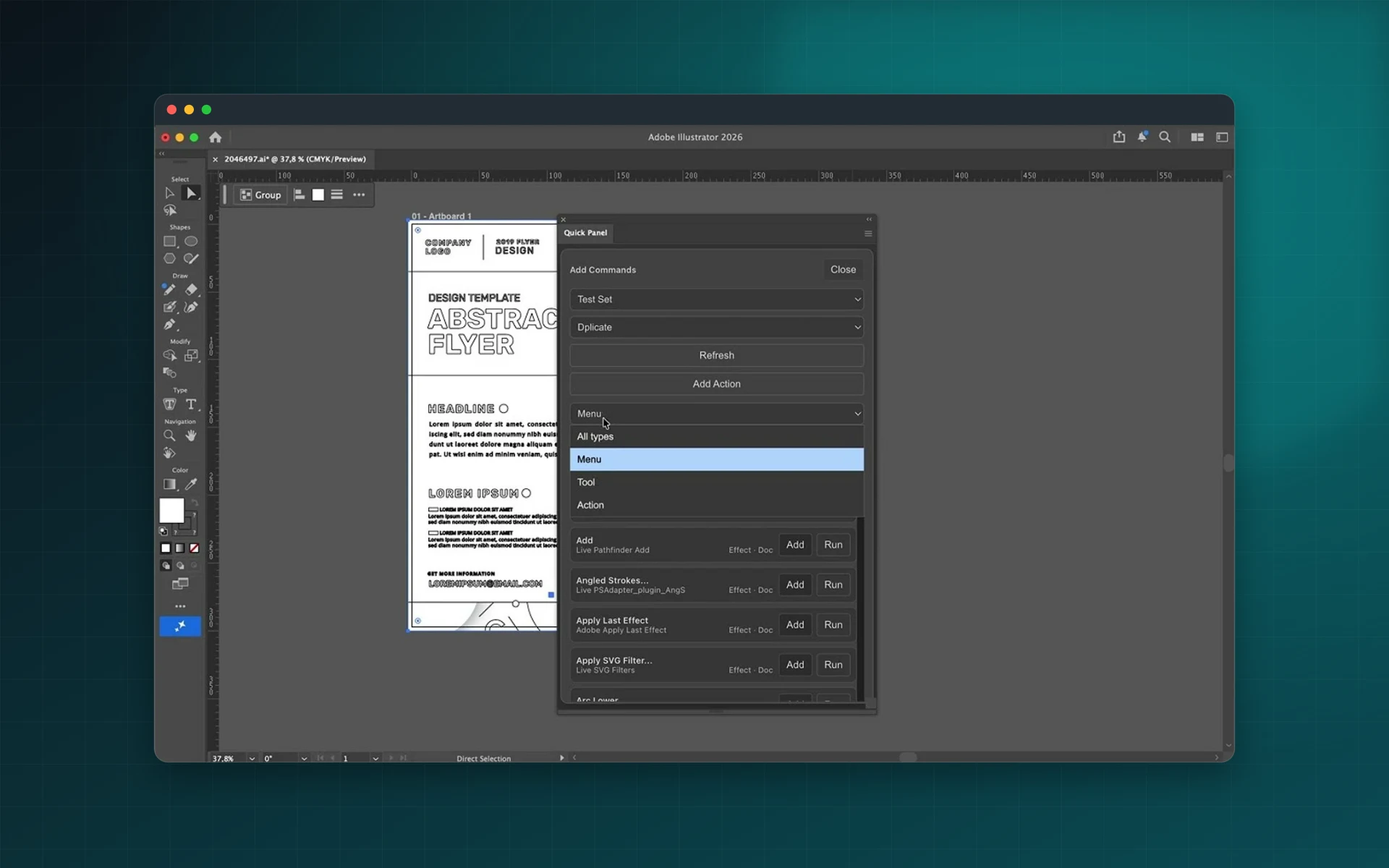
- Searchable command and tool list
- Named workspaces and panels
- Buttons for your Illustrator Actions
- Export layouts to JSON
Installs from Adobe Exchange · opens in a new tab
- Works in
- Adobe Illustrator
- Illustrator 26.0 or later
- Price
- $25
- one-time purchase
- Support
- From the developers
- Updates included
A configurator for the way you work
Quick Panel works like a lightweight Configurator inside Illustrator.
Command search
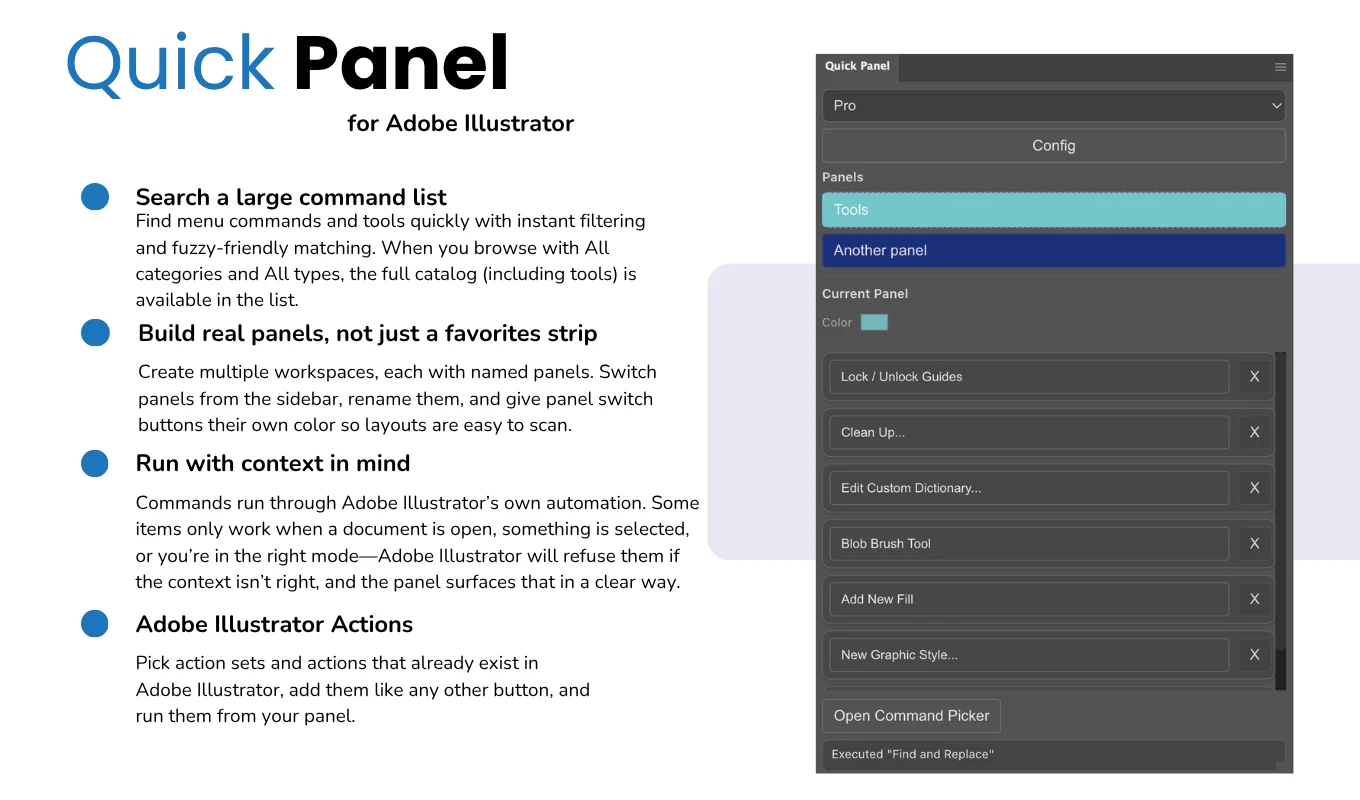
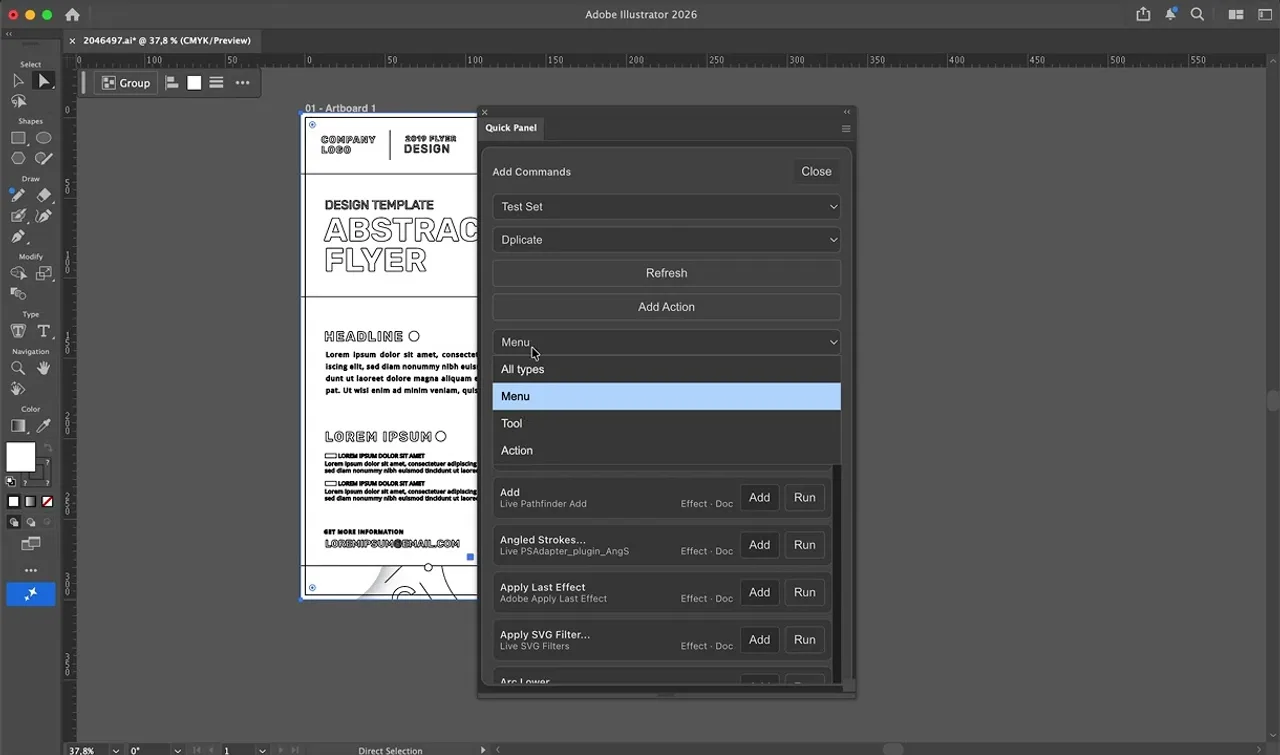
Find menu commands and tools instantly with filtering across the full catalog.
Workspaces and panels
Create several workspaces, each with named panels you switch from the sidebar.
Color-coded buttons
Rename panels and give their switch buttons colors so layouts are easy to scan.
Illustrator Actions
Add existing action sets and actions as buttons and run them from your panel.
Saved automatically
Layouts are saved as you go, with an extra file backup.
Share layouts
Export a workspace to JSON and import it on another machine or for a colleague.
From install to result in a few clicks
- 1
Create a workspace
Add named panels for each type of job.
- 2
Add buttons
Search commands, tools or Actions and add them to a panel.
- 3
Work faster
Run them in one click and share the layout with your team.
See it inside the app
Built for production work
Production artists
Put the commands you repeat all day on one panel.
Design teams
Share the same shortcut layouts across the team.
Tablet users
Run commands with large buttons instead of keyboard shortcuts.
Action power users
Launch recorded Actions without opening the Actions panel.
Watch Quick Panel in Illustrator
See custom panels of commands, tools and Actions built and used in Illustrator.
 Plays from YouTube (privacy-enhanced mode)
Frequently asked questions
Which Illustrator versions are supported?
Adobe Illustrator 26.0 or later.
Why does a button sometimes not run?
Some commands need an open document, a selection or a specific mode. Illustrator refuses them when the context is wrong, and Quick Panel shows that clearly.
Can I share my panels?
Yes. Export a workspace to JSON and import it elsewhere.
Is it a subscription?
No. Quick Panel is a one-time purchase on Adobe Exchange.
Build the panel Illustrator is missing
Get Quick Panel on Adobe Exchange with a single payment.
Need a feature it does not have yet?
We wrote this plugin, so we can extend it, connect it to your systems or build a private version for your team.
Talk to the developersMore from Lingway

ReplacePro for Adobe Illustrator
Batch replace text, images, colors and fonts across folders of .ai files.
View Product
ReplacePro for Adobe InDesign
Batch replace text, links, colors and fonts across many INDD files.
View Product
Markup Automator for Adobe Photoshop
Batch replace smart objects in mockups and export every version.
View Product