 Adobe InDesign
QR PRO for Adobe InDesign
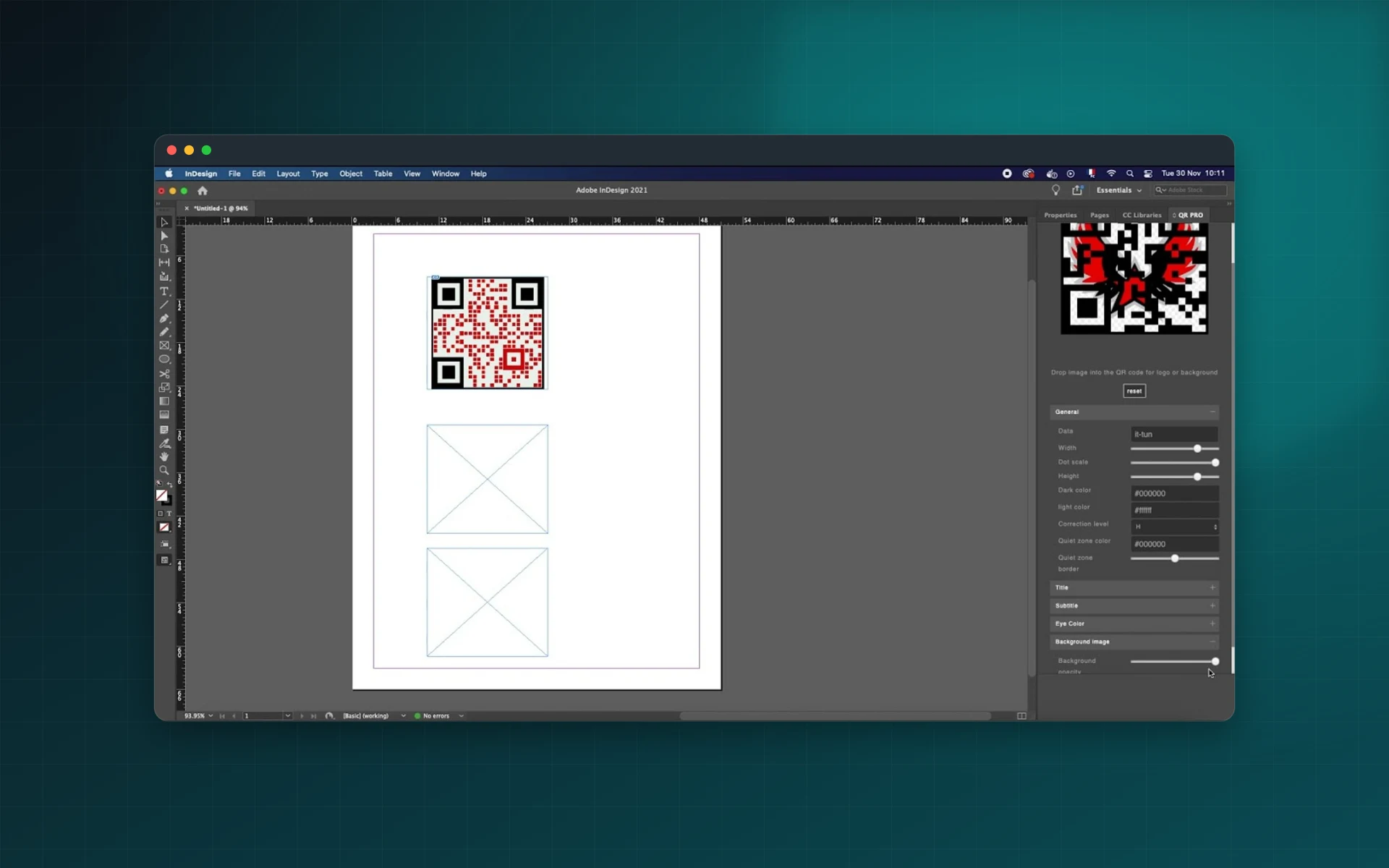
Add custom QR codes to brochures, magazines, menus and business cards in InDesign. Style them with your colours and logo, add a call to action and place them on the page in one click.
- Logo and background inside the code
- Brand colours and exact size
- Optional title and subtitle
- Placed straight into the layout
Installs from Adobe Exchange · opens in a new tab
- Works in
- Adobe InDesign
- InDesign 14.4 or later
- Price
- $25
- one-time purchase
- Installs
- 60+ users
- Support
- From the developers
- Updates included
Print-ready QR codes for every layout
QR PRO for InDesign creates the code inside your document, so there is nothing to export and relink.
Any data
Encode URLs, text and contact information.
Brand colours
Match the modules and background to your document colours.
Logo or image
Put a logo or picture in the centre of the code.
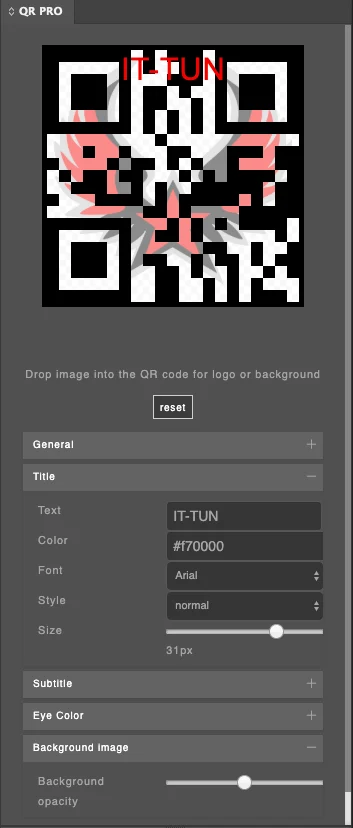
Title and subtitle
Add a short call to action above and below the code.
Exact size
Set the size you need for the page, from a business card to a poster.
One-click placement
Insert the code into the active InDesign document.
From install to result in a few clicks
- 1
Enter your data
Type a URL or text to encode.
- 2
Style the code
Pick colours, size, logo, background and titles.
- 3
Place it
Insert the code on your InDesign page.
See it inside the app
Built for production work
Magazines
Link print articles to videos and web extras.
Brochures and catalogs
Send readers to product pages and order forms.
Business cards
Share a website or contact details with a scan.
Menus
Open an online menu or a booking page.
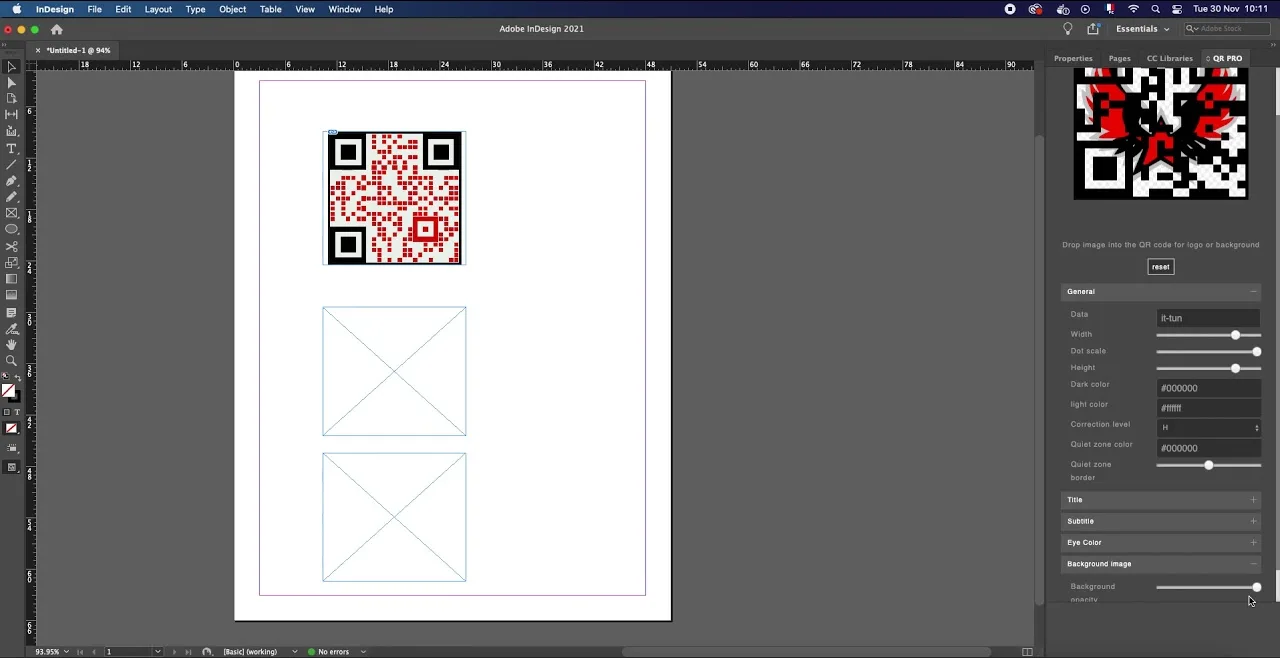
Watch QR PRO in InDesign
See a branded QR code created and placed on an InDesign page.
 Plays from YouTube (privacy-enhanced mode)
Frequently asked questions
Which InDesign versions are supported?
Adobe InDesign 14.4 or later.
Can I put my logo in the middle?
Yes. You can add a logo or image and a background.
Is it a subscription?
No. QR PRO is a one-time purchase on Adobe Exchange.
What is the difference with QR Designer?
QR Designer focuses on decorative module shapes and patterns and is sold as a small monthly subscription. QR PRO is a one-time purchase with titles, colours and logo.
Add on-brand QR codes to your layouts
Get QR PRO for InDesign on Adobe Exchange with a single payment.
Need a feature it does not have yet?
We wrote this plugin, so we can extend it, connect it to your systems or build a private version for your team.
Talk to the developersMore from Lingway
Next Barcode Suite for Adobe InDesign
Generate 159+ barcode and QR code formats as vectors inside InDesign.
View Product
Next Barcode Suite for Illustrator
Generate barcodes and QR codes in 159+ formats directly inside Adobe Illustrator, as vector artwork.
View Product
Next Barcode Suite for Adobe Photoshop
Generate 159+ barcode and QR code formats inside Photoshop.
View Product