 Adobe InDesign
QR Designer for Adobe InDesign
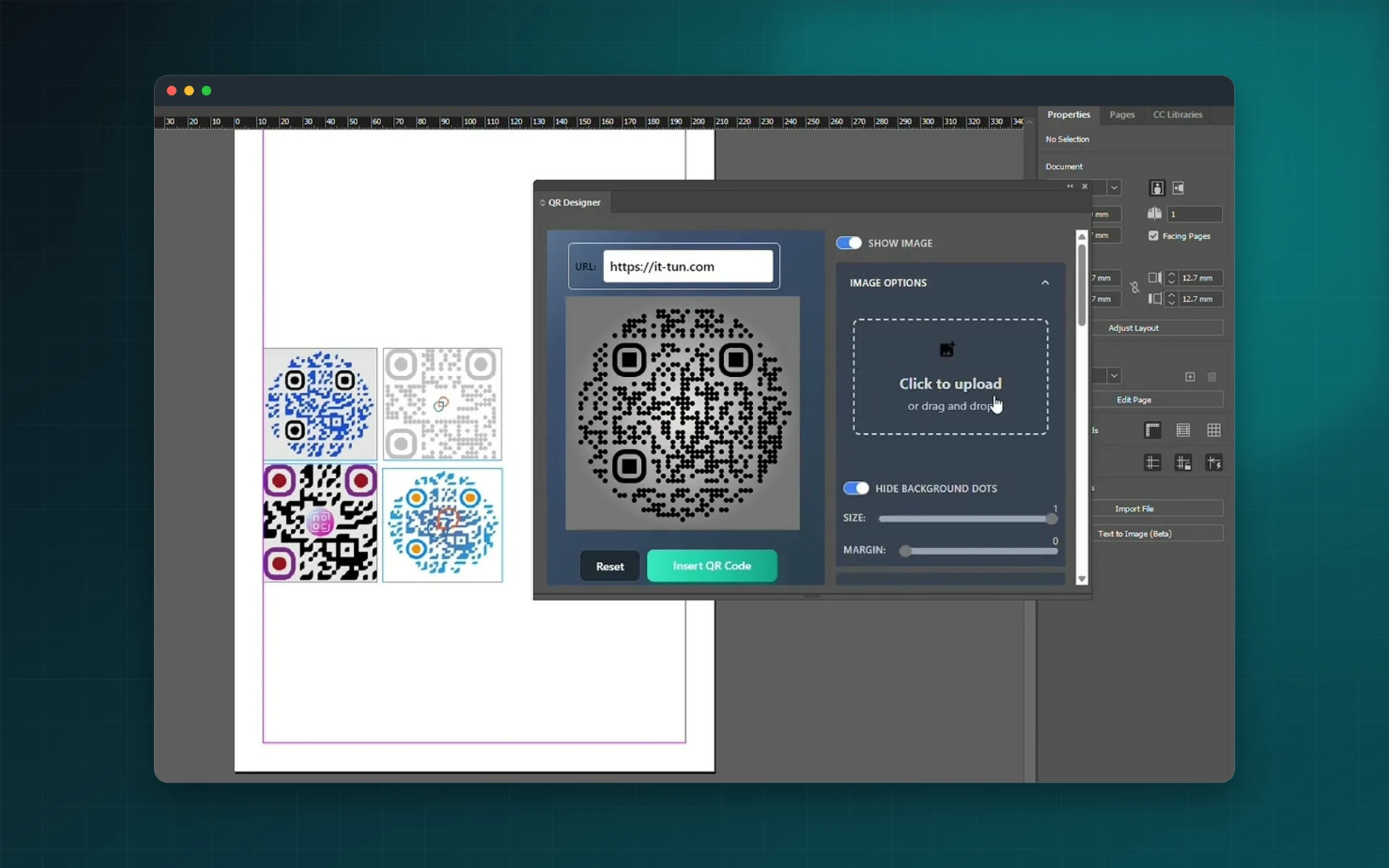
Go beyond black squares. QR Designer lets you shape, colour and brand QR codes for posters, brochures, business cards and tickets, then places them straight into your InDesign layout.
- Custom shapes, patterns and colours
- Logo or image inside the code
- High-resolution output
- $2 per month, cancel anytime
Installs from Adobe Exchange · opens in a new tab
- Works in
- Adobe InDesign
- InDesign 18.5 or later
- Price
- $2
- per month
- Installs
- 100+ users
- Support
- From the developers
- Updates included
Decorative QR codes that still scan
QR Designer is made for designers who want the code to match the rest of the piece.
Shapes and patterns
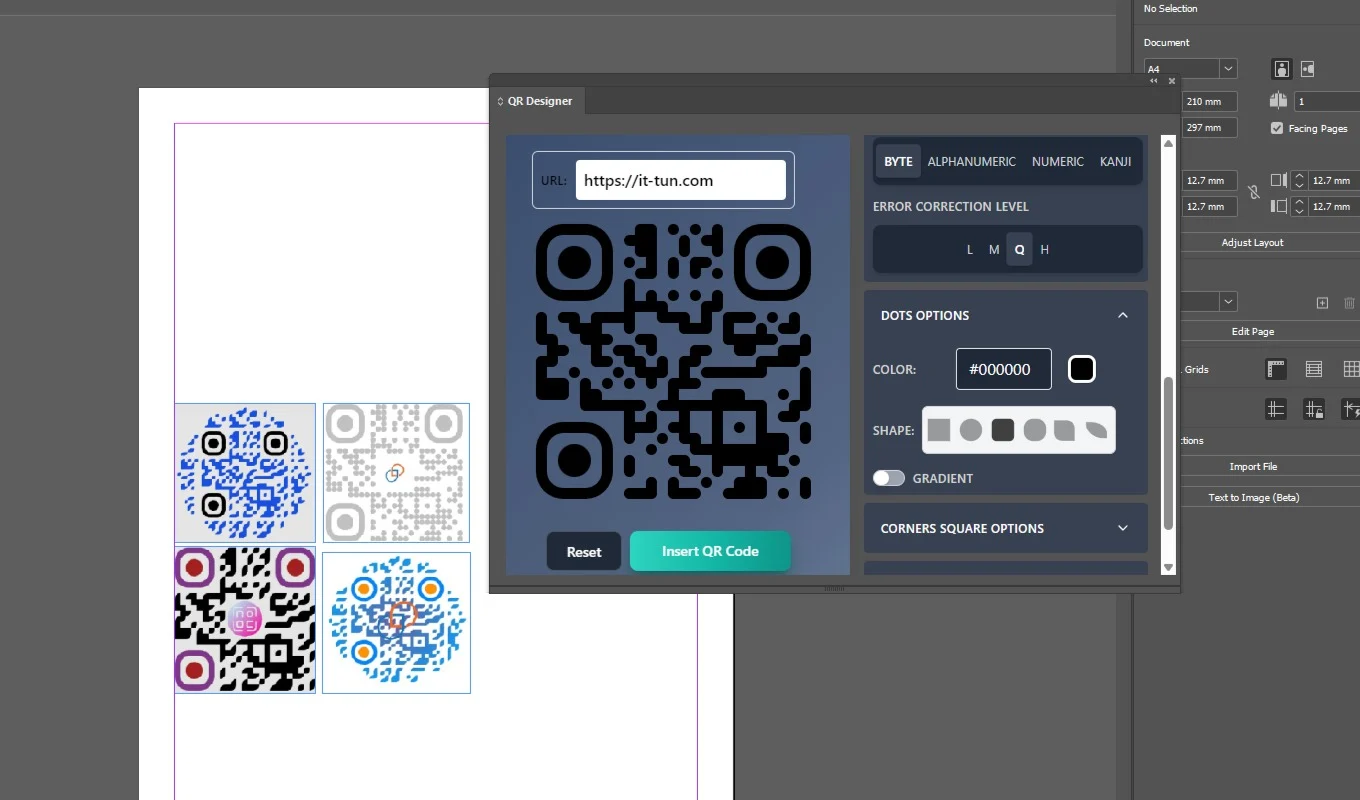
Adjust the shapes and patterns of the code to fit the design.
Colours
Set colours that complement your layout.
Logo integration
Embed a logo or image to keep the code on-brand.
High resolution
Inserts high-resolution images suited to print.
Live preview
See the result as you change options, before it is inserted.
Simple interface
Everything happens in one InDesign panel.
From install to result in a few clicks
- 1
Enter a URL or text
Type the content of the code.
- 2
Design it
Pick shapes, colours and a logo with a live preview.
- 3
Insert
Place the QR code in your InDesign document.
See it inside the app
Built for production work
Posters
Large-format QR codes that are part of the artwork.
Business cards
Small branded codes that link to a portfolio or vCard.
Tickets
Event and promotional passes with a distinctive code.
Promotional items
Codes for stickers, flyers and packaging inserts.
Watch QR Designer in InDesign
See QR codes styled with shapes, colours and a logo, then placed on the page.
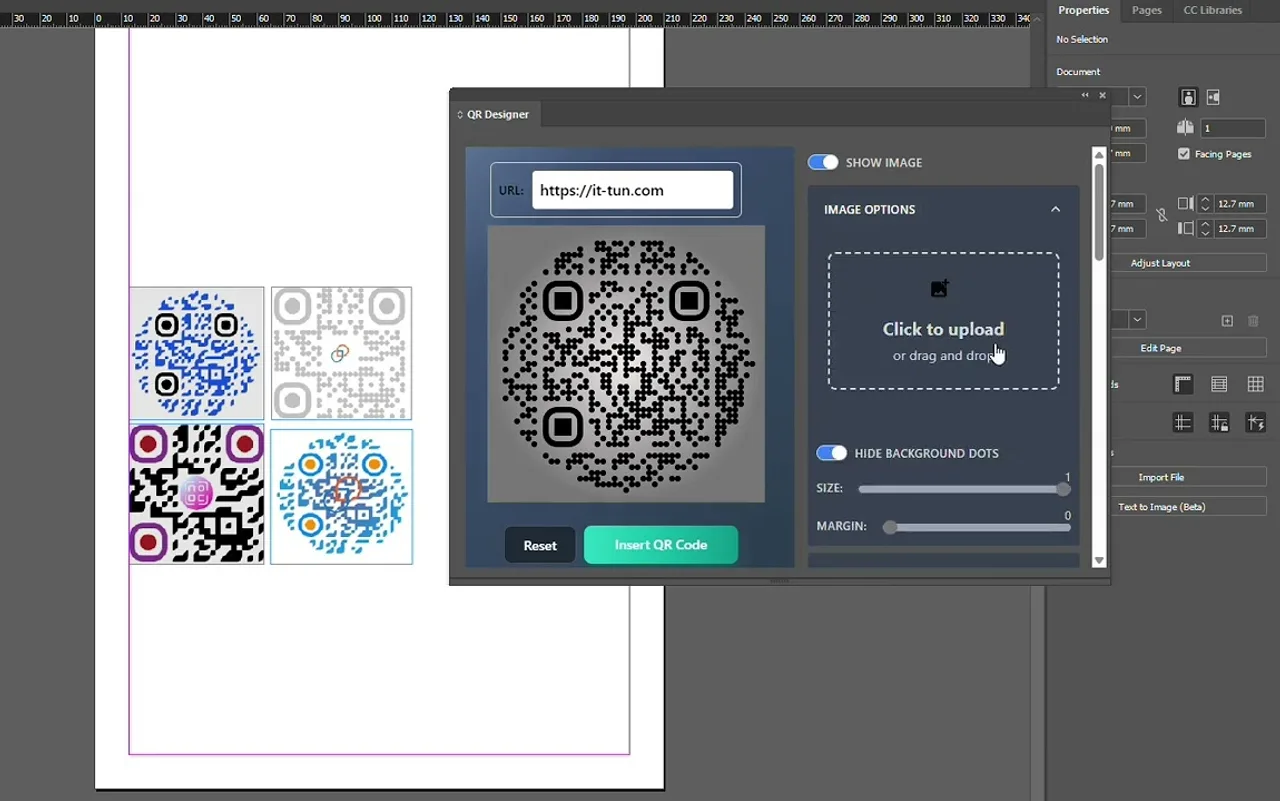 Plays from YouTube (privacy-enhanced mode)
Frequently asked questions
How much does it cost?
$2 per month. The subscription can be cancelled at any time by following the instructions you receive from FastSpring when subscribing.
Which InDesign versions are supported?
Adobe InDesign 18.5 or later.
What format is inserted?
A high-resolution PNG image, suitable for print.
Do I need vector QR codes?
For vector QR codes, Data Matrix and 159+ barcode formats, use Next Barcode Suite for InDesign.
Design a QR code people want to scan
Start QR Designer on Adobe Exchange for $2 per month.
Need a feature it does not have yet?
We wrote this plugin, so we can extend it, connect it to your systems or build a private version for your team.
Talk to the developersMore from Lingway
Next Barcode Suite for Adobe InDesign
Generate 159+ barcode and QR code formats as vectors inside InDesign.
View Product
Next Barcode Suite for Illustrator
Generate barcodes and QR codes in 159+ formats directly inside Adobe Illustrator, as vector artwork.
View Product
Next Barcode Suite for Adobe Photoshop
Generate 159+ barcode and QR code formats inside Photoshop.
View Product