 Adobe Illustrator
Math Tex for Adobe Illustrator
Write mathematical formulas in Illustrator, preview them and insert them as SVG. Every formula you create is saved, so you can reuse it in your next diagram.
- Create, edit and preview formulas
- Inserted as SVG vectors
- Formulas saved for reuse
- One-time purchase
Installs from Adobe Exchange · opens in a new tab
- Works in
- Adobe Illustrator
- Illustrator 23.0 or later
- Price
- $15
- one-time purchase
- Installs
- 190+ users
- Support
- From the developers
- Updates included
Formulas as first-class vector artwork
Math Tex gives Illustrator users a simple formula editor.
Create and edit
Write formulas and change them whenever you need.
Live preview
See the rendered formula before inserting it.
SVG insertion
Formulas are inserted as SVG graphics, editable like any other vector.
Saved library
Results are saved under Documents/math_tex for later use.
From install to result in a few clicks
- 1
Write
Type the formula in the editor.
- 2
Preview
Check the rendering.
- 3
Insert
Place it in your Illustrator artwork as SVG.
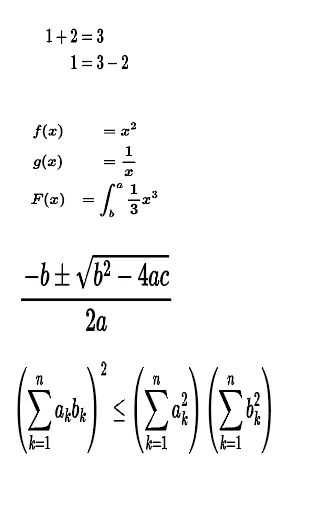
See it inside the app
Built for production work
Scientific illustrators
Diagrams with accurate notation.
Educational designers
Textbook figures and worksheets.
Infographic designers
Data stories that include formulas.
Teachers
Classroom posters and handouts.
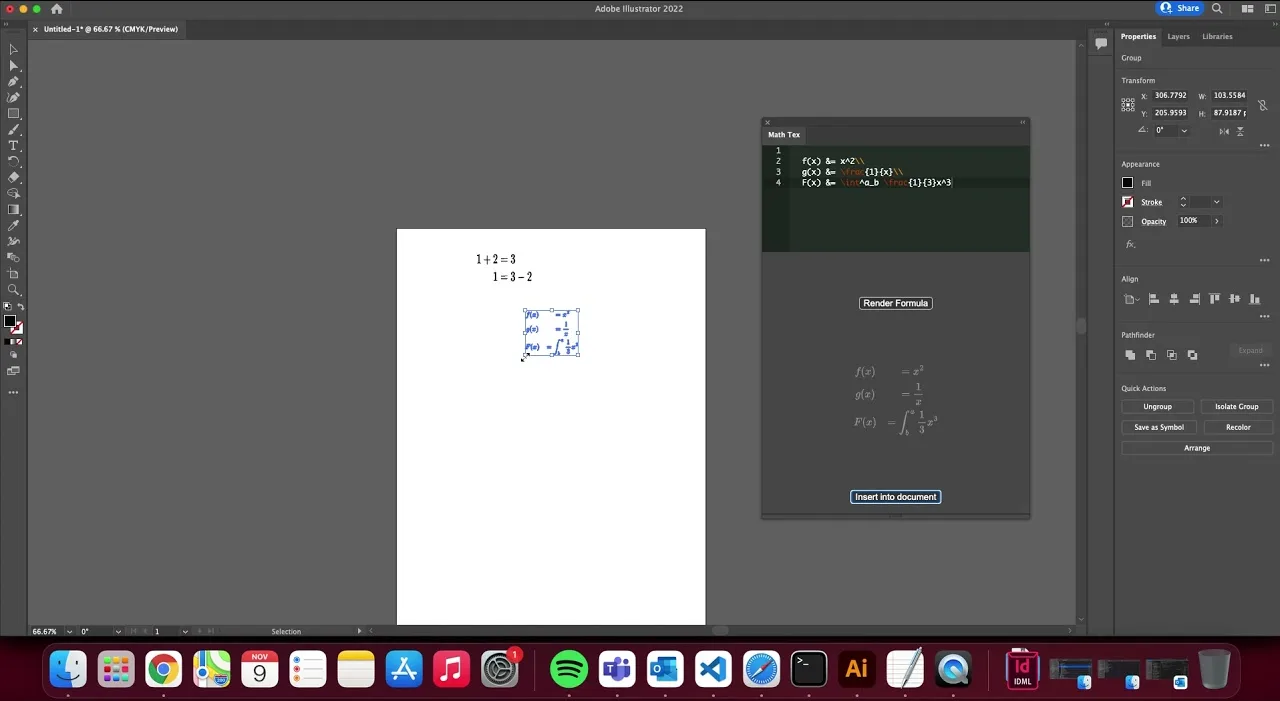
Watch Math Tex in Illustrator
See a formula created and inserted as SVG in Illustrator.
 Plays from YouTube (privacy-enhanced mode)
Frequently asked questions
Where are my formulas saved?
In the Documents/math_tex folder, so you can reuse them later.
Which Illustrator versions are supported?
Adobe Illustrator 23.0 or later.
Is it a subscription?
No. Math Tex is a one-time purchase on Adobe Exchange.
Need a feature it does not have yet?
We wrote this plugin, so we can extend it, connect it to your systems or build a private version for your team.
Talk to the developersMore from Lingway

Nano Banana Studio for Adobe Photoshop
Generate and edit images with Google Gemini inside Photoshop.
View Product
Media Magnetizer for Adobe Photoshop
Social media image sizes for every platform, one click away in Photoshop.
View Product
Math Pro for Adobe InDesign
Insert equations and LaTeX into InDesign as sharp SVG graphics.
View Product