 Adobe Photoshop
Math Pro for Adobe Photoshop
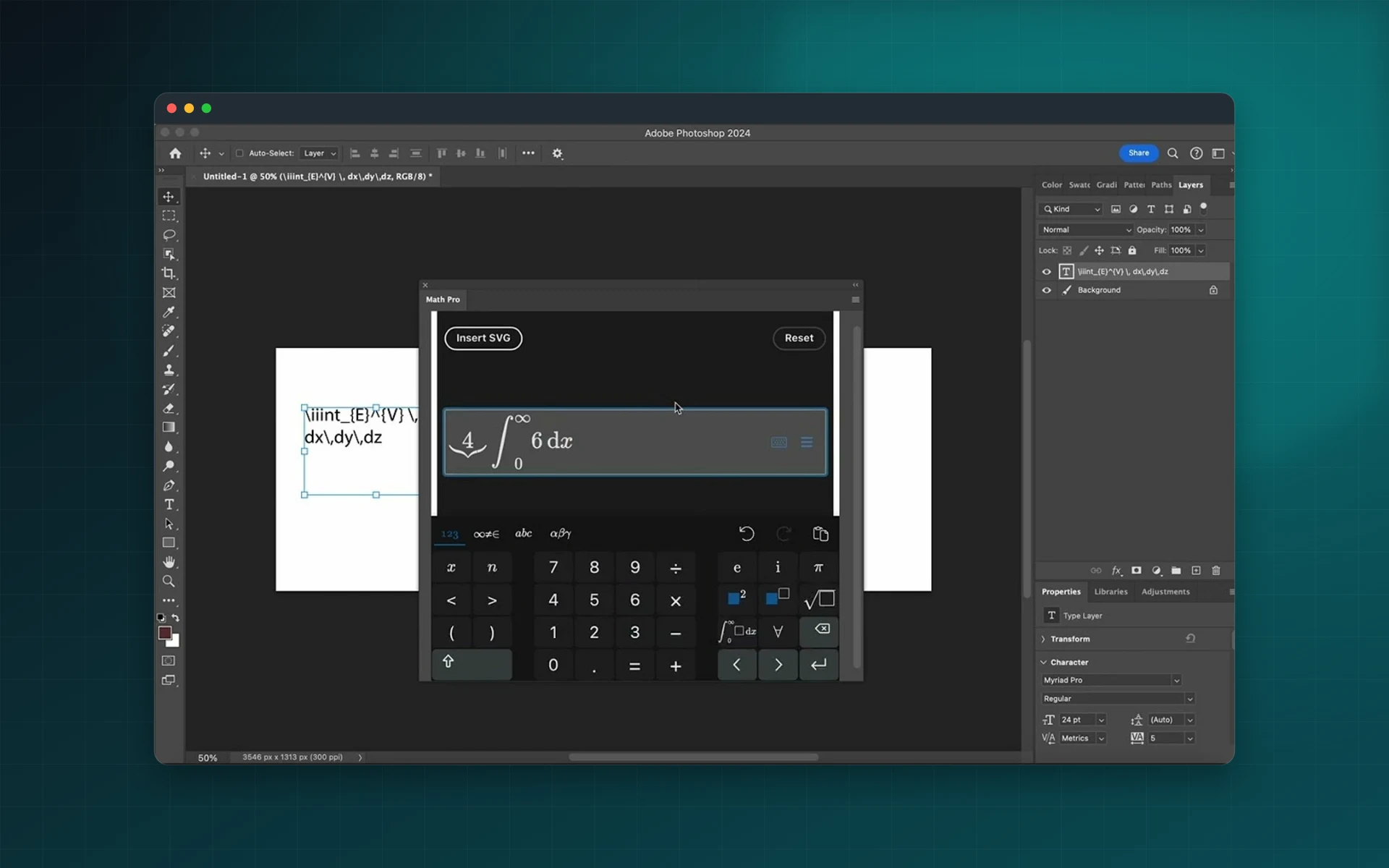
Add crisp mathematical formulas to thumbnails, slides, posters and course visuals in Photoshop. Type them with the smart keyboard or paste LaTeX; Math Pro inserts them as SVG.
- Smart math keyboard
- Paste LaTeX, get SVG
- Custom formula colour
- Sharp at any resolution
Installs from Adobe Exchange · opens in a new tab
- Works in
- Adobe Photoshop
- Photoshop 23.0 or later
- Price
- $8
- per month
- Support
- From the developers
- Updates included
Equations without screenshots
No more pasting blurry equation screenshots into your visuals.
Smart keyboard
Every common operator and symbol, a click away.
LaTeX support
Paste LaTeX code and it is converted automatically.
SVG output
Formulas arrive as vectors, sharp at any size.
Colour control
Set the formula colour to match your design.
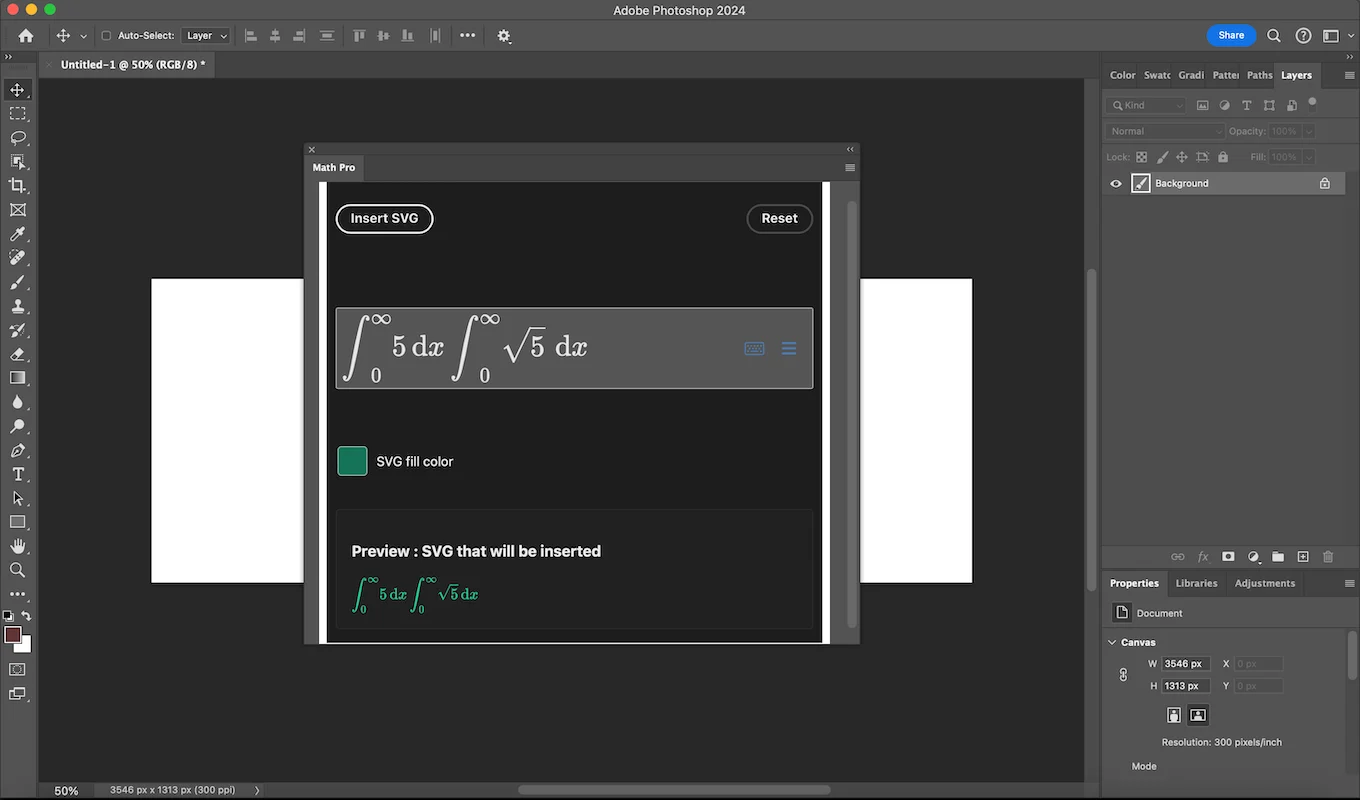
Live preview
Check the rendering before it lands in your document.
From install to result in a few clicks
- 1
Write the formula
Use the keyboard or paste LaTeX.
- 2
Preview and colour
Check the result and pick a colour.
- 3
Insert
Add it to your Photoshop document.
See it inside the app
Built for production work
Online educators
Course thumbnails and slides with clean equations.
Content creators
Math and science visuals for videos and posts.
Science communicators
Infographics that explain formulas.
Students
Posters and presentations for projects.
Watch Math Pro in Photoshop
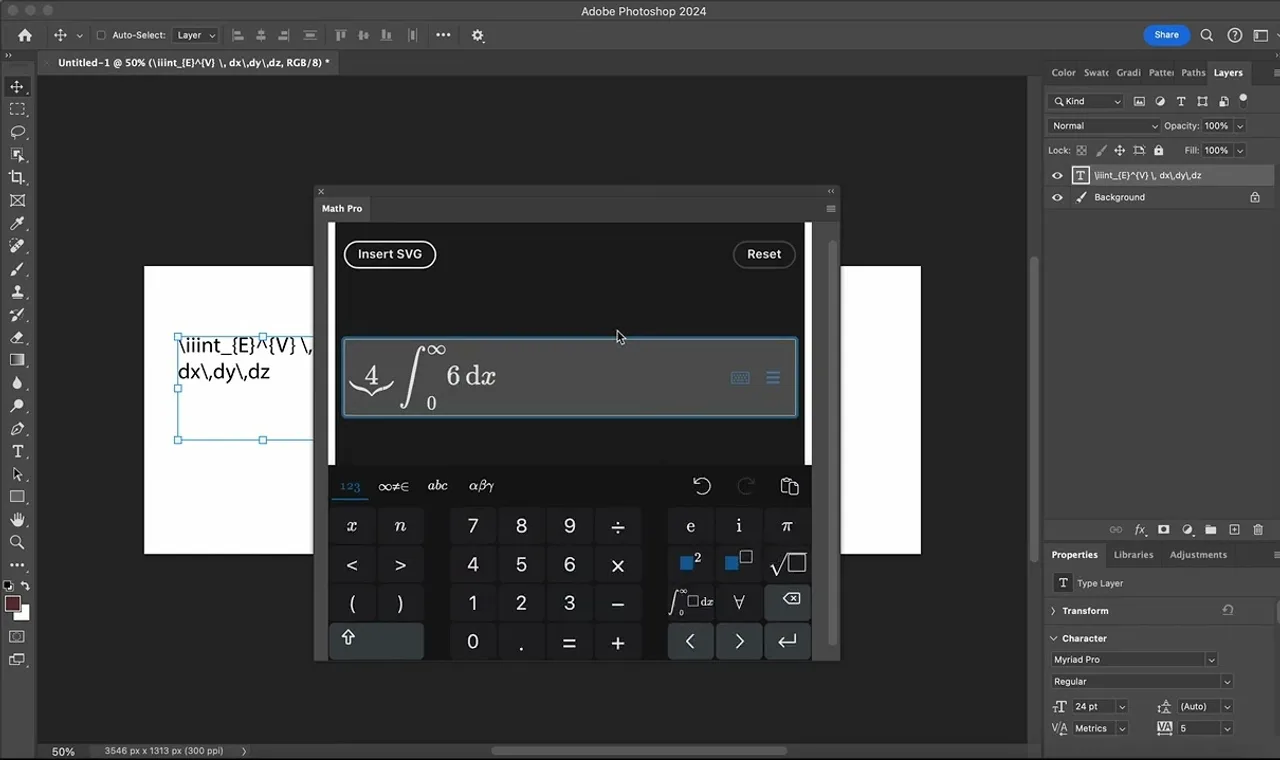
See a formula built with the smart keyboard and inserted into Photoshop.
 Plays from YouTube (privacy-enhanced mode)
Frequently asked questions
Can I paste LaTeX?
Yes. LaTeX code pasted into the editor is converted to SVG automatically.
Which Photoshop versions are supported?
Adobe Photoshop 23.0 or later.
How much does it cost?
$8 per month. Cancel at any time by following the instructions you receive from FastSpring when subscribing.
Is there an InDesign version?
Yes. Math Pro for Adobe InDesign is available too.
Put clean equations in your visuals
Install Math Pro for Photoshop from Adobe Exchange.
Need a feature it does not have yet?
We wrote this plugin, so we can extend it, connect it to your systems or build a private version for your team.
Talk to the developersMore from Lingway

Nano Banana Studio for Adobe Photoshop
Generate and edit images with Google Gemini inside Photoshop.
View Product
Media Magnetizer for Adobe Photoshop
Social media image sizes for every platform, one click away in Photoshop.
View Product
Math Pro for Adobe InDesign
Insert equations and LaTeX into InDesign as sharp SVG graphics.
View Product