Sheet Sync for Adobe InDesign
Sheet Sync connects Google Sheets, Excel, and CSV files directly to InDesign layouts. Map spreadsheet columns to text frames and tables, then update all linked content across your document with a single click. Built for catalogs, price lists, reports, and any data-driven publishing workflow.
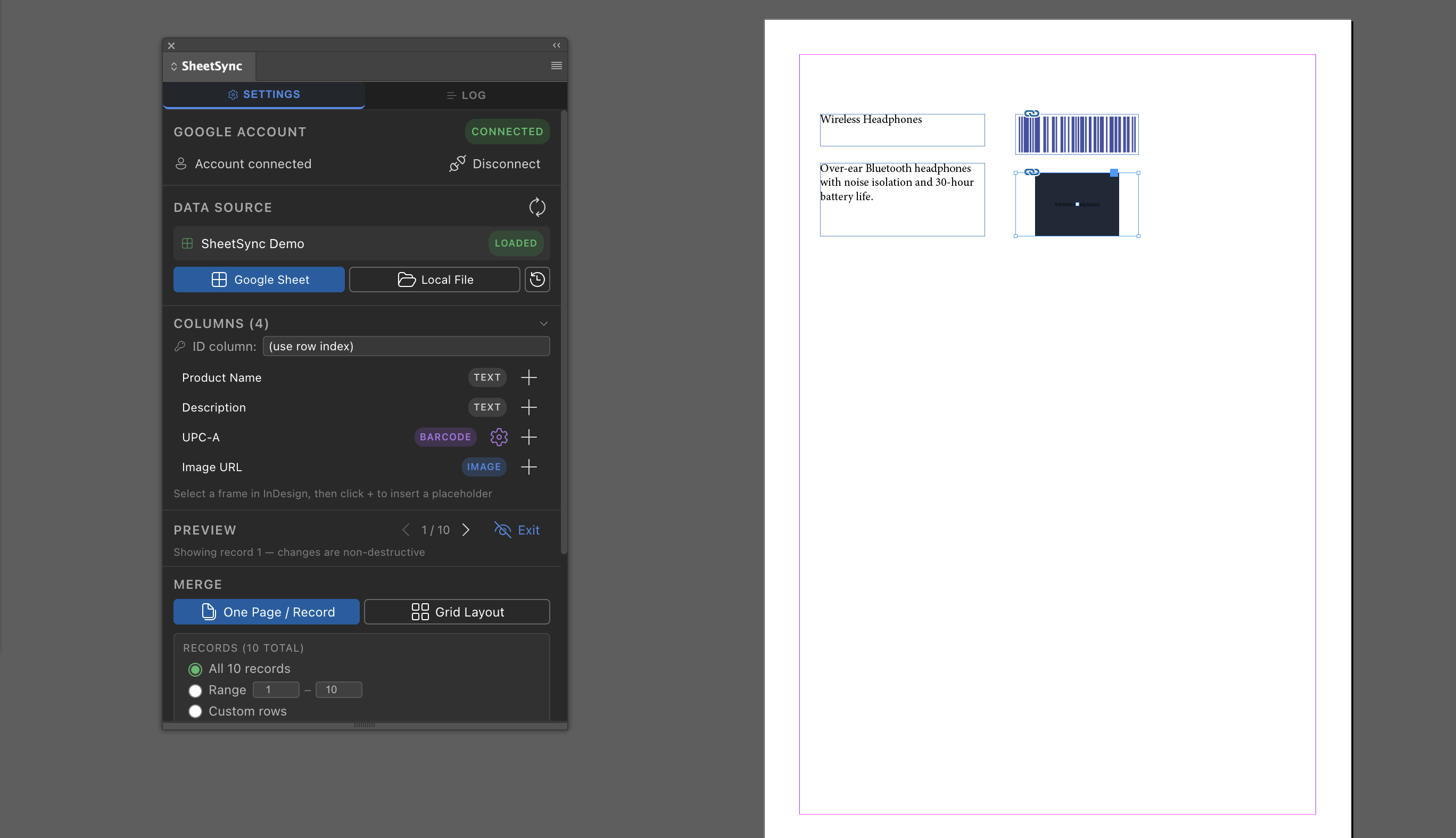
Live Spreadsheet Data Inside
Your InDesign Layouts
Sheet Sync eliminates the manual work of copying and pasting spreadsheet data into InDesign documents. Connect your Google Sheets, Excel, or CSV file once, map each data field to the corresponding text frame or table cell, and synchronize all content automatically whenever your source data changes.
Connect Spreadsheets to InDesign Layouts
Import data from Google Sheets, Microsoft Excel, or CSV files directly into InDesign without leaving the application. Sheet Sync reads your spreadsheet columns and makes them available for mapping to any text frame or table in your document. Changes to your source file are reflected in InDesign with a single sync action.
Field Mapping and Table Binding
Map individual spreadsheet columns to specific text frames or table cells using a visual interface. Maintain persistent links between your data source and your layout so that subsequent syncs update only the mapped content, preserving all formatting, styles, and surrounding design elements.
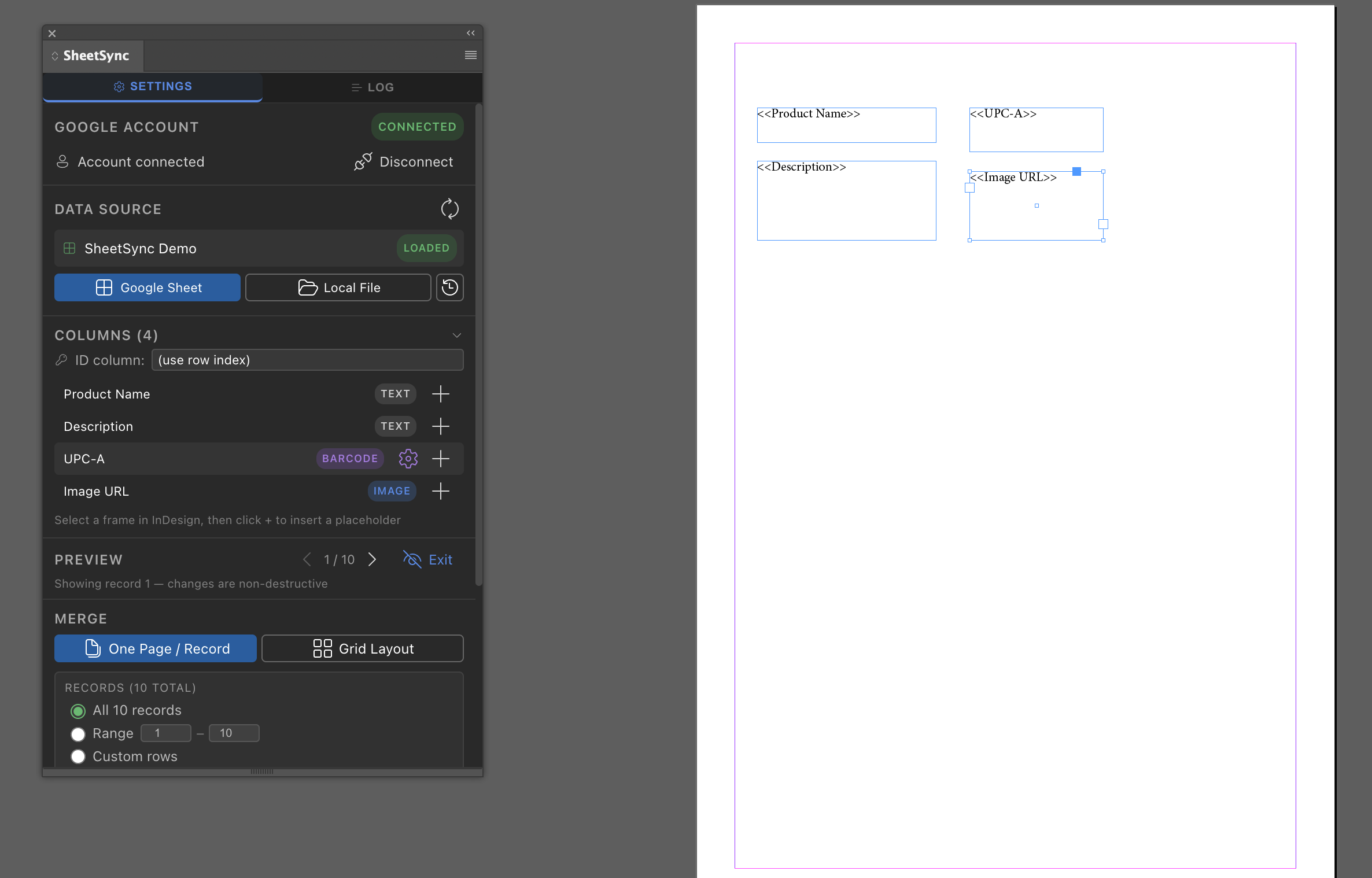
One-Click Synchronization
Trigger a full document sync at any time with a single click. Sheet Sync reads the current state of your linked spreadsheet and updates all mapped text frames and table cells simultaneously. No manual copy-paste, no export-import cycles, and no risk of missed updates across multi-page documents.
Ideal for Catalogs, Price Lists, and Reports
Sheet Sync is designed for publishing workflows where layout content changes frequently. Product catalogs, retail price lists, financial reports, and data-driven editorial layouts all benefit from a persistent, automated connection between structured spreadsheet data and professionally designed InDesign templates.
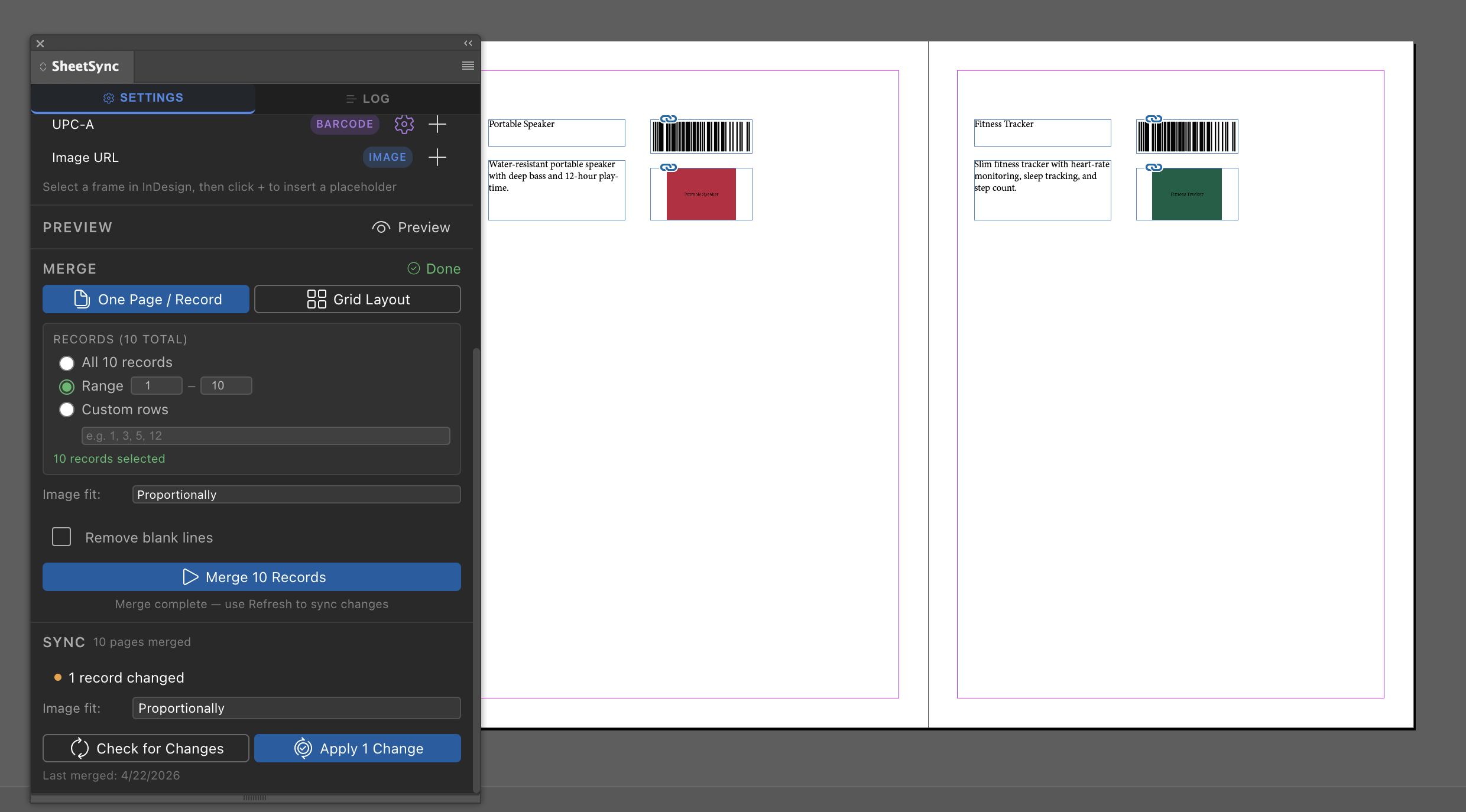
See Sheet Sync in Action
Watch how Sheet Sync connects a spreadsheet to an InDesign layout, maps data fields to text frames and tables, and synchronizes all content automatically. See how publishing teams use Sheet Sync to eliminate manual data entry and keep catalog and price list layouts up to date without leaving InDesign.
Automate Your Data-Driven InDesign Workflows
Download Sheet Sync from Adobe Exchange and connect your spreadsheets to InDesign layouts today. Map your data fields once and synchronize all linked content automatically on every update — no scripting or manual copy-paste required.
Get Sheet Sync on Adobe ExchangeProduct Legal
Find product-specific terms and privacy details.
The use of raw or derived user data received from Workspace APIs will adhere to the Google User Data Policy, including the Limited Use requirements.